




- Category Multimedia design
- Developer Ashampoo GmbH & Co. KG
- Available on PC
- OS Windows 10 version 0.0 or higher
- languages English, Chinese (Simplified), Chinese (Traditional Chinese), German, Finnish, French, Italian, Catalan, Dutch, Polish, Portuguese, Portuguese (Brazil), Romanian, Russian, Swedish, Slovak, Spanish, Spanish (Argentina), Czech, Turkish, Hungarian
Introducing Ashampoo Video Optimizer Pro 2: Your New Best Friend for Video Enhancement
If you've ever tried to salvage a blurry family vacation clip or give your old footage a fresh, crisp look, you'll appreciate the promise of Ashampoo Video Optimizer Pro 2. Designed as an accessible yet powerful tool, this software aims to turn average videos into eye-catching memories with minimal fuss.
Developers and Core Highlights
Developed by Ashampoo GmbH & Co. KG, a reputable name in the software industry known for user-centric utilities, Ashampoo Video Optimizer Pro 2 offers several standout features:
- Smart Repair Technology: Automatically detects and corrects blurry, shaky, or pixelated footage—think of it as giving your videos a well-needed digital detox.
- Video Enhancement: Enhances resolution and sharpness, making old or low-quality videos look surprisingly vibrant and detailed.
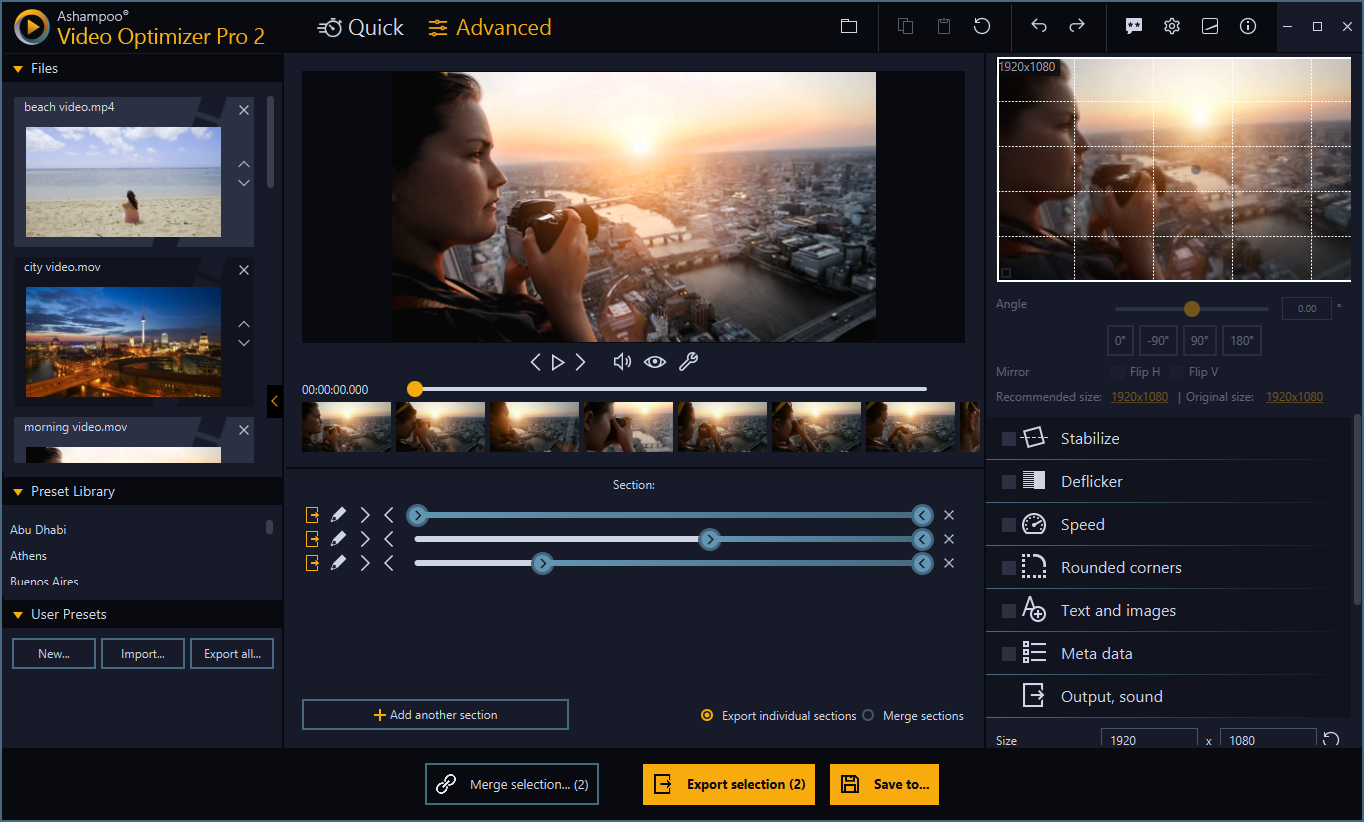
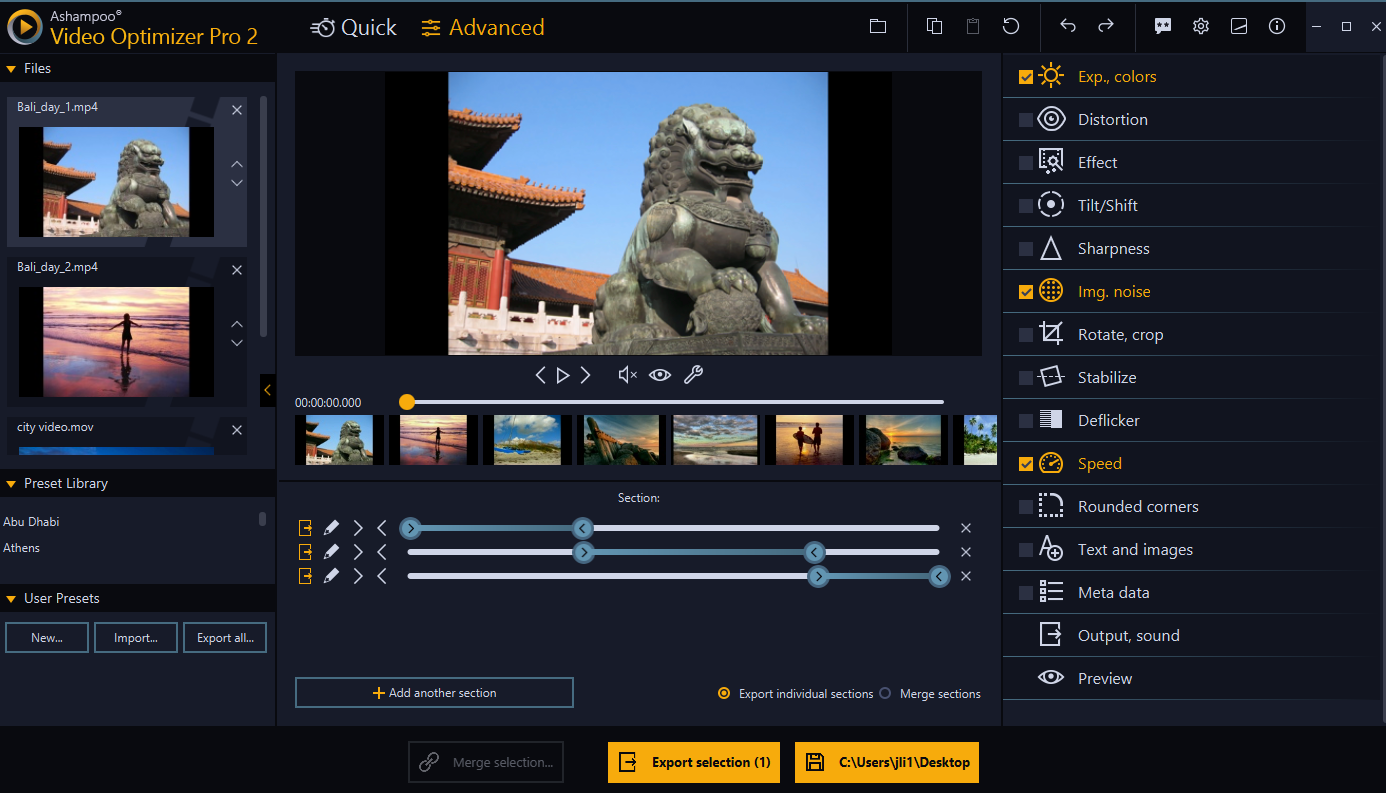
- Easy-to-Use Interface: Intuitive design that ensures even beginners can navigate with confidence.
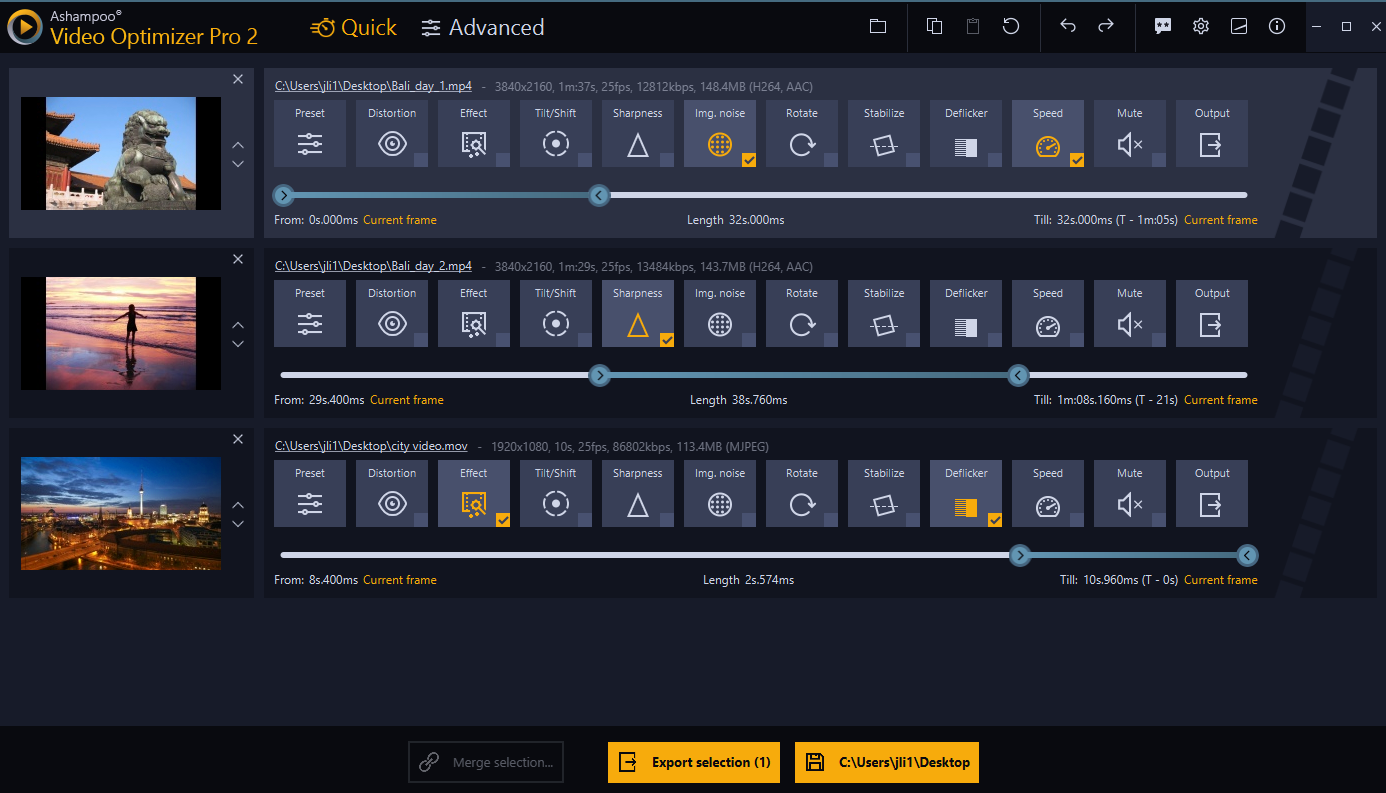
- Batch Processing: Simply put, it allows you to spruce up multiple videos at once—saving time and effort.
Targeting casual users, hobbyists, and even small content creators, the app offers a compelling mix of automation and straightforward controls to help everyone produce polished videos without requiring advanced editing skills.
A Bright, Engaging Entrance to Video Restoration
Imagine dusting off an old VHS tape and wishing it could look as sharp and lively as modern clips—Ashampoo Video Optimizer Pro 2 aims to bridge that gap. The software feels like a friendly, expert assistant shadowing you through your video cleaning journey, transforming rough footage into vivid memories that pop with clarity. Whether you're tidying up home videos or preparing content for social media, this app promises to make professional-looking results accessible to all.
Powerful Restoration with Smart Repair Tech
One of the most significant features that set this application apart is its Smart Repair technology. Think of it as a digital magic wand that analyzes your footage frame by frame, identifying issues like blurriness, shaking, or pixelation. Then, it intelligently applies corrections to restore sharpness and stability. For instance, a shaky wedding video shot on a handheld camcorder—once marred by jitters—can now be stabilized seamlessly. This feature works behind the scenes, requiring minimal input, making it particularly appealing to users who want quick yet effective results.
Enhancer and Resolution Boost: Bringing Old Videos Back to Life
Ever looked at an old school project or family clip and wished it could be clearer? The app's enhancement tools come into play here. Using advanced algorithms, it upscales lower resolution videos, sharpening details and reducing noise. The difference can be quite astonishing—akin to giving your footage a crisp coat of paint. While it doesn't turn a VHS into 4K overnight, it significantly improves viewing comfort, especially when sharing videos on modern screens.
Sleek Interface and User Experience
Ease of use is a vital ingredient in any good multimedia application, and Ashampoo Video Optimizer Pro 2 delivers here gracefully. Its interface is intuitive, with a clean layout that guides you clearly through the editing process. Drag-and-drop functionalities and straightforward controls mean you won't need an engineering degree to adjust your videos. The app responds smoothly during operation, with no noticeable lag or crashes. The learning curve is gentle; even first-timers can master basic enhancements within minutes, making it feel more like a helpful friend rather than a daunting software puzzle.
What Sets It Apart From Other Multimedia Tools?
Compared to other video enhancement tools, the standout feature of Ashampoo Video Optimizer Pro 2 is its blend of automation and intelligent repair. While many programs focus solely on manual editing or require extensive user input, this app's smart algorithms do much of the heavy lifting, ideal for users who want effective results without the complexity. Its batch processing capability also gives it a practical edge for those with multiple videos to restore—imagine restoring an entire home video collection or a series of footage sets in one go.
Furthermore, the app emphasizes preserving naturalness—unlike some AI-based tools that over-sharpen or distort footage, Ashampoo maintains a balance, delivering enhancements that look authentic and subtle, avoiding the 'over-processed' feel.
Final Verdict and Recommendations
Overall, Ashampoo Video Optimizer Pro 2 is a practical, user-friendly solution for anyone seeking to improve their videos efficiently. Its strength lies in its intelligent repair features and smooth workflow, making complex-looking restoration tasks accessible to everyday users. I'd recommend it to casual videographers, families, or small content creators who want reliable, quick enhancements without navigating a steep learning curve.
If you're someone looking for a straightforward yet powerful tool to breathe new life into aging or low-quality videos, this app deserves a spot in your software collection. For professional-grade editing, you might seek more comprehensive tools, but for fast, automatic improvements, Ashampoo Video Optimizer Pro 2 is a commendable choice.
Pros
- User-Friendly Interface
- High-Quality Video Enhancement
- Wide Format Support
- Fast Processing Speed
- Built-in Video Stabilization
Cons
- Limited Advanced Editing Features
- Occasional Export Errors
- Watermark on Free Version
- Limited Editing Presets
- Resource Intensive











