
Frequently Asked Questions
How can I start playing Backgammon Reloaded for the first time?
Download the app from the official website or app stores, open it, and follow the on-screen instructions to set up your profile and select game mode.
Is Backgammon Reloaded playable offline against AI?
Yes, you can play offline against trained Artificial Neural Networks by selecting the offline mode in the main menu.
How do I switch the table view orientation?
In the game screen, tap the settings menu and choose 'Reverse Table' to switch the board orientation to your preference.
Can I customize the game interface for better performance or appearance?
Yes, navigate to Settings > Display to adjust options like checker color, sound, and table view for a personalized experience.
How do I challenge a specific friend to a game?
Use the 'Friend mode' feature, filter by name, chat with your friend, and send a game request directly through the interface.
What are the main features available during a game?
You can view scores, pip counts, cube values, switch table views, change checker color, and chat with your opponent.
How does manual dice rolling work?
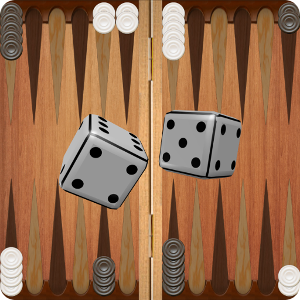
Tap the screen to roll dice manually; the formula uses milliseconds mod 6 to influence dice randomness, giving you control over the rolls.
Can I watch ongoing games on Backgammon Reloaded?
Yes, go to Play Online > Lobby > Games and select the 'Watch' option next to a game to observe it in real-time.
Is there a way to reset my game if something goes wrong?
Yes, use the 'Reset' button in the Menu options to disconnect from the server and reset the board for a fresh start.
Are there any limitations on game duration or match settings?
You can set match lengths from 1 to 9 games and use timers to prevent long waiting periods for opponent moves.
You May Like

Microsoft Solitaire Collection
for Windows
4.9
Christmas Bingo Santa's Gifts
for Windows
4.8
Microsoft Ultimate Word Games
for Windows
4.8
Mahjong Solitair
for Windows
4.8
Christmas Time Solitaire
for Windows
4.8
Sweet Home: Design & Blast
for Windows
4.8
Sudoku Central
for Windows
4.8
Tropical Beach Bingo World
for Windows
4.7
Jigsaw Puzzle Nature
for Windows
4.7
Spider Solitaire Collection Free
for Windows
4.7
Gin Rummy Deluxe
for Windows
4.7
Mahjong Epic
for Windows
4.7