

- Category Multimedia design
- Developer Blender Foundation
- Available on PC
- OS Windows 10 version 17763.0 or higher
- Keyboard Integrated Keyboard
- Mouse Integrated Mouse
- Memory 2 GB
- languages English (United States)
Blender for Windows: Powering Creative Visualization on Your Desktop
Blender for Windows is a comprehensive open-source 3D creation suite that empowers artists, designers, and hobbyists to craft stunning models, animations, and visual effects with professional precision.
Who's Behind It?
Developed and published by the Blender Foundation, a renowned non-profit organization dedicated to supporting the development of Blender and open-source content creation tools.
Key Features at a Glance
- Robust 3D Modeling and Sculpting Tools: Enables detailed and complex model creation with intuitive workflows.
- Advanced Animation and Rendering Capabilities: Supports realistic rendering with Cycles and Eevee, alongside sophisticated animation tools.
- Integrated Video Editing and Compositing: Offers a seamless environment for post-processing and visual effects.
- Customizable Interface & Extensibility: Highly adaptable workspace with support for plugins and scripting via Python.
Targeted at professional 3D artists, visual effects artists, game developers, and enthusiastic hobbyists eager to explore cutting-edge digital creation on Windows platforms.
A Creative Journey Begins: An Engaging Introduction
Imagine stepping into a virtual workshop where the tools are as versatile as a Swiss Army knife—and as powerful as a high-tech studio. Blender for Windows transforms your mundane computing device into a playground of creative possibilities. Whether you're sculpting intricate characters, designing immersive environments, or rendering lifelike animations, this software acts as both mentor and magic wand, guiding your ideas from conception to realization. Its open-source nature means the doors are wide open—no barriers, just pure creative freedom. But how does it hold up as your daily creative companion? Let's dive into the core features that make Blender stand out in the bustling universe of multimedia design applications.
Intuitive Interface and User Experience: Crafting Creativity with Ease
Blender's interface is a carefully balanced mix of sophistication and straightforwardness, designed to cater to both newcomers and seasoned professionals. Upon launching, the workspace feels like opening the door to a well-organized artisan's studio, with a sleek, customizable layout that adapts to your workflow. The interface uses a modular approach—think of it as building blocks you can arrange and resize, making your workspace as efficient or as spacious as needed.
Operation-wise, Blender boasts smooth, responsive performance, even with complex models or rendering tasks. Scene navigation feels natural—zooming, panning, and rotating are fluid, thanks to optimized controls and hardware acceleration support. While there is a learning curve—like mastering a new instrument—the abundance of tutorials, community resources, and in-app help eases the journey. Within a short time, the interface transforms from a daunting puzzle to a familiar workspace, welcoming your creative experiments.
Core Functional Areas: Dive Deep into Creation
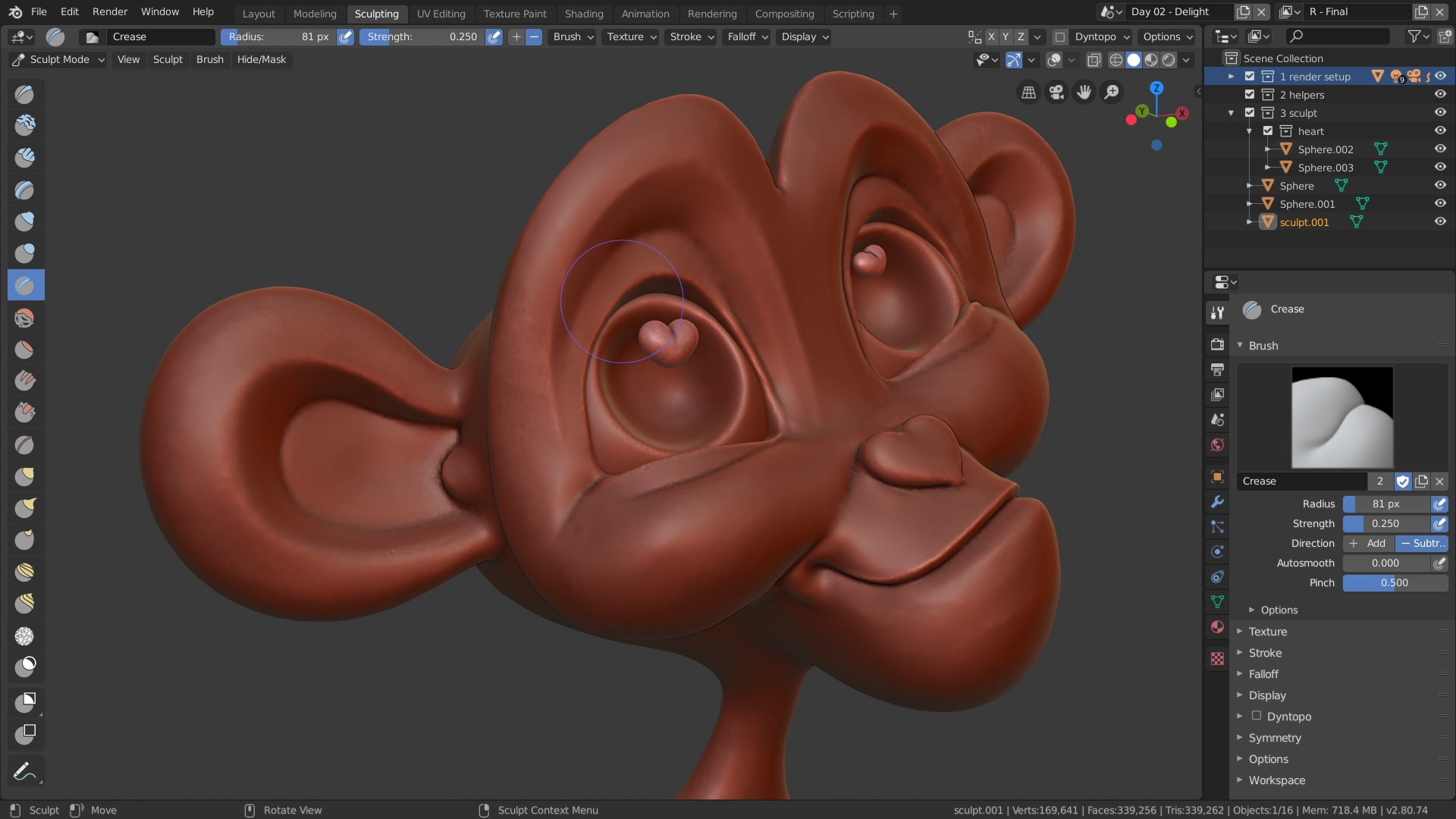
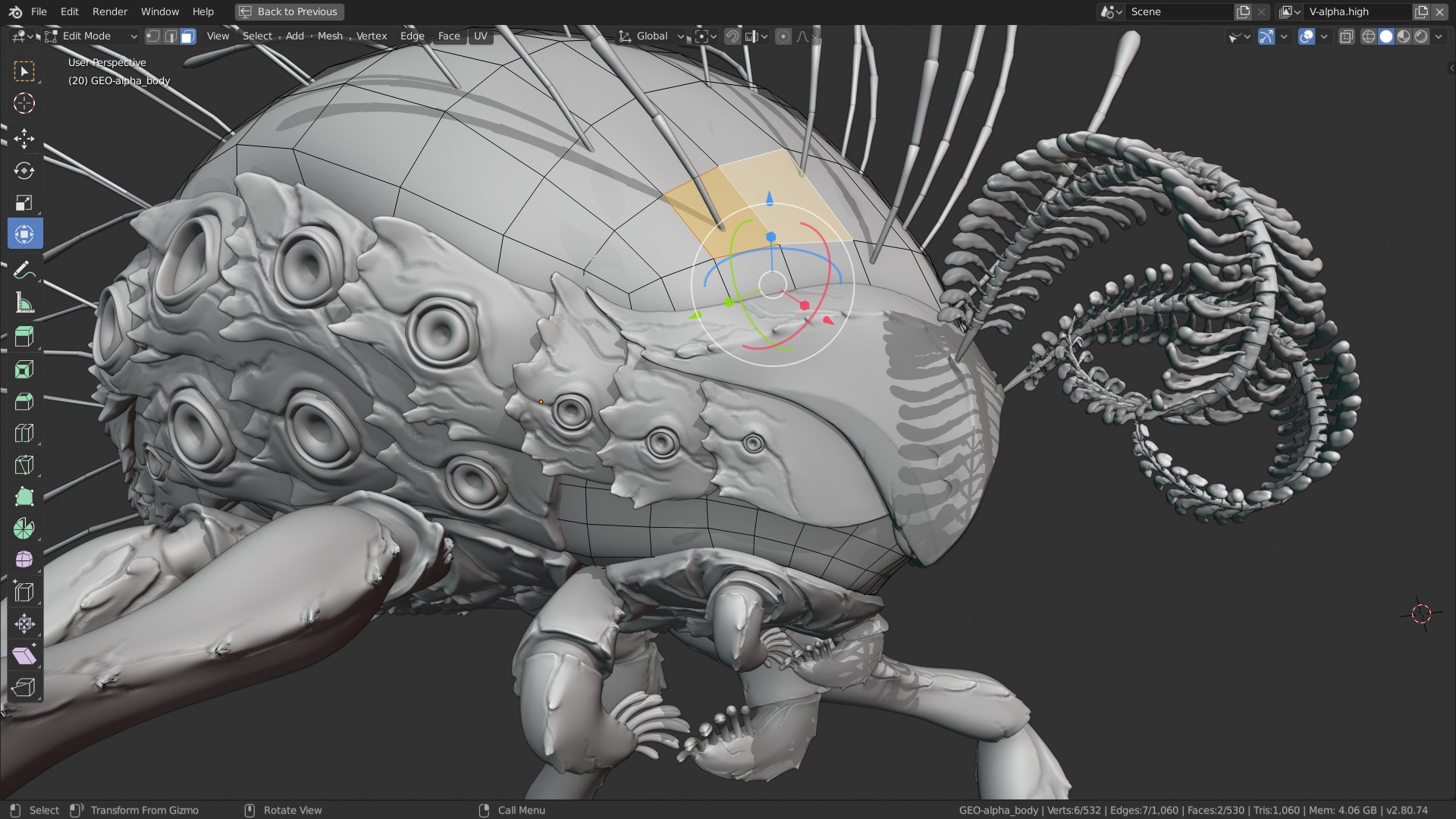
Modeling and Sculpting
Imagine sculpting a clay masterpiece—Blender's modeling tools are just as tactile and expressive. The suite offers a comprehensive set of polygonal, NURBS, and parametric modeling options. Sculpting tools allow for detailed, organic shapes, making it ideal for character creation or intricate environment design. Unique features like the dynamic topology sculpting introduce a sense of organic flow, akin to molding clay with your hands—precise, intuitive, and satisfying.
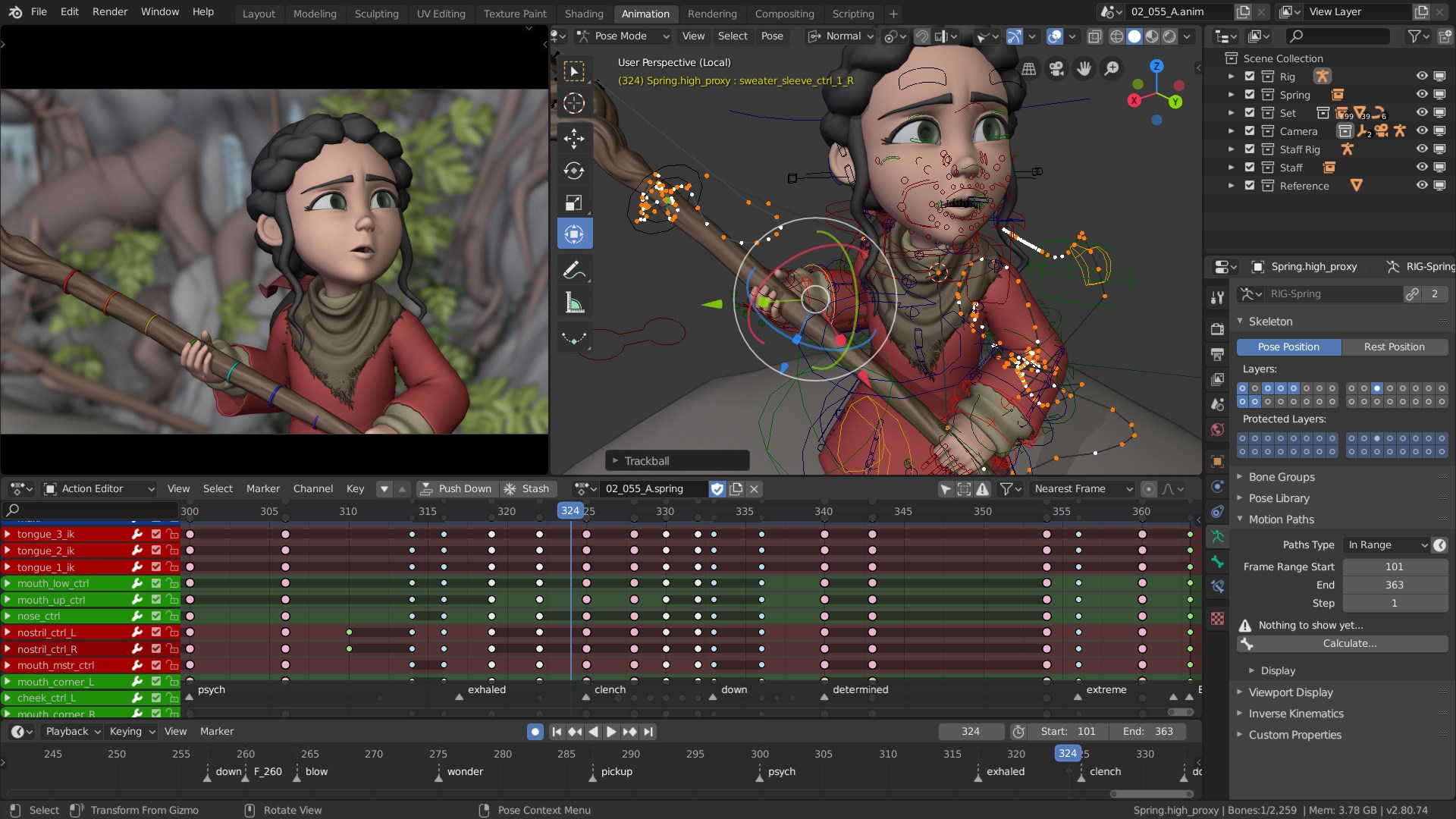
Rendering and Animation
Blender's rendering engines—Cycles and Eevee—are the software's star performers. Cycles offers realistic, ray-traced quality, perfect for producing high-fidelity visuals, while Eevee provides real-time rendering suited for quick previews and interactive workflows. Animators will appreciate the timeline, rigging system, and non-linear editing features, allowing complex scene choreography to come alive smoothly. These functionalities, combined, empower creators to produce cinematic quality animations and visualizations without leaving the platform.
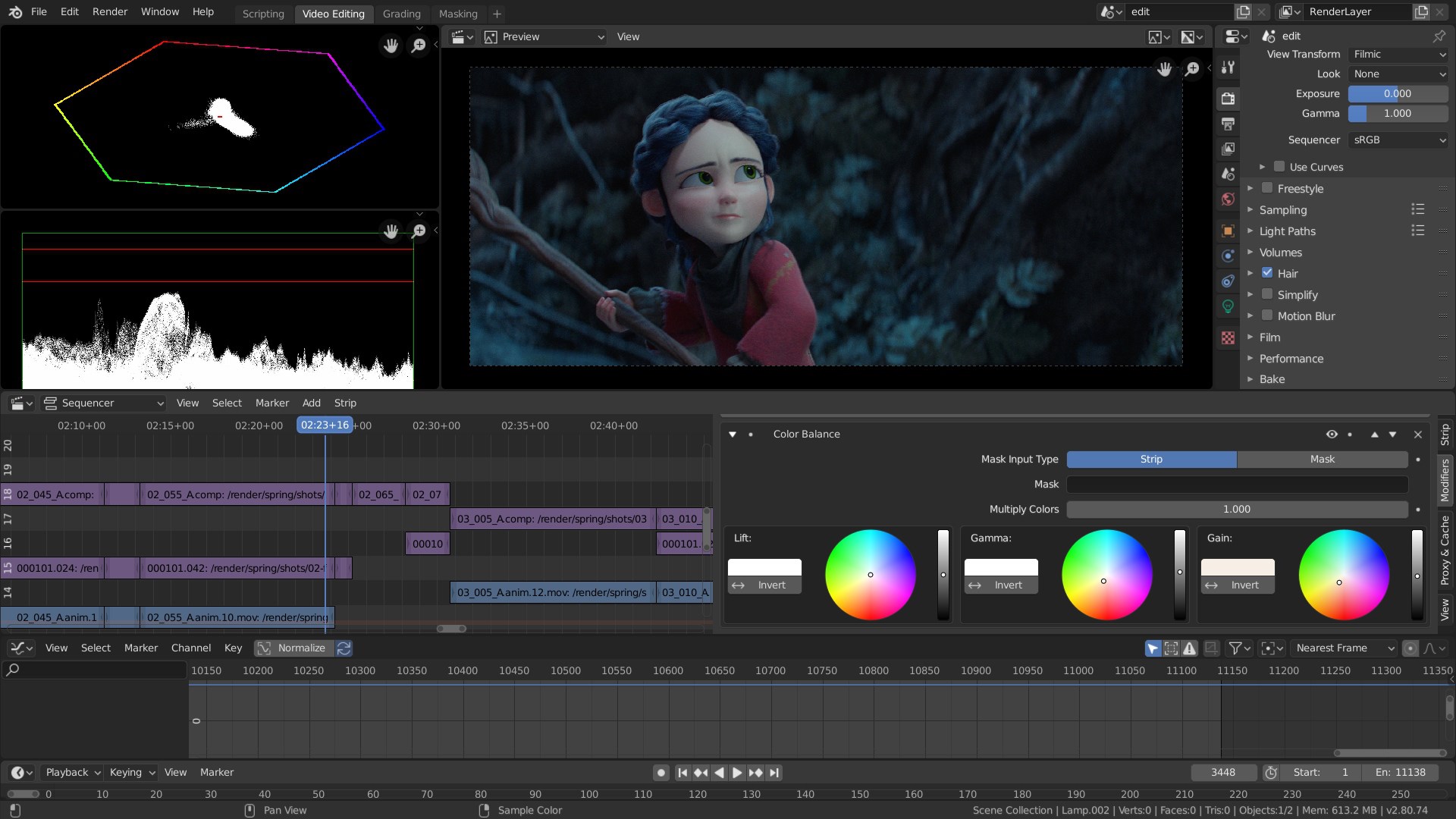
Post-Processing and Compositing
The integrated video editing and compositing nodes facilitate seamless transitions from 3D creation to final touches. Think of it as an artist's studio where you can add lighting effects, color correction, or composite multiple layers effortlessly. This interconnected environment minimizes the need to switch between multiple applications, streamlining your workflow and saving valuable time.
What Makes Blender Unique? The Champions in Its Corner
Compared to other multimedia design tools like Maya, 3ds Max, or Cinema 4D, Blender shines with its open-source ethos—no licensing fees and a vibrant community driving continuous updates. Its standout features include a highly customizable interface, scripting capabilities for automation, and the absence of vendor lock-in. The ability to use the same tool for modeling, rendering, animation, and post-production creates an ecosystem that is both harmonious and versatile. Moreover, Blender's real-time rendering engine Eevee offers a game-changer for quick previews, making it distinct from more traditional offline renderers that often require hours to process.
Final Verdict: Is Blender for Windows Worth Your Time?
Absolutely. Blender stands out as a versatile, reliable, and ever-evolving tool that caters to a broad spectrum of creative needs. Its powerful core features, combined with a friendly user interface and a supportive community, make it an excellent choice whether you're just starting out or seeking a professional-grade platform. While it may initially feel complex—like learning a new language—it rewards persistence with professional results and creative satisfaction.
If you're a Windows user passionate about 3D art or multimedia production, Blender deserves a spot on your desktop. The most Special features—its all-in-one solution for modeling, rendering, and animation, powered by real-time engines and immense customizability—are what truly set it apart from other apps. For those willing to invest a little time to learn its ropes, Blender can become an invaluable partner in your digital creative journey.
Pros
- Rich Feature Set
- Free and Open Source
- Active Community Support
- Cross-Platform Compatibility
- Regular Updates and Improvements
Cons
- Steep Learning Curve
- Performance Issues with Complex Scenes
- Limited Built-in Textures and Assets
- UI Complexity
- Requires High System Specifications for Optimal Use










