
Frequently Asked Questions
How do I start playing BODYCAM 2026 for the first time?
Download and install the app from your store, then open it and follow the on-screen tutorial to get familiar with the controls and gameplay basics.
What are the basic controls to move and shoot?
Use the on-screen joystick to move, tap the shoot button to fire, and access gear via the quick menu for easy control during combat.
How do I access and customize my tactical gear?
Go to the 'Gear' menu from the main screen, then select 'Customize' to personalize weapons, skins, and tactical equipment.
Can you explain the key features of the dynamic Bodycam effects?
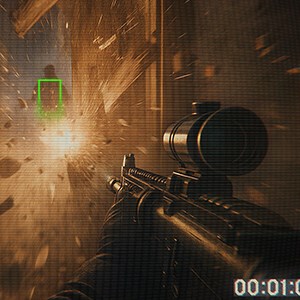
These effects include camera distortions, blurring, and shaking during gunfire to simulate realistic combat sensations, adjustable in Settings > Visual Effects.
What advanced equipment can I equip to improve my gameplay?
You can equip flashbangs, grenades, night vision goggles, and scouting tools via the 'Gear' menu to enhance tactical options.
How does the weapon handling mechanic work?
Experience authentic gun mechanics with free weapon movement and detailed recoil, enabled by default or customizable in Settings > Controls.
Is there a subscription or in-app purchase option?
Yes, you can subscribe or buy skins and gear via the Store menu located under Settings > Store for enhanced customization.
How do I manage my subscription or in-app purchases?
Navigate to Settings > Account > Subscriptions to view or cancel your subscriptions; for purchases, go to Settings > Store.
Are there any tips to fix lag or crashes?
Ensure your device meets the recommended specs, close background apps, and update the game and your device OS to improve stability.
What should I do if controls are unresponsive during gameplay?
Restart the app, check for updates, and ensure your device touchscreen is clean; adjust control sensitivity in Settings > Controls if needed.
You May Like

DOOM + DOOM II
for Windows
4.8
Deep Rock Galactic - Ultimate Edition
for Windows
4.7
Roboquest
for Windows
4.7
Deep Rock Galactic - Deluxe Edition
for Windows
4.7
Quake II
for Windows
4.7
Deep Rock Galactic
for Windows
4.7
Enter The Gungeon
for Windows
4.6
Mech Arena
for Windows
4.6
Gears of War 4
for Windows
4.6
Gears 5
for Windows
4.6
Gears 5 Game of the Year Edition
for Windows
4.5
Brotato
for Windows
4.5