
- Category Education
- Developer Billsoft
- Available on PC, Mobile, Surface Hub, HoloLens
- OS Windows 10 version 17763.0 or higher
- languages English (United States)
Introducing C++ Programming - Complete Guide for Windows
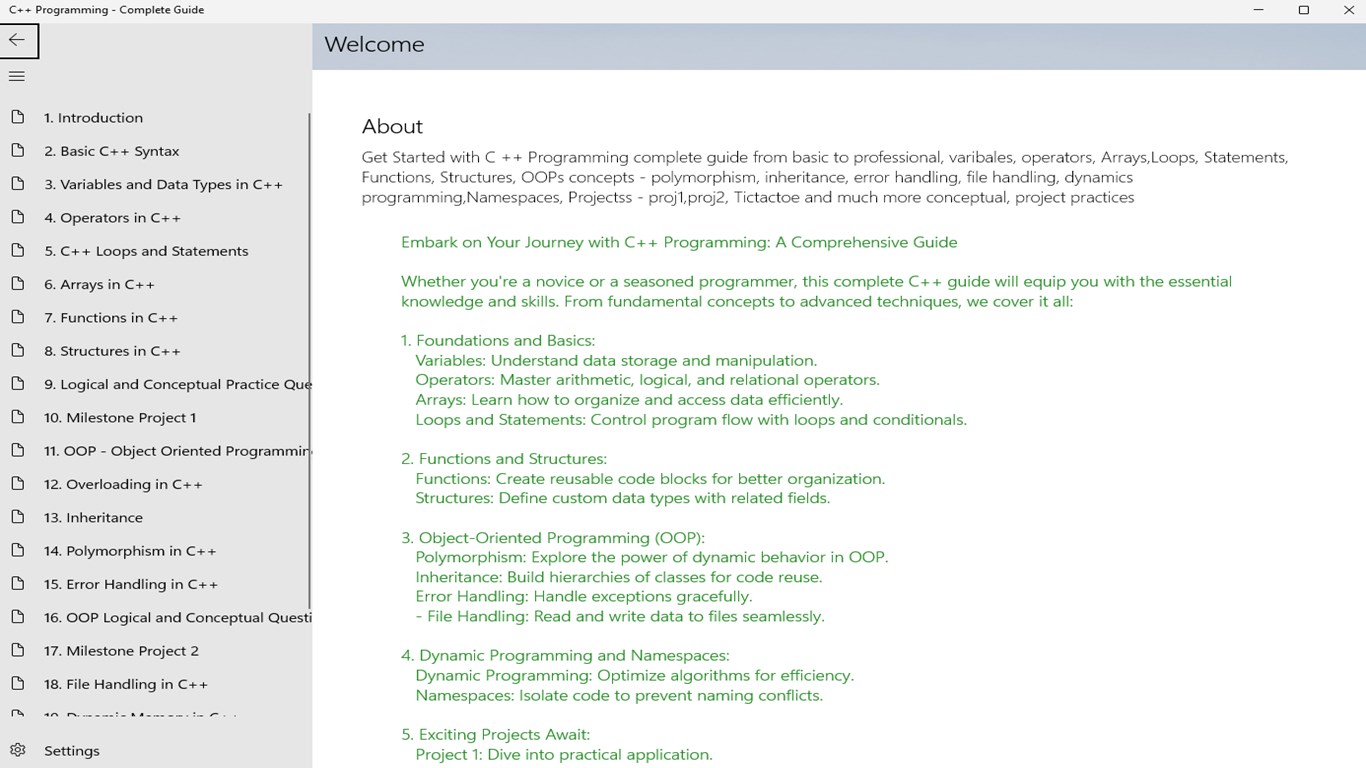
Designed as a comprehensive resource for mastering C++, this application aims to demystify the programming language for learners at all levels, making it a valuable tool for students, hobbyists, and even seasoned developers seeking a structured refresher.
Developer and Core Features
Developed and published by Billsoft, a company dedicated to educational software solutions, "C++ Programming - Complete Guide for Windows" offers a well-rounded set of features tailored to facilitate learning and practical application. The key highlights include interactive coding exercises, detailed explanations of core concepts, and personalized learning paths that adapt to each user's progress. Its focus on clarity and user engagement distinguishes it from traditional textbooks and static tutorials, creating an engaging, step-by-step learning environment. The application's interface is intuitive, supporting smooth navigation without overwhelming beginners, while offering enough depth for more advanced users.
Engaging and Approachable Learning Experience
Starting the journey into C++ with this app feels like sitting down with a friendly mentor who gently guides you through complex topics. The opening module employs lively illustrations and real-world analogies—imagine learning about pointers as navigating a city's street map, where each landmark (variable) can be reached through specific routes (memory addresses). This vibrant analogy makes even abstract concepts more graspable and less intimidating. The app's design ensures that users remain engaged, with snack-sized lessons that fit conveniently into a busy schedule.
Core Functionality 1: Interactive Coding Exercises
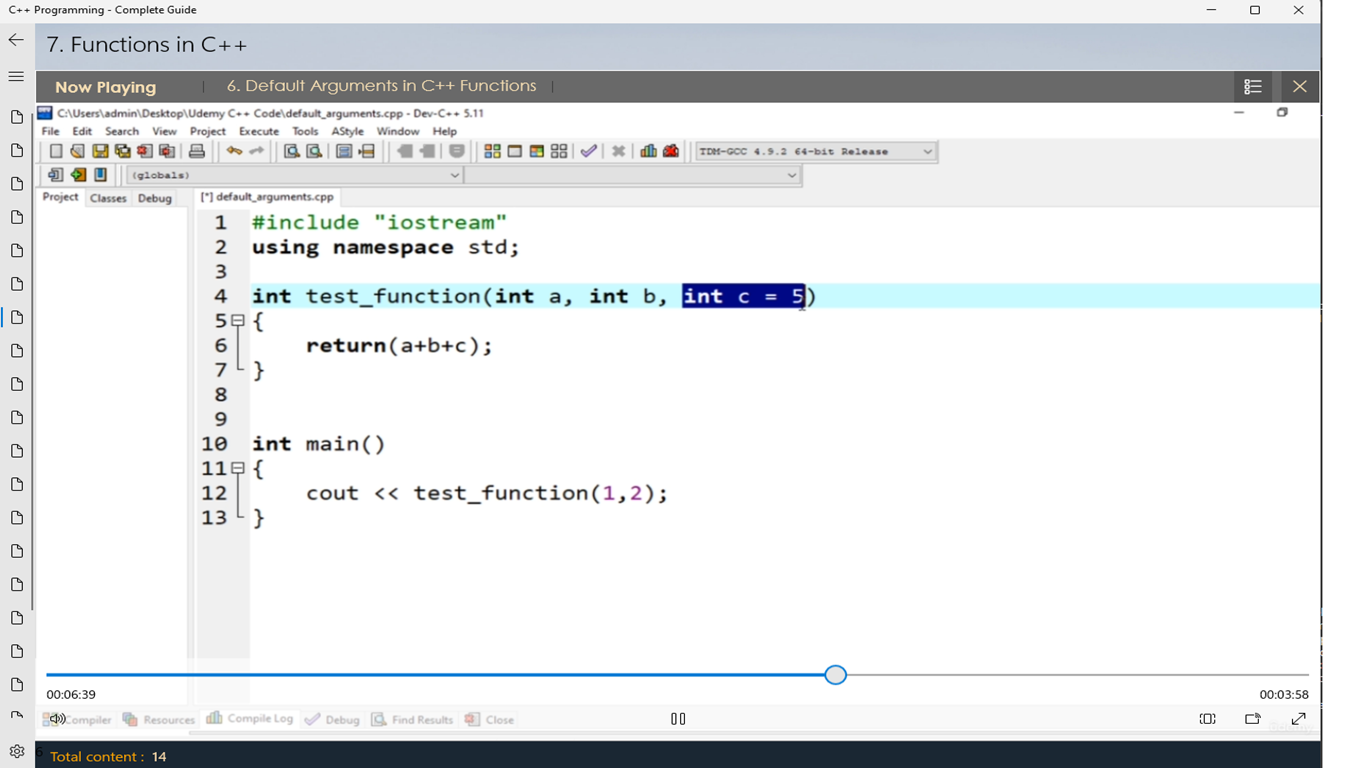
This is where the app truly shines. Unlike passive reading materials, the interactive exercises allow users to practice coding in an embedded environment. Think of it as a virtual sandbox where you can experiment with code snippets, see instant results, and debug errors in real-time. The immediate feedback loop creates an effective learning cycle, helping users understand not just the "what" but the "why" behind C++ syntax and logic. This hands-on approach transforms theory into tangible skills—akin to practicing musical scales before performing a concert.
Core Functionality 2: Personalized Learning Paths
One of the application's most compelling features is its capability to craft tailored learning routes based on user progress and preferences. Whether you're a complete novice or someone brushing up on advanced topics, the app adapts by recommending specific modules, challenges, and review sessions. Imagine having a personal tutor who notices your weak spots and areas of strength, then customizes your lesson plan accordingly. This dynamic adaptability ensures that learners stay motivated and avoid unnecessary frustration, effectively making the process feel like a journey through a personalized curriculum rather than a one-size-fits-all syllabus.
Assessment of User Experience and Unique Selling Points
The interface design of "C++ Programming - Complete Guide for Windows" is clean and minimalist, reminiscent of a well-organized workshop—nothing distracting, just the essential tools at your fingertips. Navigating through lessons and exercises is fluid, resembling a smooth drive along a well-paved highway with minimal bumps. The learning curve is gentle for newcomers, while still presenting enough depth for more experienced programmers eager to deepen their understanding. The app's structure promotes active engagement rather than passive consumption, transforming learning from a chore into an interactive adventure.
Compared to similar educational apps, this guide's standout feature is its focus on content accuracy, authority, and personalized pathways. While many apps offer static tutorials, Billsoft's application emphasizes a curated learning experience that dynamically adjusts to fit your individual needs. Furthermore, the inclusion of real-world coding scenarios enhances the practicality of learning—you're not just memorizing syntax; you're building the foundation to write clean, efficient C++ code for your projects.
Final Recommendation and Usage Suggestions
Overall, I would recommend this app to anyone eager to learn C++ in a structured yet accessible manner. It serves as a reliable companion for beginners, providing clarity without oversimplification, while also offering depth for more seasoned enthusiasts. For best results, start with the basics, leverage the personalized learning paths to target your weak spots, and actively engage with the coding exercises. Make it your daily practice buddy—consistent usage will turn your coding curiosity into genuine proficiency.
While not a substitute for more advanced textbooks or hands-on project experience, "C++ Programming - Complete Guide for Windows" impresses with its thoughtful design, engaging approach, and emphasis on content quality. If you're looking for an app that feels more like a guided mentorship than just another tutorial, this one deserves a spot in your toolkit.
Pros
- Comprehensive C++ tutorials
- Clear and well-structured content
- Interactive coding exercises
- Regular content updates
- User-friendly interface
Cons
- Limited advanced topics
- Occasional minor bugs in interactive quizzes
- Lack of offline access for some content
- Minimal multimedia content
- Some navigation elements can be improved











