

- Category Productivity
- Available on PC
- OS Windows 11 version 22000.0 or higher
- languages Chinese (Simplified), Chinese (Traditional Chinese), English (United States), German, Italian, Polish , Portuguese (Brazil), Spanish (Spain), Turkish
A Useful Little Companion for Your Windows Calendar
Calendar Flyout for Windows, developed by Michał Łeptuch, offers a streamlined way to access and interact with your Windows calendar directly from the desktop, seamlessly bringing your schedule closer without cluttering your workspace. Designed for busy professionals, students, and anyone who values quick access to their appointment overview, this app aims to elevate your productivity by minimizing disruptions in your workflow.
Simple, Intuitive, and Effortless Access
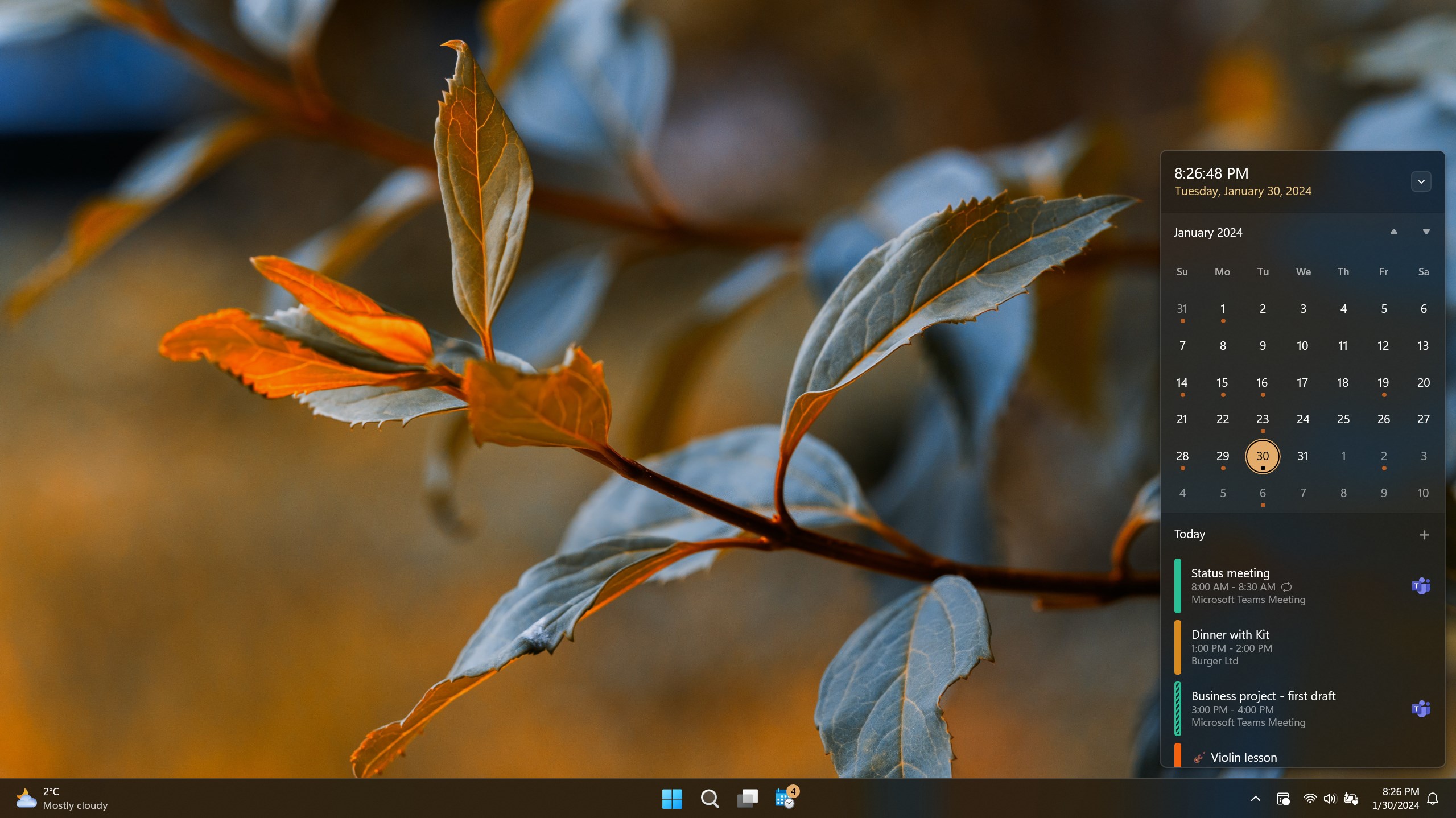
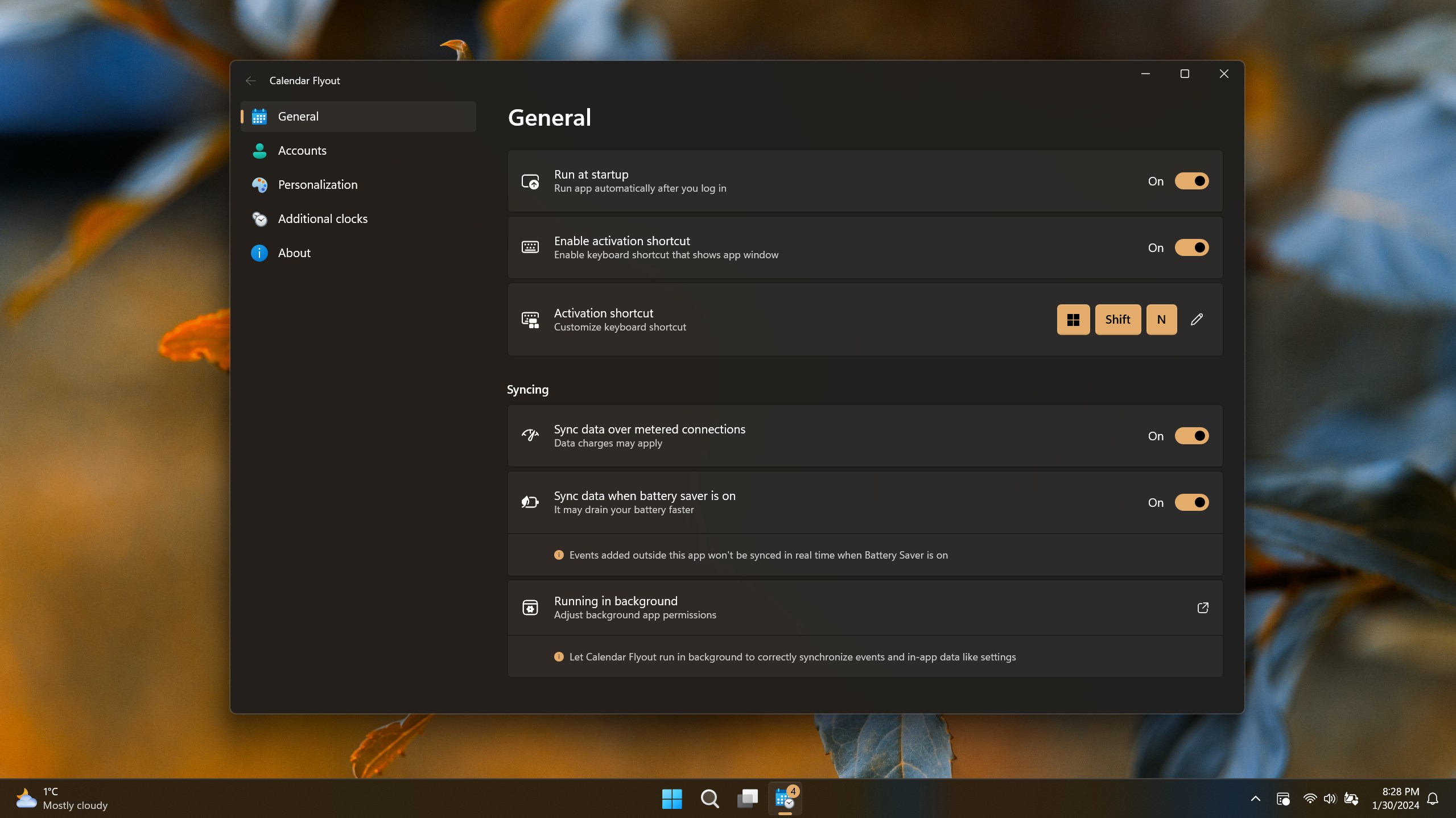
At its core, Calendar Flyout transforms the way you engage with your calendar. The app provides a sleek overlay, which, when invoked via a simple hotkey or icon click, displays your upcoming events in a clean, unobtrusive menu. Imagine having a virtual sticky note that instantly refreshments your schedule at a glance—no need to open multiple windows or navigating through complex apps. This straightforward access ensures you're always aware of your commitments without breaking your concentration.
Design and User Experience
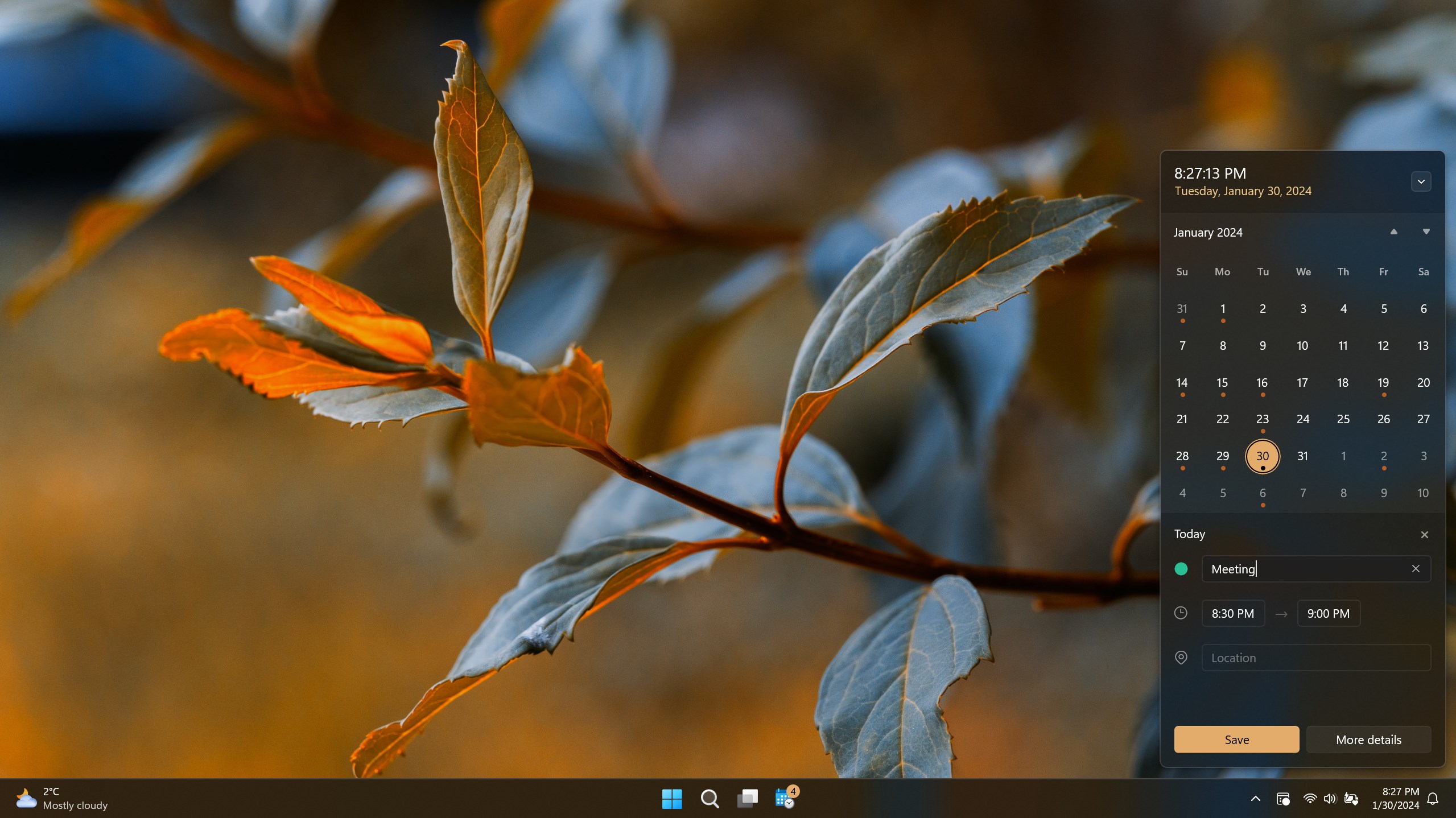
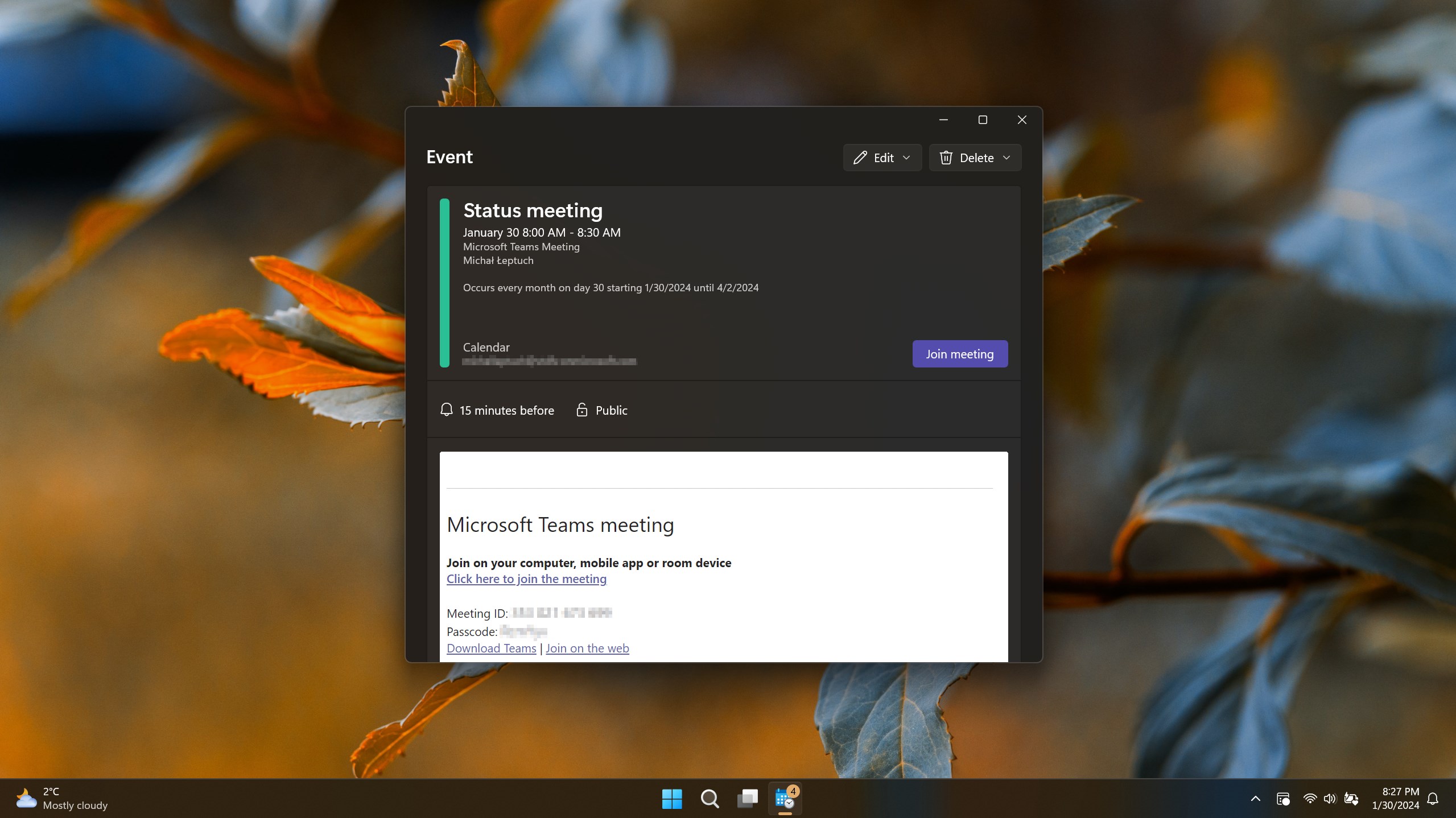
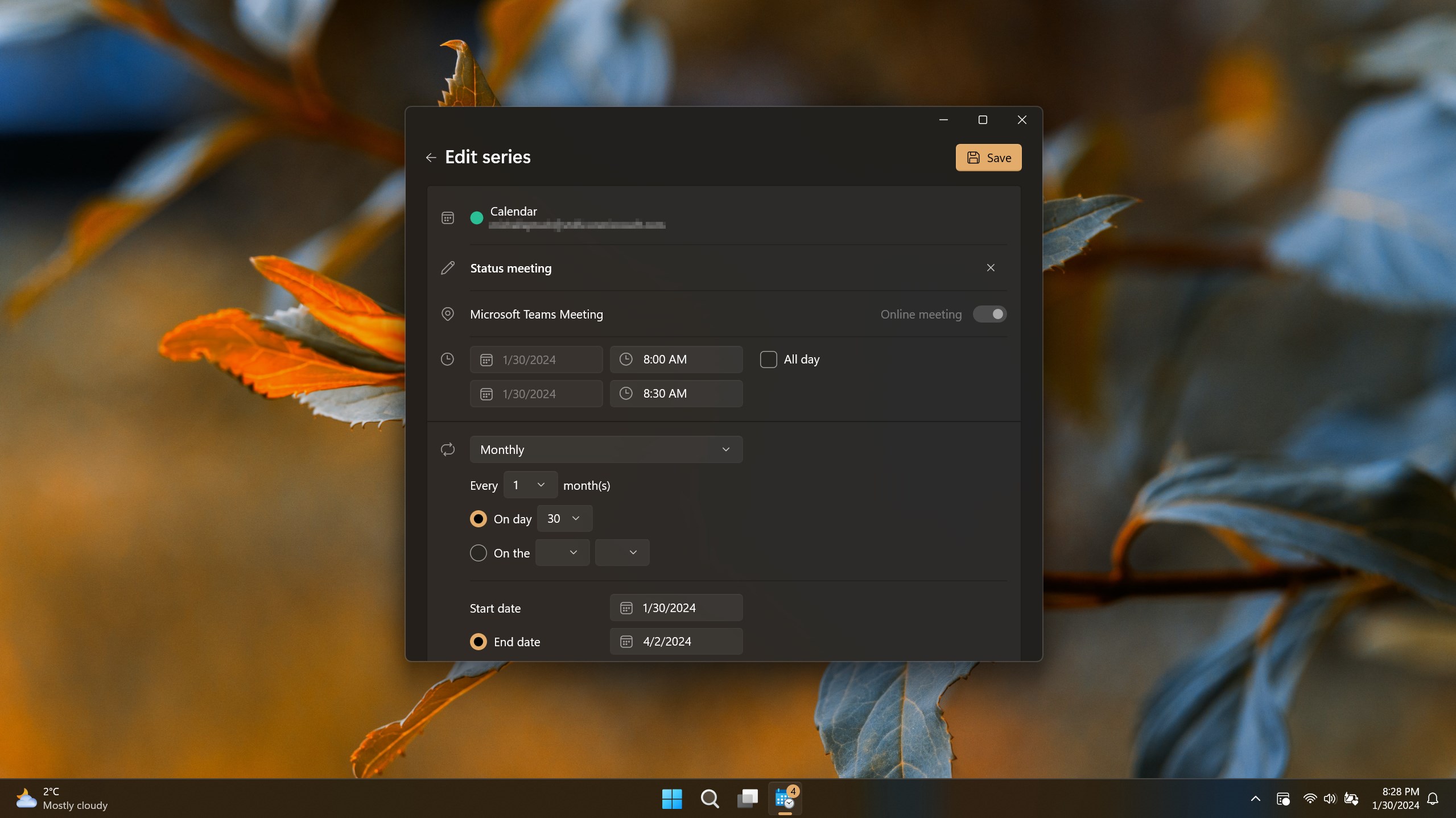
The interface of Calendar Flyout is minimalistic yet thoughtfully designed. It leverages familiar Windows UI elements, making it approachable even to users new to productivity apps. The layout is clear—events are neatly listed with date, time, and brief description—making it easy to scan quickly. When it comes to smoothness, the app performs fluidly, with transitions that feel almost invisible, reinforcing an impression of responsiveness. The learning curve is gentle; basic functionality can be mastered in minutes, allowing you to integrate it into your daily routine swiftly.
Key Features That Stand Out
The app's most distinctive aspect lies in its ability to deeply integrate with the Windows environment, thus reducing the cognitive load associated with managing multiple scheduling tools.
1. Quick Contextual Access to Calendar
Instead of juggling between your calendar app and other windows, Calendar Flyout allows you to peek at your agenda with a single hotkey or icon click. This contextual preview reduces the mental effort and time spent searching for your schedule, especially when you're mid-task. Imagine it as having a magic window that instantly reveals what's next, without disrupting your focus—ideal for multitaskers who need rapid updates.
2. Seamless Workflow Integration
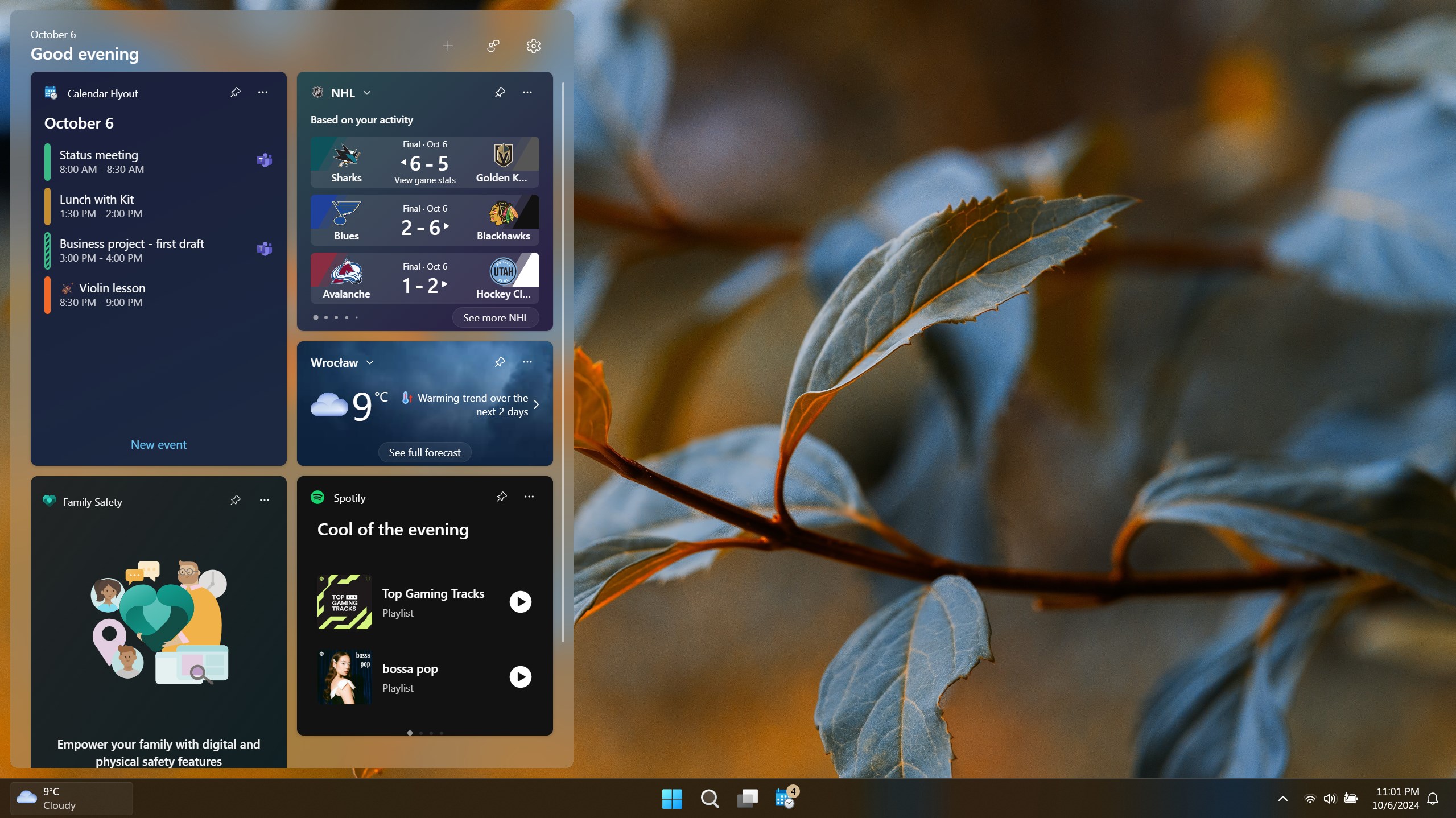
One of the most impressive aspects is how it embeds itself naturally into your workflow. Unlike some calendar overlays that can feel like add-ons, this app complements existing productivity routines by providing an unobtrusive overlay, thereby lowering the barrier to regular usage. It's akin to having a trusted assistant quietly monitoring your upcoming obligations without grabbing your attention unnecessarily, thereby optimizing your cognitive resources.
Comparison and Recommendations
While many calendar gadgets focus on adding numerous features, often at the expense of simplicity, Calendar Flyout emphasizes core functionality with refined execution. Its lightweight design means it doesn't bog down system resources or introduce clutter, setting it apart from bulkier productivity suites or multi-feature calendar apps that often require steep learning curves and can lead to cognitive overload.
For users who prioritize quick access and smooth integration over extensive customization, this app is highly recommended. It works well for a wide range of users—from those managing complex schedules to students with straightforward daily plans. However, those seeking in-depth scheduling tools or advanced notifications might find it somewhat limited—in which case, supplementing with more comprehensive solutions could be beneficial.
Final Thoughts
Calendar Flyout for Windows is like having a reliable little desk assistant, always ready to give you a quick peek at your schedule without the fuss of opening multiple apps or menus. Its focus on reducing mental load through effortless access, combined with unobtrusive design and smooth operation, makes it a compelling tool for enhancing daily productivity. If your goal is to streamline your calendar interactions and keep your focus intact, this app deserves a place in your digital toolkit.
Pros
- Intuitive Calendar Overview
- Smooth Integration with Windows
- Easy Access from Taskbar
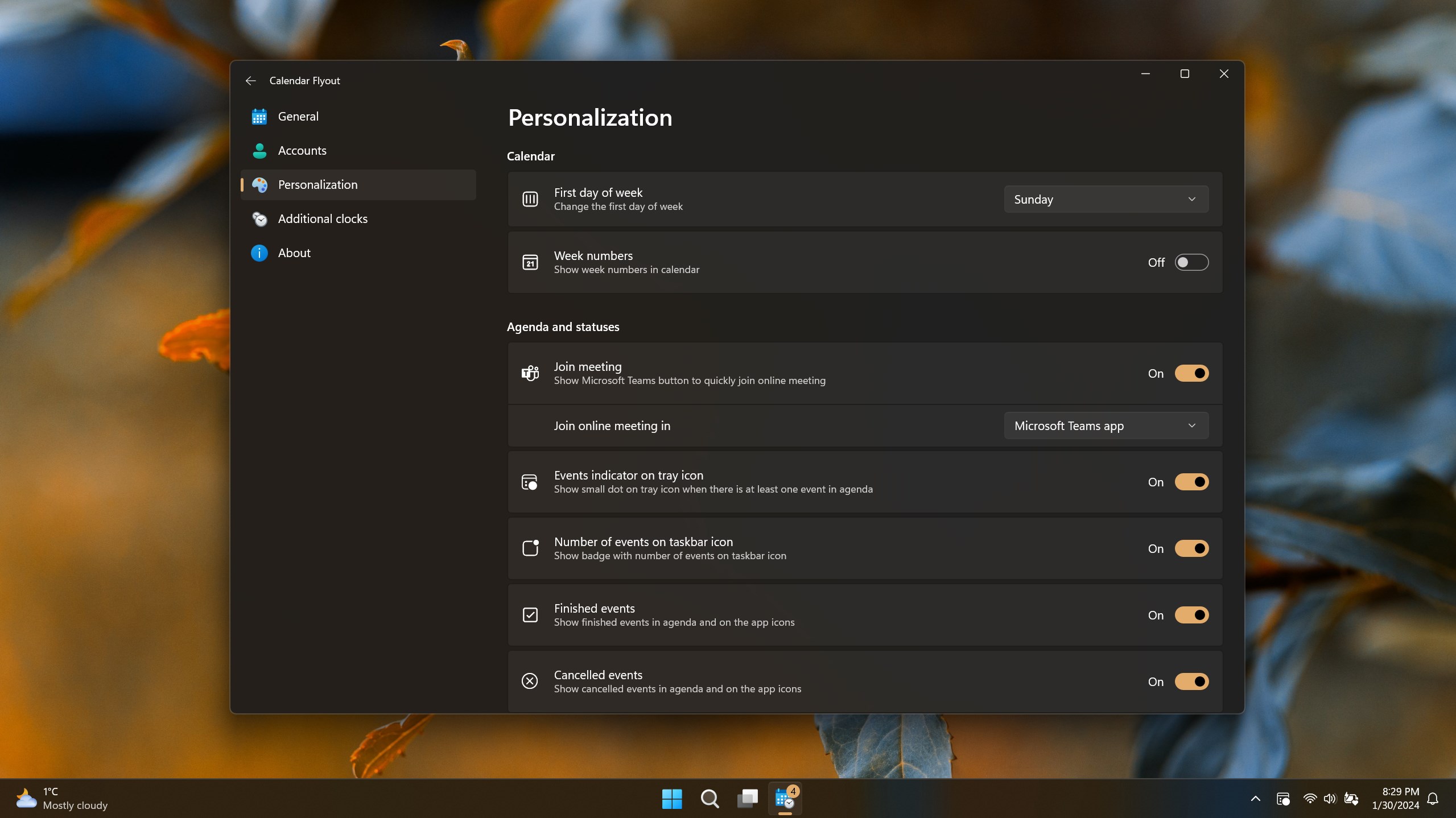
- Customizable Appearance
- Lightweight and Fast
Cons
- Limited Event Management Features
- Occasional Sync Delays
- Customization Options are Basic
- Display Limitations on Smaller Screens
- No Reminders or Alarm Settings











