
Frequently Asked Questions
How do I install Call of Duty®: Black Ops 7 - Cross-Gen Bundle on my Xbox or PC?
Purchase the bundle, then download it from your Xbox Store or PC platform. Ensure your device meets storage requirements and has the latest updates installed.
What are the key features of Call of Duty®: Black Ops 7 – Cross-Gen Bundle?
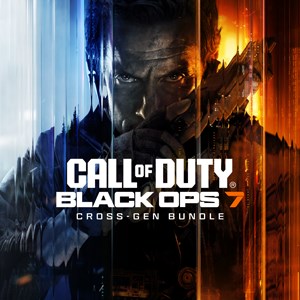
Includes versions for Xbox Series X|S, Xbox One, and PC, with a new storyline, multiplayer maps, and a Zombies mode. Supports cross-generation gameplay and co-op campaigns.
Can I play multiplayer and Zombies modes together?
Yes, the game offers both multiplayer and Zombies modes, which can be played separately or together depending on your preference and game settings.
How do I access the multiplayer maps and modes?
Navigate to the multiplayer menu from the main screen, then select available maps and game modes. Ensure your game is updated to the latest version.
What is the Omnimovement system, and how does it enhance gameplay?
The Omnimovement system provides advanced movement options like sliding, combat roll, and thrust jumps, allowing more dynamic combat and navigation strategies.
How do I connect my Activision account for online features?
Go to Settings > Account > Sign in with your Activision account, or create one if needed. Linking your account enables online multiplayer and progress sync.
Is a subscription required to play Call of Duty®: Black Ops 7?
Yes, a Game Pass Essential subscription is needed for PC, Xbox, and online features. You can subscribe via the Xbox or Microsoft Store.
What should I do if the game won't start or crashes?
Try restarting your device, ensure the game is updated, and check your internet connection. For persistent issues, reinstall the game or contact support.
Are there any regional restrictions or limitations for playing this game?
Content and online features may vary by region. Ensure your region supports online play and subscribe to services where available.
What security measures are required to run the game on PC?
The game requires TPM 2.0 and Secure Boot enabled in BIOS settings. Check your PC's security settings and update firmware if needed.
You May Like

DOOM + DOOM II
for Windows
4.8
Deep Rock Galactic - Ultimate Edition
for Windows
4.7
Roboquest
for Windows
4.7
Deep Rock Galactic - Deluxe Edition
for Windows
4.7
Quake II
for Windows
4.7
Deep Rock Galactic
for Windows
4.7
Enter The Gungeon
for Windows
4.6
Mech Arena
for Windows
4.6
Gears of War 4
for Windows
4.6
Gears 5
for Windows
4.6
Gears 5 Game of the Year Edition
for Windows
4.5
Brotato
for Windows
4.5