

- Category Photo & video
- Developer Reincubate
- Available on PC
- OS Windows 10 version 19041.0 or higher
- DirectX Not specified
- languages Arabic, Basque, Bulgarian, Catalan, Chinese (Simplified), Chinese (Traditional), Croatian, Czech, Danish, Dutch, English (United Kingdom), English (United States), Estonian, Finnish, French, Galician, German, Greek, Hebrew, Hindi, Hungarian, Italian, Japanese, Korean, Latvian, Lithuanian, Norwegian (Bokmål), Polish, Portuguese, Portuguese (Brazil), Romanian, Russian, Serbian (Cyrillic), Serbian (Latin), Slovak, Slovenian, Spanish, Swedish, Thai, Turkish, Ukrainian
Unveiling Camo Studio for Windows: Your New Companion for Content Creation
If you're diving into screen recording and remote device management, Camo Studio stands out as a sleek and powerful tool designed to elevate your workflow with your iOS camera feeds on Windows. Developed by Reincubate, this app promises a bridge between your iPhone and Windows PC, transforming your device into a versatile webcam or capture device — a game-changer for streamers, remote workers, and content creators alike.
Key Features That Make Camo Studio Shine
Reincubate, a company known for its innovative device management solutions, brings us Camo Studio with a focus on simplicity and quality. Its main highlights include:
- High-Quality Video Capture: Leverage your iPhone's impressive camera capabilities to produce crisp, professional-looking video streams, seamlessly integrated into your Windows environment.
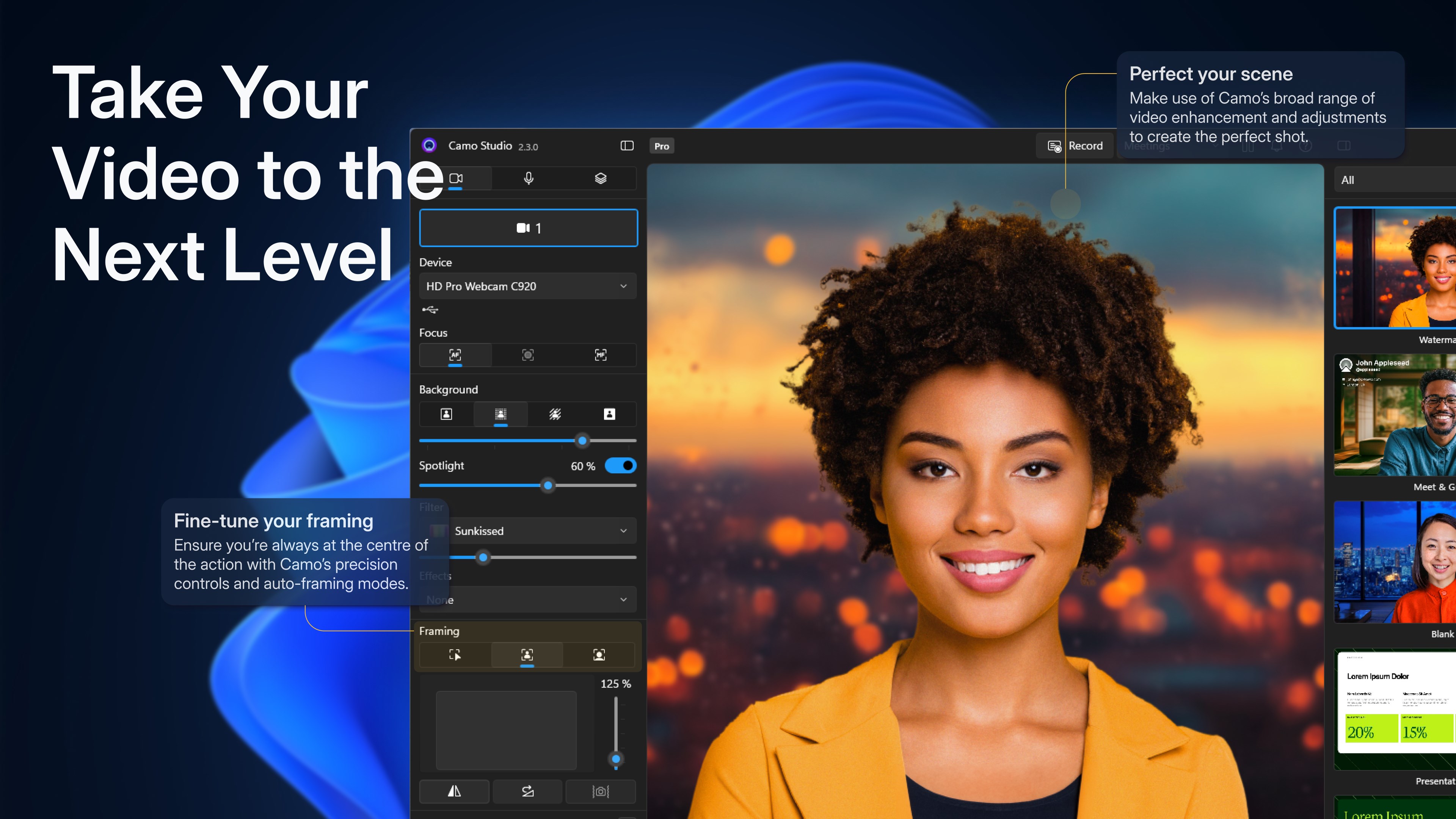
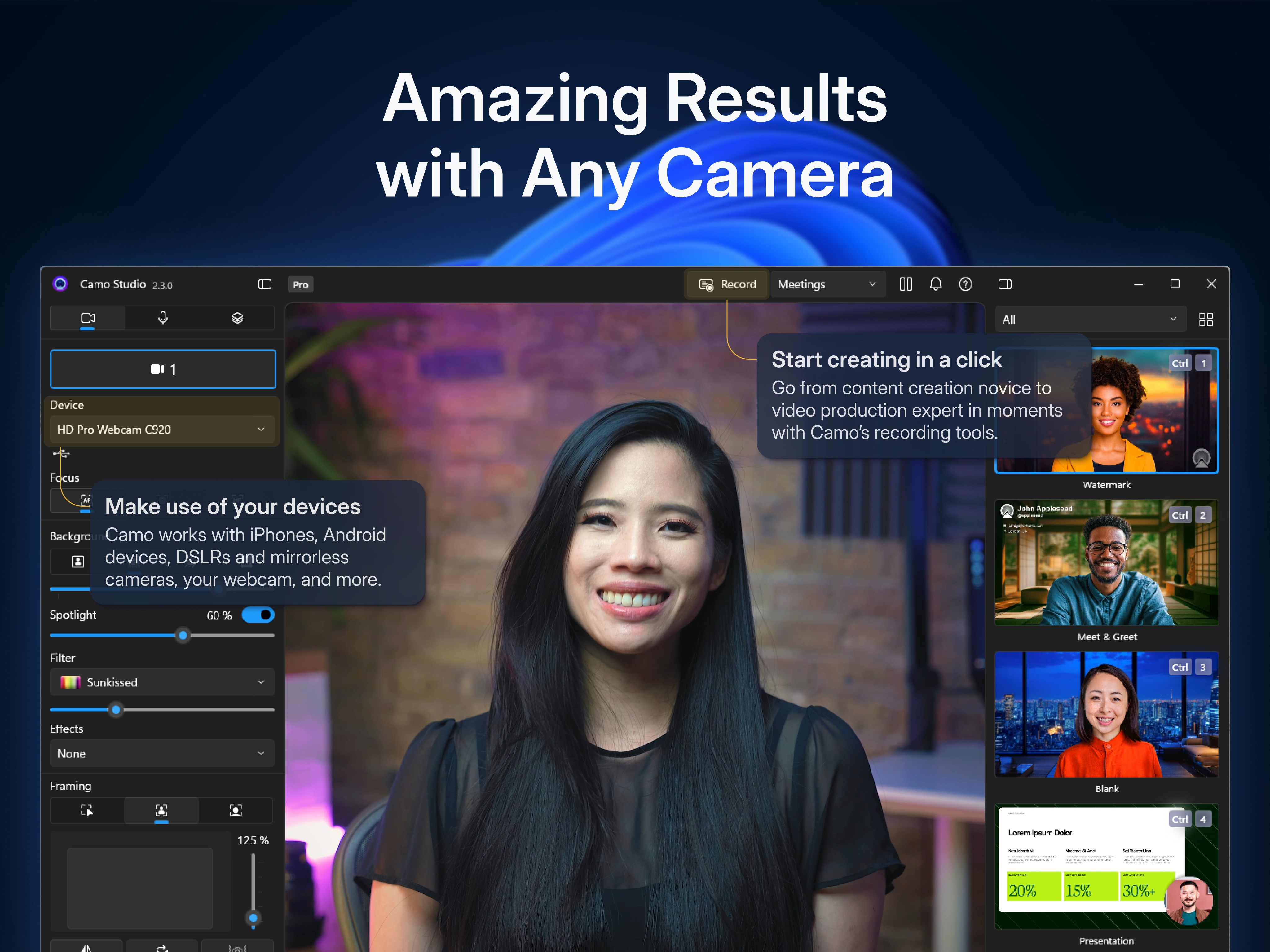
- Variety of Customization Options: Adjust lighting, zoom, focus, and resolution settings directly within the app, providing fine-grained control akin to a dedicated DSLR camera.
- Intuitive Interface and Smooth Operation: Designed for ease of use, the app offers a streamlined experience with minimal lag and straightforward setup, reducing the learning curve for new users.
- Wireless Connectivity Support: Connect your iPhone via Wi-Fi or USB, offering flexible deployment options depending on your workspace setup.
This combination of features makes Camo Studio a versatile tool that caters to both professional broadcasters and casual content creators seeking high-quality visuals with minimal fuss.
A Fresh Take on Video Streaming and Recording
Imagine transforming your favorite iOS device into a professional-grade webcam, all without bulky hardware or complicated configurations—that's precisely what Camo Studio aims to offer. Its lively, crisp user interface feels like a well-designed control panel of a spaceship cockpit, inviting users to pilot their content creation without feeling overwhelmed.
Elegant Design Meets Seamless Workflow
From the moment you open Camo Studio, a sleek, clutter-free layout guides you effortlessly through connection steps. Setting up your iPhone as a webcam is as simple as plugging in via USB or connecting over Wi-Fi—no drivers needed in most cases. Once connected, the real magic begins: you gain access to a suite of adjustments such as focus, exposure, and zoom, all updated in real-time. The responsiveness is impressive; when you tweak a slider, the changes are reflected instantly, inspiring confidence in your streaming setup.
Performance and User Experience
Operational smoothness is paramount—especially during live streams or recording sessions. Camo Studio delivers admirable performance, with negligible lag even when streaming in high resolution. The app's learning curve is gentle; even those new to such tools can master its basic features within minutes. Navigating through different resolutions or toggling between camera angles feels intuitive, empowering users to experiment and find their optimal streaming look without frustration.
What Sets Camo Apart from Its Peers?
While many applications offer webcam functionality, Camo Studio distinguishes itself through its thoughtful focus on customization and picture quality. Unlike some apps that provide basic camera feeds, Camo allows precise adjustments—similar to tweaking the settings on a dedicated camera. Furthermore, its support for both wired and wireless connections gives users flexible options—especially valuable in dynamic workspaces or creative studios. Its focus on professional-grade output, combined with an approachable interface, positions it as a superior choice for those looking to upgrade their video streams without complex equipment.
Final Verdict: Is Camo Studio Worth Your Time?
For anyone seeking a simple yet robust solution to turn their iPhone into a high-quality webcam or capture device on Windows, Camo Studio is definitely worth trying. Its standout features—exceptional video quality and flexible connectivity—make it an appealing pick for streamers, remote workers, or podcasters. Its user-friendly design shortens the learning curve, allowing you to focus on your content rather than wrestling with software problems.
While it might not boast the elaborate bells and whistles of some professional broadcast setups, Camo Studio strikes an excellent balance between power and ease of use. For those on the lookout for a straightforward, high-quality video solution, I recommend giving it a shot. Just remember, as with any tech tool, the best results come from spending a little time exploring its features and tweaking your setup to match your needs.
Pros
- Easy setup and user-friendly interface
- High-quality streaming capabilities
- Wide device compatibility
- Advanced customization options
- Regular updates and active support
Cons
- Limited free features
- Occasional stability issues during high-demand streaming
- Learning curve for advanced features
- Requires compatible hardware to run smoothly
- Limited export options for settings










