
- Category Business
- Available on PC, Mobile, Surface Hub, HoloLens
- OS Windows 10 version 16299.0 or higher
- Keyboard Integrated Keyboard
- Mouse Integrated Mouse
- languages English (United States)
Introducing Car Scanner (ELM OBD2) for Windows: Your Car's Diagnostic Companion
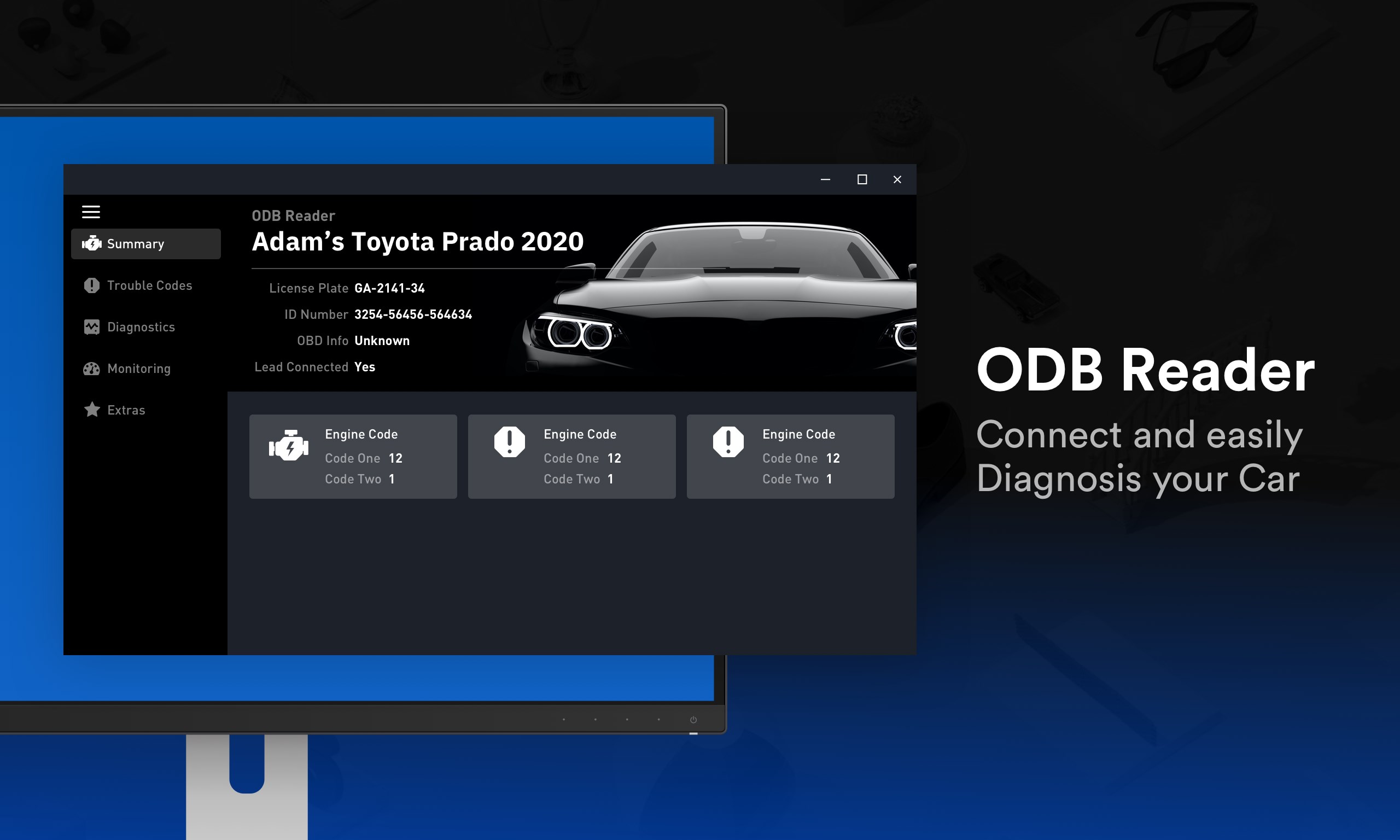
Car Scanner (ELM OBD2) for Windows is a professional-grade diagnostic tool designed to connect your vehicle's onboard computer system to your PC for real-time monitoring, fault detection, and maintenance insights. It functions as a bridge between your vehicle's Electronic Control Unit (ECU) and your computer, offering precise, collected data to help keep your car in optimal condition.
Developed by Real Digital
The application is developed and maintained by the team at Real Digital, a company known for creating practical, user-oriented digital solutions aimed at automotive diagnostics and data interpretation. Their expertise ensures a seamless user experience backed with reliable functionality.
Key Features That Stand Out
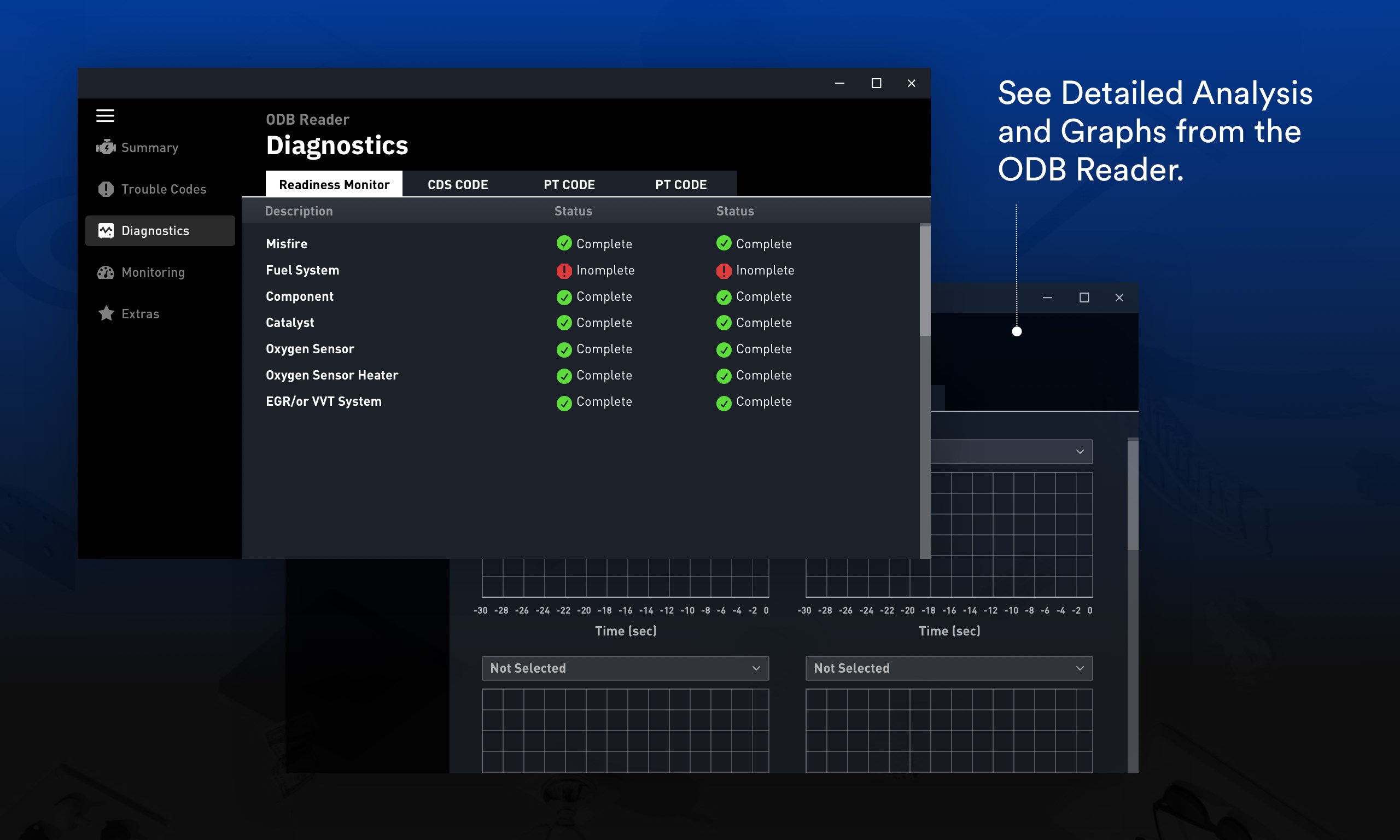
- Comprehensive OBDII Data Access: Get detailed real-time data from your vehicle's sensors, including engine RPM, temperature, fuel efficiency, and more.
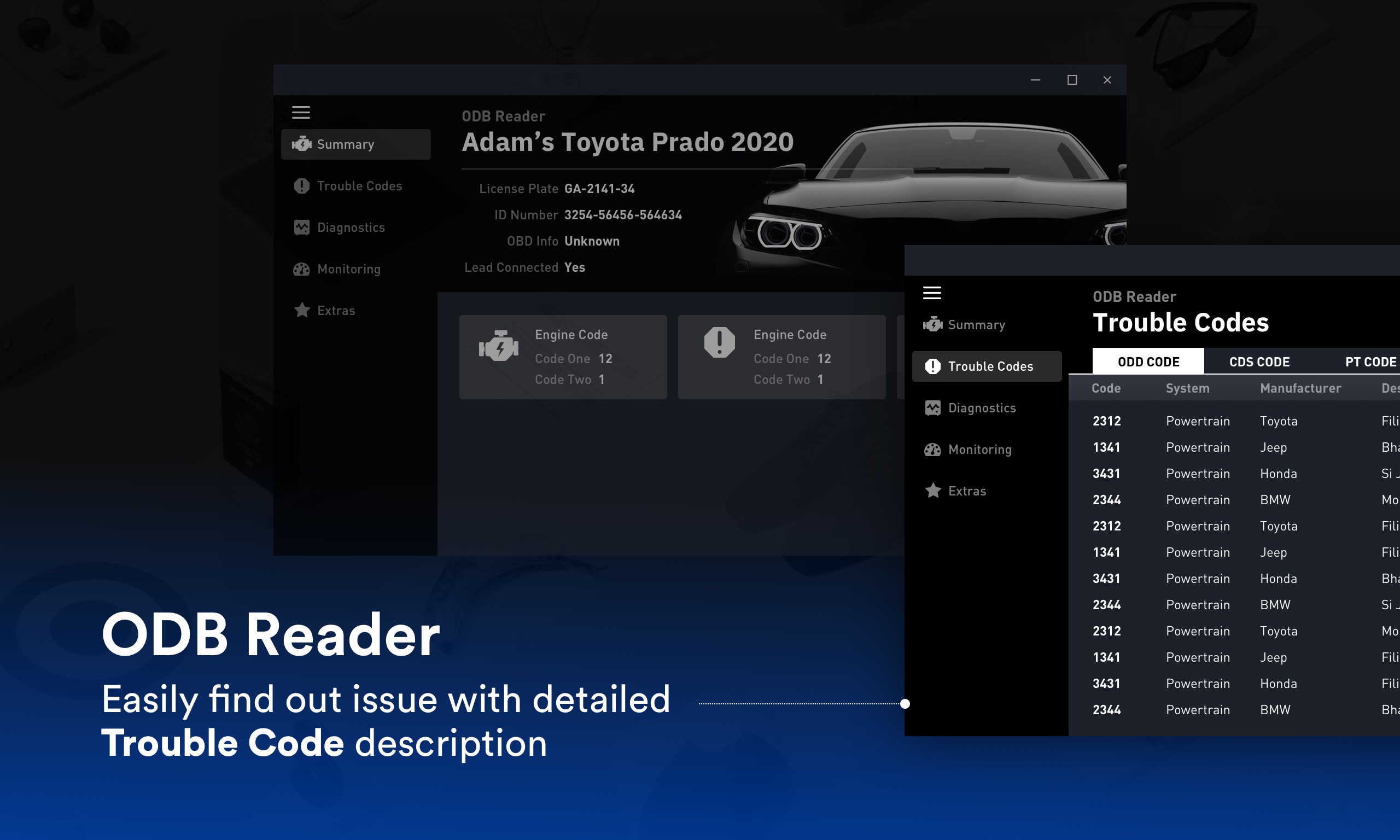
- Fault Code Reading & Clearing: Identify diagnostic trouble codes (DTCs), understand their meanings, and clear them effortlessly, aiding quick troubleshooting.
- Customizable Dashboard & Data Logging: Personalize your interface for specific parameters and record data sessions for further analysis or sharing.
- Vehicle Compatibility: Supports a wide range of vehicle makes and models, making it versatile for the everyday car owner and professional mechanics alike.
The app primarily targets car enthusiasts, DIY mechanics, and automotive professionals seeking a reliable diagnostic tool on their Windows platform. It combines technical depth with user-friendly operation, making vehicle diagnostics accessible beyond specialized workshops.
A Fun and Functional Introduction
Imagine you're sitting in your driveway, pondering why your car feels sluggish or why a mischievous warning light keeps blinking on the dashboard. Instead of frantic guesses or costly trips to the mechanic, you reach for your laptop and fire up Car Scanner (ELM OBD2). With a few simple steps, your digital co-pilot comes alive—turning complex engine data into a language you can understand. It's like having a mechanic whispering secrets about your vehicle right from your Windows desktop.
Deep Dive Into the Core Functionalities
Real-Time Data Monitoring – Seeing Inside Your Engine
This feature is like opening a window into your car's soul. Once connected via an OBD2 adapter, the app displays live data streams—speed, revolutions per minute, coolant temperature, oxygen sensor readings, and more. Its intuitive graphs and gauges mirror a dashboard, but with the flexibility to customize views according to your needs. Whether you're practicing routine checks or troubleshooting a strange noise, this live data can be invaluable. The refresh rate is smooth, without lag, making observation a seamless experience.
Fault Code Reading and Management – Diagnosing Like a Pro
If your check engine light is on, Car Scanner offers a straightforward way to diagnose the culprit. It pulls out standardized diagnostic trouble codes (DTCs) from your vehicle's ECU, explains what they mean, and suggests possible fixes. Clearing those codes resets your dashboard, providing immediate feedback on whether problems persist after repairs. The app's database covers a broad spectrum of DTCs, making it useful both for general users and seasoned mechanics. It's akin to having a bilingual mechanic translator right at your fingertips, reducing guesswork and accelerating repair processes.
Data Logging & Sharing – Your Personal Car Logbook
For those who like digging deeper, the app allows customizable data logging sessions. Capture performance metrics during a road trip or a test drive, then analyze the log files offline or share them with your technician. This feature turns your diagnostic process into a collaborative effort, akin to having a shared notebook. Its straightforward export options make documentation easy, and the interface remains clean, avoiding clutter even during extended data sessions.
Experience and User-Friendliness
The interface design is clean and logically laid out, reminiscent of a well-organized garage—everything you need is accessible without unnecessary fuss. Navigation is intuitive; even users new to OBD diagnostics will find onboarding manageable thanks to clear icons and simple menus. Operation feels smooth; there's no noticeable lag in data updates or responsiveness, which reinforces confidence during critical troubleshooting. As for the learning curve, it's gentle—most features are self-explanatory, with tooltip help available for complex functions. The app feels like a friendly workshop assistant, guiding you through the diagnostic process without overwhelming you.
Unique Selling Points & Differentiation
Compared to other automotive diagnostic tools, Car Scanner (ELM OBD2) for Windows shines in its balance of detailed technical data and user-centric design. Its standout feature is its customizable dashboards coupled with robust data logging, enabling users to tailor their diagnostics experience precisely. Unlike some apps that solely offer fault code reading, Car Scanner emphasizes continuous monitoring and recording, facilitating long-term vehicle health tracking. This aspect sets it apart, especially with features that support collaborative work—like exporting logs and sharing data with others—mirroring modern task management principles in a car diagnostics context.
Final Words: Is It Worth Your Attention?
For hobbyists or professionals seeking an accessible yet comprehensive diagnostic tool for Windows, Car Scanner (ELM OBD2) is a commendable choice. Its main strengths lie in real-time monitoring and customizable data management, making it more than just a fault code reader—it's a workspace for vehicle health insights. While users should be prepared for a modest learning curve given the depth of data available, the app's friendly interface and reliable performance make it worth exploring. Whether you're troubleshooting an intermittent issue or just keeping an eye on your car's vitals, this app provides solid support—like a trusty mechanic in digital form.
Pros
- User-Friendly Interface
- Comprehensive Diagnostic Data
- Real-Time Monitoring
- Wide Vehicle Compatibility
- Customizable Alerts
Cons
- Limited Free Features
- Connectivity Stability Issues
- Occasional Data Lag
- Limited Offline Functionality
- User Manual Lacks Detail











