

- Category Education
- Developer Cboard org
- Available on PC
- OS Windows 10 version 0.0 or higher
- Keyboard Integrated Keyboard
- Mouse Integrated Mouse
- Memory 300 MB
- languages English, English (Afghanistan), English (Åland Islands), English (Albania), English (Algeria), English (American Samoa), English (Andorra), English (Angola), English (Anguilla), English (Antarctica), English (Antigua and Barbuda), English (Armenia), English (Aruba), English (Australia and New Zealand), English (Australia), English (Azerbaijan), English (Bahamas), English (Bangladesh), English (Barbados), English (Belarus), English (Belize), English (Benin), English (Bermuda), English (Bhutan), English (Bolivia), English (Bonaire, Saint Eustatius and Saba), English (Bosnia and Herzegovina), English (Botswana), English (Bouvet Island), English (British Indian Ocean Territory), English (British Virgin Islands), English (Brunei), English (Bulgaria), English (Burkina Faso), English (Burundi), English (Cambodia), English (Cameroon), English (Canada), English (Cape Verde), English (Caribbean), English (Cayman Islands), English (Central African Republic), English (Chad), English (Christmas Island), English (Cocos (Keeling) Islands), English (Comoros), English (Congo (DRC)), English (Congo), English (Cook Islands), English (Côte d'Ivoire), English (Croatia), English (Curaçao), en-cz, English (Djibouti), English (Dominica), English (Dominican Republic), English (Eastern Africa), English (Equatorial Guinea), English (Eritrea), English (Estonia), English (Ethiopia), English (Falkland Islands), English (Faroe Islands), English (Fiji), English (French Guiana), English (French Polynesia), English (French Southern and Antarctic Lands), English (Gabon), English (Gambia), English (Georgia), English (Germany), English (Ghana), English (Gibraltar), en-gr, English (Greenland), English (Guadeloupe), English (Guam), English (Guernsey), English (Guinea-Bissau), English (Guinea), English (Guyana), English (Haiti), English (Heard Island and McDonald Islands), English (Honduras), English (Hong Kong SAR), en-hu, English (Iceland), English (India), English (Indonesia), English (Iraq), English (Ireland), English (Isle of Man), English (Israel), English (Jamaica), English (Jersey), English (Jordan), English (Kazakhstan), English (Kenya), English (Kiribati), English (Kyrgyzstan), English (Laos), English (Latvia), English (Lesotho), English (Liberia), English (Libya), English (Lithuania), English (Macao SAR), English (Macedonia, FYRO), English (Madagascar), English (Malawi), English (Malaysia), English (Maldives), English (Mali), English (Malta), English (Marshall Islands), English (Martinique), English (Mauritius), English (Mayotte), English (Micronesia), English (Moldova), English (Monaco), English (Mongolia), English (Montserrat), English (Mozambique), English (Myanmar), English (Namibia), English (Nauru), English (Nepal), English (Netherlands Antilles (Former)), English (Netherlands), English (New Caledonia), English (New Zealand), English (Nicaragua), English (Niger), English (Nigeria), English (Niue), English (Norfolk Island), English (Northern America), English (Northern Mariana Islands), English (Oman), English (Pakistan), English (Palau), English (Palestinian Authority), English (Papua New Guinea), English (Philippines), English (Pitcairn Islands), English (Puerto Rico), English (Qatar), English (Reunion), English (Romania), English (Rwanda), English (Saint Barthélemy), English (St Helena, Ascension, Tristan da Cunha), English (Saint Kitts and Nevis), English (Saint Lucia), English (Saint Martin (French Part)), English (Saint Pierre and Miquelon), English (Saint Vincent and the Grenadines), English (Samoa), English (San Marino), English (São Tomé and Príncipe), en-sa, English (Senegal), English (Seychelles), English (Sierra Leone), English (Singapore), English (Sint Maarten), English (Slovakia), English (Slovenia), English (Solomon Islands), English (Somalia), English (South Africa), English (South Georgia and the South Sandwich Islands), English (Southern Africa), English (Sri Lanka), English (Sudan), English (Suriname), English (Svalbard and Jan Mayen), English (Swaziland), English (Tajikistan), English (Tanzania), English (Thailand), English (Timor-Leste), English (Togo), English (Tokelau), English (Tonga), English (Trinidad and Tobago), English (Turkey), English (Turkmenistan), English (Turks and Caicos Islands), English (Tuvalu), English (U.S. Minor Outlying Islands), English (U.S. Virgin Islands), English (Uganda), en-ae, English (United Kingdom), English (United States), English (Uzbekistan), English (Vanuatu), English (Holy See (Vatican City)), English (Vietnam), English (Wallis and Futuna), English (Western Africa), English (Zambia), English (Zimbabwe)
Empowering Communication for All: An In-Depth Look at Cboard AAC for Windows
For individuals navigating communication challenges, Cboard AAC for Windows stands out as a versatile and user-centric augmentative and alternative communication (AAC) app designed to bring clarity and connection at the click of a button. Its thoughtful design and robust features make it a noteworthy tool in the realm of supportive communication applications.
Who's Behind the Curtain? The Developers and Their Mission
Developed by Cboard Org, this application exemplifies dedication to accessible communication tools. A passionate team committed to creating intuitive and effective AAC solutions, Cboard Org's mission revolves around empowering users—whether they are children, adults, or seniors—who require alternative ways to express themselves. Their focus on simplicity combined with advanced features helps bridge the communication gap with empathy and technical prowess.
A Bright Spot in Communication: Key Features that Shine
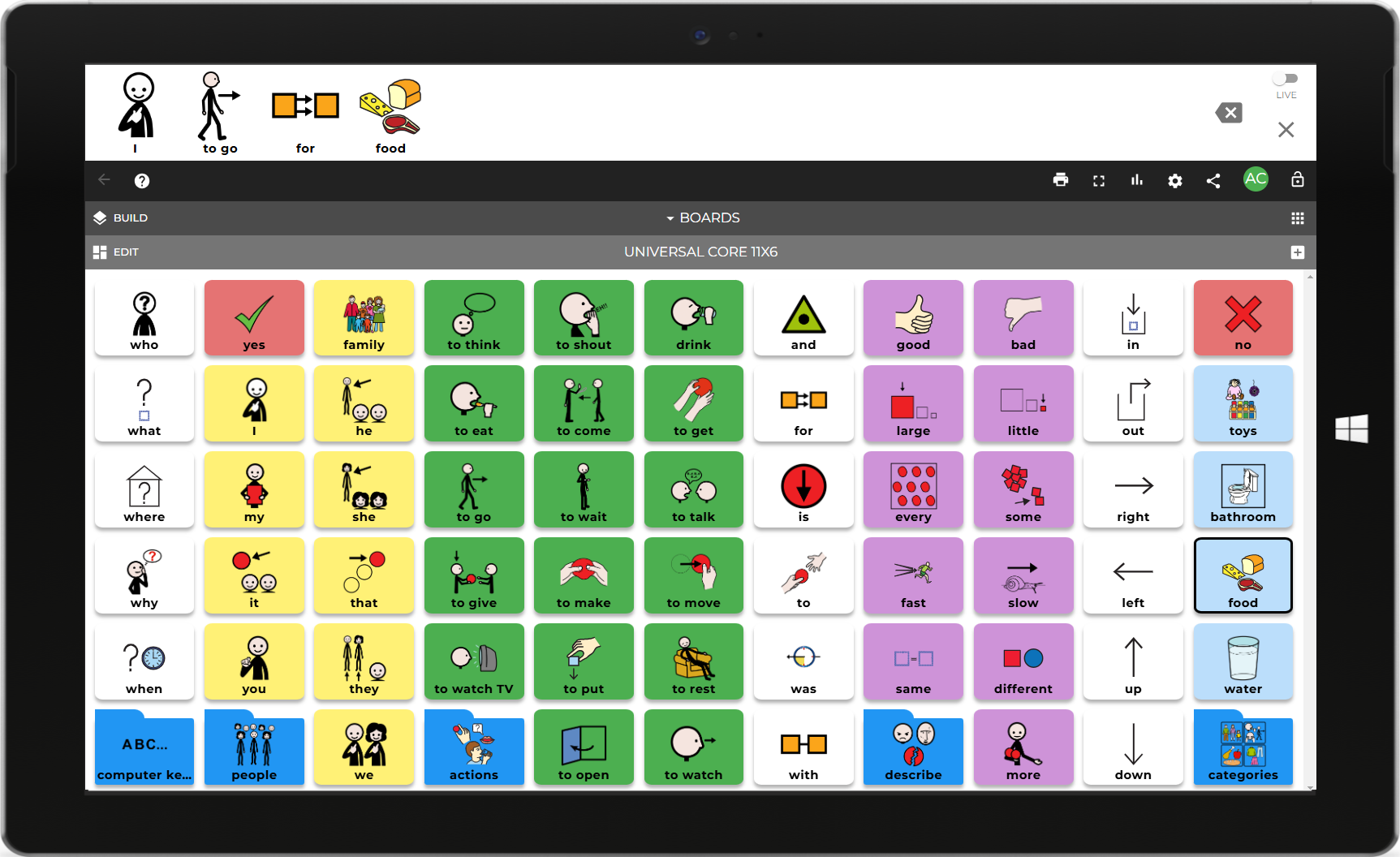
One of the app's standout features is its ability to support personalized vocabulary sets, allowing users to tailor their communication boards according to their unique needs and contexts. This adaptability makes the app suitable for diverse users—from those with speech delays to individuals with complex communication needs.
Another compelling element is its Visual Scene Display, which enables users to create context-rich communication scenarios. This visual approach simplifies complex messages by placing them within familiar, meaningful settings, thus enhancing understanding and comfort during interactions.
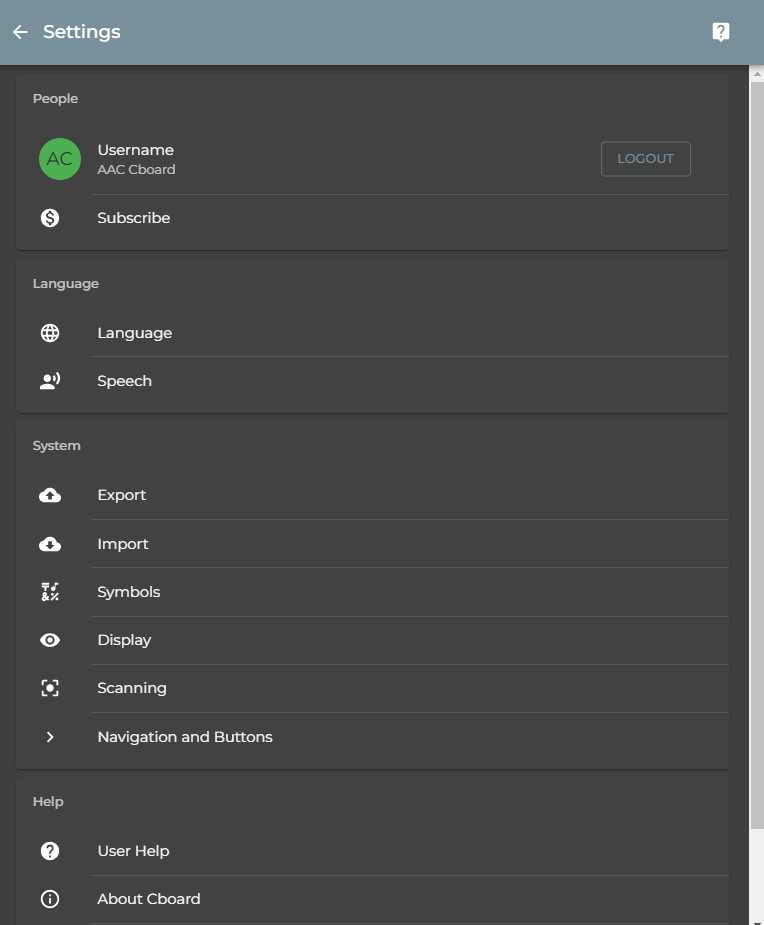
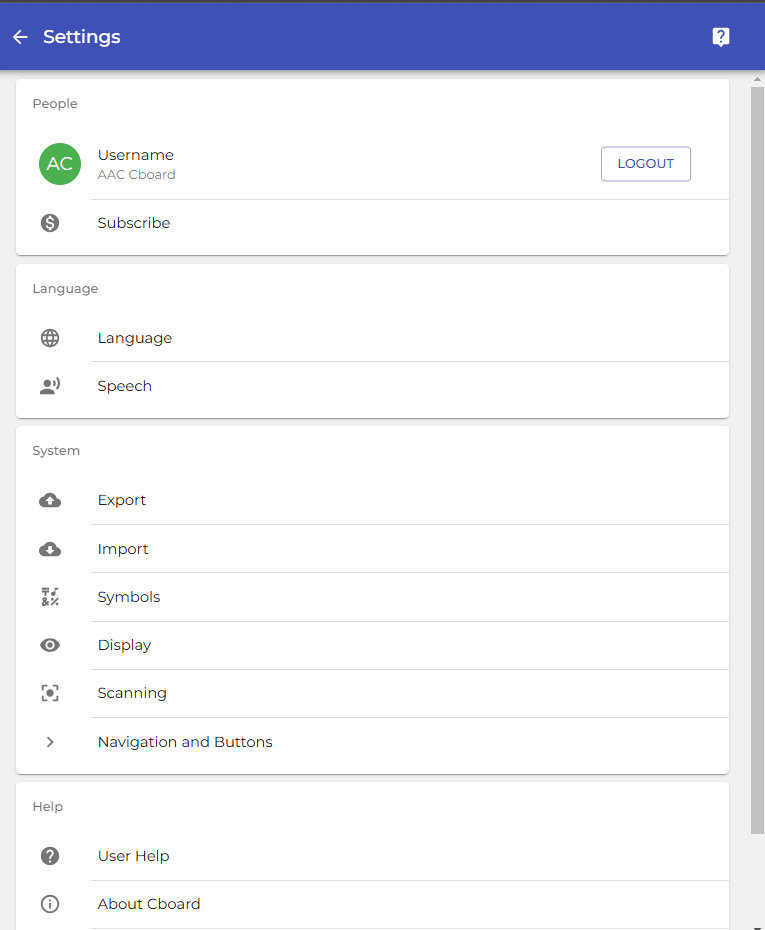
The app also supports multiple customization options, including different languages, voices, and input methods. Such flexibility ensures that users and caregivers can configure the app to match specific linguistic and cultural backgrounds, making communication more natural and accessible.
User Experience: Navigating with Ease and Engagement
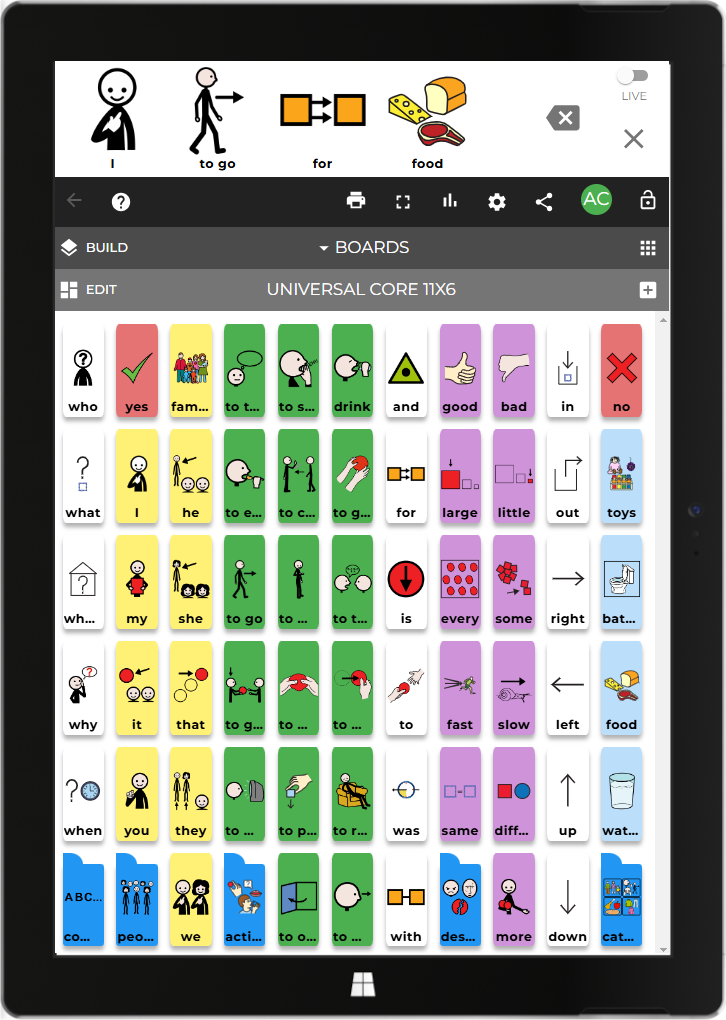
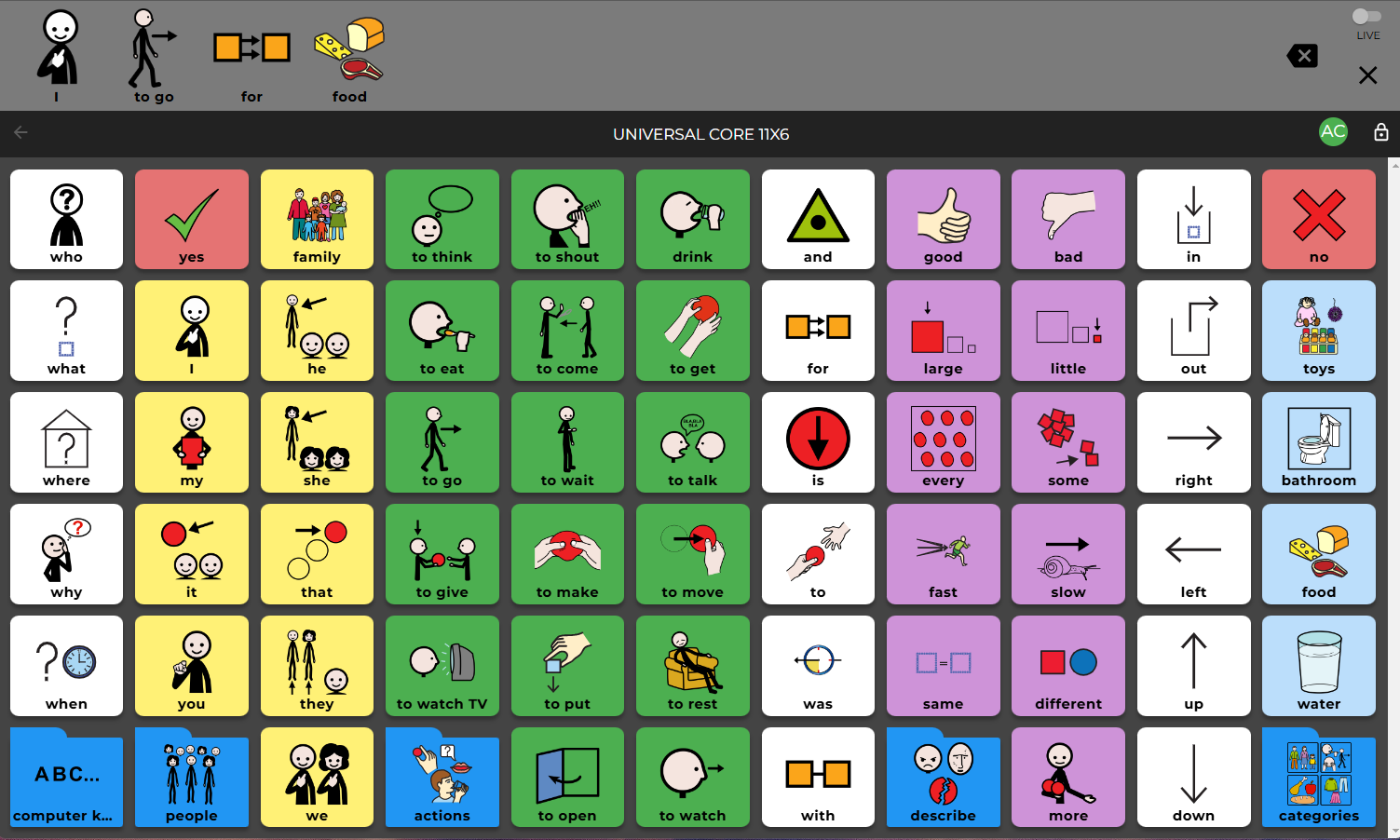
The interface design of Cboard AAC for Windows is clean, intuitive, and friendly—like a well-organized closet where everything is within arm's reach. Users can effortlessly navigate through different boards, add new symbols, or customize layouts, thanks to the logically structured menu system.
In terms of responsiveness, the app performs smoothly on standard Windows devices, with minimal lag or hiccups—even when handling larger vocabulary sets. This fluidity ensures that users won't feel hindered by technical frustrations, allowing for seamless conversations.
Learning how to use the app is straightforward; the onboarding process and available tutorials minimize the learning curve, making it accessible even for those new to AAC technology. The app's straightforward design helps users focus on communication rather than wrestling with complex functions.
What Sets Cboard AAC Apart? Personalized, Contextual, and Thoughtfully Designed
While many AAC apps focus solely on static word-to-voice conversion, Cboard AAC excels through its emphasis on personalization and context. Its ability to craft visual scene displays and customize vocabularies puts it ahead of many rivals. Unlike generic communication tools, it offers a more engaging and lifelike experience—think of it as transforming a simple message into a mini-story tailored for each user.
Furthermore, its multi-language support and flexible input options make it particularly suitable for diverse communities, fostering inclusivity. The app's capacity to adapt to different learning paths and cultural contexts underscores its commitment to personalized learning journeys—a crucial aspect often overlooked in similar applications.
Final Thoughts: A Recommendation for Those Who Need a Friendly Helping Hand
Considering its user-centric design, customizable features, and innovative visual scene displays, Cboard AAC for Windows is a commendable choice for individuals seeking a reliable AAC tool. Although it may not replace high-end, specialized devices entirely, it offers a practical and accessible solution for many users—children learning to express themselves or adults looking for a straightforward, adaptable communication aid.
For caregivers and educators, this app presents an excellent starting point to foster meaningful interactions, backed by its focus on personalization and contextual learning. I recommend giving it a try if you're in need of an approachable yet powerful AAC app that adapts to your communication needs without overwhelming you with complexity.
Pros
- Highly customizable layouts
- Wide range of symbols and vocabularies
- Offline functionality
- User-friendly interface
- Supports multiple languages
Cons
- Limited voice output options
- Occasional lag when switching pages
- Inconsistent symbol updates
- Limited tutorial resources
- Customizable features could be more advanced











