

- Category Business
- Available on PC
- OS Windows 10 version 14316.0 or higher
- languages English (United States)
Introducing Checkbook Manager for Windows: Your Digital Finance Companion
In an era where managing personal finances can feel like juggling flaming torches, Checkbook Manager for Windows steps in as a reliable and straightforward tool, turning financial chaos into clarity. Designed by White Beach, this application aims to streamline your expense tracking, budgeting, and financial planning processes—all within a familiar Windows environment.
Who's Behind It?
Developed by the White Beach team, a group dedicated to creating efficient and user-friendly productivity tools, Checkbook Manager for Windows embodies their commitment to enhancing financial organization for everyday users. Their focus is on delivering a clear, functional experience without unnecessary complexity.
What Makes It Stand Out?
The app's core features highlight its practicality and unique angle in the crowded finance management space:
- Seamless Transaction Recording: Effortlessly log income and expenses with a clean, intuitive interface.
- Advanced Budgeting Tools: Set customized budget limits and let the app track your progress automatically.
- Collaborative Work Features: Share your financial data securely and collaborate with family or partners, setting it apart from many individual-focused apps.
- Simple Data Visualization: Visual dashboards help you grasp your financial health at a glance, with charts and summaries.
Engaging and Practical User Experience
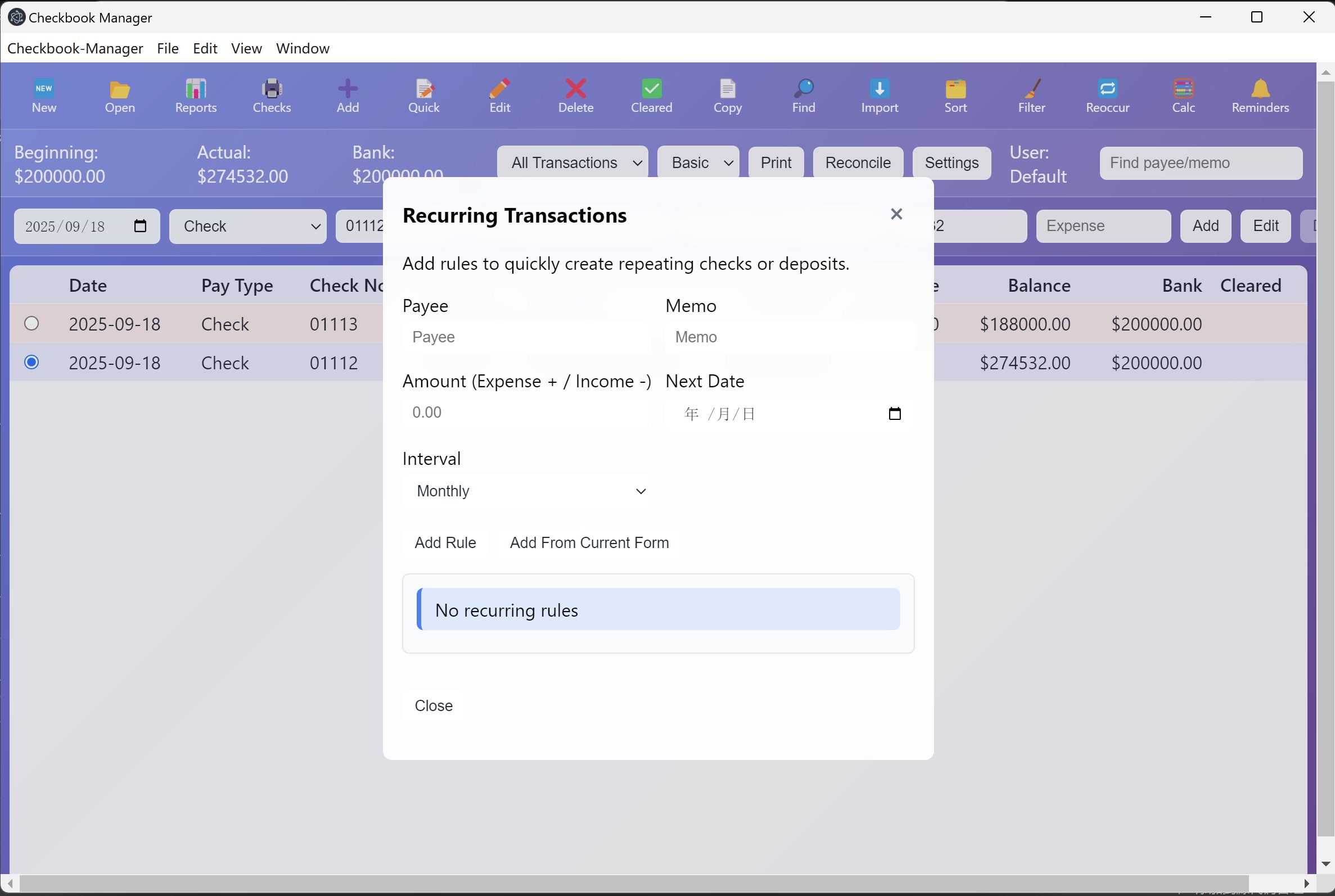
Using Checkbook Manager for Windows feels akin to having a well-organized ledger book at your fingertips, but with the power of digital convenience. The interface's design is clean and approachable, with a logical layout that guides users through recording transactions, viewing reports, and managing budgets—much like flipping through the pages of a familiar notebook, but with fewer paper cuts.
The app operates smoothly, with responsive controls that make data entry and navigation effortless, even for those less tech-savvy. Its learning curve is gentle; new users can quickly acclimate thanks to clear icons and straightforward workflows that demystify complicated financial tasks. This usability makes it suitable for everyone from teenagers just starting to learn about money management to seasoned budgeters seeking simplicity.
Distinctive Features that Elevate the Experience
While many personal finance apps focus solely on individual input, Checkbook Manager's standout is its collaborative work feature. Imagine planning your household expenses with your partner in real time, exchanging financial updates seamlessly within the app—without the need to export or email files back and forth. This capability fosters team-based financial management, making it ideal for shared households or small projects. This focus on collaboration sets it apart from conventional apps that often silo financial data for solo use.
Complementing this is its task management aspect—allowing users to set financial goals and reminders, which acts like a personal finance coach standing just beside your shoulder. These features, combined with its user-friendly visualization tools, make the app more than just a ledger; it becomes a collaborative financial workspace.
Our Take: Is It Worth Your Time?
We recommend Checkbook Manager for Windows to anyone who prefers a straightforward, yet capable, finance management tool that doesn't overwhelm. Its collaborative features are particularly valuable for families and small teams, providing a shared platform that promotes accountability and transparency. Although it might lack some of the advanced features found in premium personal finance apps, its simplicity, reliability, and nuanced focus on collaboration make it a compelling choice for everyday users.
If your goal is to declutter your finances and foster a shared responsibility with loved ones or colleagues, this app is worth considering. For those seeking a no-fuss, intuitive approach that combines task management and data sharing, Checkbook Manager could become your trusted financial sidekick.
Pros
- User-friendly interface
- Comprehensive financial tracking
- Customizable categories
- Data backup and synchronization
- Report generation
Cons
- Limited account integrations
- Lack of multi-currency support
- Basic customization options
- No mobile version
- Occasional synchronization delays










