

- Category Business
- Available on PC
- OS Windows 10 version 0.0 or higher
- languages Dutch, English, French, German, Italian, Japanese, Korean, Portuguese (Brazil), Russian, Spanish, Chinese (Simplified), Chinese (Traditional Chinese)
Mastering Remote Work: A Detailed Review of Citrix Workspace App for Windows
If seamless access to your corporate resources from any device sounds like a dream, Citrix Workspace App for Windows might just be the reliable companion you need. As remote and hybrid work environments become the norm, such an application promises to bridge the gap between mobility and security—delivering your work tools right to your fingertips, no matter where you are.
Basic Information: Empowering Productivity with Citrix
Citrix Workspace App for Windows stands as a comprehensive virtual workspace solution designed for modern enterprise environments. Developed by Citrix Systems, a leader in virtualization and remote access technologies, this app is tailored to deliver secure, unified access to your organization's digital workspace.
- Core Features:
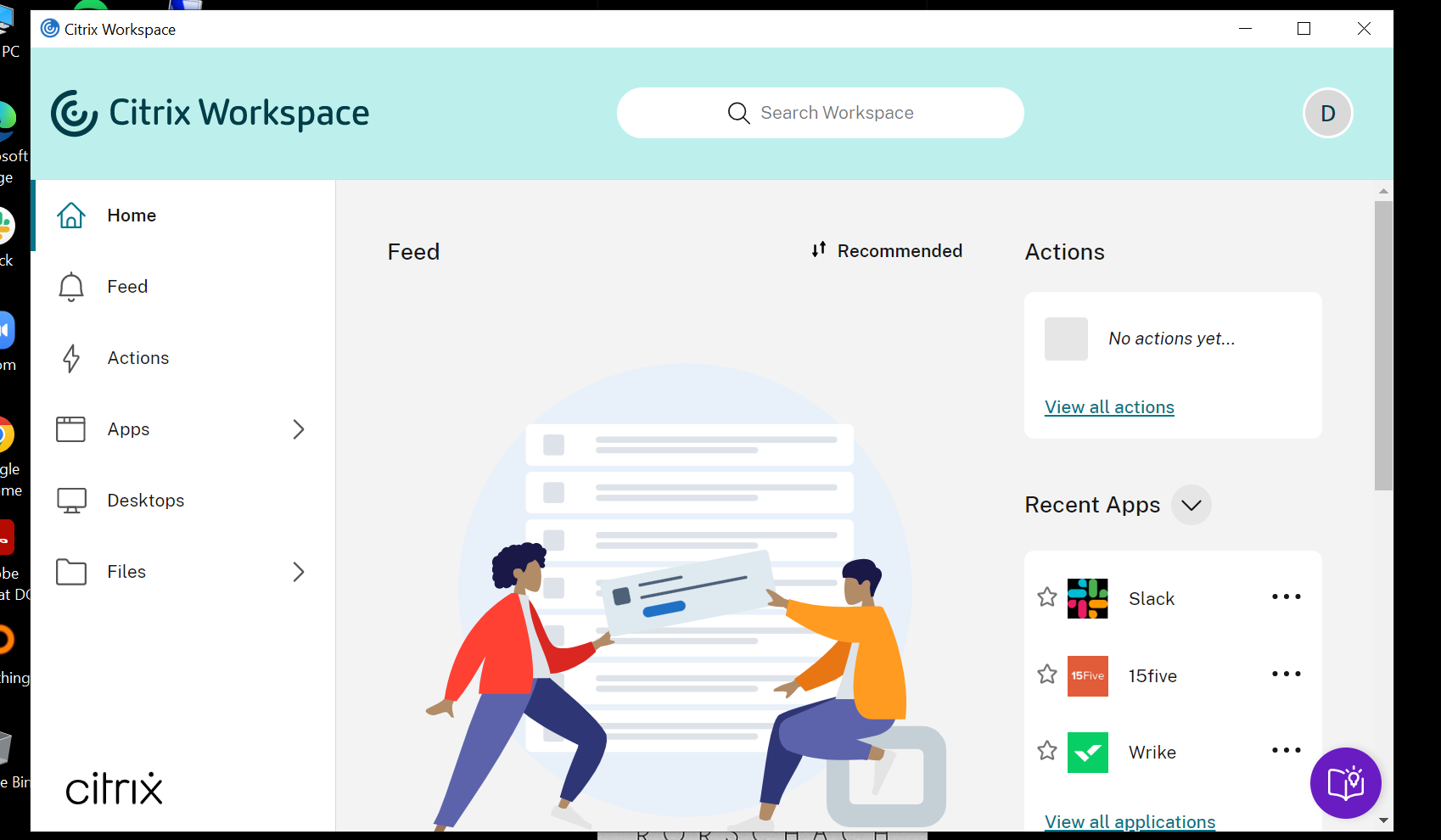
- Unified Portal for Multiple Workspace Resources: Access your apps, desktops, files, and collaboration tools seamlessly within a single interface.
- Enhanced Security Protocols: Incorporates advanced encryption and multi-factor authentication to protect sensitive data.
- Optimized Performance & Compatibility: Ensures smooth operation across various Windows versions with minimal latency.
- Collaborative & Task Management Tools: Facilitates teamwork through integrated chat, sharing, and task workflows.
- Target Audience: Business professionals, IT administrators, remote workers, and organizations seeking secure, reliable access to enterprise resources from Windows devices.
Vibrant Access to Your Digital Workspace
Imagine starting your day in your cozy home office, coffee in hand, opening Citrix Workspace and feeling as if you're flipping a switch back to your office desktop—it's almost magical. This app transforms the often intimidating realm of remote access into a straightforward, reliable experience. Its well-organized interface, combined with intuitive navigation, makes locating critical apps and files feel like a breeze rather than a chore.
Core Functionality Deep Dive
Unified Workspace Management
The standout feature is its ability to bring multiple resources under one umbrella. Unlike standalone remote desktop tools, Citrix Workspace App offers a central portal where you can launch virtual apps, desktops, or access cloud files—all curated to your organization's setup. This integration minimizes the clutter of switching between multiple applications or portals, streamlining your workflow.
Security and Reliability
Remote work demands robust security, and Citrix shines here. Its multi-layered security architecture ensures that your sensitive data remains protected during transit and storage. The app supports multi-factor authentication and offers granular access controls, giving IT teams peace of mind while empowering users to work without restrictions.
Collaborative Work & Task Management
One aspect that truly sets Citrix Workspace apart is its collaboration capabilities. While many remote access apps focus solely on connectivity, Citrix emphasizes teamwork by integrating chat, file sharing, and task tracking within the same workspace. This means you can coordinate with colleagues without launching separate tools, kind of like having a virtual office meeting room open right next to your desktop. This integration reduces context switching and enhances team cohesion, especially valuable for remote teams.
User Experience: Friendly, Fluid, and Functional
The interface is clean, modern, and thoughtfully designed—think of it as the cockpit of a well-crafted airplane: everything within reach, uncluttered, and easy to operate. The app performs smoothly, with minimal lag, thanks to its optimized streaming algorithms and adaptive performance settings. Even users new to remote desktop solutions find the learning curve gentle, thanks to clear instructions and straightforward navigation.
How Does It Compare? The Unique Edge
Compared to other business remote access tools like VMware Horizon or Microsoft Remote Desktop, Citrix Workspace's exclusive focus on integrated collaboration and task management makes it a compelling choice for teams seeking more than just connectivity. Its ability to seamlessly blend virtual workspace access with teamwork features—without sacrificing performance—positions it as an all-in-one solution. This reduces the need to juggle multiple apps, saving time and reducing complexity.
Final Thoughts: Is It Worth Your While?
If your organization values security, ease of use, and integrated collaboration, Citrix Workspace App for Windows merits strong consideration. It's particularly well-suited for enterprises that want a unified platform to streamline remote workflows and foster team synergy. For casual users or small teams, the app offers impressive depth, though it might be more than necessary for very simple remote access needs.
Overall, I recommend this app for organizations looking to elevate their remote work infrastructure—balancing security, flexibility, and collaborative power in one package. Whether you're managing a remote team or just looking for a dependable way to access your work resources from Windows, Citrix Workspace App is worth exploring.
Pros
- Seamless remote workspace access
- Supports multiple platforms
- Enhanced security features
- Easy to set up and deploy
- Integration with Citrix services
Cons
- Occasional connection instability
- Limited customization options
- Initial setup may be confusing for new users
- Latency issues when accessing high-performance applications
- Occasional app crashes on certain devices











