
Frequently Asked Questions
How do I start playing Classic Wood Block Puzzle for the first time?
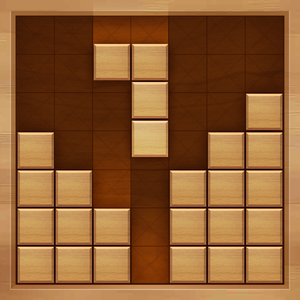
Download the app, open it, and simply drag and place the wooden blocks on the grid. No registration needed; just start enjoying the game immediately.
Can I rotate the blocks to fit them better?
No, blocks cannot be rotated in this game. You need to fit them as they are, focusing on placement within the grid.
How do I score points in the game?
Score points by fitting blocks into rows or columns completely; each cleared line earns you points and makes space for new blocks.
Are there time limits while playing?
No, there are no time limits—take your time to think and arrange the blocks comfortably at your own pace.
How do I clear a row or column?
Place blocks to fill an entire row or column; once complete, it will clear automatically, earning you points.
How can I see my game progress or high scores?
Check your game stats or high scores on the main screen or in the leaderboard section, if available in the app.
Is there an option to remove ads or get premium features?
Yes, you can check the in-app store or settings > account > subscriptions to purchase ad removal or premium features.
Are there any in-app purchases or subscriptions available?
Yes, the app offers optional in-app purchases and subscriptions. Visit settings > account > subscriptions to view options.
What should I do if the game crashes or freezes?
Try restarting your device, close other apps, or reinstall Classic Wood Block Puzzle from the app store for optimal performance.
You May Like

Microsoft Solitaire Collection
for Windows
4.9
Christmas Bingo Santa's Gifts
for Windows
4.8
Microsoft Ultimate Word Games
for Windows
4.8
Mahjong Solitair
for Windows
4.8
Christmas Time Solitaire
for Windows
4.8
Sweet Home: Design & Blast
for Windows
4.8
Sudoku Central
for Windows
4.8
Tropical Beach Bingo World
for Windows
4.7
Jigsaw Puzzle Nature
for Windows
4.7
Spider Solitaire Collection Free
for Windows
4.7
Gin Rummy Deluxe
for Windows
4.7
Mahjong Epic
for Windows
4.7