

- Category Business
- Available on PC, Surface Hub, HoloLens
- OS Windows 10 version 18362.0 or higher
- languages Chinese (Simplified), Chinese (Traditional), Czech, Danish, Dutch, English (United States), Finnish, French, German, Greek, Hungarian, Italian, Japanese, Korean , Norwegian (Bokmål), Polish , Portuguese (Brazil), Portuguese (Portugal), Romanian, Russian, Spanish (Spain), Swedish, Turkish
Empowering Windows Users with Seamless Company Portal Access
Microsoft's Company Portal for Windows is designed to serve as the central hub for enterprise employees, providing streamlined access to corporate resources, apps, and management tools—all wrapped in a user-friendly interface. It aims to bridge the gap between IT administration and end users, fostering a more connected and efficient workplace environment.
Developed by a Trusted Microsoft Team
Created and maintained by Microsoft Corporation, the Company Portal app benefits from the company's extensive expertise in enterprise management, security, and cloud services. Its development reflects Microsoft's commitment to delivering secure, reliable, and scalable solutions tailored for modern workplaces.
Key Features That Make a Difference
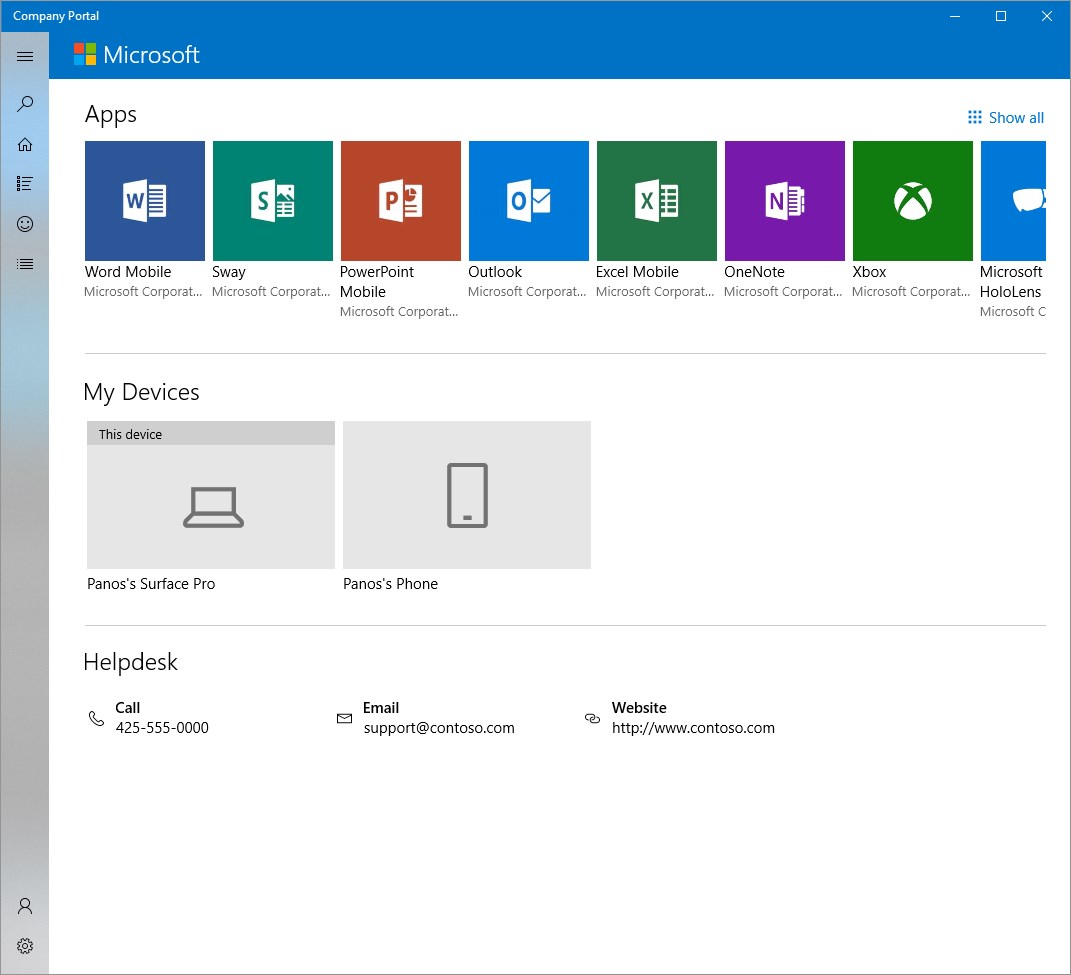
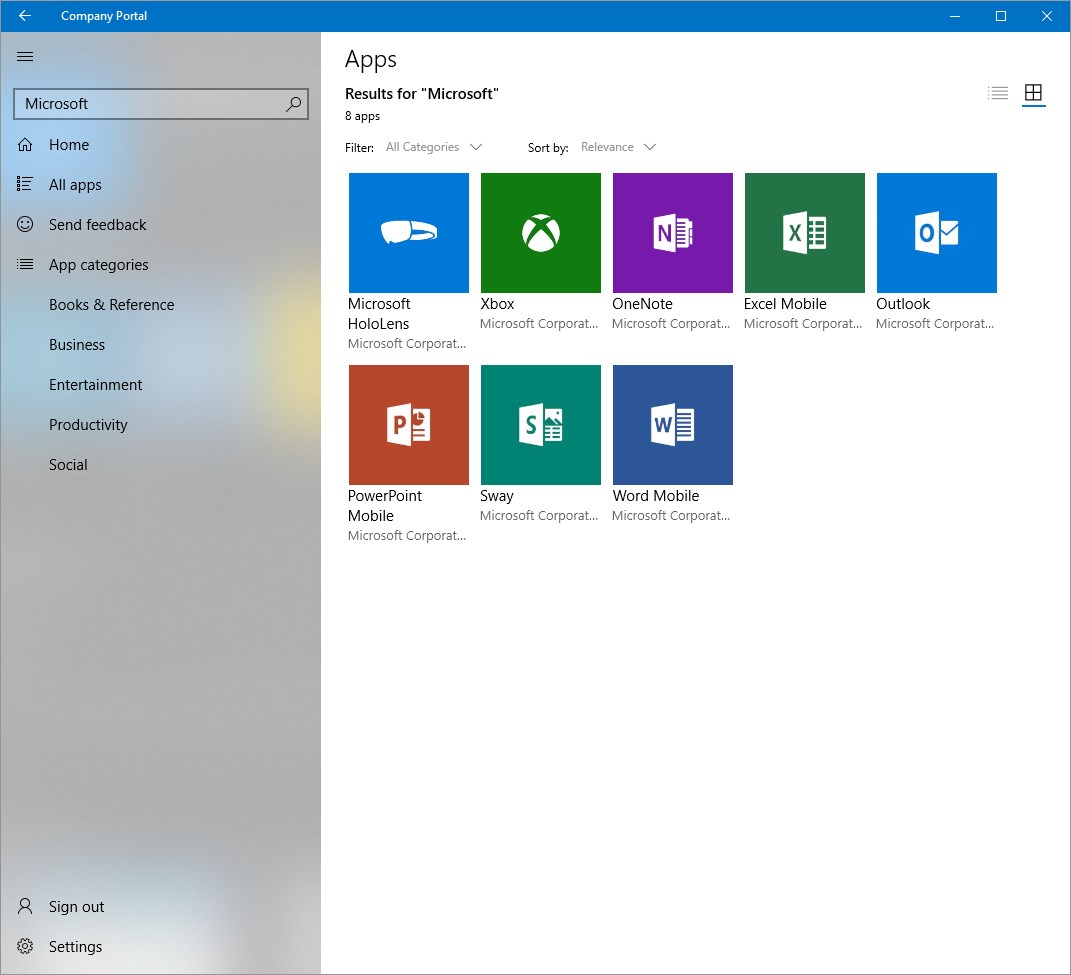
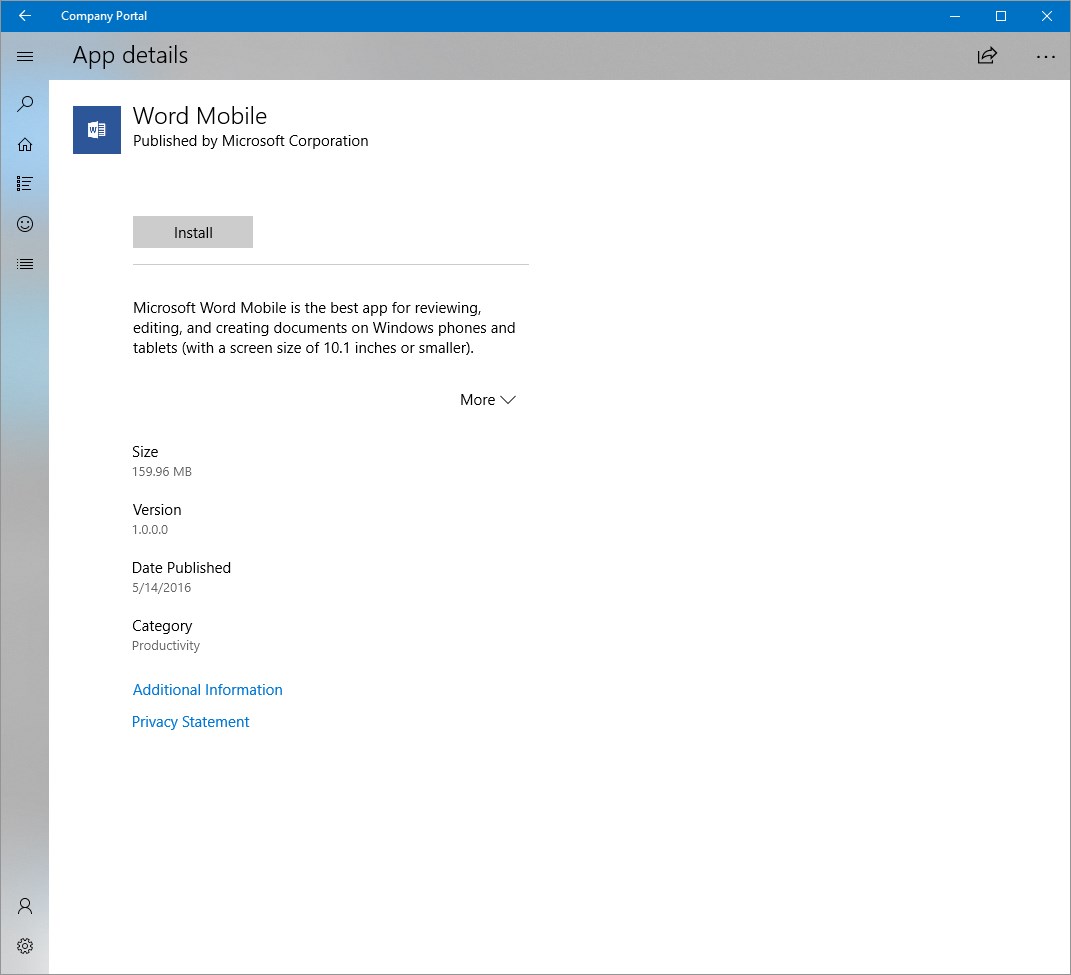
- Comprehensive App & Resource Access: Enables users to securely browse, install, and manage work-related applications and resources from a unified platform.
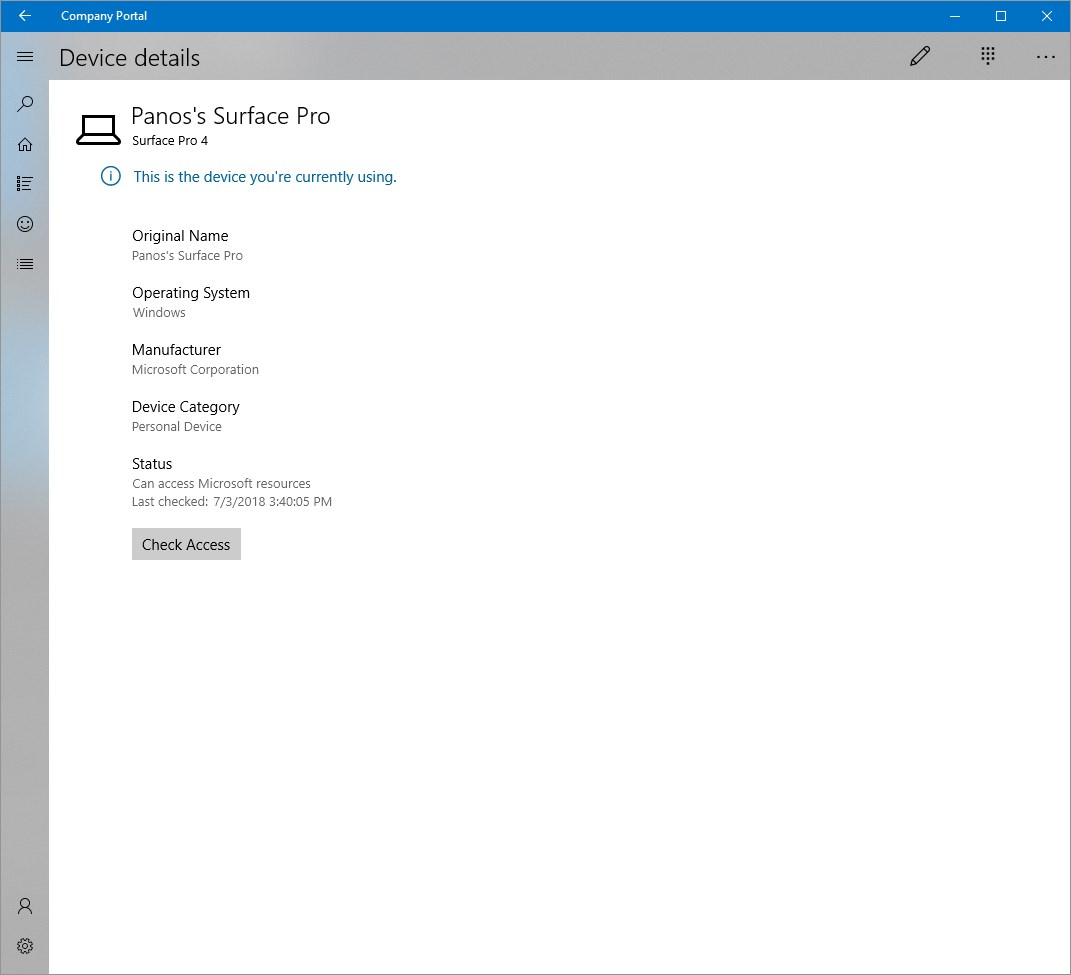
- Device & Security Management: Allows employees to view device compliance status, enroll new devices, and receive security updates, ensuring organizational policies are consistently met.
- Customizable User Experience: Provides flexibility for IT departments to tailor the portal experience, promoting greater engagement and usability.
- Integrated Self-Service Capabilities: Offers features such as password resets and issue reporting, reducing dependency on IT support and speeding up routine tasks.
An Engaging and Intuitive User Experience
Imagine walking into a well-organized office—everything you need is clearly labeled and easily accessible. That's the feel of the Company Portal app. Its interface design exudes clarity with a clean, modern look that makes navigation feel natural. The layout is intuitive, dividing sections into logical categories—Apps, Devices, and Support—so users can find what they need in just a few taps or clicks.
Operation flows are smooth; loading times are minimal, and actions such as app installations or device management are executed seamlessly in the background. Even users new to enterprise management tools find themselves quickly up to speed, thanks to straightforward prompts and helpful guidance within the app. Overall, the learning curve is gentle, making it accessible to a broad user base.
Differentiating Itself in the Business App Arena
While many MDM (Mobile Device Management) solutions exist, the Company Portal stands out through its tight integration with Microsoft 365 and Azure Active Directory. What truly makes it shine is its collaborative work features—think of it as a digital bridge that connects employees, IT teams, and management in real-time.
Unlike traditional business apps that focus solely on device or app management, the Company Portal offers a collaborative environment where users can view shared resources, participate in organizational announcements, and receive personalized recommendations based on their device and role. This level of integration promotes not only individual productivity but also a cohesive organizational culture.
Another unique advantage is its emphasis on self-service options, empowering users to resolve common issues without waiting for IT support. This proactive approach reduces downtime and enhances overall efficiency, making the app both a management tool and a facilitator of smooth teamwork.
Verdict and Recommendations
All in all, Microsoft's Company Portal for Windows is a solid, well-designed platform that caters effectively to enterprise needs. Its most outstanding features—particularly the collaborative and self-service capabilities—make it a valuable addition to any organization aiming to streamline device management and improve employee engagement. I recommend it for companies already invested in Microsoft ecosystems or seeking a user-centric approach to enterprise management.
For IT administrators, it offers robust control and customization options, while end users will appreciate its clarity and ease of use. If your organization values integrated collaboration with a focus on empowerment and simplicity, this app deserves a close look.
Pros
- Seamless Corporate App Management
- Enhanced Security Features
- User-Friendly Interface
- Supports Multiple Device Types
- Comprehensive Policy Enforcement
Cons
- Occasional App Deployment Delays
- Limited Customization Options for UI
- Offline Functionality Restriction
- Learning Curve for New Users
- Limited Support for Non-Microsoft Apps











