
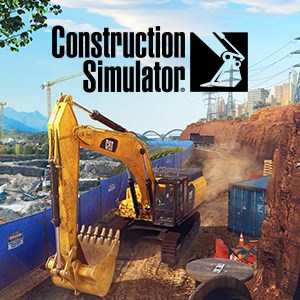
Frequently Asked Questions
How do I start a new construction project in the game?
Open the main menu, select 'New Campaign,' choose a map (Friedenberg or Sunny Haven), and follow the on-screen prompts to begin your first project.
What are the basic controls for operating machinery?
Use on-screen touch controls or controller buttons to move, lift, and operate equipment. Refer to the tutorial prompts for detailed instructions during gameplay.
How can I view my vehicle fleet and manage machines?
Access the 'Garage' menu from the main screen to view, select, and customize your vehicles and equipment to optimize your fleet.
What is the process for selecting different construction machinery in a project?
During contract preparation, tap 'Choose Equipment,' then select from over 80 licensed machines, ensuring they suit your project's needs.
How do I participate in multiplayer mode and add friends?
Navigate to 'Multiplayer,' invite friends via their user IDs, and join their game sessions to work together on construction tasks.
Are there any in-game purchases or subscriptions I should be aware of?
Yes, you can buy optional in-game content or equipment upgrades via the store. Access this through the 'Shop' menu for more options.
Can I upgrade or expand my equipment or vehicle fleet?
Yes, complete contracts to earn funds, then visit the 'Garage' to upgrade or purchase new machinery, enhancing your operational capacity.
What should I do if the game crashes or glitches?
Try restarting the app, ensure your device meets the requirements, and check for updates in the app store. Contact support if issues persist.
How do seasonal contracts and new locations work?
Seasonal contracts and new locations unlock periodically; access them from the main menu under 'Events' to experience fresh challenges.
Is there a way to save my progress manually?
Progress is saved automatically after each task. Ensure your device has sufficient storage and internet connection for cloud save functionality.
You May Like

Dragon City
for Windows
4.8
Township
for Windows
4.8
Cooking Live: Restaurant game
for Windows
4.8
Global City
for Windows
4.8
Roadside Research (Game Preview)
for Windows
4.8
The Tribez
for Windows
4.7
Cooking Diary®: Restaurant Game
for Windows
4.7
Five Nights at Freddy's: Original Series
for Windows
4.7
Jurassic World Evolution 3: Deluxe Edition
for Windows
4.7
Goat Simulator 3: Windows Edition
for Windows
4.7
Crime Scene Cleaner
for Windows
4.7
Date Everything!
for Windows
4.6