

- Category Personalization
- Developer A to Z
- Available on PC
- OS Windows 10 version 17763.0 or higher
- Keyboard Integrated Keyboard
- Mouse Integrated Mouse
- languages English (United States)
Introducing Cool Wallpaper for Windows: A Fresh Take on Personalization
Cool Wallpaper for Windows is a sleek application designed to bring vibrant, high-quality wallpapers to your desktop, turning your daily workspace into a visually stimulating environment. Developed by A to Z, this app emphasizes ease of use and extensive customization options, making it a compelling choice for users who want a quick aesthetic upgrade without the fuss.
Awesome Features That Make Your Desktop Pop
Massive Wallpaper Library at Your Fingertips
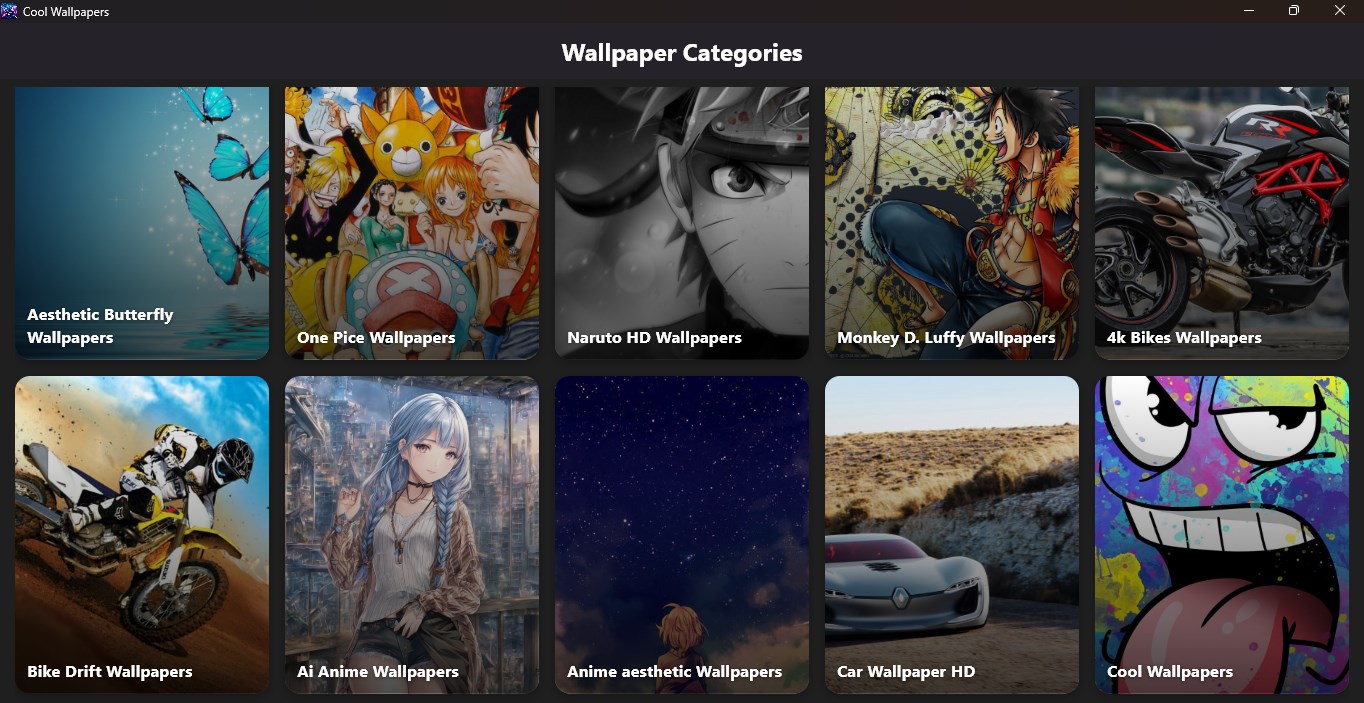
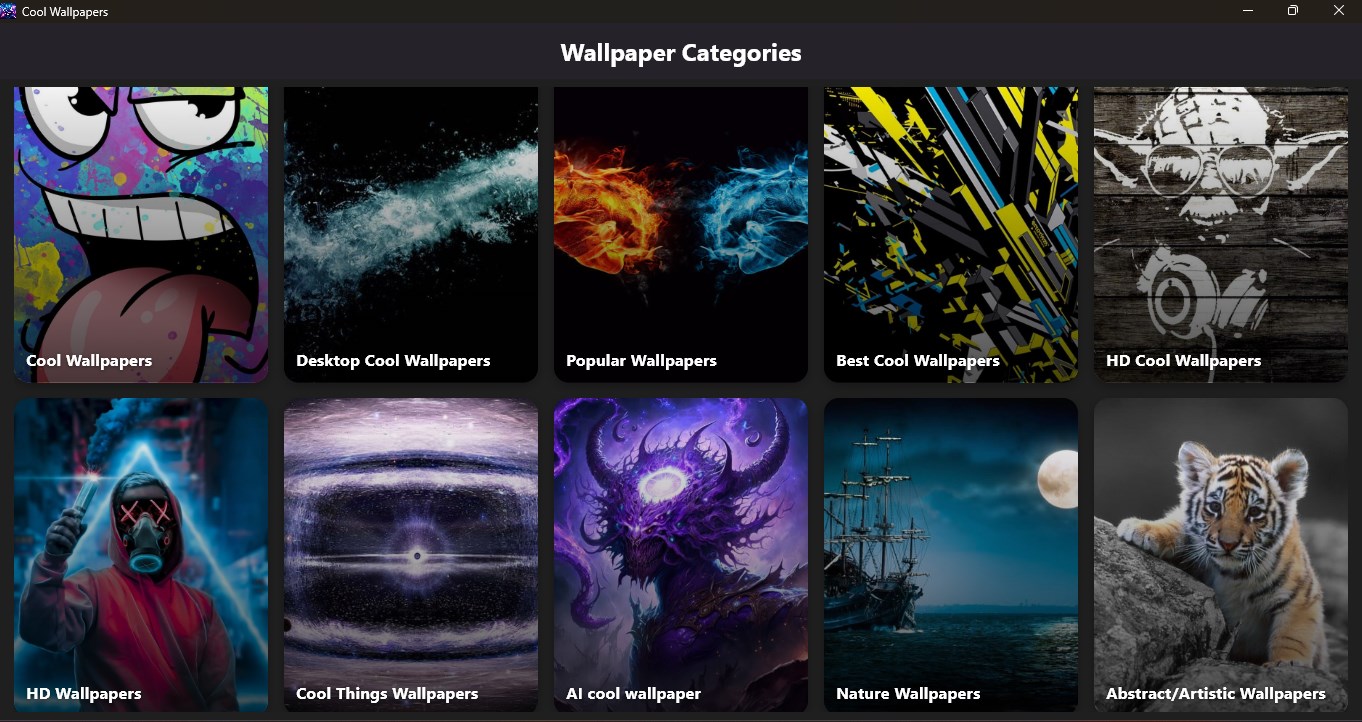
The app boasts an expansive collection of wallpapers spanning categories like nature, abstract, technology, and more. Whether you're after calming landscapes or futuristic designs, Cool Wallpaper for Windows offers a curated selection that keeps your desktop fresh and engaging. The library is regularly updated, ensuring there's always something new to explore.
Smart Theme Compatibility and Seamless Integration
One of the app's standout features is its ability to seamlessly integrate with Windows themes. It intelligently warns users if a wallpaper might clash with existing themes or system settings, providing a harmonious aesthetic experience. This intelligent compatibility ensures that switching wallpapers feels more like an artful dance than a jarring transition.
Customizable Scheduling & Dynamic Wallpapers
What sets this app apart is its dynamic wallpaper scheduling feature. Users can set timers to automatically change wallpapers at specific intervals, creating a lively and ever-changing desktop environment. Additionally, it supports dynamic wallpapers that adapt based on time of day, weather, or other system parameters, adding a layer of sophistication that keeps your screen lively without manual intervention.
Evaluating the User Experience: Design, Performance, and Learning Curve
The interface of Cool Wallpaper for Windows is intuitive and visually appealing—think of it as a well-organized digital gallery. Navigation feels natural, with clear categories and straightforward controls that even Tech newbies can master quickly. The app's responsiveness is impressive; changing wallpapers or browsing collections happens smoothly without lag, even on mid-range hardware. Learning how to customize schedules or explore advanced options is also straightforward, thanks to contextual tooltips and a clean layout, making the overall experience accessible for beginners yet satisfying for power users.
What Makes It Stand Out Among Personalization Apps?
Compared to other wallpaper and personalization tools, Cool Wallpaper for Windows shines due to its meticulous attention to theme compatibility and its smart scheduling capabilities. Many similar apps offer basic wallpaper switching, but this app's ability to sync with Windows themes and prevent mismatched aesthetics elevates it. Also, its support for dynamic wallpapers that respond to real-world factors is a rare gem in this category, providing a more immersive desktop experience. These features make it particularly appealing if you value both variety and harmony in your desktop environment.
Final Verdict: Is It Worth Trying?
All in all, Cool Wallpaper for Windows is a solid choice for users seeking an easy-to-use yet feature-rich wallpaper app. Its combination of an extensive library, intelligent theme compatibility, and dynamic scheduling makes it stand out without overwhelming the user. I'd recommend it to anyone eager to add a splash of personality to their desktop—whether you're a casual user or a tech enthusiast looking for nuanced control. Overall, it's a fresh, reliable tool that deserves a spot on your digital desktop upgrade list.
Pros
- High-quality and diverse wallpapers
- User-friendly interface
- Regular updates with fresh content
- Fast loading and smooth performance
- Customizable wallpaper categories
Cons
- Limited personalization options
- Some wallpapers are low resolution
- Minimal free content
- Limited filtering options for wallpapers
- Notification ads promote premium features











