
- Category Multimedia design
- Developer Corel Corporation
- Available on PC
- OS Windows 10 version 0.0 or higher
- Keyboard Integrated Keyboard
- Mouse Integrated Mouse
- Memory 4 GB
- languages English, French, German, Japanese, Chinese (Traditional Chinese)
Introduction: A Creative Companion for Digital Artists
Corel Painter Essentials for Windows is a thoughtfully designed, user-friendly digital painting application tailored for hobbyists and newcomers eager to explore the world of art without the intimidation of complex tools. Developed by Corel Corporation, a reputable name in creative software, this app offers a simplified yet powerful platform to unleash your artistic impulses with ease and confidence.
Simplified yet Powerful Drawing Tools
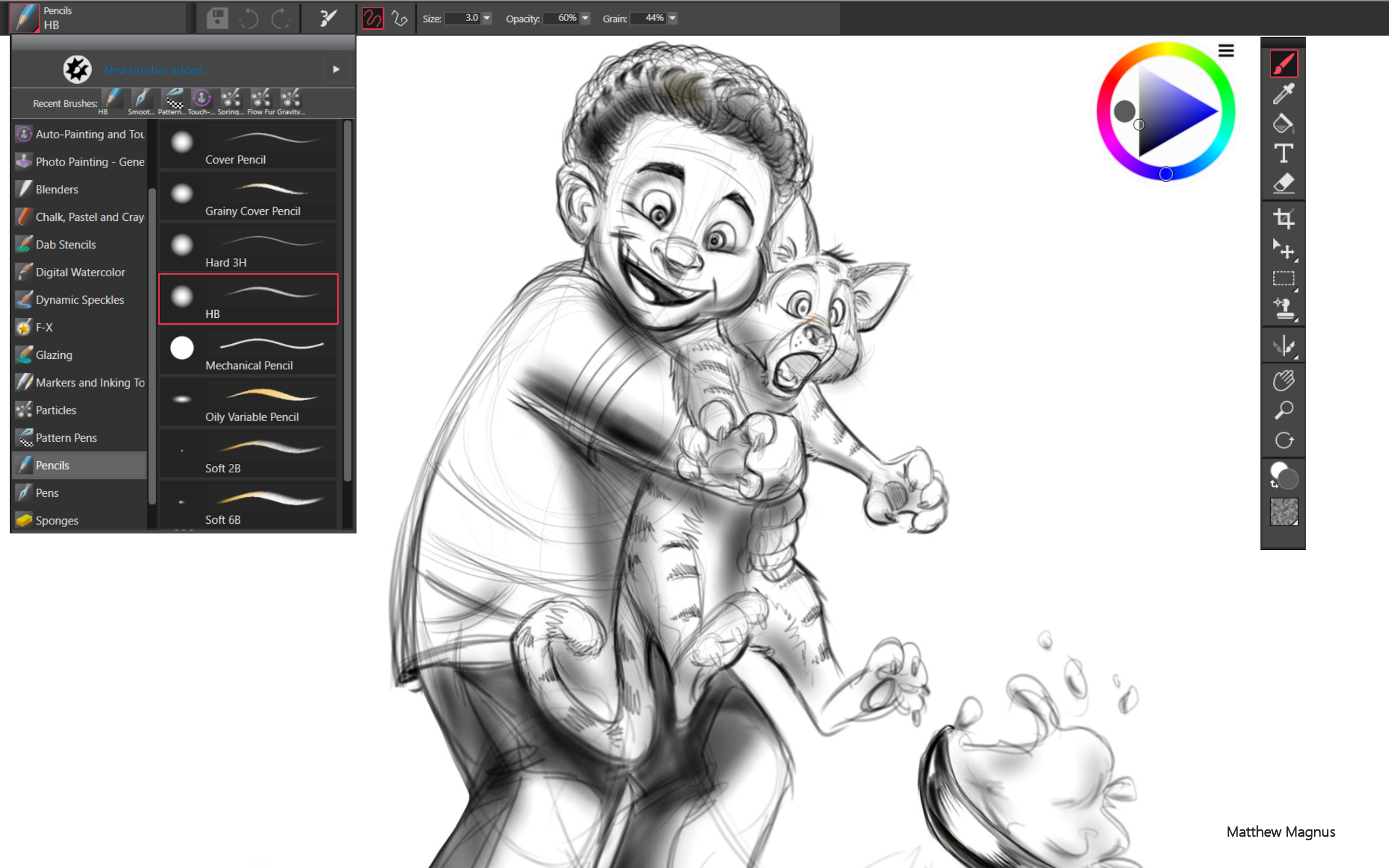
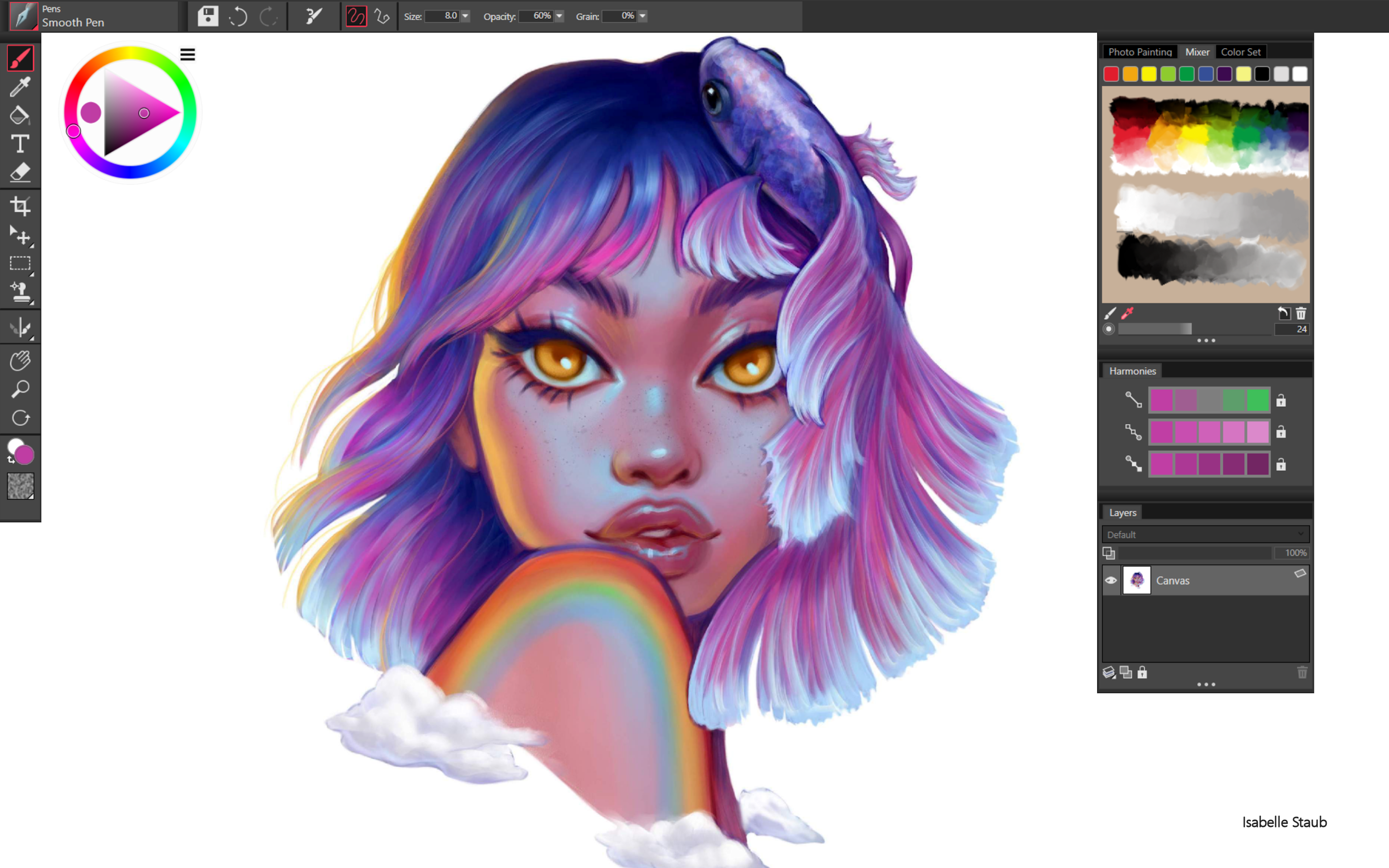
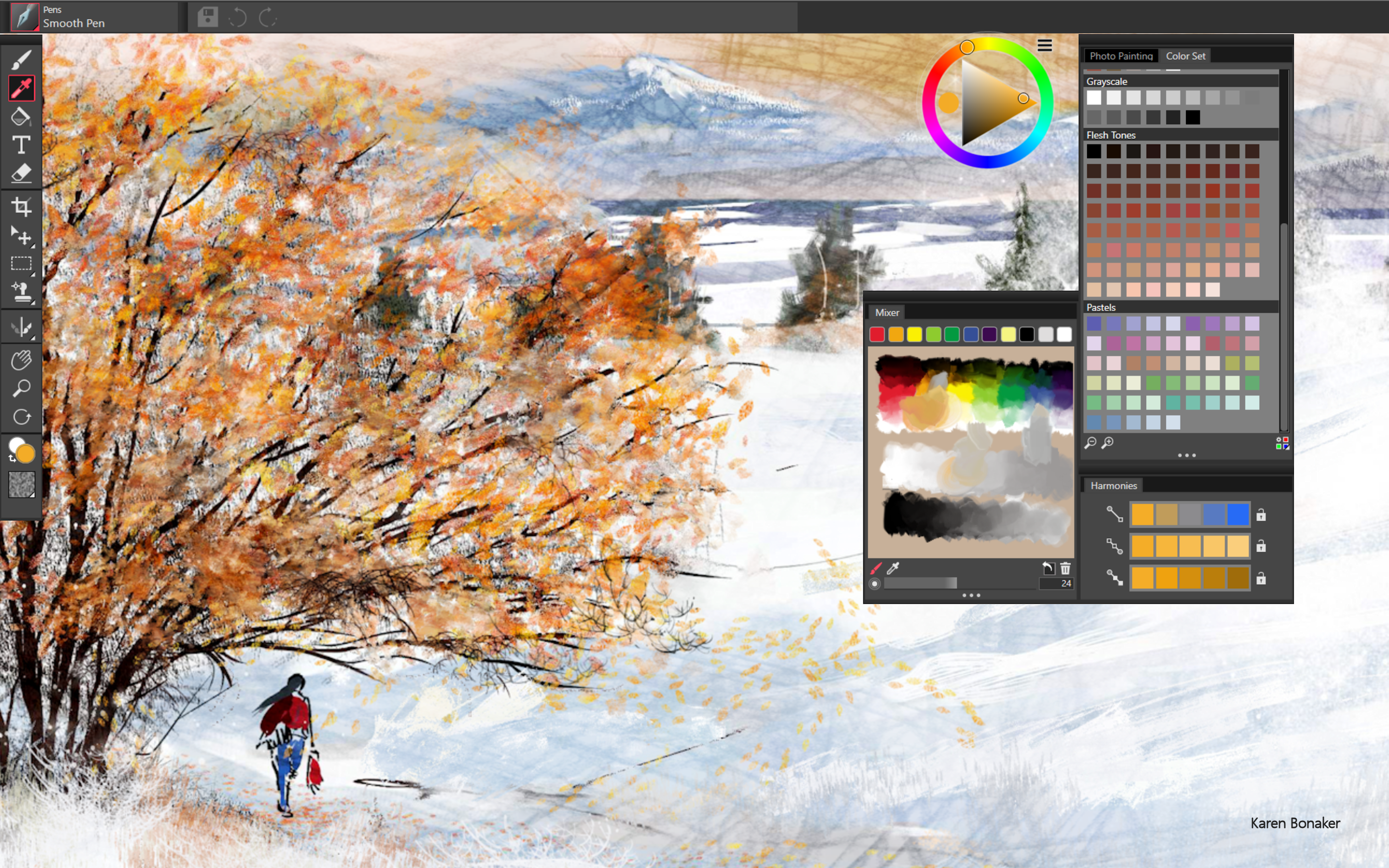
At the heart of Painter Essentials lies its diverse array of brushes and textures that mimic traditional media with surprising authenticity. Whether you're aiming for watercolor washes, oil paints, or pencil sketches, the app provides an intuitive interface to select and customize brushes, allowing for hours of experimentation. Its smart color blending and layering functions facilitate rich, nuanced artworks even for beginners. The software's real-time preview mode ensures your strokes look just as you imagine, fostering an engaging drawing experience that feels both natural and inspiring.
Intuitive Interface and Seamless Workflow
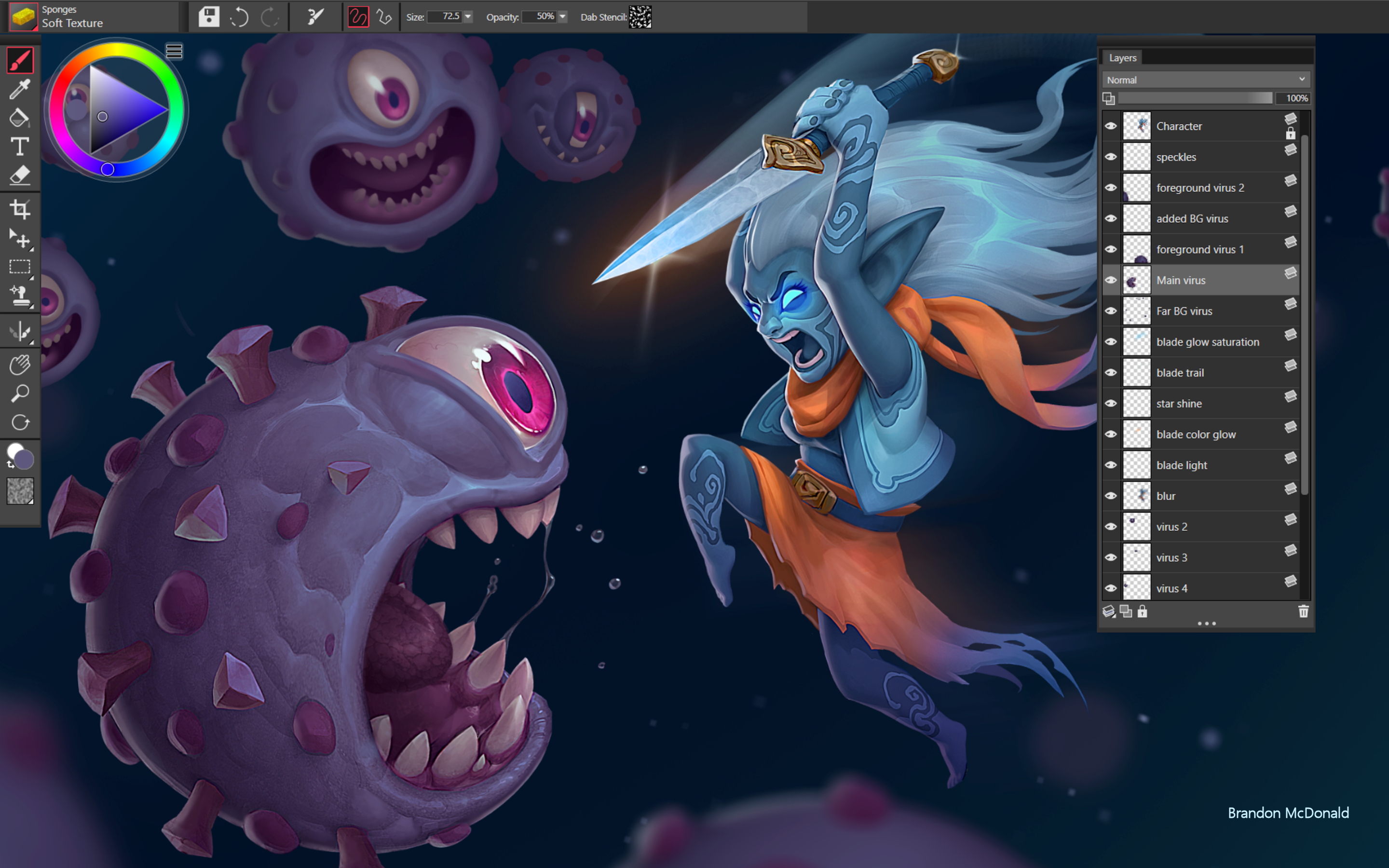
One of the app's most appealing aspects is its clean, clutter-free interface that welcomes new users while offering enough depth for experimentation. The workspace is customizable, enabling artists to organize their tools in a way that suits their style. Navigation is smooth, with rapid response times that keep your creative flow uninterrupted—no more frustrating lags or confusing menus. The app's learning curve is gentle; thoughtful tutorials and templates help beginners get started rapidly, making creativity accessible without a steep technical climb.
Unique Features That Set It Apart
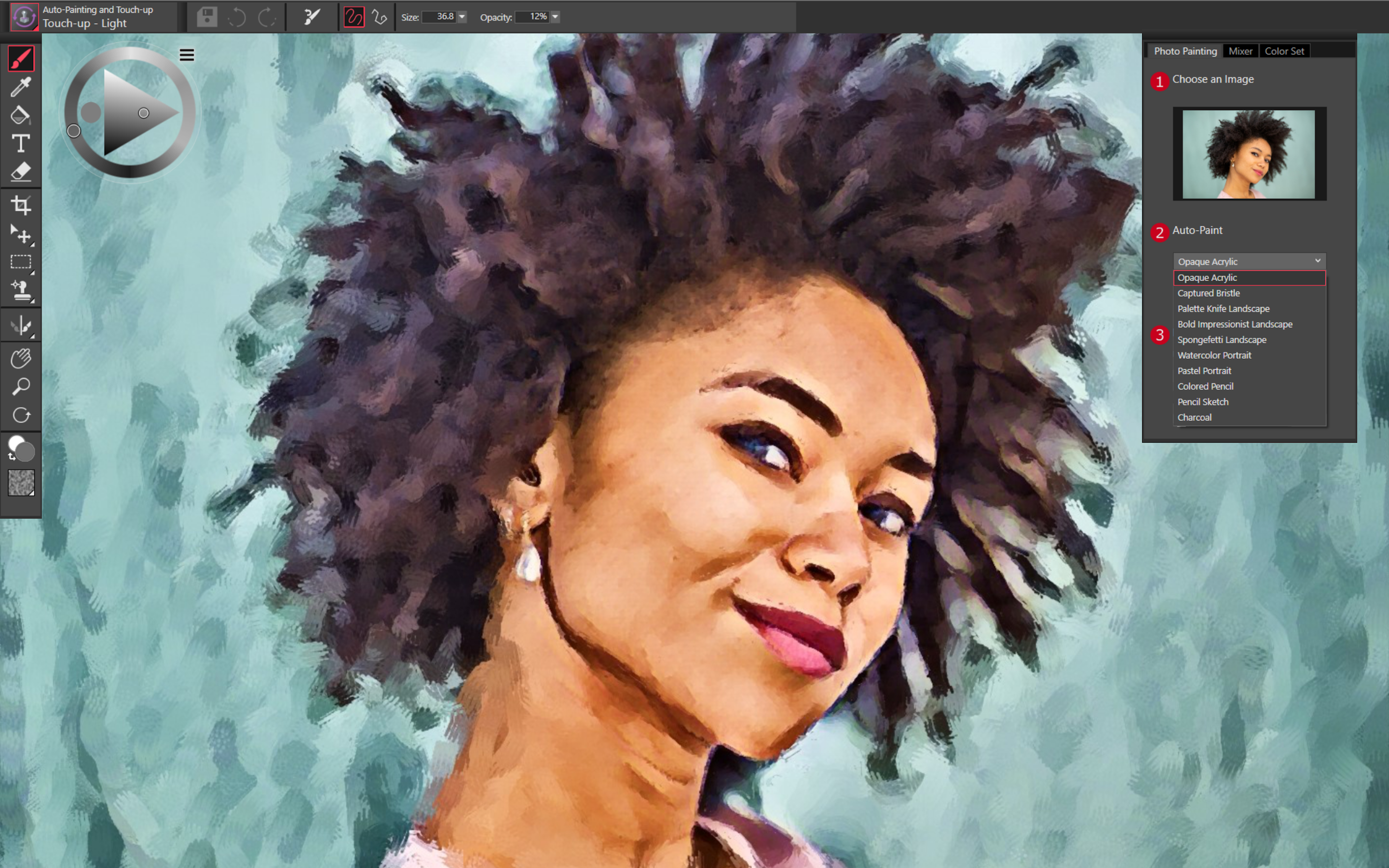
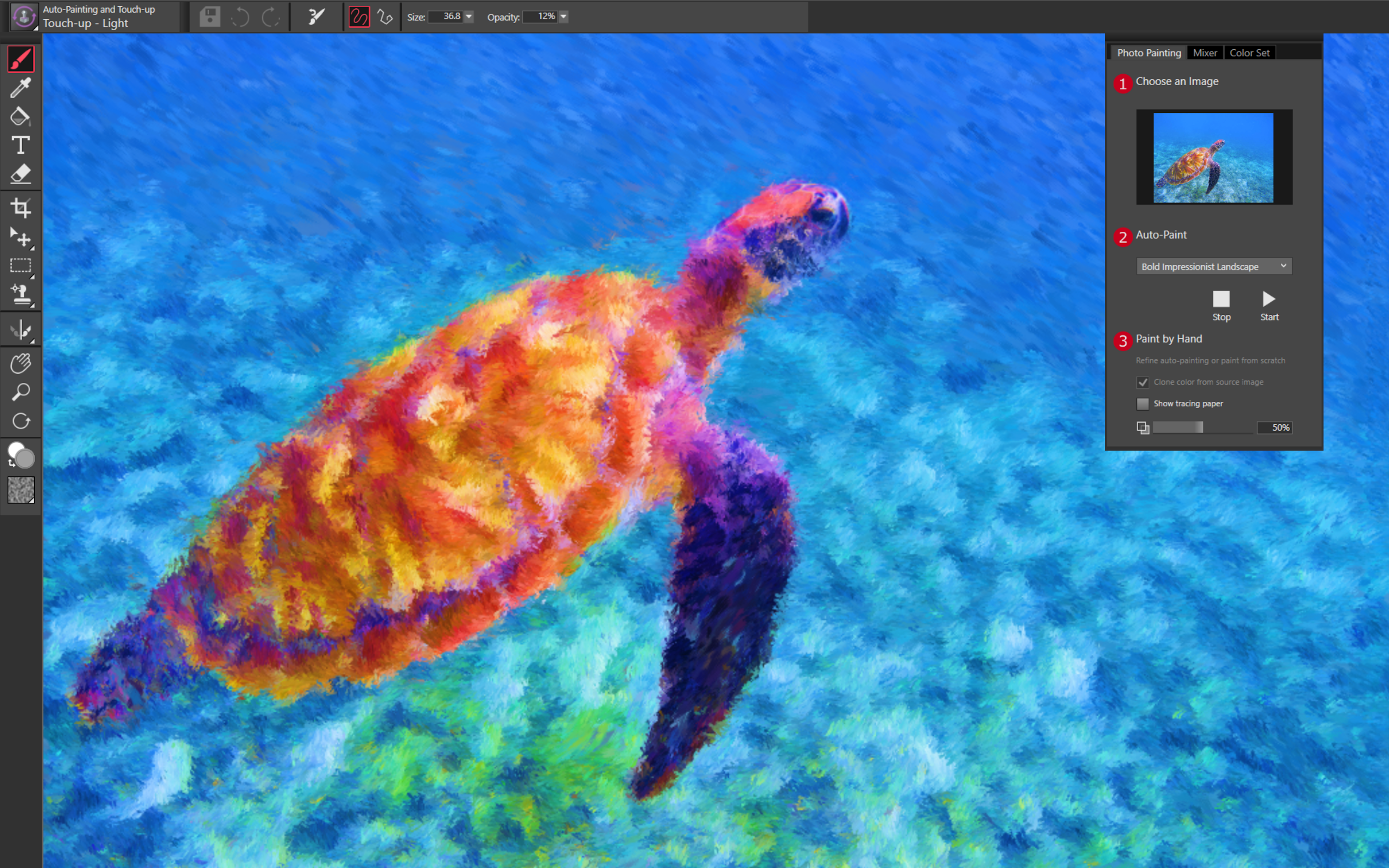
While many multimedia design tools tend to be either overly complex or overly simplified, Corel Painter Essentials strikes a commendable balance. Its most distinctive feature is the “Auto-Painting” mode, which can transform photographs into painted artworks with just a click, acting as both a creative boost and a learning tool for understanding artistic styles. Additionally, the app's integration of natural media brushes with advanced sensitivity adjustments gives your digital creations a genuine handcrafted feel—a notable contrast to more rigid, vector-based programs. This combination of traditional media simulation with AI-assisted features makes Painter Essentials a compelling choice for artists who wish to explore classic techniques in a modern, digital environment.
Overall Recommendation and Usage Tips
Corel Painter Essentials for Windows earns a solid recommendation for beginners-to-intermediate digital artists seeking a reliable, approachable painting platform. It excels at providing an authentic artistic experience without overwhelming users with complexity. If you're interested in learning traditional painting styles and enjoy experimenting with different textures and effects, this app can be a valuable tool in your creative arsenal. For those looking for a versatile, artist-friendly program that bridges the gap between traditional art and digital innovation, Painter Essentials is certainly worth trying out. As a friendly tip: spend some time exploring the auto-paint features and texture brushes to fully appreciate its unique strengths—these are truly where the software shines and can elevate your digital art journey."
Pros
- Intuitive user interface
- Realistic painting tools
- Lightweight and fast performance
- Supports pen pressure sensitivity
- Affordable pricing compared to full professional software
Cons
- Limited advanced features
- Occasional stability issues under heavy workloads
- Limited file format support for exporting
- Some brush customization options are basic
- No cloud storage integration











