

- Category Social
- Available on PC
- OS Windows 10 version 17763.0 or higher
- languages English (United States)
CrosshairX-CustomGameCrosshair for Windows: Precision at Your Fingertips
If you're someone who values accuracy and personalization in your gaming experience, CrosshairX is designed to be your ultimate crosshair customization tool. It aims to elevate your aiming precision by offering an easy yet powerful way to tailor crosshairs to fit your playstyle, all within a sleek interface.
Who's Behind the Curtain?
Developed by Goldenman Limited, a team dedicated to enhancing gaming peripherals and customization tools, CrosshairX is part of their effort to improve gamers' visibility and targeting accuracy. The developer's focus on user-centric features shines through, emphasizing a straightforward yet versatile approach to crosshair customization.
Top Features That Make a Difference
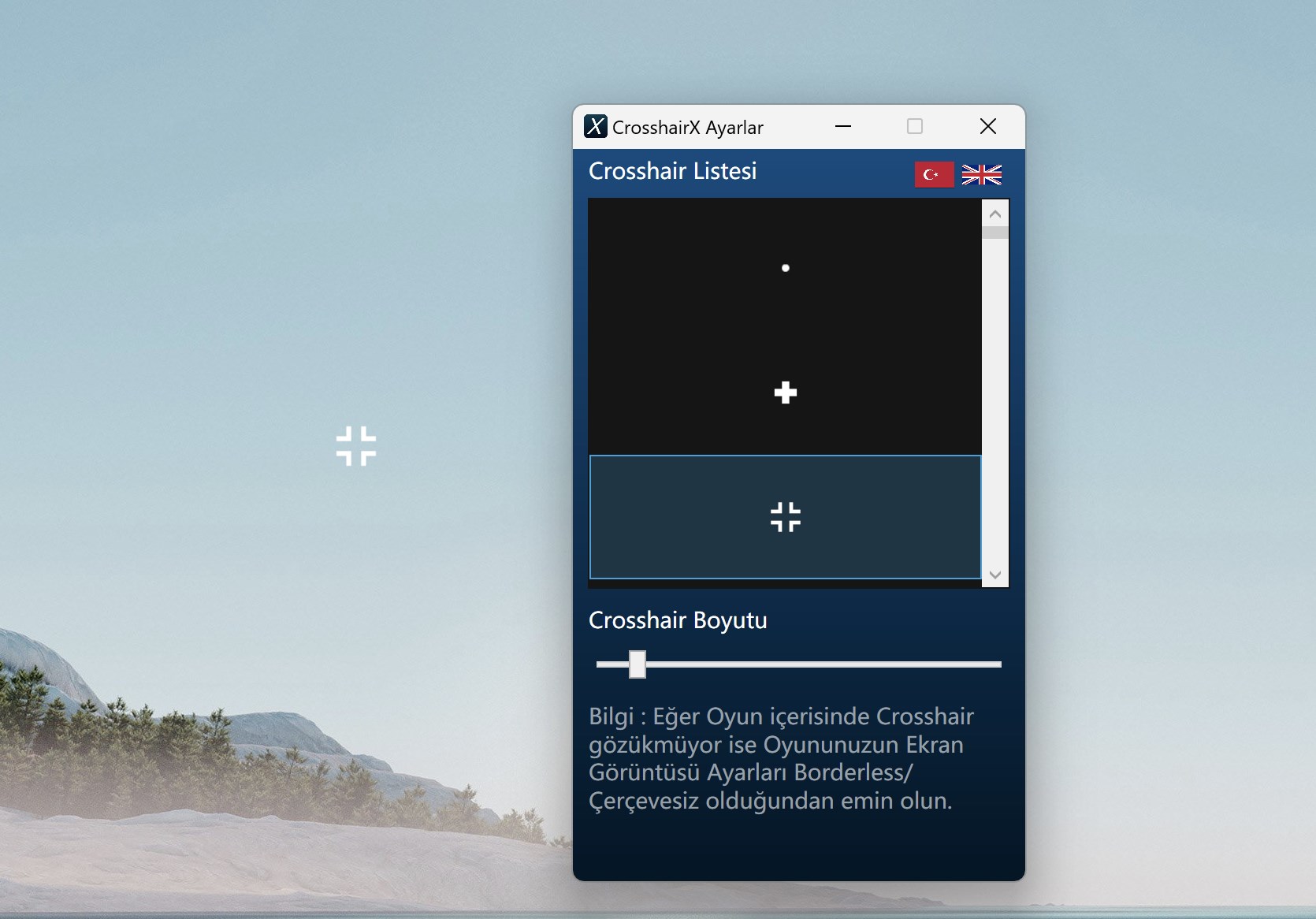
- Highly Customizable Crosshairs: Users can choose from a range of shapes, sizes, colors, and opacity levels, enabling an extremely personalized aiming reticle that can adapt to different games or personal preferences.
- Game Compatibility & Easy Setup: Designed specifically for Windows, it seamlessly overlays on most games without lag or interference, making it an unobtrusive aid rather than a distraction.
- User Profile & Authenticity Verification: The app offers profile management, allowing users to save multiple settings and verify their configurations—an uncommon yet valuable feature for dedicated gamers who switch between different titles or setups.
- Connection Discovery & Community Integrations: The app can discover and connect with other users' profiles, fostering a community around shared preferences and customizations, which can be particularly appealing for competitive players seeking community-driven improvements.
Engaging the Gamer: A Fun Introduction
Imagine guiding your crosshairs like a sharpshooter in a snazzy arcade game—sharp, precise, and exactly how you want it. CrosshairX brings this fantasy to reality by transforming that generic aiming circle into a finely tuned instrument of accuracy. Whether you're darting through fast-paced FPS battles or practicing your headshots, this app promises to make your aim smoother and more consistent—like having a trusted sidekick sitting right next to you, fine-tuning your aim in real-time.
Breaking Down the Core Functionalities
Customization at Its Finest
The heart of CrosshairX lies in its customization options. You can select from an extensive library of crosshair styles, or craft your own by adjusting parameters such as shape, size, color, and transparency. This means whether you prefer a minimalistic dot or a bold, dynamic shape, the app has you covered. The real draw is the ability to rapidly switch profiles depending on your game, mood, or environment. This flexibility is akin to swapping different suits for specific missions—each tailored perfectly.
Seamless User Experience & Interface
The interface is intuitive and straightforward—think of it as a well-organized toolbox where everything is just a click away. Setup is quick, with clear instructions that even new users can follow without frustration. The app runs smoothly in the background, ensuring your gaming performance isn't hampered. Users report minimal to no lag, which means your aiming remains sharp without annoying delays, much like a well-oiled machine gliding effortlessly on the track. The learning curve is gentle; once you familiarize yourself with basic controls, tweaking your crosshair becomes second nature.
Community & Profile Features: Standing Out in the Crowd
What truly sets CrosshairX apart from other overlay tools is its focus on user profiles and authenticity verification. You can create, save, and switch between different profiles tailored to various games or styles. Imagine having your perfect setup ready at the click of a button before jumping into a new match. The app also promotes a sense of community by enabling connection discovery—sharing profiles, tips, and settings with friends or fellow enthusiasts. This fosters a more engaging, personalized experience that goes beyond mere customization, turning aiming into a shared pastime rather than a solo endeavor.
Final Thoughts: Is CrosshairX Worth Your Time?
Taking into account its versatility, ease of use, and unique community features, CrosshairX stands out as a reliable and user-friendly crosshair customization solution for Windows gamers. It's not just an aesthetic tool but a serious aid that can improve your aim and confidence in-game. For casual players or competitive shooters looking to fine-tune their setup, this app is worth trying—especially given its straightforward setup and profile management. I'd recommend it to anyone who appreciates precision and personalized gaming experiences. Just keep in mind that its success hinges on how much you invest in customizing and experimenting with your crosshairs—the more you tailor it, the better your shots will feel.
Pros
- High Customization Options
- User-Friendly Interface
- Wide Compatibility
- Low Latency Performance
- Free to Use
Cons
- Limited Preset Designs
- Occasional Stability Issues
- Customization Complexity for Beginners
- Lack of Advanced Game Profile Settings
- Limited Official Support Resources










