





- Category Developer tools
- Developer Aadhil RF
- Available on Xbox console, PC, Mobile, Surface Hub, HoloLens
- OS Windows 10 version 17763.0 or higher
- languages English (United States)
Introducing CSV Hub for Windows: Your Simplified Data Companion
In the vast world of data management, CSV Hub for Windows emerges as a user-friendly tool designed to streamline your handling of CSV files without the fuss. It aims to transform what can sometimes be a tedious task into an intuitive experience—ideal for both casual users and professionals alike.
Developer and Core Features
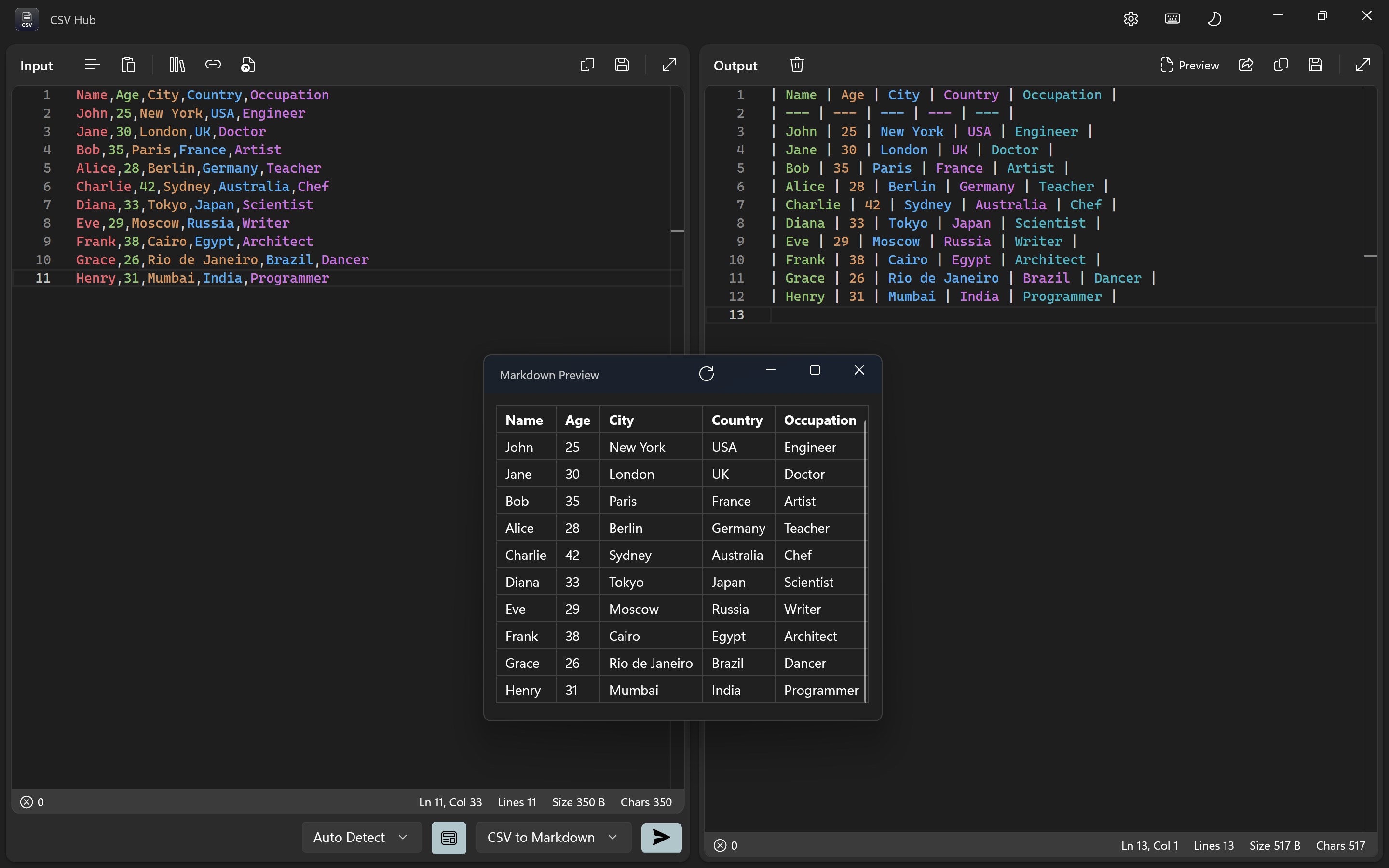
Developed and published by Aadhil RF, CSV Hub is crafted with a focus on accessibility and efficiency. Its main highlights include easy file import and export, quick data filtering and sorting, simultaneous multi-file handling, and a clear, organized interface. These features make it an attractive choice for anyone needing to manage CSV data regularly—a common scenario for business analysts, researchers, or managers compiling reports.
Why CSV Hub Stands Out
Starting up the app feels like walking into a well-organized workspace—clean, straightforward, and ready to serve. Its minimalist design offers a no-nonsense environment that ensures users aren't distracted by unnecessary clutter. The simplicity continues with the import/export process—just a few clicks, and your data is at your fingertips. No complicated workflows, just immediate access to your CSV files, making routine data editing less of a chore.
Core Functionality 1: Smart Data Viewing and Editing
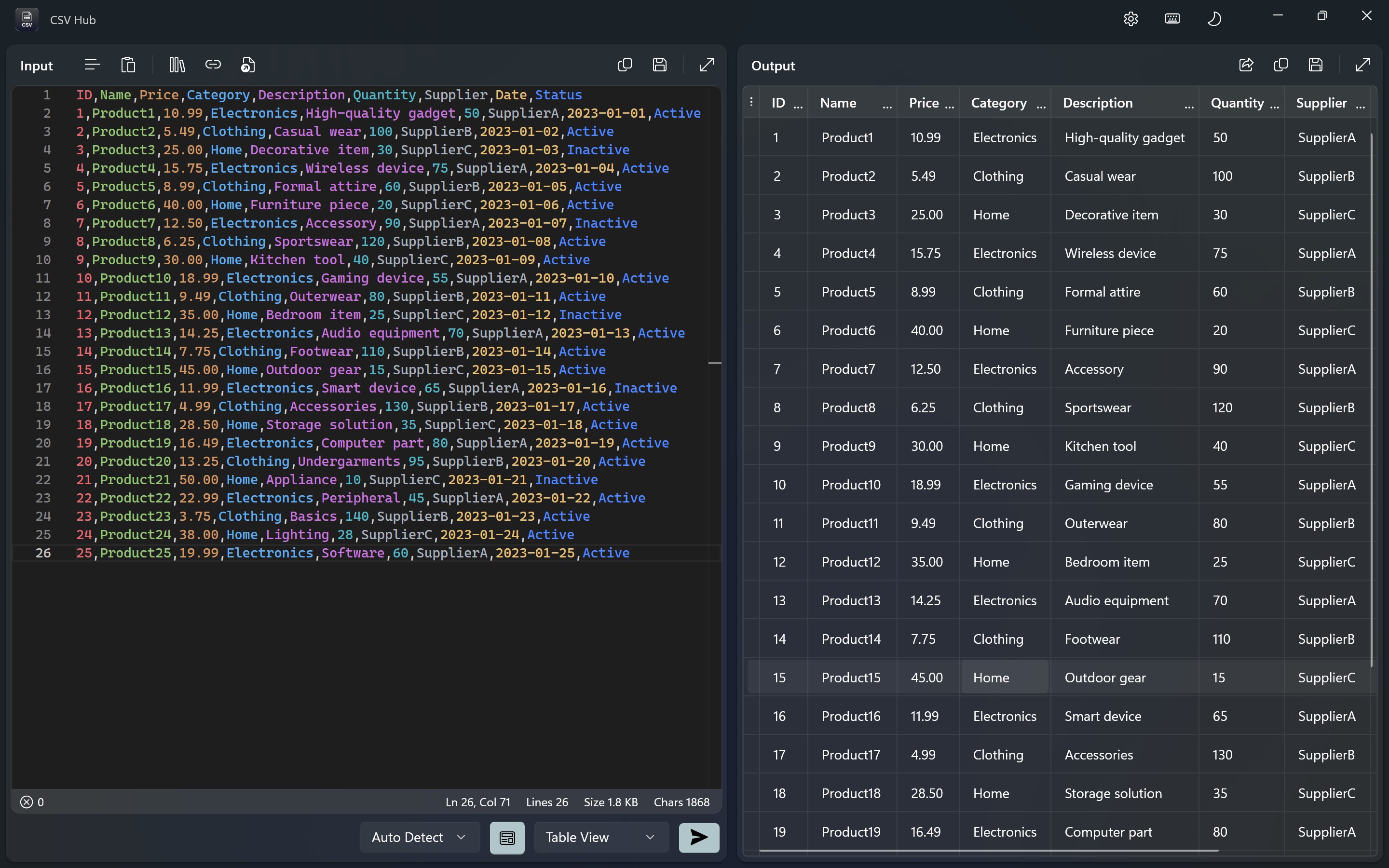
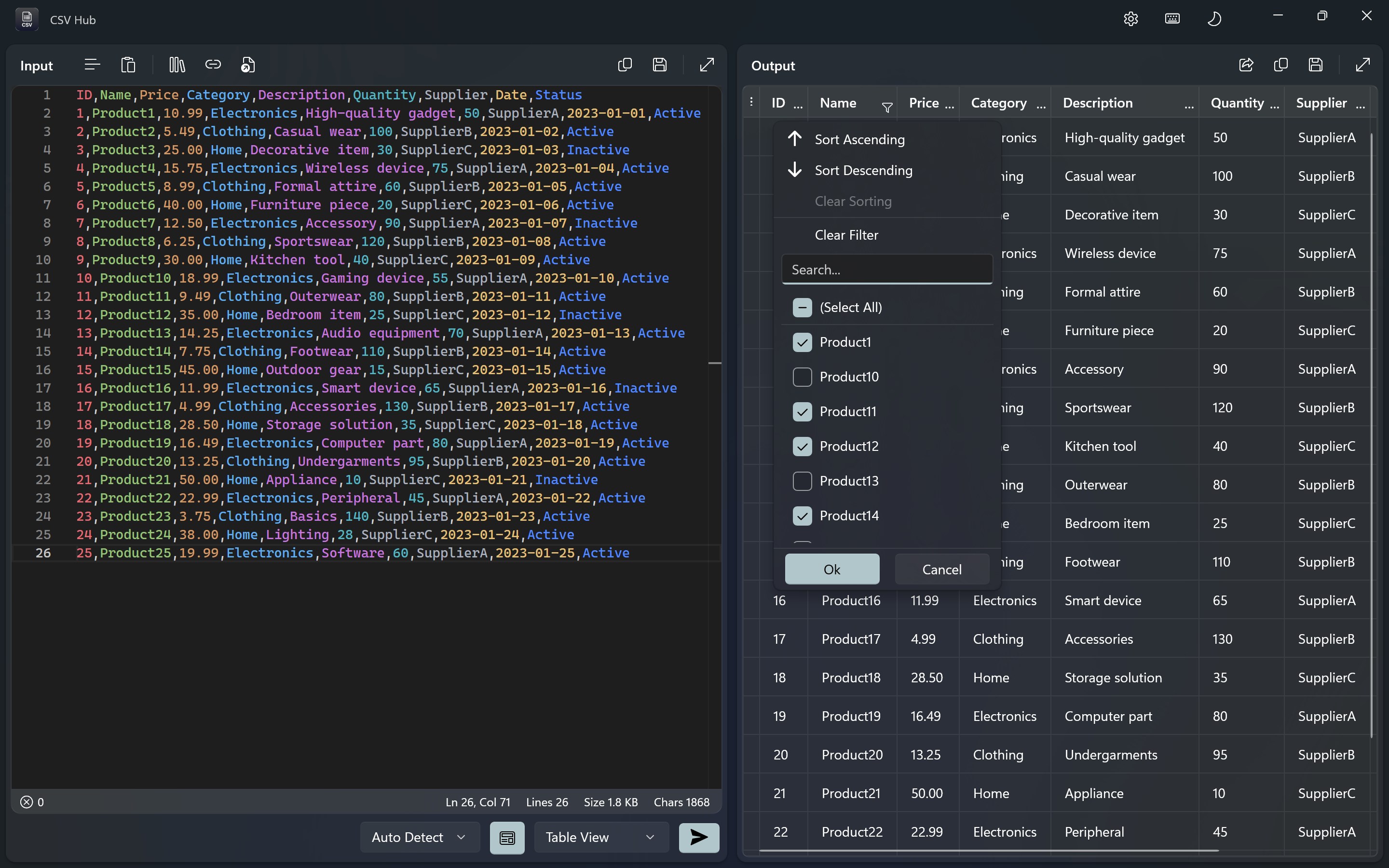
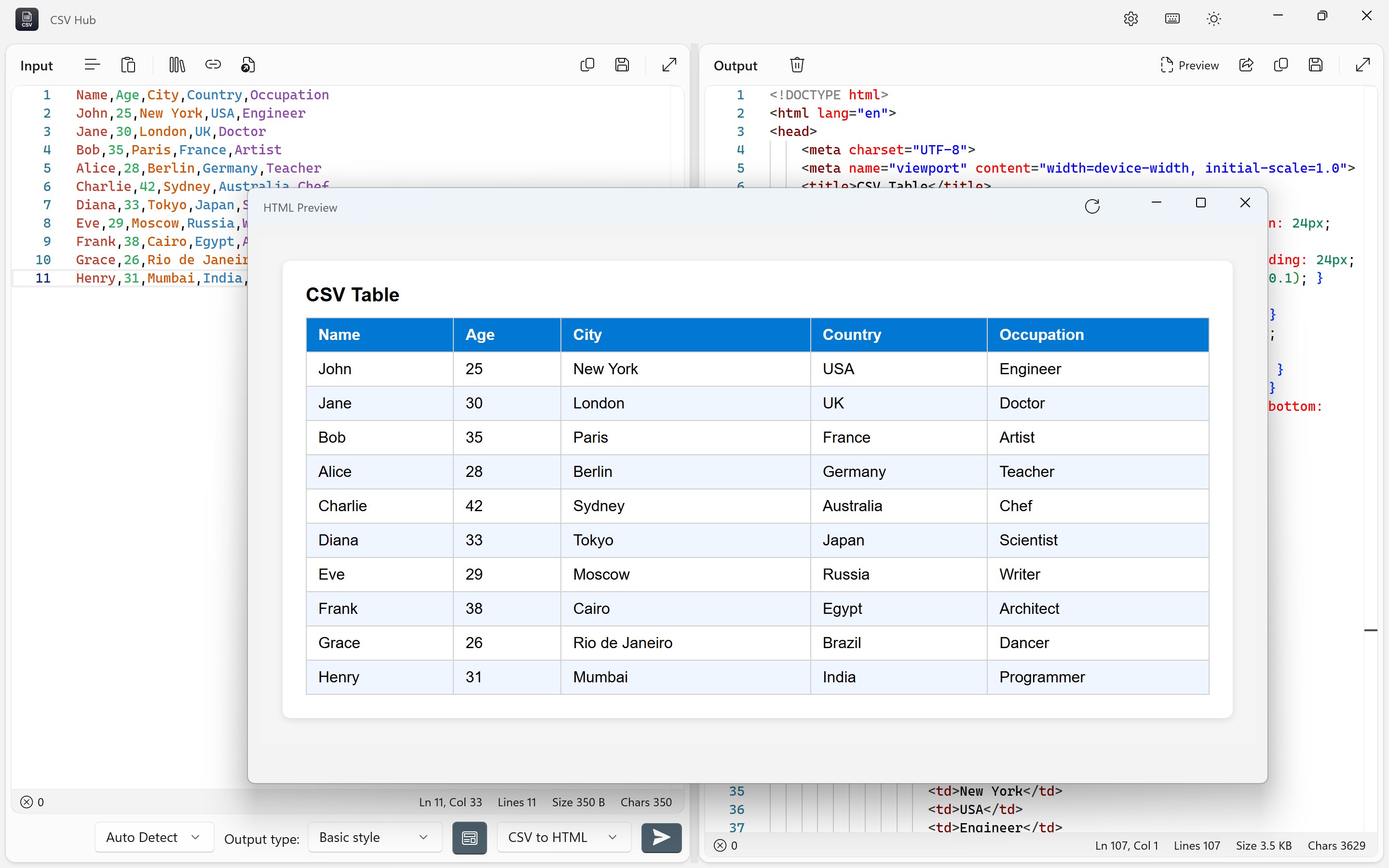
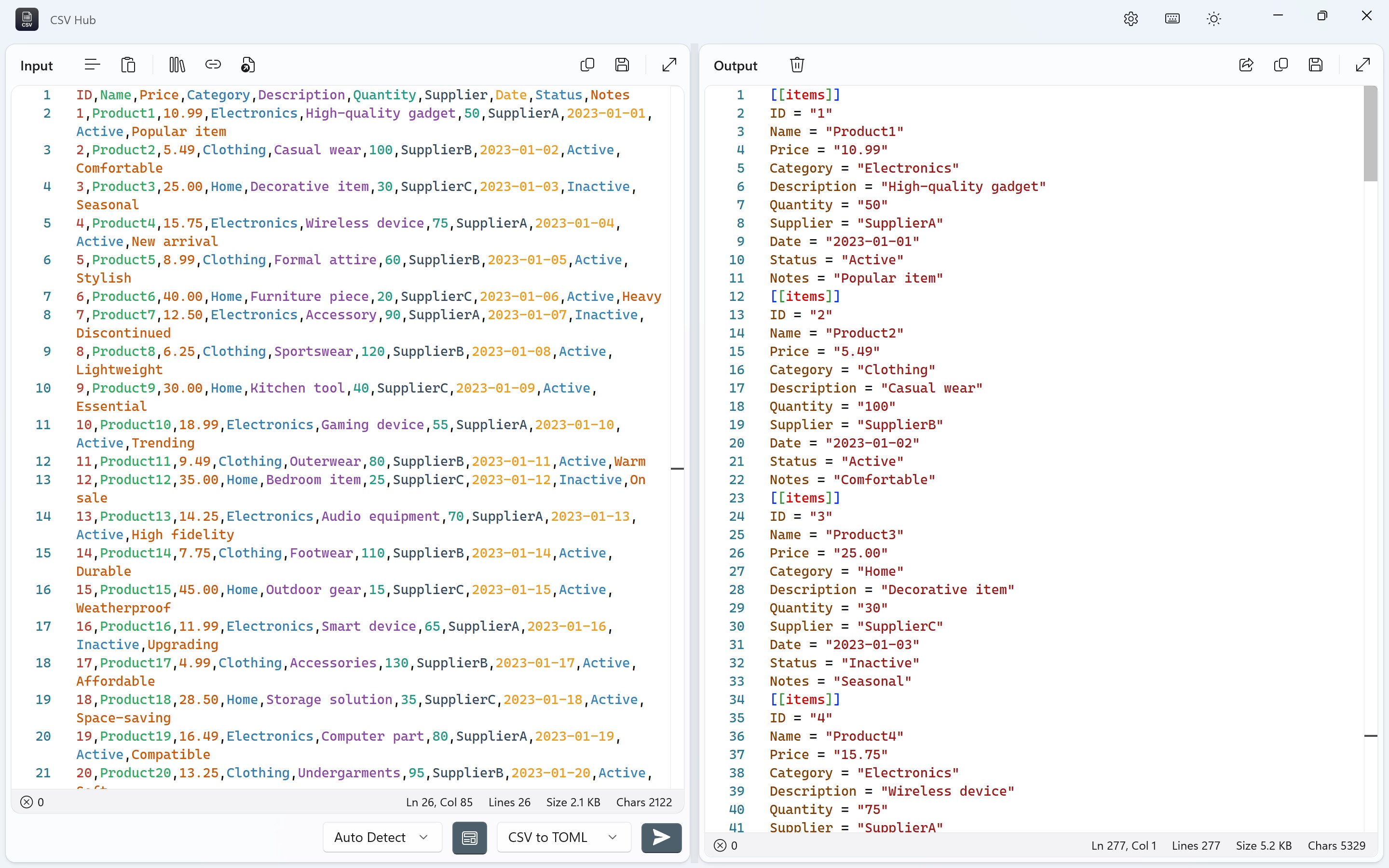
One of CSV Hub's most compelling features is its streamlined data visualization. It presents CSV files in a clear, grid-like format, similar to popular spreadsheet applications but with a simplified twist. The interface allows you to easily sort columns, filter data points, and make quick edits without juggling multiple windows or complex menus—a boon for those who need rapid modifications. This core feature is particularly notable for its responsiveness; edits are instantly reflected, maintaining a fluid workflow that feels almost like editing directly in memory.
Core Functionality 2: Efficient Multi-File Management
Have several CSV files open at once? No problem. CSV Hub provides a tabbed environment that makes switching between different datasets as seamless as flipping through pages in a well-organized binder. This capability is especially useful when comparing multiple datasets or consolidating data from various sources. Unlike more bloated tools, CSV Hub keeps things lightweight, avoiding the sluggishness that often plagues multi-tab interfaces in larger programs.
User Experience & Unique Selling Points
From a user perspective, navigating CSV Hub is like having a helpful guide by your side—everything is designed with clarity, with intuitive controls that lower the learning curve. The app's responsiveness is noteworthy; scrolling through large datasets remains smooth, and loading files is nearly instantaneous. The interface's cleanliness reduces cognitive load, making it an excellent option for quick data tasks or in-depth analysis.
What truly sets CSV Hub apart from similar developer tools is its focus on essential functions combined with an accessible design. Unlike bulkier spreadsheet editors or specialized data tools that might intimidate novice users, CSV Hub offers a no-fuss, efficient experience. Its standout feature is perhaps its multi-file handling capability—allowing users to manage several CSV files within a single window effortlessly, saving time and reducing the hassle of juggling multiple applications.
Final Thoughts and Recommendations
Overall, CSV Hub for Windows earns a solid recommendation for users seeking a straightforward, reliable CSV management tool. It strikes a fine balance between simplicity and functionality, making it suitable for tasks ranging from quick edits to managing multiple datasets. If you're tired of navigating overly complex software or just need a lightweight app that gets the job done efficiently, CSV Hub could very well become your go-to data assistant.
For casual data users, basic business professionals, or students gathering information, this app offers a friendly yet powerful environment worth exploring. Just keep in mind that it's optimized for fundamental CSV handling rather than advanced data analysis—so consider your specific needs before diving in. But if you want a clean, responsive, and uniquely capable CSV tool, give CSV Hub a try—you might just find it becomes indispensable in your data workflows.
Pros
- Extensive CSV data management features
- User-friendly interface with clear navigation
- Supports large CSV files without significant performance lag
- Includes built-in data visualization options
- Regular updates and bug fixes from the developer community
Cons
- Limited advanced data analysis tools
- Occasional crashes when handling extremely large files
- Some features are behind a paywall or require in-app purchases
- Export options are limited to CSV and a few formats
- Inconsistent performance on different device configurations











