

- Category Business
- Available on PC, Mobile, Surface Hub, HoloLens
- OS Windows 10 version 17763.0 or higher
- languages English (United States)
Transform Your DAT Media with Precision and Ease
The DAT Media Conversion Tool: DAT to MP4 for Windows is a streamlined solution designed to convert your old-school DAT audio recordings into versatile MP4 files, preserving quality while simplifying playback and sharing. Whether you're a media archivist or a hobbyist, this app promises a straightforward path from tape to digital in just a few clicks.
Meet the Developer: Brave Little King
Developed by Brave Little King, a dedicated team committed to creating user-friendly media conversion tools, this application embodies their focus on reliability and simplicity, ensuring that even those new to digital media conversion can achieve professional results without hassle.
Key Features That Stand Out
- High-Quality DAT to MP4 Conversion: Maintains original audio fidelity during the conversion process, ensuring your recordings sound just as good on digital devices.
- Batch Processing Support: Allows multiple DAT files to be converted consecutively, saving time—ideal for users with large archives.
- User-Friendly Interface: Incorporates an intuitive, clean interface that minimizes the learning curve, making media conversion accessible to all skill levels.
- Fast and Reliable Performance: Leverages optimized algorithms for swift processing, so you're not left waiting endlessly.
Engaging and Intuitive User Experience
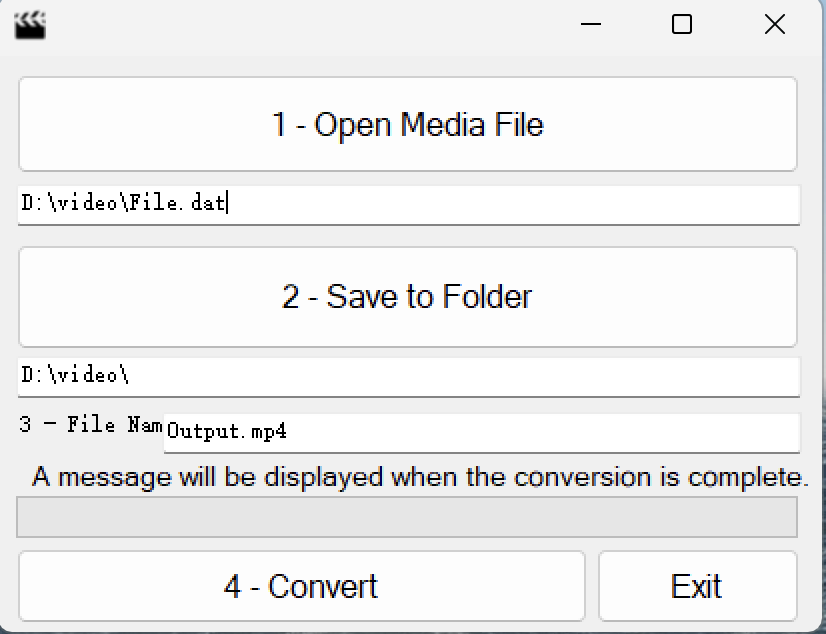
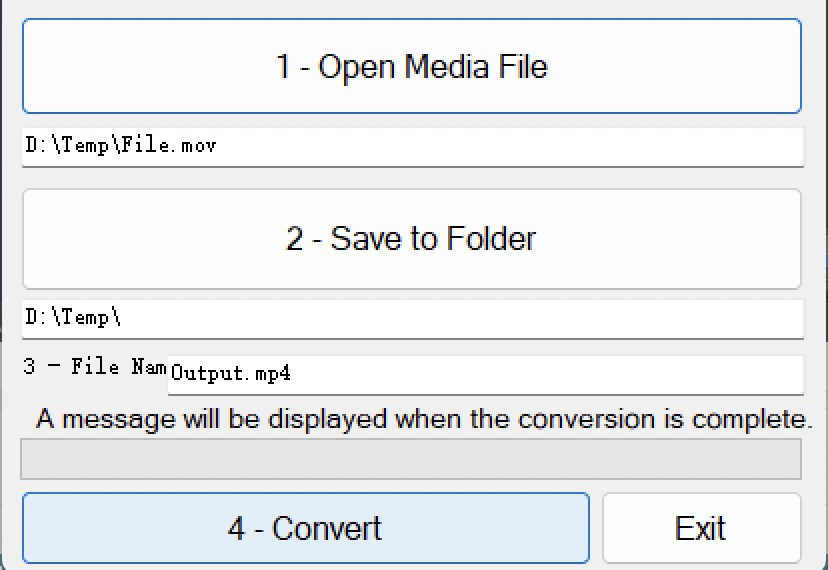
From the moment you launch DAT Media Conversion Tool, you're greeted with a sleek, modern interface that feels approachable, almost like talking to a friendly tech-savvy assistant. Navigating through the app is as smooth as sliding a record into a player—simple menus guide you step-by-step without overwhelming clutter. The conversion process itself is seamless; just select your DAT files, choose your destination folder, and hit start. The app's responsiveness ensures that even large batches don't cause hiccups, making it a trustworthy partner in your media migration journey.
Core Functionalities: Unpacking the Power
Precision Conversion that Respects the Original
The standout feature of this tool lies in its ability to convert DAT tapes into MP4 files without sacrificing audio quality. It carefully preserves the fidelity of your recordings, akin to translating a delicate symphony into digital form without losing its essence. This precision ensures that whether you're handling rare archival recordings or cherished personal memories, the integrity remains intact.
Batch Processing for the Busy Archivist
Handling multiple tapes can be a daunting task, but this app turns it into a straightforward process. Batch processing allows users to queue up dozens of DAT files, which are then converted sequentially in the background. It's like having a diligent assistant that works tirelessly, freeing you to focus on other important tasks—perfect for professionals managing extensive media libraries or educators digitizing archival materials.
Intuitive Design & Smooth Workflow
The layout is uncluttered, with clear icons and straightforward instructions that make the learning curve almost negligible. Even first-time users find themselves navigating effortlessly. The quick processing times and responsive interface make the entire workflow feel like a well-oiled machine, reducing frustration and boosting confidence in your project outcomes.
Differentiating from Competitors: Collaboration & Task Focus
While many media converters focus solely on single-file conversions, this app's batch processing feature and straightforward task management set it apart. It acts almost like a collaborative workhorse—allowing multiple files to be handled simultaneously—making it invaluable in environments where time and efficiency matter. Unlike bulk converters that may complicate workflow with excessive options, this tool keeps it clean and task-oriented, ensuring your energy stays on the actual conversion rather than technical fiddling. If you work within a team or manage media projects with multiple contributors, these features foster smoother collaboration—you can assign, track, and execute conversions without missing a beat.
Final Verdict: A Practical Choice for Media Preservation
Overall, the DAT Media Conversion Tool: DAT to MP4 for Windows earns a solid recommendation for users seeking a reliable, easy-to-use solution for digitizing DAT recordings. Its core strengths—high-quality output, batch processing, and user-friendly design—make it a standout in its niche. Whether you're a professional archivist, a content creator, or a dedicated hobbyist, this app offers the simplicity and reliability needed to keep your media legacy safe and accessible. For those valuing straightforward, efficient conversion without unnecessary complexity, this tool is definitely worth considering.
Pros
- User-Friendly Interface
- Fast Conversion Speed
- Supports Batch Conversion
- Maintains Video Quality
- Built-in Preview Feature
Cons
- Limited Format Options
- Lack of Customization Settings
- Occasional Freezing During Large Files
- No Editing Features
- Basic Support and Documentation










