

- Category Entertainment
- Available on PC
- OS Windows 10 version 14393.0 or higher
- languages English
A Sleek and Functional Desktop Clock Widget for Windows
Desk Clock Desktop Widget by EvlarSoft LLC is a minimalist yet powerful tool designed to seamlessly integrate timekeeping into your desktop workspace, combining aesthetics with practicality for everyday users and professionals alike.
Meet the Developer: EvlarSoft LLC
EvlarSoft LLC is a dedicated software developer committed to crafting user-friendly desktop utilities that enhance productivity without cluttering your workspace. Their focus on simplicity and utility shines through in this widget's design.
Key Features That Make a Difference
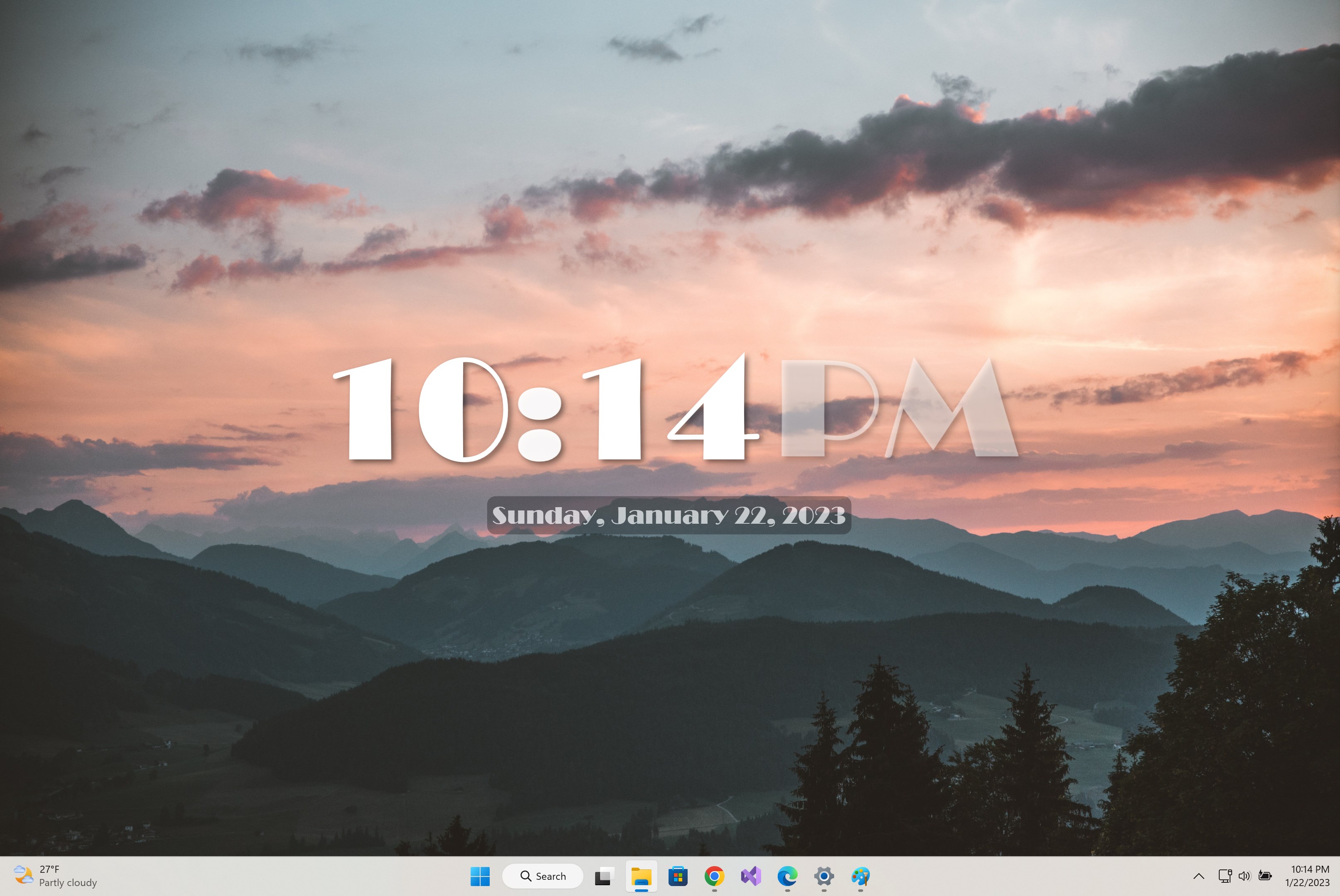
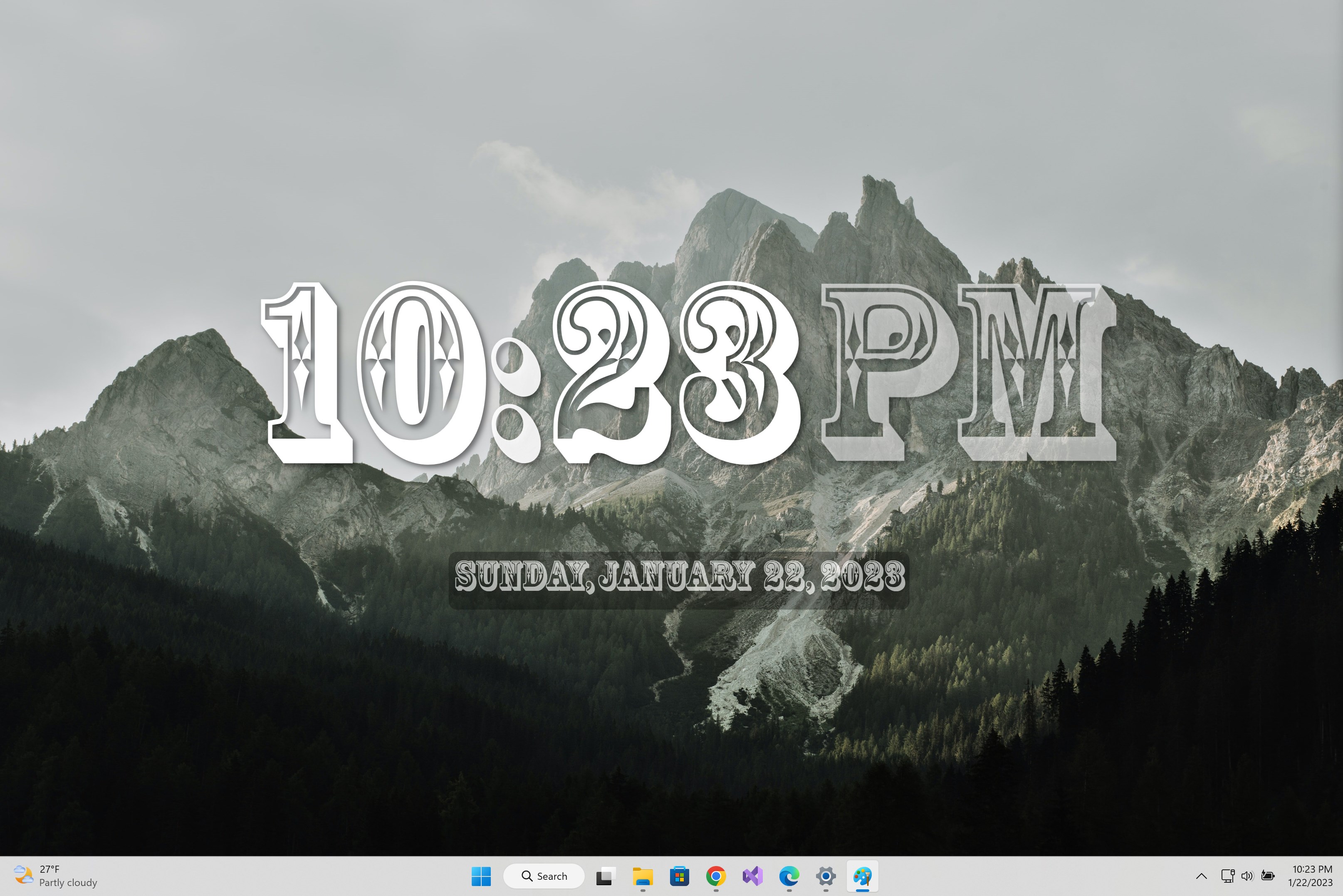
- Customizable Clock Styles: Choose from a variety of clock designs—analog, digital, or hybrid—to match your personal style or desktop theme.
- Multiple Time Zones: Effortlessly track different time zones, ideal for professionals dealing with international clients or teams.
- Weather Integration: Access real-time weather updates alongside the clock, keeping you informed about the current conditions as you plan your day.
- Alarm and Reminder Functions: Built-in alarms and reminders ensure punctuality without needing additional apps.
In-Depth Review: Functionality Meets Simplicity
Imagine glancing at your desktop and seeing a perfectly crafted clock that feels more like a piece of modern art than just a time display. The Desk Clock Desktop Widget transforms this dream into reality with its clean and intuitive interface. Setting up the widget is as straightforward as placing a sticker on a notebook—drag, drop, and customize. The experience is smooth, thanks to responsive interactions and minimal lag—even when swapping between different clock styles or adding new locations for time zone tracking.
Design and User Experience: Clarity and Comfort
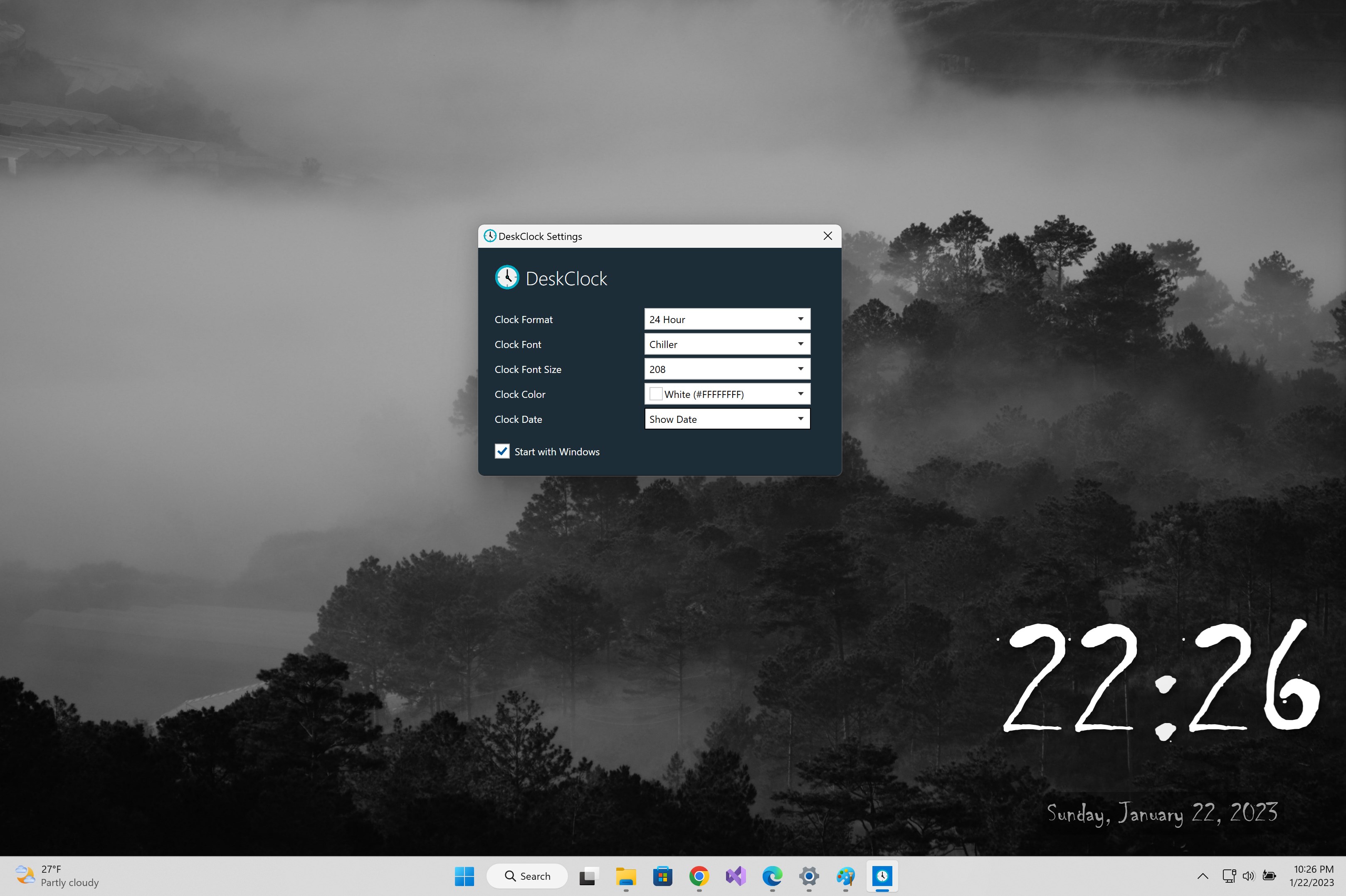
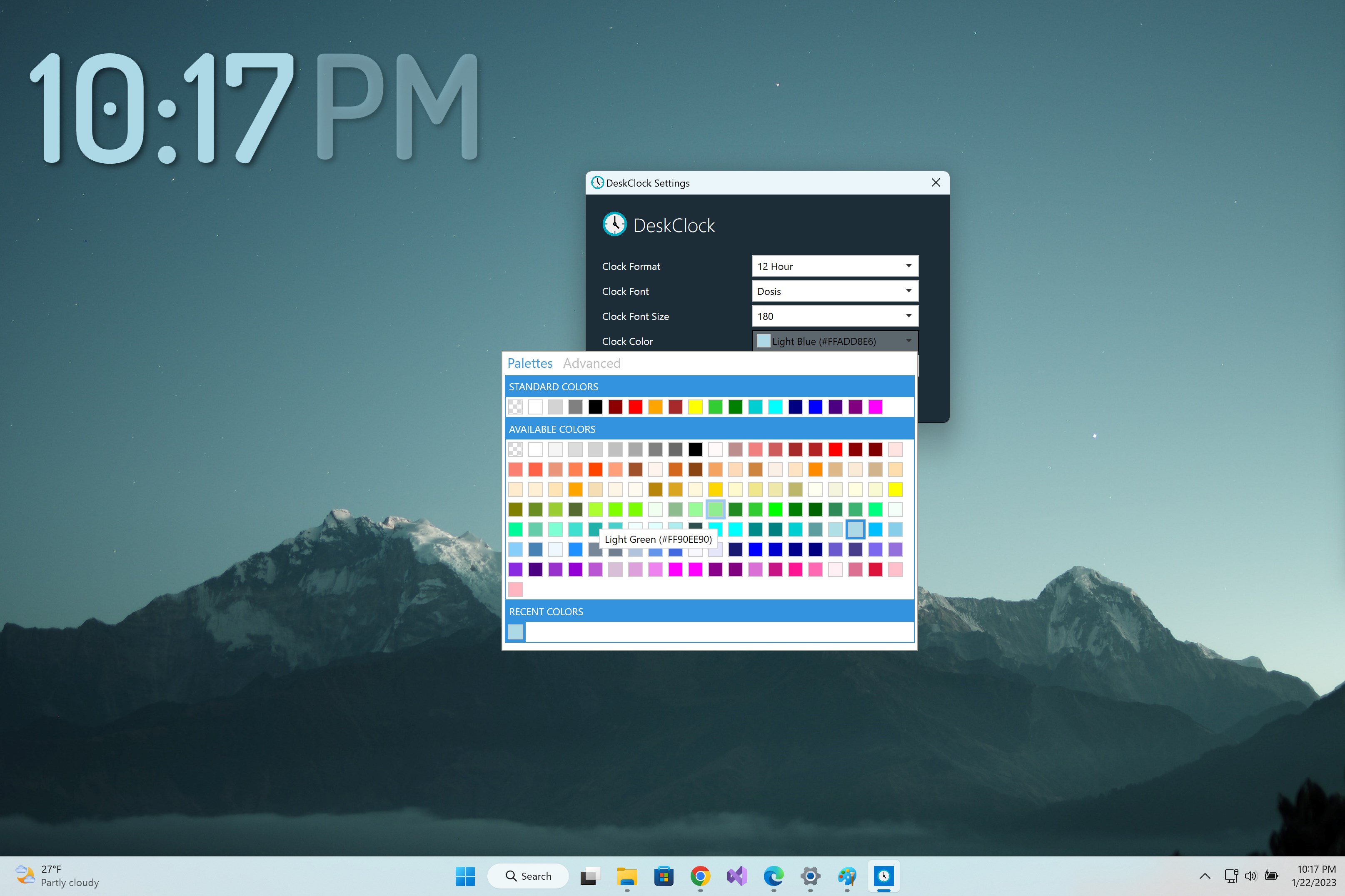
The interface strikes a pleasing balance between aesthetic appeal and practicality. The design is uncluttered, avoiding the cluttered chaos often seen in multi-functional apps. Its visual hierarchy guides the eye naturally—large clock faces grab attention while controls fade into the background. Users will appreciate how effortless it is to personalize settings, with toggle switches and dropdown menus that feel almost tactile. The learning curve is gentle; even those less tech-savvy will find themselves customizing their clock within minutes. The widget remains unobtrusive, sitting neatly on your desktop corner, yet easily accessible for quick adjustments.
Unique Differentiators: Personalization and Context-Awareness
Compared to other desktop widgets and entertainment apps, this clock widget stands out by integrating contextual features like weather updates alongside time zones. But what truly elevates it is its intelligent personalization—rather than offering generic recommendations of time zones or weather info, it allows the user to teach it preferences through simple interactions, making suggestions that truly matter to your routines. This is akin to having a smart assistant that learns when you prefer to see certain information, transforming a static widget into a dynamic, helpful companion. Its no-nonsense approach focuses on content relevance, avoiding the common pitfall of cluttered or irrelevant notifications that diminish user experience.
Final Verdict: A Practical Choice for Everyday Use
If you're seeking a desktop clock that isn't just a timekeeper but a customizable, context-aware companion, this widget warrants serious consideration. Its strengths lie in clean design, ease of use, and intelligent personalization—making it suitable for busy professionals, students, or anyone who appreciates both form and function. While it may not be packed with high-end features, its focus on core utilities makes it a dependable addition to your desktop environment.
Pros
- Intuitive and clean interface
- Customizable clock styles
- Minimal system resource usage
- Easy to resize and reposition
- Includes alarm and timer features
Cons
- Limited widget customization options
- Lack of weather or calendar integration
- Could be more visually appealing
- Alarm notifications are basic
- Occasional minor bugs with resizing










