

- Category Security
- Developer TopLang
- Available on PC
- OS Windows 10 version 0.0 or higher
- languages English, English (Afghanistan), English (Åland Islands), English (Albania), English (Algeria), English (American Samoa), English (Andorra), English (Angola), English (Anguilla), English (Antarctica), English (Antigua and Barbuda), English (Armenia), English (Aruba), English (Australia and New Zealand), English (Australia), English (Azerbaijan), English (Bahamas), English (Bangladesh), English (Barbados), English (Belarus), English (Belize), English (Benin), English (Bermuda), English (Bhutan), English (Bolivia), English (Bonaire, Saint Eustatius and Saba), English (Bosnia and Herzegovina), English (Botswana), English (Bouvet Island), English (British Indian Ocean Territory), English (British Virgin Islands), English (Brunei), English (Bulgaria), English (Burkina Faso), English (Burundi), English (Cambodia), English (Cameroon), English (Canada), English (Cape Verde), English (Caribbean), English (Cayman Islands), English (Central African Republic), English (Chad), English (Christmas Island), English (Cocos (Keeling) Islands), English (Comoros), English (Congo (DRC)), English (Congo), English (Cook Islands), English (Côte d'Ivoire), English (Croatia), English (Curaçao), en-cz, English (Djibouti), English (Dominica), English (Dominican Republic), English (Eastern Africa), English (Equatorial Guinea), English (Eritrea), English (Estonia), English (Ethiopia), English (Falkland Islands), English (Faroe Islands), English (Fiji), English (French Guiana), English (French Polynesia), English (French Southern and Antarctic Lands), English (Gabon), English (Gambia), English (Georgia), English (Germany), English (Ghana), English (Gibraltar), en-gr, English (Greenland), English (Guadeloupe), English (Guam), English (Guernsey), English (Guinea-Bissau), English (Guinea), English (Guyana), English (Haiti), English (Heard Island and McDonald Islands), English (Honduras), English (Hong Kong SAR), en-hu, English (Iceland), English (India), English (Indonesia), English (Iraq), English (Ireland), English (Isle of Man), English (Israel), English (Jamaica), English (Jersey), English (Jordan), English (Kazakhstan), English (Kenya), English (Kiribati), English (Kyrgyzstan), English (Laos), English (Latvia), English (Lesotho), English (Liberia), English (Libya), English (Lithuania), English (Macao SAR), English (Macedonia, FYRO), English (Madagascar), English (Malawi), English (Malaysia), English (Maldives), English (Mali), English (Malta), English (Marshall Islands), English (Martinique), English (Mauritius), English (Mayotte), English (Micronesia), English (Moldova), English (Monaco), English (Mongolia), English (Montserrat), English (Mozambique), English (Myanmar), English (Namibia), English (Nauru), English (Nepal), English (Netherlands Antilles (Former)), English (Netherlands), English (New Caledonia), English (New Zealand), English (Nicaragua), English (Niger), English (Nigeria), English (Niue), English (Norfolk Island), English (Northern America), English (Northern Mariana Islands), English (Oman), English (Pakistan), English (Palau), English (Palestinian Authority), English (Papua New Guinea), English (Philippines), English (Pitcairn Islands), English (Puerto Rico), English (Qatar), English (Reunion), English (Romania), English (Rwanda), English (Saint Barthélemy), English (St Helena, Ascension, Tristan da Cunha), English (Saint Kitts and Nevis), English (Saint Lucia), English (Saint Martin (French Part)), English (Saint Pierre and Miquelon), English (Saint Vincent and the Grenadines), English (Samoa), English (San Marino), English (São Tomé and Príncipe), en-sa, English (Senegal), English (Seychelles), English (Sierra Leone), English (Singapore), English (Sint Maarten), English (Slovakia), English (Slovenia), English (Solomon Islands), English (Somalia), English (South Africa), English (South Georgia and the South Sandwich Islands), English (Southern Africa), English (Sri Lanka), English (Sudan), English (Suriname), English (Svalbard and Jan Mayen), English (Swaziland), English (Tajikistan), English (Tanzania), English (Thailand), English (Timor-Leste), English (Togo), English (Tokelau), English (Tonga), English (Trinidad and Tobago), English (Turkey), English (Turkmenistan), English (Turks and Caicos Islands), English (Tuvalu), English (U.S. Minor Outlying Islands), English (U.S. Virgin Islands), English (Uganda), en-ae, English (United Kingdom), English (United States), English (Uzbekistan), English (Vanuatu), English (Holy See (Vatican City)), English (Vietnam), English (Wallis and Futuna), English (Western Africa), English (Zambia), English (Zimbabwe)
Desktop Lock for Windows: A Secure Fortress for Your Digital Workspace
If you're looking for a straightforward yet reliable way to safeguard your Windows desktop from prying eyes and accidental interruptions, Desktop Lock for Windows by TopLang offers a thoughtful solution. This app functions much like a digital vault, locking down your workspace with ease, so you can focus on your tasks without distractions or security concerns. Its clean design and intuitive controls make it a handy tool for anyone seeking quick yet effective desktop protection.
Basic Information and Core Highlights
Developed by TopLang, Desktop Lock for Windows is designed to provide users with a simple, effective way to lock their desktop environment, preventing unauthorized access. With a focus on user-friendly operation and reliable security, this app stands out as a go-to protective layer for personal and professional use.
- Main Features:
- Quick and easy desktop locking with customizable password options.
- Automatic lock activation after periods of inactivity for enhanced security.
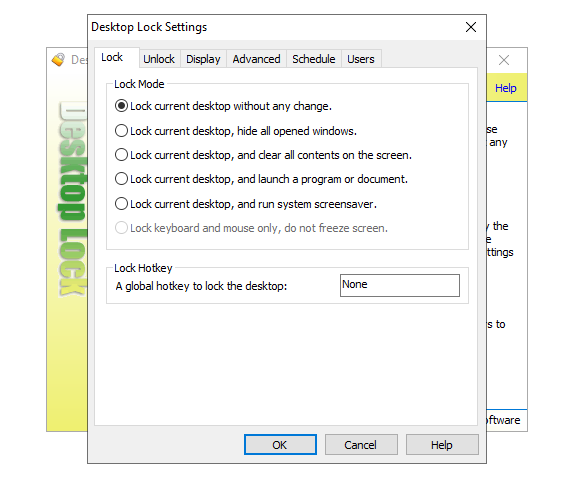
- Flexible settings to exclude certain applications or users from locking.
- Silent operation mode for background security without interfering with workflow.
- Target Audience: Suitable for parents, educators, small business users, and anyone needing a dependable way to restrict desktop access temporarily or permanently.
Engaging the User: The First Impressions
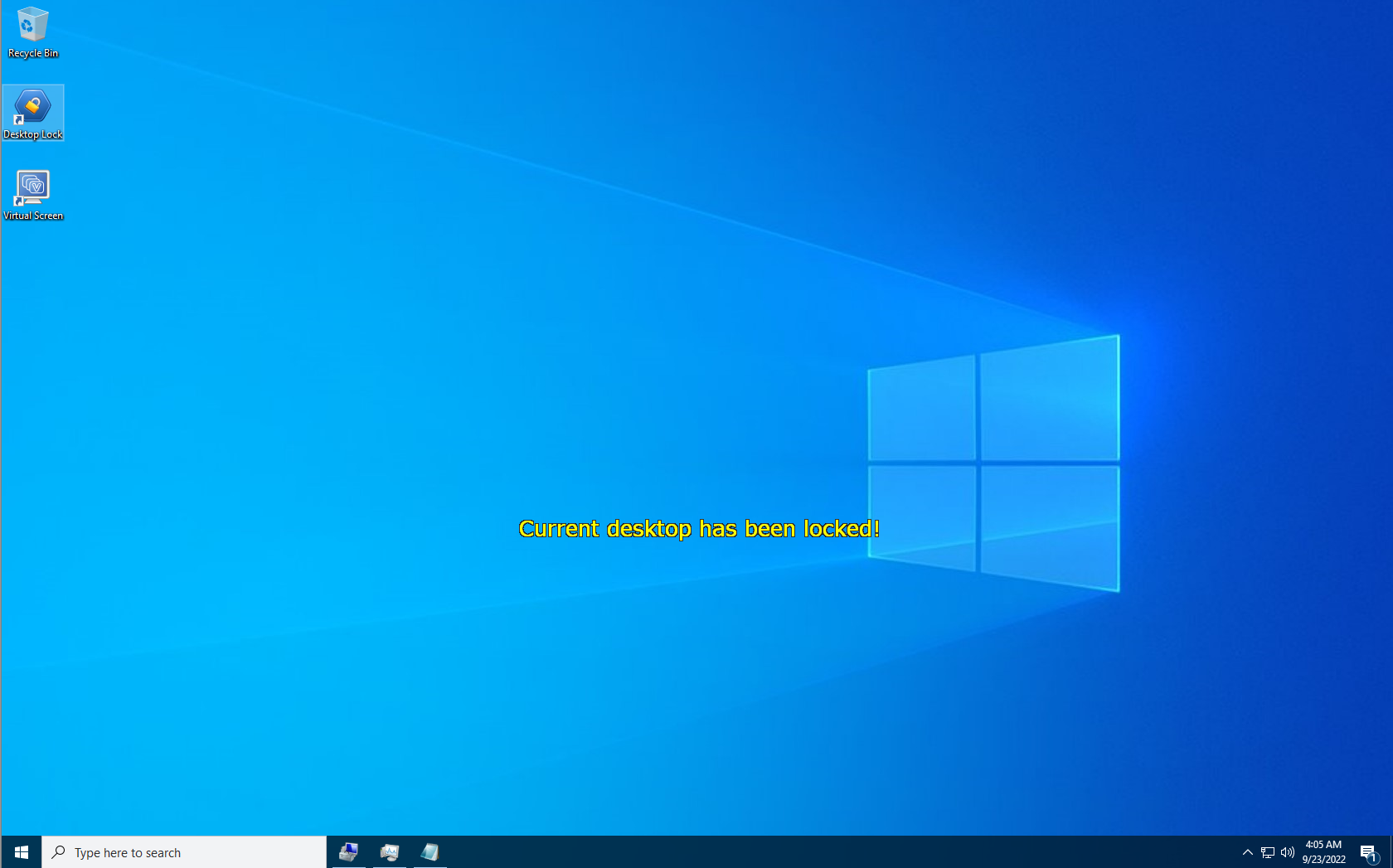
Imagine sitting at your desk, immersed in a project when an unexpected visitor peers over your shoulder. Rapidly, Desktop Lock for Windows transforms your cluttered workspace into a sealed vault, securing your digital realm at the push of a button. Its straightforward interface feels like a trusted friend—familiar, unpretentious, ready to protect your privacy without demanding a steep learning curve. It's like having a digital bouncer that steps in just when you need the ultimate password protection, ensuring your activities stay private and secure.
Core Features Explored
Effortless Locking and Customization
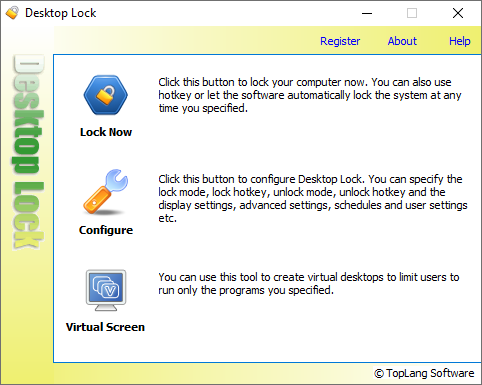
The core appeal of Desktop Lock lies in its simplicity. You can lock your desktop in seconds using a clean, minimal interface that offers transparent options like setting passwords or PINs. Customization options allow you to tweak who can unlock the desktop—perfect for shared computers or families. This ease of use makes it accessible even for users less familiar with security software, acting like a reliable padlock on your digital door.
Auto-Lock and Scheduling
One particularly standout feature is its ability to auto-lock after a specified period of inactivity. Think of it as having a security guard who automatically steps outside when you step away—no need to remember to lock manually. This function is especially useful in public or shared environments, giving peace of mind that your screen remains private even if you forget. Custom scheduling adds another layer of convenience, allowing users to establish lock times that fit their routines.
Invisible Security Mode
What sets Desktop Lock apart from similar apps is its "Silent Mode," which runs in the background without disrupting your workflow. Whether you're giving a presentation or coding in peace, this mode ensures the lock activates without pop-ups or notifications. It's like a stealthy security system—present but unobtrusive—preserving your focus while maintaining robust protection.
User Experience and Unique Selling Points
The interface of Desktop Lock is straightforward and user-friendly, designed to minimize friction. Setting up a lock is as simple as clicking a button or entering a password—there's no clutter, no confusing menus. While some security apps are bulky or overloaded with features, Desktop Lock keeps things lean, ensuring smooth operation even on older or resource-constrained PCs.
Compared to other security applications, Desktop Lock's most distinctive advantage is its emphasis on simplicity without sacrificing essential security. Its auto-lock feature works seamlessly in the background, offering continuous protection without becoming a nuisance. This balance of efficacy and ease-of-use positions it as an ideal solution for users who need reliable desktop protection without the complexities typical of enterprise-grade security tools.
Final Recommendation and Usage Suggestions
If you're seeking a practical, non-intrusive way to limit access to your desktop and protect sensitive work or personal information, Desktop Lock for Windows is worth considering. While it may not have the elaborate features of comprehensive security suites, it shines in scenarios requiring quick lock-and-unlock functions, such as shared workstations or parental controls. For best results, combine it with good password habits and system security practices.
In conclusion, Desktop Lock is a robust, user-friendly tool that acts more like a gentle security guardian than a complex fortress. It's particularly recommended for users who value simplicity and reliability—think of it as a dependable lock on your digital front door, ready to secure your workspace at a moment's notice.
Pros
- Intuitive User Interface
- Robust Security Features
- Customizable Lock Options
- Lightweight Performance
- Easy Setup Process
Cons
- Limited Compatibility with Some Windows Versions
- Basic Customization Options
- No Biometric Authentication Support
- Potential False Positives in Lock Activation
- Some Features Require Paid Upgrade











