

- Category Business
- Available on PC, Mobile, Surface Hub, HoloLens
- OS Windows 10 version 17763.0 or higher
- Keyboard Integrated Keyboard
- Mouse Integrated Mouse
- languages English (United States)
Introducing Driver Updater... for Windows: Your Essential Tool for Seamless Device Performance
Looking for a straightforward way to keep your Windows drivers fresh and your PC running smoothly? Driver Updater... by Computer Solutions promises just that, offering an easy-to-use utility designed to optimize your device drivers with minimal fuss.
Who's Behind the Curtain? Developer Overview
Developed by Computer Solutions, a company specializing in utility software that enhances system stability and performance, this app is part of their suite aimed at simplifying PC maintenance. Their focus is on providing reliable tools that help everyday users maintain healthy computers without the need for technical expertise.
Key Features That Make a Difference
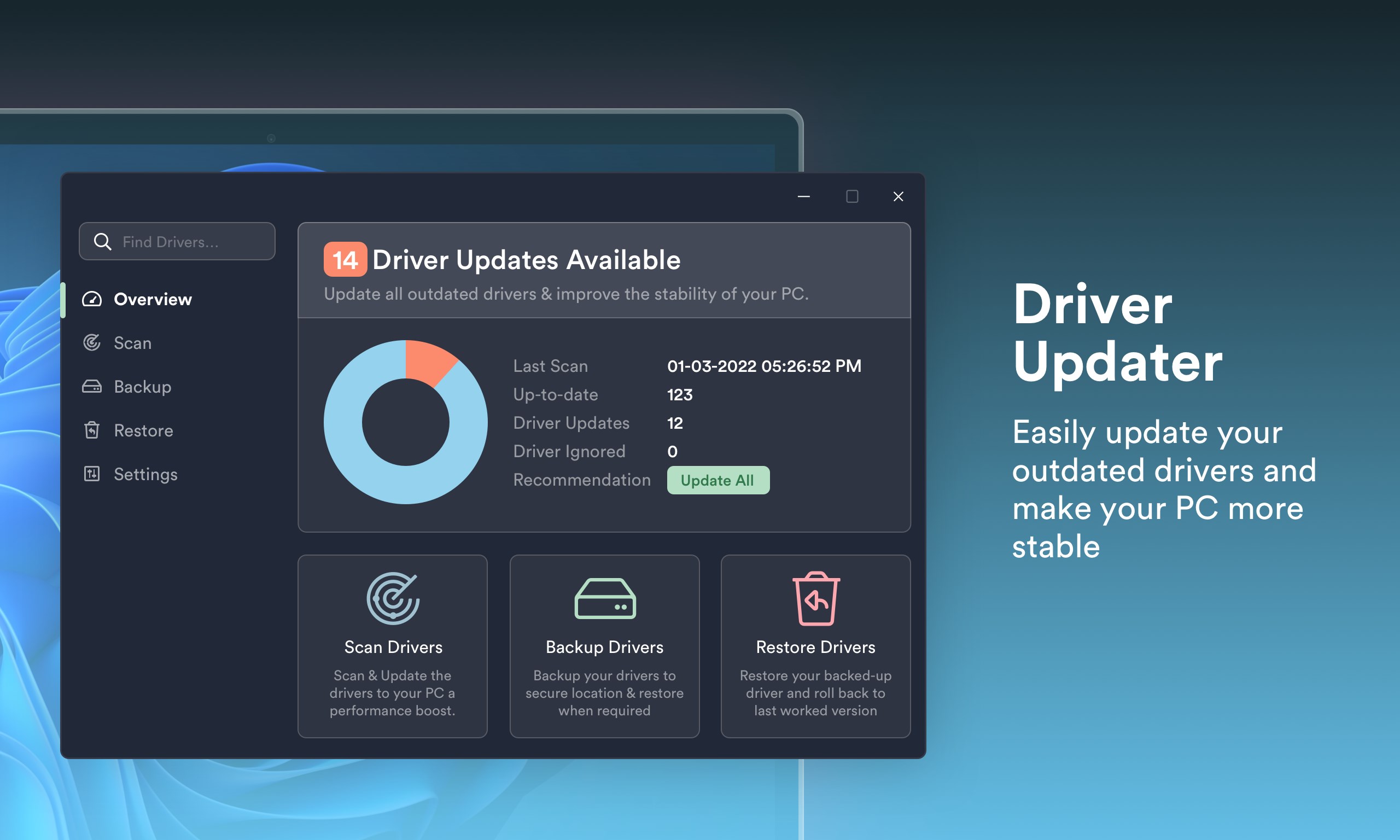
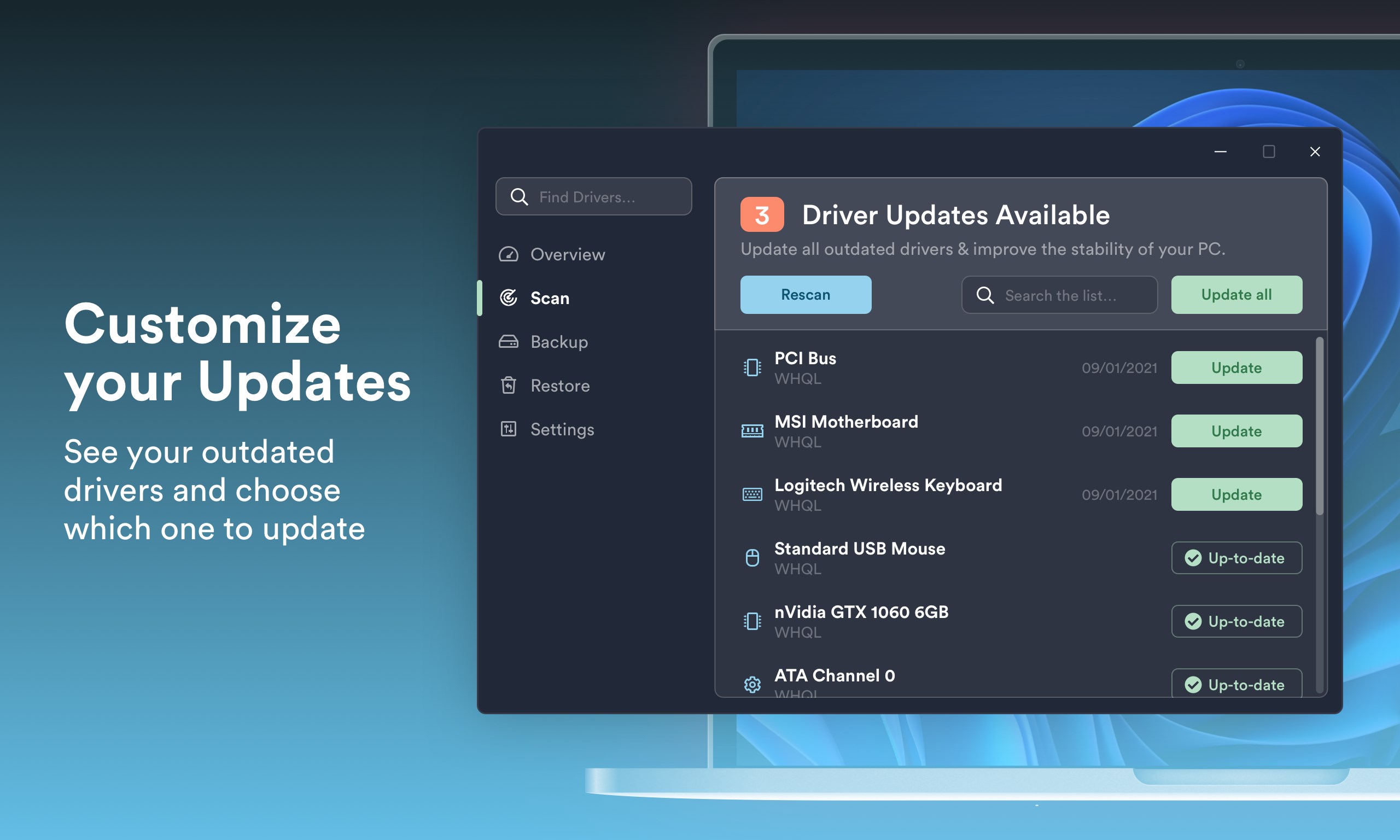
- Automatic Driver Scanning and Detection: The app swiftly scans your entire system to identify outdated, missing, or incompatible drivers, providing a comprehensive report of what needs updating.
- One-Click Driver Updates: With just a single click, users can update multiple drivers simultaneously, saving time and reducing the hassle of manual updates.
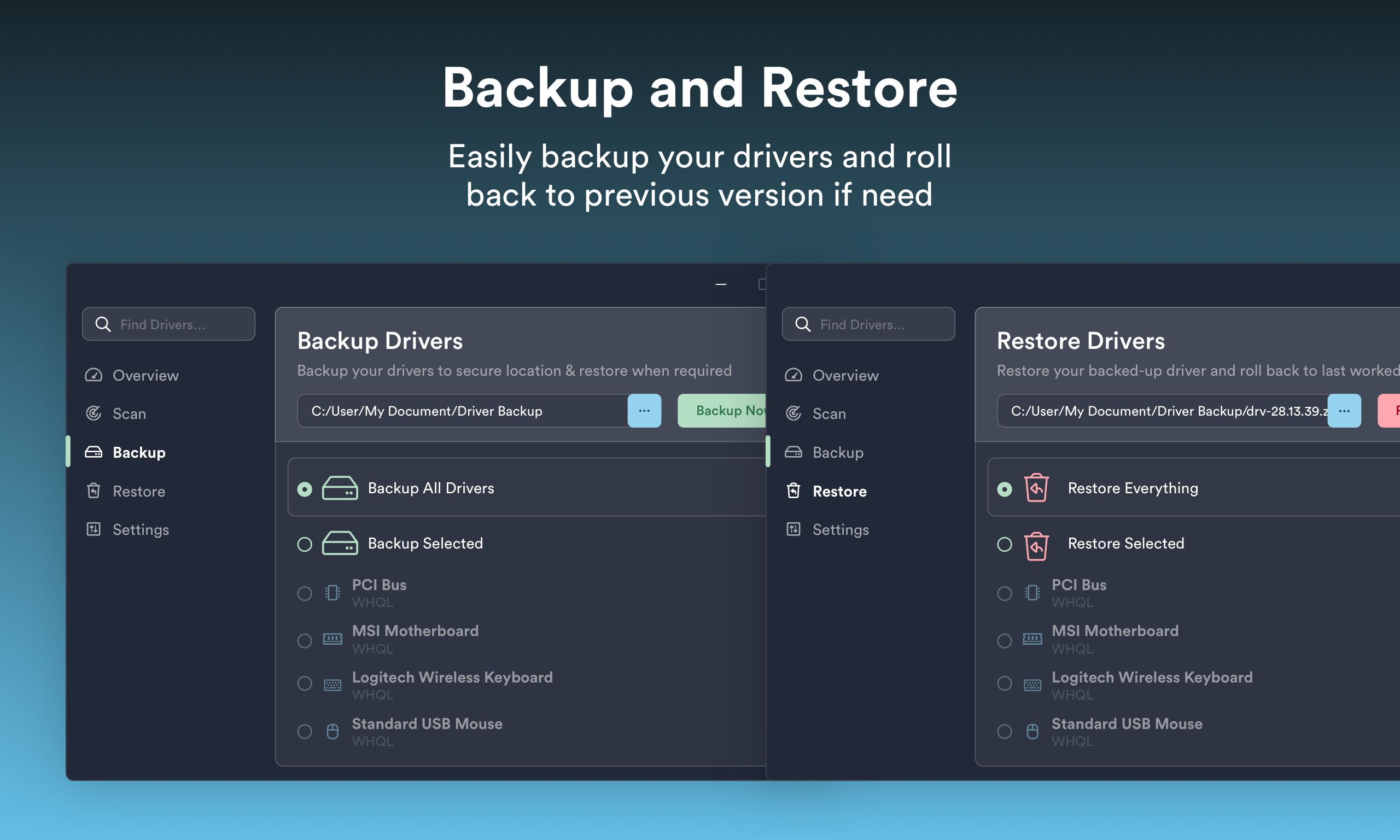
- Backup and Restore Functionality: Before making any updates, Driver Updater... allows users to back up current drivers, ensuring a safe rollback in case of unexpected issues.
- Device Compatibility Enhancement: The app not only updates drivers but also ensures your hardware components are optimized for better performance, potentially resolving device conflicts.
Enjoying the Experience: Interface and User Interaction
Imagine a sleek dashboard akin to the control center of a spaceship—clean, organized, and intuitive. Driver Updater... sports a modern interface that guides users step-by-step through scanning and updating processes. Its layout minimizes clutter, making the experience seamless whether you're tech-savvy or a casual user.
Operation feels like a well-rehearsed dance—smooth and instantaneous. The app responds promptly to user commands, and its automation capabilities mean you don't need to be a tech wizard to ensure your drivers stay current. The learning curve is gentle; new users will find it easy to navigate and utilize all features without frustration.
What Sets It Apart? Differentiating Factors
While many driver update tools exist, Driver Updater... distinguishes itself with its collaborative and task-focused features, often reserved for enterprise-grade management but now accessible to everyday users. Its ability to batch-update drivers in one go contrasts with the piecemeal approach of many competitors. Furthermore, the program emphasizes safety by backing up drivers beforehand—an often overlooked yet crucial feature that protects against accidental mishaps.
From a collaborative perspective, imagine this app as a team coach for your PC's hardware. It orchestrates the devices harmoniously, reducing conflicts and boosting overall system synergy—much like a conductor ensuring the entire orchestra performs in perfect harmony, especially beneficial when multiple hardware components are involved.
Final Verdict and Recommendations
All in all, Driver Updater... emerges as a reliable, user-friendly utility that caters to both novice and experienced users aiming to maintain their Windows PCs effortlessly. Its standout features—automatic detection, one-click updates, and safe backup options—make it a compelling choice for everyday system upkeep.
We recommend this app if you're looking for a straightforward, safe means to keep your drivers current without diving into complex manual procedures. However, for power users seeking granular control or advanced troubleshooting, supplementary tools might still be necessary.
In essence, Driver Updater... is like having a trusted mechanic for your PC—efficient, dependable, and designed to keep your device running at its best with minimal intervention. Give it a try and experience the convenience of automated driver management firsthand.
Pros
- User-friendly interface
- Automated driver scanning
- One-click updating
- Backup and restore feature
- Regular updates
Cons
- Occasional false positives
- Limited free features
- Slow scan speed
- Potential driver compatibility issues
- Limited offline functionality











