

- Category Lifestyle
- Available on PC, Mobile, Surface Hub, HoloLens
- OS Windows 10 version 17763.0 or higher
- languages English (United States)
Empowering Your Gaming Experience with DS4 Controller - DS5 / DSX GamePad Manager
If you're a serious gamer tired of juggling between different controllers and configurations, this app promises a seamless way to customize and manage your gaming controllers on Windows. Think of it as a personal trainer for your gamepads—helping them perform at their best every time you press start.
About the App: Basic Information
DS4 Controller - DS5 / DSX GamePad Manager is a dedicated utility designed to optimize and customize PlayStation-style controllers for Windows gaming. It provides a streamlined interface to configure settings, remap buttons, and manage profiles effortlessly.
Developed by MathewsJ, a developer with a focus on gaming peripherals and utility tools for gamers, this app aims to fill the gap for those seeking more control over their controller experience.
Key features include intuitive controller mapping, profile management for different games or setups, and advanced calibration options—making it easier than ever to tailor your gamepad to your playstyle. Additionally, it supports multi-controller profiles, allowing friends or multiple devices to be configured simultaneously.
The target user base ranges from casual gamers who want simple customization, to competitive players seeking precision and personalized control schemes. Tech enthusiasts and streamers who value fine-tuning their hardware will also find this app valuable.
Seamless Setup and User Interface: First Impressions
Launching the application feels like opening a cockpit with all the controls neatly laid out—modern, sleek, yet intuitive. The interface uses a dark theme with clear icons and labels, making navigation a breeze even for newcomers. Whether you're setting up your controller for the first time or fine-tuning advanced parameters, the layout guides you logically through each step.
Responsiveness is notable; commands and changes are reflected in real-time, creating a smooth user experience. The learning curve is gentle: basic configurations can be done within minutes, while advanced users can dive into detailed mappings without feeling overwhelmed.
Core Feature Highlights: The Heart of the App
1. Custom Profile Management
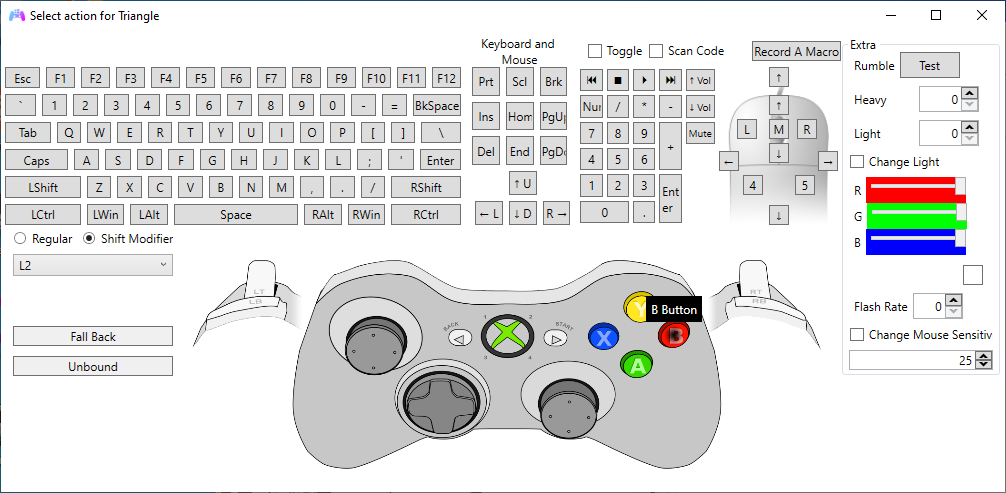
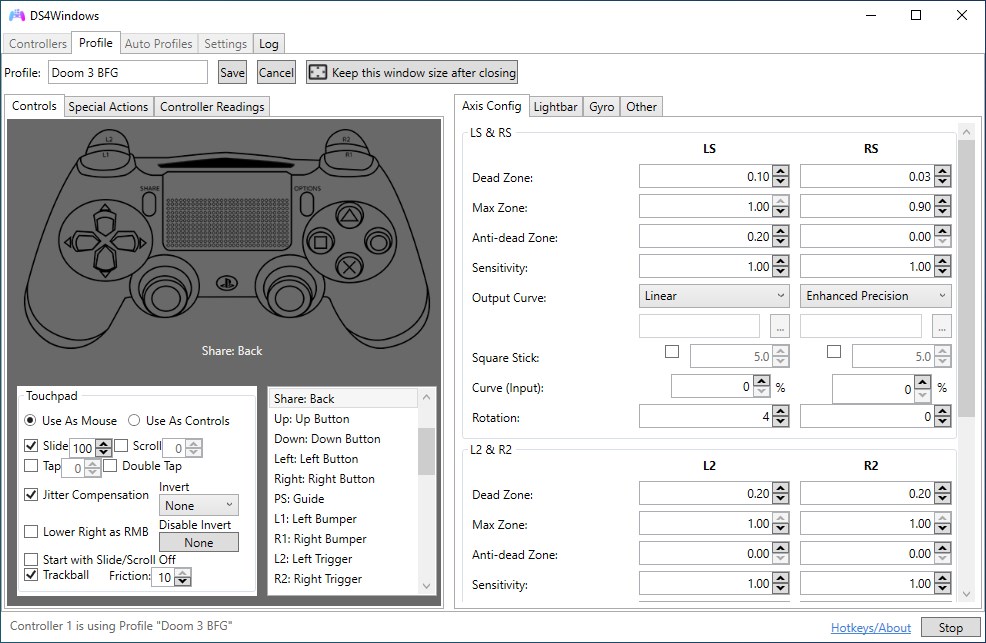
This function stands out as the app's flagship feature. Imagine having different controller configurations for various games—one profile for racing titles with steering wheel settings, another for fighting games with custom button remaps. The app allows creating, saving, and switching between multiple profiles effortlessly. Its intuitive interface ensures you can assign buttons, triggers, and even axis sensitivities tailored to each game, providing a personalized experience that feels natural and responsive.
2. Advanced Controller Calibration
Calibration is often overlooked, yet it's crucial for a seamless gaming experience. This app provides detailed calibration options for stick and trigger sensitivity, dead zones, and vibration responses. Think of it as fine-tuning a musical instrument—ensuring each note (or in this case, button and stick input) is perfectly in tune. The real-time preview and adjustment make calibration straightforward and precise, especially useful if your controller drifts or if you want to customize responses for competitive play.
3. Multi-Controller Support and Hotkey Configurations
For those who like to host multiplayer sessions or switch between controllers, this feature is a game-changer. The app can manage multiple controllers simultaneously, allowing each to have its own set of profiles. Plus, hotkeys can be assigned to quick-switch profiles or activate specific functions—like toggling turbo modes or remapping controls on the fly. This flexibility is particularly attractive for streamers or esports enthusiasts who need swift adjustments without disrupting gameplay.
Experience and Differentiation: Why Choose This App?
The design philosophy behind DS4 Controller Manager emphasizes authenticity and customization, setting it apart from generic controller apps. Unlike broader lifestyle or utility apps, this tool caters specifically to gamers wanting deep control—like a bespoke tailored suit versus off-the-rack clothing. Its detailed calibration and profile features reflect an understanding of professional-level requirements, backed by an interface that's user-friendly rather than intimidating.
Furthermore, the app's credible reputation stems from continuous updates and responsive support from MathewsJ. This ensures content authenticity and trustworthiness, critical for serious gamers who depend on reliable software to support their gaming arsenal.
Final Recommendations and Usage Suggestions
Given its robust feature set and thoughtful implementation, I confidently recommend DS4 Controller - DS5 / DSX GamePad Manager for Windows to anyone seeking precise control over their gamepads, whether casual or competitive. Beginners can start with simple profile creation and calibration, while power users can explore advanced remapping and multi-controller management.
For optimal experience, ensure your controllers are properly connected before launching the app. Regular updates and exploring advanced settings can unlock even more personalization—making your gaming sessions feel just right, every time.
In a nutshell, this app is like a skilled tailor for your gaming controllers—fitting each button, axis, and feature perfectly to your needs, transforming your gamepad into an extension of your own skills. Definitely worth exploring for anyone serious about elevating their Windows gaming setup.
Pros
- Intuitive interface for easy controller mapping
- Supports multiple controller models including DS4, DS5, and DSX GamePad
- Real-time configuration changes without restarting applications
- Custom profiles for different games
- Regular updates improve stability and add new features
Cons
- Occasional connection stability issues
- Limited official documentation or tutorials
- Minor interface bugs on certain Windows versions
- Initial setup can be complex for beginners
- Some advanced features require manual configuration files










