

- Category Business
- Available on PC, Mobile, Surface Hub, HoloLens
- OS Windows 10 version 17763.0 or higher
- Keyboard Integrated Keyboard
- Mouse Integrated Mouse
- languages English (United States)
Transform Your Gaming Experience with DualShock Controller Mapper for Windows
If you're someone who loves gaming but finds the default controller setup limiting, then the DualShock Controller Mapper for Windows by AAN Software might just be the tool to elevate your experience. This application promises a seamless way to remap your PlayStation DualShock controller to suit your preferences, offering more control and customization without needing complex hardware modifications.
About the Application
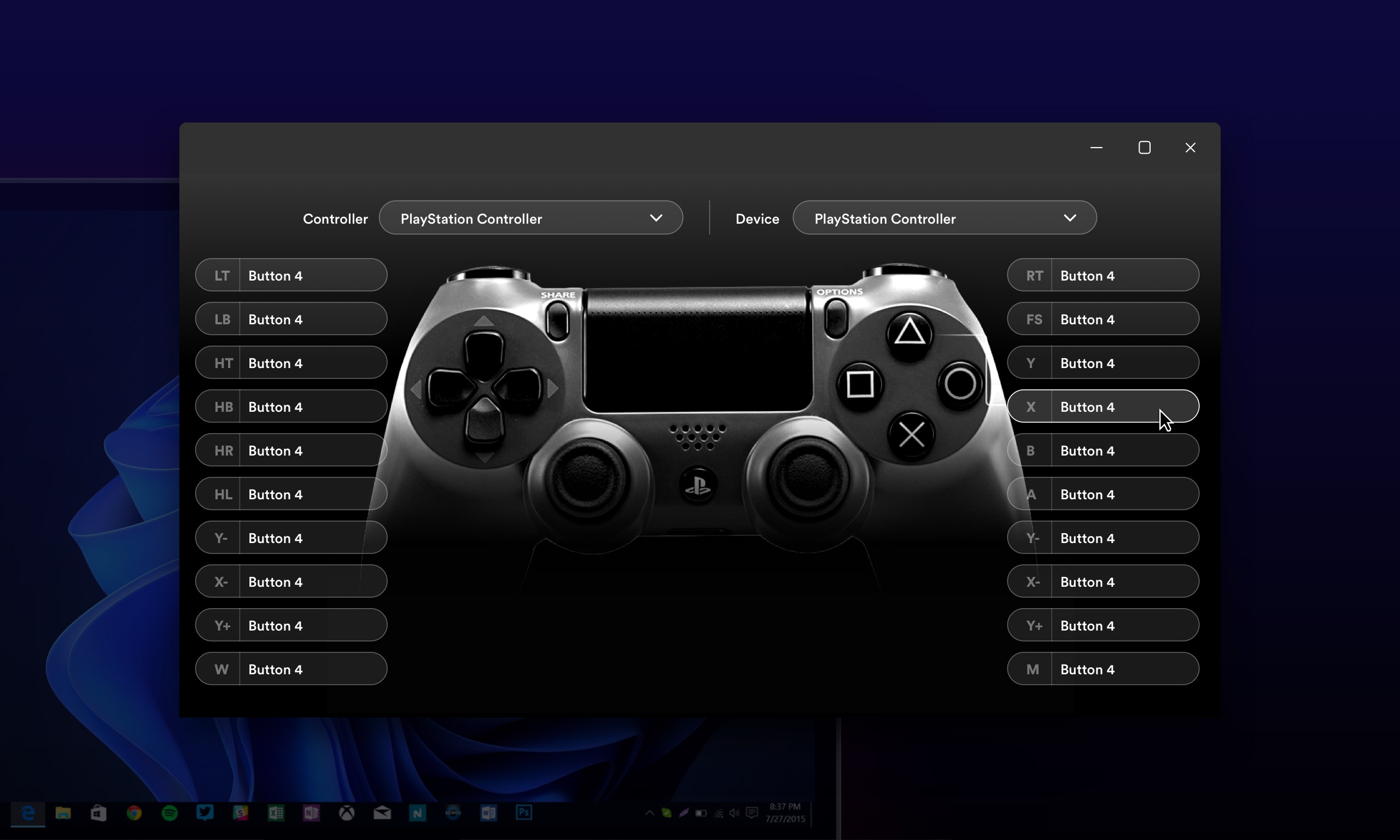
The DualShock Controller Mapper for Windows is a dedicated software designed to enable users to customize their PlayStation controllers on Windows PCs. Developed by AAN Software, a team known for creating user-friendly gaming utilities, the app focuses on providing an intuitive mapping experience.
- Core Features Highlights:
- Easy remapping of controller buttons, triggers, and sticks
- Profiles management for different games or scenarios
- Built-in calibration and sensitivity adjustments
- Compatibility with various Windows versions and controller models
Target Users: This application is ideal for gamers seeking personalized controller setups, streamers who want to optimize their input devices, and tech enthusiasts eager to experiment with customized control schemes on PC gaming.
Revving Up Your Gameplay: An Engaging Review
Imagine your gamepad as a trusty steed—reliable, familiar, but sometimes in need of a little tuning to match your unique riding style. The DualShock Controller Mapper transforms your controller into a custom vehicle—tailored, responsive, and ready to take on any gaming challenge. Its straightforward approach makes customization feel less like a chore and more like crafting your perfect gaming companion.
Intuitive Interface and User Experience
The app boasts a sleek, clean interface that resembles a well-organized toolbox—buttons and options logically laid out, making navigation a breeze even for beginners. The setup process is surprisingly smooth; installing your profiles takes just a few clicks, and the real-time calibration ensures that your controller responds exactly as you want. The overall operation is fluid, with minimal lag, providing a gaming experience that feels natural and responsive. Even users new to remapping can quickly get comfortable thanks to clear instructions and helpful prompts.
Core Functionalities Explained
**Button Remapping & Custom Profiles:** At its heart, this app allows you to redefine what each button does—imagine turning your controller into a bespoke control panel. Whether you're assigning macros, adjusting trigger sensitivity, or disabling unused buttons, the flexibility is extensive. Profiles can be saved and quickly switched, which is invaluable when switching between different types of games or tasks, such as FPS versus puzzle games.
**Calibration & Sensitivity Adjustments:** Beyond simple remapping, the app offers calibration options, fine-tuning stick sensitivity, dead zones, and trigger responsiveness. This means you can set up your controller to match your playstyle precisely—whether you prefer rapid flicks or smooth, slow movements.
**Compatibility & Plug-and-Play Convenience:** The software seamlessly integrates with Windows, recognizing various DualShock models without complex driver setups, making it user-friendly for all levels of tech comfort. Even if you switch controllers, you won't need an overhaul—just plug in and remap.
Comparative Strengths & Unique Selling Points
Unlike many generic remapping applications, the DualShock Controller Mapper is tailored specifically for PlayStation controllers, offering more precise compatibility and customization. Its standout feature is the ease with which profiles can be managed and switched—think of it as having multiple controller “styles” at your fingertips, ready for different gaming genres or personal preferences. Additionally, its calibration tools surpass basic remapping solutions, providing granular control over input sensitivity. Compared to other business or productivity-oriented controller apps, this software shines in its dedicated gaming focus, ensuring a smoother, more tailored experience for casual gamers and professionals alike.
Final Thoughts & Recommendations
Overall, I'd recommend the DualShock Controller Mapper for Windows to any PC gamer looking to fully harness the potential of their DualShock controller. Its main strength lies in making customization accessible and precise, with an interface that balances simplicity and depth. If you often switch between game genres or want to optimize specific titles, this app's profile management feature is particularly valuable. While it might not replace more complex professional mapping tools used in eSports or audio engineering, it strikes an admirable balance for most gaming enthusiasts.
In a nutshell, this software is like a personal trainer for your controller—it helps you get the most out of your device, making gaming sessions more comfortable and tailored to your style. Give it a try if you're ready to customize your controls and enjoy a more personalized gaming experience!
Pros
- Highly customizable controller mappings
- User-friendly interface
- Supports multiple controller profiles
- Free to download and use
- Regular updates improve stability
Cons
- Limited compatibility with non-Microsoft controllers
- Initial setup can be complex for advanced configurations
- Occasional lag or delay during profile switching
- Limited in-app troubleshooting options
- Some advanced features are locked behind updates or plugins











