
Frequently Asked Questions
How do I set Earth 3D Real Live Wallpaper as my phone's wallpaper?
Go to your device's Settings > Wallpaper > Choose Wallpaper, then select Earth 3D Real Live Wallpaper from your gallery or app options and apply it.
What are the basic features of this app?
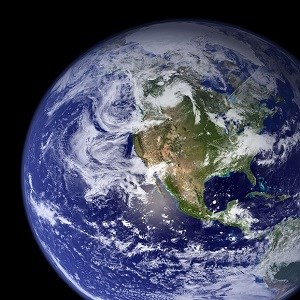
The app displays a high-quality animated 3D Earth with real-time rotation, customizable viewing angles, and live updates, providing an immersive wallpaper experience.
How can I customize the Earth's appearance or view angles?
Open the app, navigate to Settings > Customization, and adjust options like rotation speed, zoom level, and viewing angles to personalize your wallpaper.
What are the core visual features offered by this app?
It offers animated Earth rotation, high-resolution textures, real-time atmospheric effects, and optional overlays like city lights or weather patterns for enhanced visuals.
Can I set different themes or views within the app?
Yes, go to Settings > Themes or Views to select different Earth styles, including day/night modes, lightning effects, or satellite overlays.
Is there a premium version or subscription available?
Yes, the app offers premium features via in-app purchases or subscriptions. Check Settings > Account > Subscription for options and benefits.
What features are unlocked with a paid subscription?
The subscription unlocks high-resolution textures, additional themes, advanced customization options, and ad-free experience. Find details in Settings > Account.
How do I purchase or subscribe to premium features?
Navigate to Settings > Account > Subscription, select your preferred plan, and follow the prompts to complete the purchase through your app store.
What should I do if the wallpaper is not displaying correctly?
Try restarting your device, ensure the app has necessary permissions, and reapply the wallpaper through your device's wallpaper settings.
Can I use this app on both smartphone and tablet?
Yes, Earth 3D Real Live Wallpaper supports both smartphones and tablets with compatible Android or iOS devices; simply install and set as wallpaper.
You May Like

Blooming Dimensions
for Windows
5
Monotype Handwriting Font Pack
for Windows
5
Hues of Nature
for Windows
5
Dreamscapes
for Windows
5
Tales of the Teenage Mutant Ninja Turtles Theme
for Windows
5
Neon Dreams
for Windows
4.9
Cats Anytime
for Windows
4.9
Japanese Landscapes
for Windows
4.9
Sun and Sand
for Windows
4.9
Live Wallpaper Engine Plus
for Windows
4.8
Chicks and Bunnies
for Windows
4.8
Mountain Dwellings
for Windows
4.8