

- Category Multimedia design
- Developer Blumentals Software
- Available on PC
- OS Windows 10 version 0.0 or higher
- Keyboard Integrated Keyboard
- Mouse Integrated Mouse
- languages English, German, Dutch
Introducing Easy GIF Animator for Windows: A User-Friendly Tool for Creating Engaging GIFs
Easy GIF Animator for Windows by Blumentals Software is a straightforward application designed to help users craft animated GIFs with ease, whether for social media, marketing, or personal projects.
Meet the Developers: Blumentals Software's Expertise
Developed by Blumentals Software and published through Blumentals Solutions SIA, this team is known for creating intuitive multimedia utilities that blend simplicity with powerful features, catering to both novices and seasoned users.
Key Features That Make a Difference
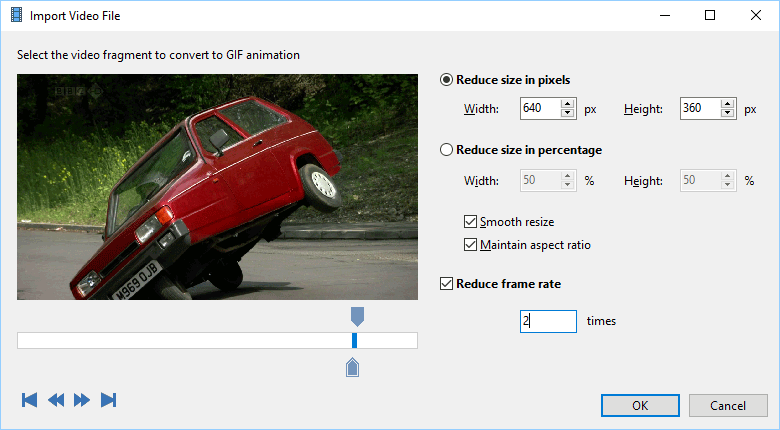
- Intuitive Drag-and-Drop Interface: Simplifies the animation creation process, allowing users to import images or videos easily and arrange elements effortlessly.
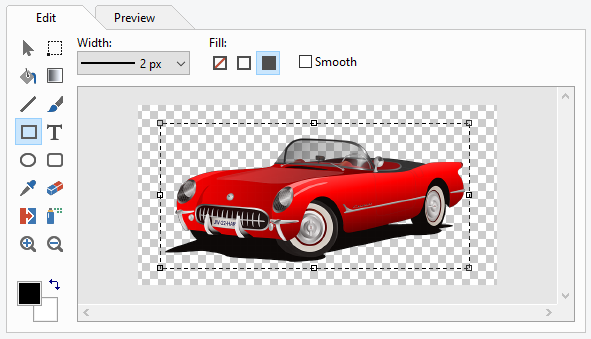
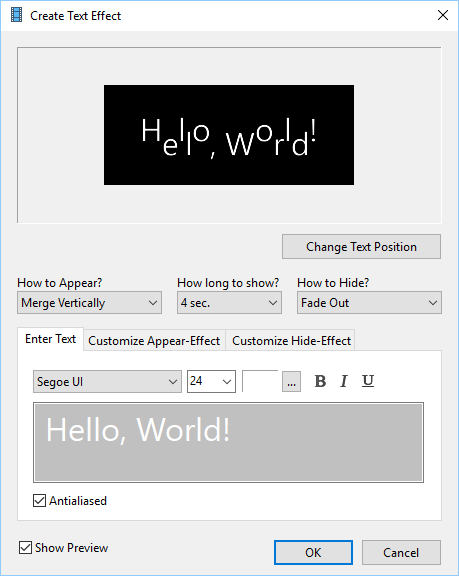
- Versatile GIF Editing Tools: Includes options to add effects, text, transitions, and optimize GIFs for size and quality, providing creative flexibility.
- Animation Preview and Frame Management: Real-time preview helps users fine-tune animations and manage individual frames with precision.
- Batch Processing Capabilities: Enables efficient editing and exporting of multiple GIFs at once, saving time for bulk projects.
Engaging and Accessible User Experience
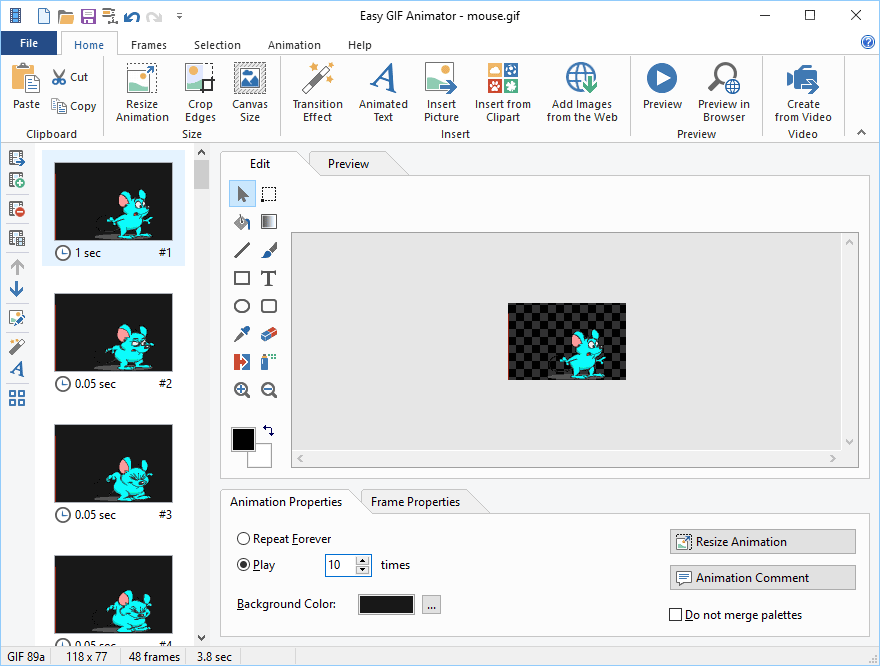
Jumping into Easy GIF Animator feels akin to stepping into a creative workshop where everything is within arm's reach. The user interface boasts a clean, colorful design that doesn't overwhelm but invites exploration—much like a well-organized art studio. Navigating through tools is fluid; dragging and dropping assets feels natural, while the live preview window offers instant feedback, making the process engaging without sacrificing clarity.
The learning curve is gentle. Even users unfamiliar with animation software can pick up the basics within minutes, thanks to thoughtful iconography and helpful tooltips. Advanced users, on the other hand, will appreciate the depth of editing options, from fine-tuning frame timing to applying various effects—forming a perfect balance between simplicity and functionality.
Core Functionalities Explored
Creating and Editing Animations with Ease
The standout feature of Easy GIF Animator is its drag-and-drop interface, which allows users to import images and sequences seamlessly. The software provides a timeline-based editor, much like editing a home video, enabling precise control over frame duration and order. Its rich library of effects, transitions, and text overlays means users can add flair without needing external editing tools. The ability to preview animations in real-time ensures that adjustments are immediate, reducing trial-and-error frustration.
Optimizing GIFs for Different Use Cases
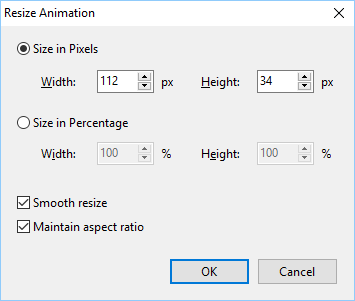
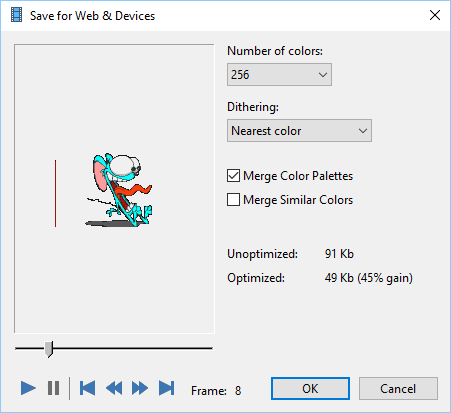
Another compelling aspect is the optimization toolkit, where users can tweak aspects such as color palettes, compression levels, and frame rates. This feature is particularly valuable for those preparing GIFs for web use, where file size impacts load times. The batch processing function takes this a step further, allowing multiple GIFs to be optimized simultaneously—an ultimate timesaver for content creators managing several projects.
Design, Performance, and Differentiators
The interface's brightness and clarity promote a delightful user experience, resembling a craftsman's workspace—both inviting and efficient. Performance-wise, the application runs smoothly, even when handling complex animations or multiple files, indicating well-optimized code and thoughtful design.
Compared to other multimedia design tools, Easy GIF Animator's closest advantage lies in its specialized focus on GIF creation, providing dedicated tools and a simplified workflow that larger, more general animation software may lack. Its ability to quickly produce polished GIFs without a steep learning curve makes it particularly appealing for social media enthusiasts or marketers who need fast, reliable results.
Final Thoughts and Recommendations
Overall, Easy GIF Animator stands out as an accessible yet capable tool for creating animated GIFs. It's best suited for users seeking a streamlined experience without the complexity of professional-grade animation software. While it may not replace high-end animation programs for intricate projects, its ease of use and specialized features make it a valuable addition to any casual creator's toolkit.
We recommend this application to social media managers, small business owners, or hobbyists looking for an intuitive way to produce engaging GIFs efficiently. For those who prioritize speed, simplicity, and decent creative control, Easy GIF Animator offers a compelling solution worth exploring.
Pros
- Intuitive User Interface
- Wide Range of Editing Tools
- Fast Rendering Speed
- Export Options
- Affordable Pricing
Cons
- Limited Advanced Features
- occasional Crashes
- Watermark on Free Version
- Limited Export Quality Options
- Lack of Batch Processing











