
- Category Business
- Developer LN
- Available on PC
- OS Windows 10 version 17763.0 or higher
- languages English (United States)
An Introduction to EasyScan – Your Portable PDF Scanner for Windows
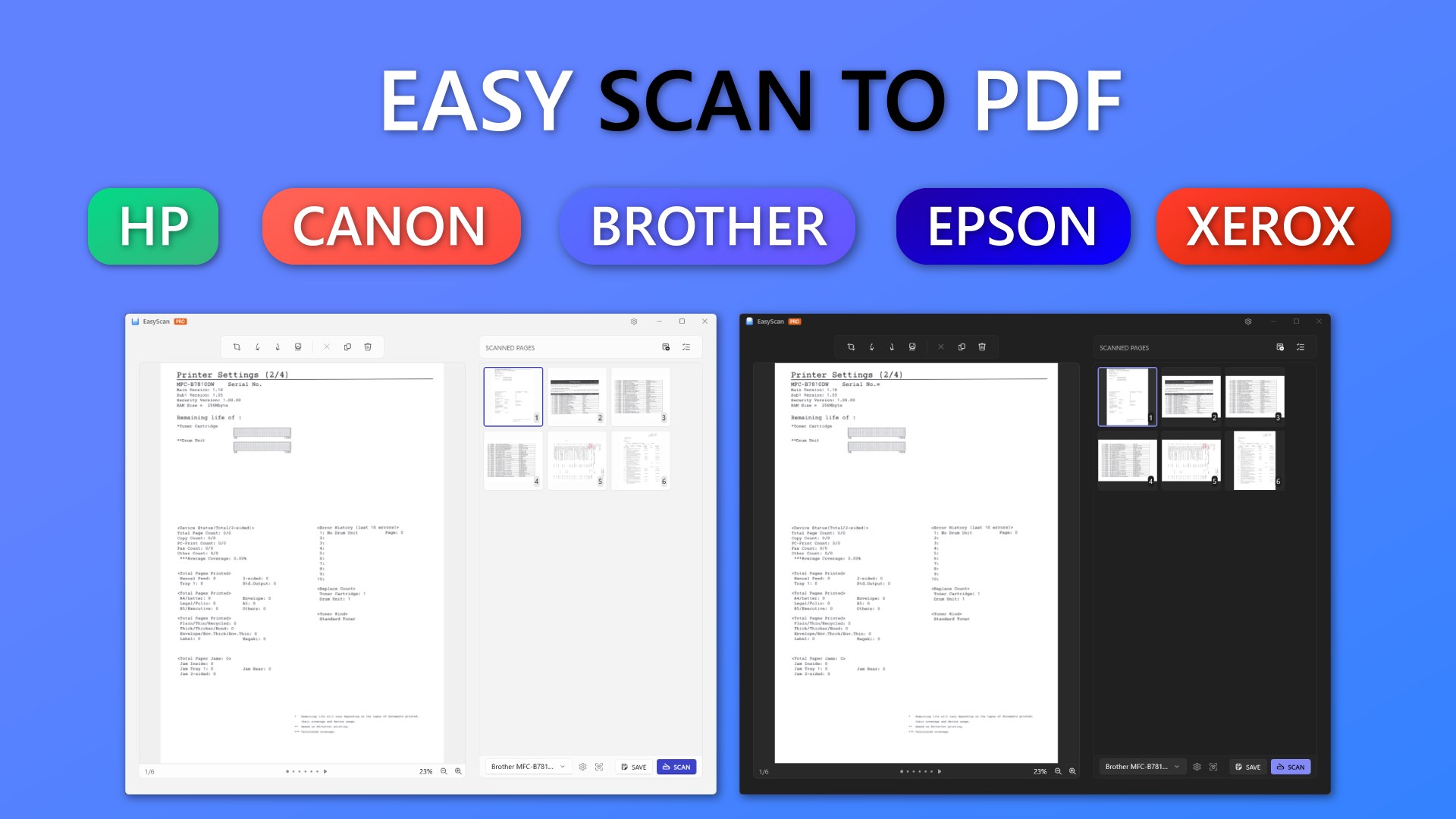
If you're tired of rummaging through cluttered desks or hunting down a dedicated scanner, EasyScan offers a sleek, digital solution to turn your Windows device into a powerful portable scanner. This app simplifies the process of capturing, editing, and managing PDF documents, making it an essential tool for students, professionals, and anyone who needs quick document digitization without the hassle of traditional hardware.
Developed by LN and Published by 3AM Apps
Created by LN, a developer dedicated to enhancing document management efficiencies, EasyScan is proudly published by 3AM Apps. The development team's focus is on delivering a user-friendly experience combined with robust scanning capabilities designed specifically for Windows users seeking seamless PDF capture tools.
Core Features That Make EasyScan Stand Out
- High-Quality Document Capture: Utilizes your device's camera or existing images to produce crisp, clear PDF scans tailored for readability and professional use.
- Smart Editing Tools: Includes auto-crop, perspective correction, and brightness adjustments to ensure your scans look polished without the need for external editing software.
- Easy Output Management: Supports saving, exporting, and sharing PDFs directly from the app, streamlining your workflow.
- Annotation & Markup: Allows adding highlights, comments, and signatures to scanned documents, perfect for review and collaboration.
Immersive User Experience: Fun, Intuitive, and Efficient
Imagine holding up a piece of paper, and with a tap, your phone or computer captures a pristine digital version—EasyScan makes this everyday magic possible. The interface greets you with a clean, minimalistic design reminiscent of a well-organized workspace. Everything is logically placed, making scanning feel as effortless as snapping a picture. The app's responsiveness is quick, with real-time previews that let you adjust angles or lighting before finalizing your scan. For newcomers, the learning curve is gentle enough to get started within minutes, yet it offers enough advanced tools to satisfy power users.
Streamlined Core Functionalities: More Than Meets the Eye
Document Capture and Enhancement: EasyScan leverages intelligent algorithms to automatically crop and correct the perspective of your scanned documents. Whether you're capturing a handwritten note or a multi-page report, it ensures each page looks professional, akin to a high-end scanner but with the convenience of your Windows device. The auto-enhancement features intelligently adjust brightness and contrast, saving you from fiddling with external image editors.
Task Management & Collaboration Features: Unlike typical PDF scanners, EasyScan introduces a unique collaborative aspect. Users can annotate and add comments directly within the app, facilitating seamless review sessions or team collaboration. This feature is particularly beneficial for remote teams or classrooms where quick feedback and shared access improve productivity. Furthermore, you can organize scans into folders or projects, turning task management into an integrated part of your document workflow.
Design, Performance, and User Journey
EasyScan's interface is reminiscent of a friendly digital assistant—compact, inviting, and clutter-free. It combines the familiarity of Windows UI with a smooth, lag-free experience, even when handling multiple high-resolution documents. Users appreciate the intuitive flow: open the app, tap 'Scan,' adjust the view if needed, and save or share—done in seconds. The minimal learning curve is a plus, empowering even less tech-savvy users to start digitizing documents immediately.
What Sets EasyScan Apart from Similar Tools?
While many PDF scanning apps focus solely on image capture, EasyScan's standout feature lies in its integrated task management and collaborative tools. Its ability to facilitate real-time annotations and project organization transforms it from a simple scanner into a mini document hub. Compared to traditional business apps like Adobe Scan or CamScanner, EasyScan emphasizes streamlined teamwork features, making it ideal for small teams or classrooms that require quick sharing and feedback loops. Its focus on user-friendly editing combined with collaborative annotations distinguishes it as a comprehensive yet accessible solution.
Final Recommendations and Usage Tips
Based on its features, usability, and performance, I recommend EasyScan for both personal use and small-scale professional tasks. If you frequently digitize handwritten notes, contracts, or team reports, this app offers a reliable, efficient platform. For users seeking advanced collaboration within a straightforward environment, EasyScan provides a valuable alternative to more complex enterprise solutions. To get the most out of the app, explore its annotation and folder organization features early—these are the tools that elevate it from a mere scanner to a productivity companion.
In conclusion, EasyScan combines the essential functions of a high-quality PDF scanner with collaborative features that make teamwork smoother. Its intuitive design and smart editing tools ensure users can produce professional-looking documents effortlessly. For those seeking a versatile, user-friendly scanning app on Windows, EasyScan is definitely worth a try.
Pros
- User-friendly interface
- High-quality OCR recognition
- Multiple scan modes
- Automatic edge detection
- Easy sharing and exporting options
Cons
- Limited editing features
- Occasional issues with glare correction
- File size optimization could be improved
- Limited multilingual support
- Offline functionality is partial











