



- Category Entertainment
- Developer Epic Games
- Available on PC
- OS Windows 10 version 0.0 or higher
- Keyboard Integrated Keyboard
- Mouse Integrated Mouse
- Memory 2 GB
- DirectX Version 9
- languages English, Arabic, German, Spanish (Spain), Spanish (Mexico), French, Italian, Japanese, Korean, Polish, Portuguese (Brazil), Russian, Thai, Turkish, Chinese (Simplified), Chinese (Traditional Chinese)
Epic Games Store for Windows: A Fresh Take on Digital Game Distribution
Epic Games Store for Windows is a dedicated platform designed to streamline your access to a curated selection of high-quality PC games, offering a user-centric experience that aims to stand out in the crowded digital storefront arena.
Developed by Industry Innovators
Produced by Epic Games, a powerhouse known for groundbreaking titles like Fortnite and Unreal Engine technology, this app embodies their commitment to pushing the boundaries of game distribution and digital content management.
Top Features That Make a Difference
- Curated Game Library with Exclusive Titles: Access a selection of carefully curated games, including exclusive releases and upcoming titles, ensuring quality and novelty at your fingertips.
- Personalized Game Recommendations Powered by Content Discovery Algorithms: A sophisticated system that learns your gaming preferences, offering tailored suggestions that feel like a friendly nudge rather than a generic list.
- Seamless User Interface with Robust Performance: An intuitive, sleek interface that ensures easy navigation and smooth operation, even during intensive download or update sessions.
- Developer and Publisher Transparency: Clear details about game creators and publishers, giving you insight into your digital purchases.
Engaging User Experience: Flow, Design, and Usability
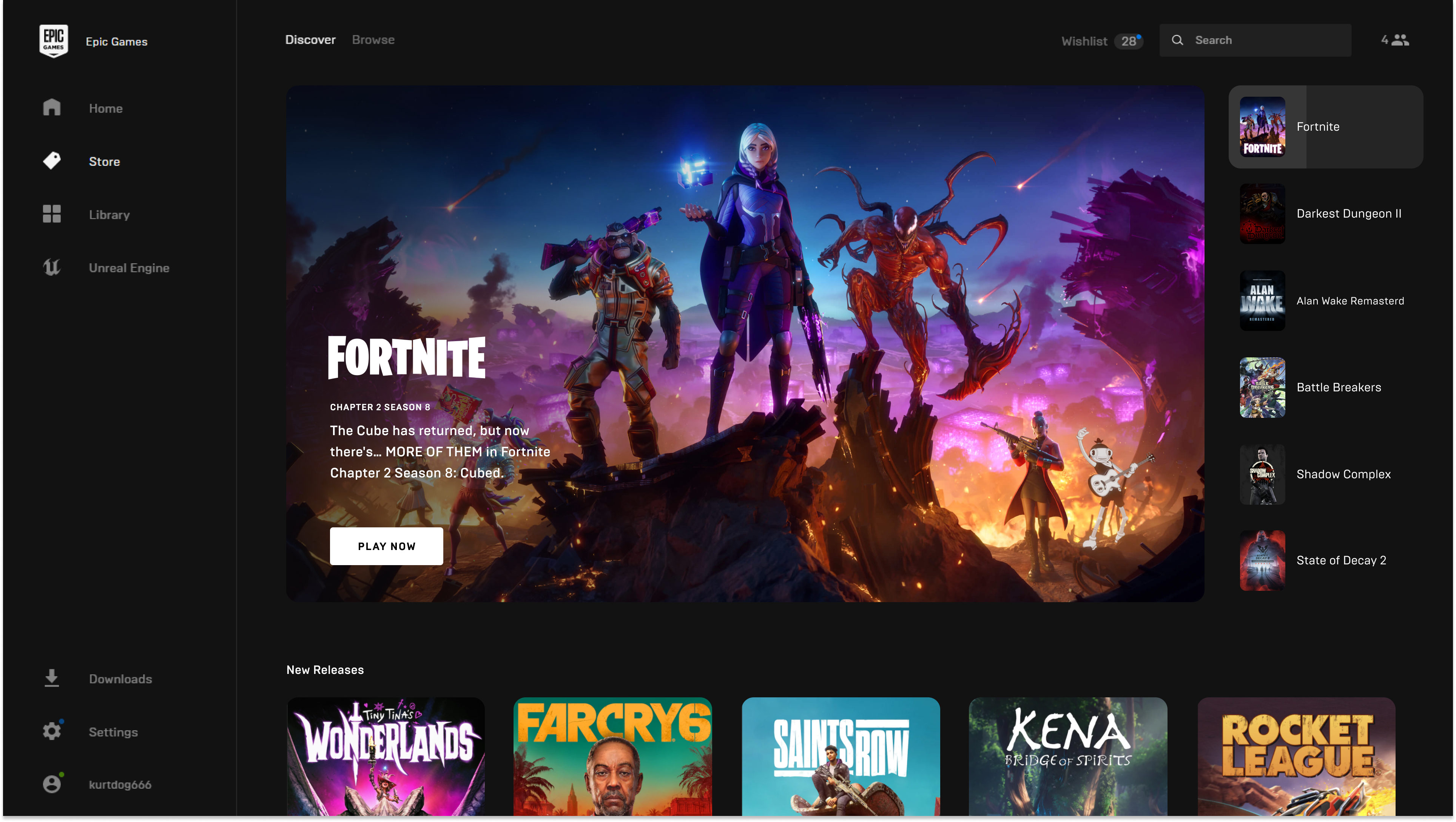
Imagine walking into a cozy, well-organized store where every game shelf is just where you expect it—this is what Epic Games Store for Windows offers. The interface is modern and inviting, with a dark-themed design that's easy on the eyes during long browsing sessions. Navigating between the main sections—home, library, store, and settings—is fluid, akin to sliding smoothly on a well-oiled conveyor belt, thanks to optimized performance that minimizes lag and load times.
The app's layout emphasizes clarity and simplicity, making it accessible for new users while providing enough depth for seasoned gamers to dig into detailed game information effortlessly. The search function is responsive, and filters help you narrow down options quickly—an essential feature in today's overwhelming digital game universe.
Learning to use Epic Games Store is straightforward—just install, log in, and start exploring. For veterans of digital stores, the experience feels familiar yet refreshed, with subtle animations and thoughtful touches that elevate usability without overwhelming.
Unique Strengths: The Personalized Game Discovery System
Where Epic Games Store truly shines is its content discovery algorithm—a star feature that sets it apart. Unlike some platforms that bombard you with generic recommendations, Epic's approach feels like having a knowledgeable friend who understands your gaming tastes. It analyzes your browsing and purchase history to curate a personalized selection of games, highlighting titles you're most likely to enjoy.
This system's real magic lies in its nuanced relevance. Instead of broad strokes, it considers genre preferences, gameplay style, and even trending titles within your favored categories. This creates a discovery experience that feels both intuitive and respectful of your individuality, reducing the frustration often associated with irrelevant suggestions.
Coupled with the availability of exclusive titles and early access releases, this personalized approach makes Epic Games Store a compelling choice for gamers eager to discover new favorites without sifting through a sea of options.
Final Verdict: Is It Worth Your Time?
Considering its sleek design, fluid performance, and especially its personalized discovery system, Epic Games Store for Windows offers a fresh, user-friendly platform that's worth exploring—particularly if you're looking for a curated gaming experience that respects your preferences. It's not just another digital storefront; it's a carefully crafted portal designed to make your gaming journey more engaging and less overwhelming.
For casual players and dedicated gamers alike, I recommend giving it a try. Its standout features may redefine how you discover and enjoy games on your Windows PC—imagine it as having a friendly gaming guide right on your desktop, pointing you toward the next adventure.
Pros
- Seamless game library management
- Exclusive access to Epic Games Store sales and free games
- Integrated payment and quick checkout
- Regular updates and patch management
- Personalized recommendations based on gaming preferences
Cons
- Limited user interface customization
- Occasional download speed fluctuations
- In-app support response time
- Limited cross-platform sync
- Occasional interface lag on older systems











