

- Category Photo & video
- Available on PC
- OS Windows 8 or higher
- languages Chinese (Simplified), Chinese (Traditional Chinese), Dutch, English, French, German, Italian, Japanese, Korean, Portuguese, Spanish
Epson Print and Scan for Windows: Your Reliable Printer Companion
Designed to streamline your printing and scanning tasks, Epson Print and Scan for Windows offers a straightforward yet powerful solution for Epson users. Whether you're a casual home user or a small office team, this app aims to bring convenience and efficiency directly to your fingertips.
About the App: Simple, Efficient, and User-Friendly
Developed by SEIKO EPSON CORPORATION, this application simplifies the process of managing Epson printers on Windows devices. The app's primary features include easy device setup, seamless document printing, and robust scanning capabilities, all wrapped in an intuitive interface.
- Key Features: Wireless printing and scanning, device status monitoring, automatic updates, and troubleshooting assistance.
- Target Users: Epson printer owners looking for an integrated app to control and optimize their printing and scanning workflows.
Turning Tech Jargon into User Joy
Imagine finally saying goodbye to tangled wires and confusing printer menus. Epson Print and Scan for Windows is like having a helpful technician perched right on your desktop, ready to assist with every print or scan need—crisp, clear, and hassle-free.
Intuitive User Interface and Seamless Operation
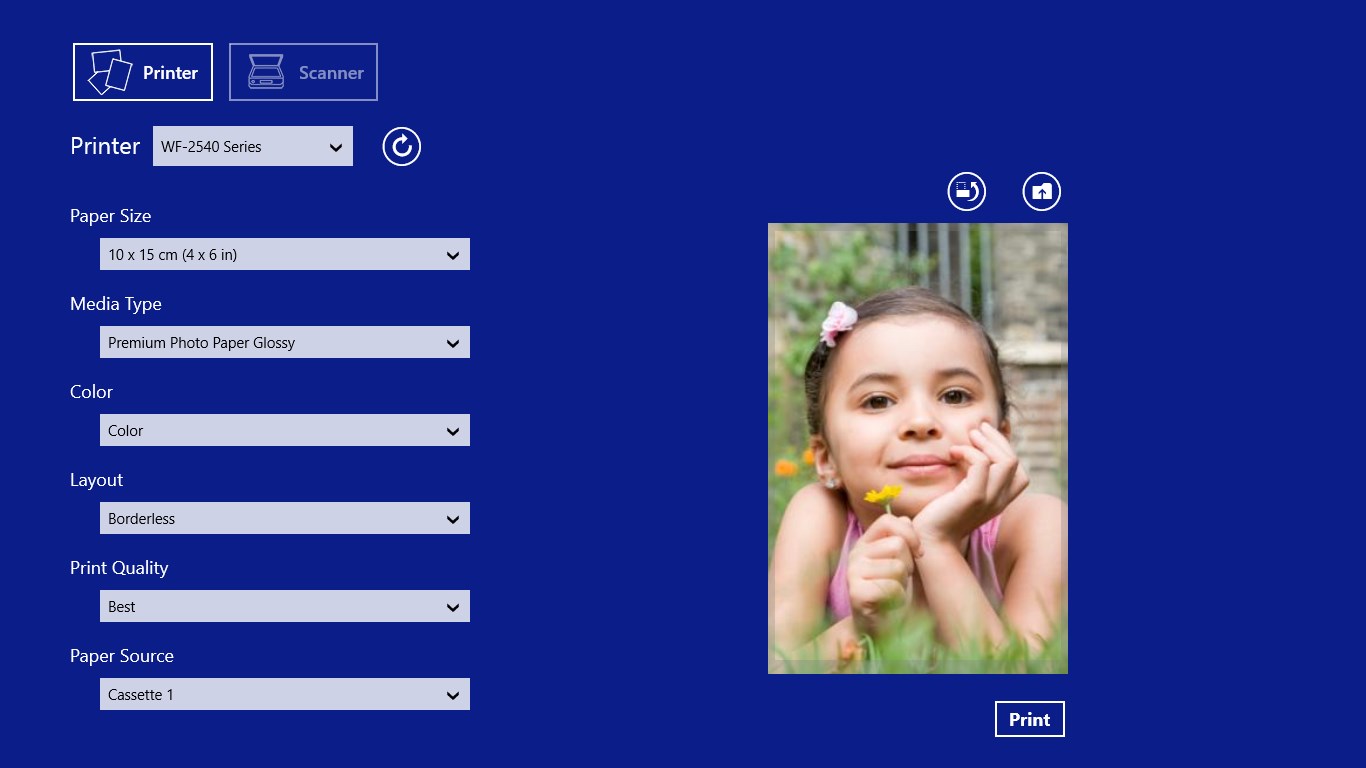
From the moment you open the app, it's clear that simplicity was a priority. The interface boasts a sleek, modern design with clear icons and minimal clutter, making navigation feel less like a chore and more like a breeze. Setting up a new printer is as easy as clicking a few buttons—the app automatically detects connected devices within your network, reducing the guessing game often associated with wireless printer setups.
Operational speed is commendable; commands such as printing a document or initiating a scan happen without frustrating delays. The app's responsiveness enhances user confidence and smooths out the workflow, whether you're printing a single page or batch scanning multiple documents.
Core Functionality Deep Dive
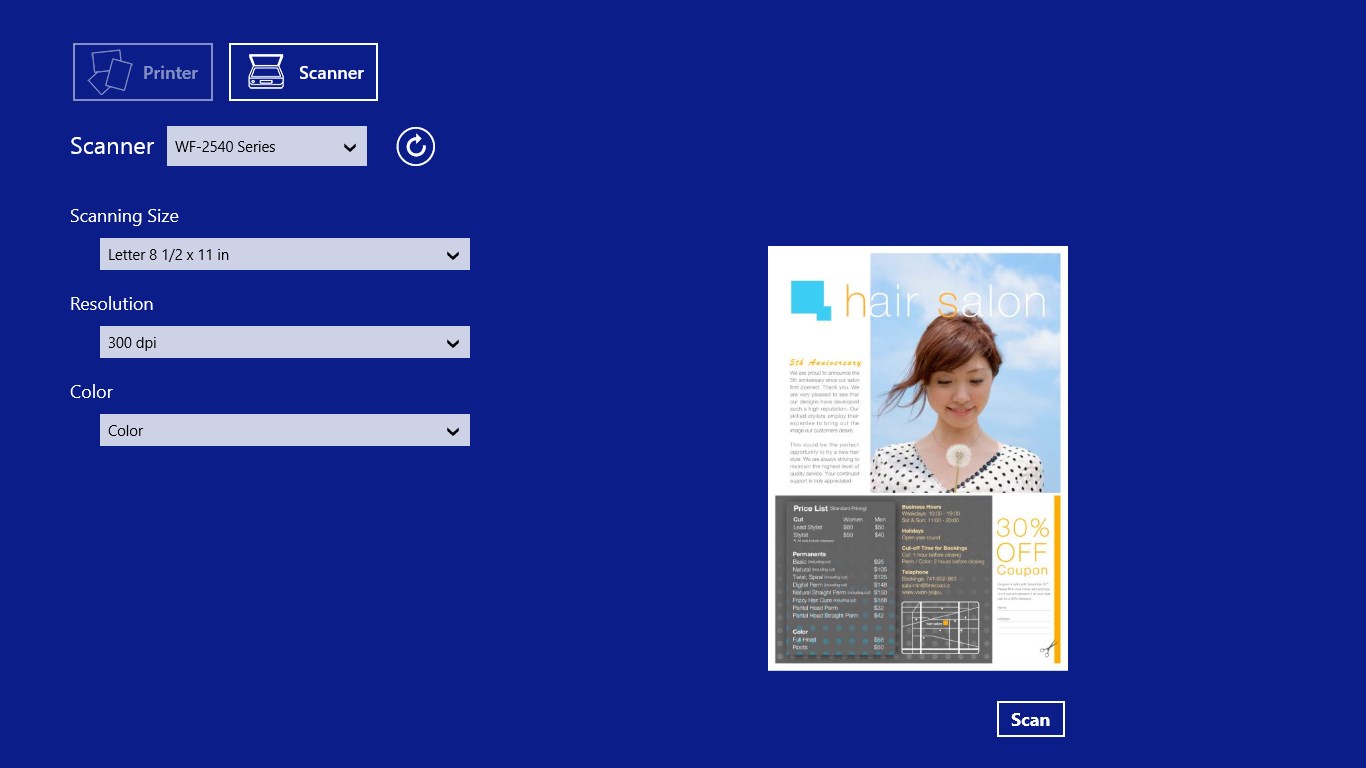
- Wireless Printing and Scanning: This app's flagship feature simplifies wireless connectivity. Once your Epson printer is recognized, printing documents and photos becomes as easy as selecting a file and hitting “Print.” The scanning feature is equally robust, offering options for different scan resolutions and formats. For example, scanning a high-resolution photo is straightforward, with immediate options to save or share.
- Device Monitoring and Troubleshooting: The app keeps an eye on your printer's status—ink levels, paper jams, or connectivity issues—alerting you proactively. This proactive approach minimizes downtime and prevents small issues from becoming major headaches.
- Automatic Updates and Support: The app seamlessly updates itself, ensuring compatibility with the latest printer firmware and Windows updates. When technical issues arise, in-app troubleshooting guides help resolve common problems without needing to contact support.
Unique Advantages: Standing Out Among Photo & Video Apps
Unlike multimedia-centric photo and video apps, Epson Print and Scan for Windows focuses on direct hardware control, but what makes it special is its tight integration with Epson's cutting-edge printers and scanners. The app's standout feature is its ability to optimize print quality automatically based on the document type—be it text, photo, or graphic. Furthermore, its proactive device monitoring and seamless connectivity set it apart from generic printing apps, offering a level of reliability and convenience that's akin to having a dedicated printer technician by your side.
Final Verdict: A Clear Choice for Epson Users
Considering its straightforward interface, robust features, and Epson-specific optimizations, I'd recommend this app enthusiastically for Epson printer owners seeking a dependable and user-friendly control center. Whether you need quick prints, high-quality scans, or regular maintenance, Epson Print and Scan for Windows delivers all these essentials with a professional touch.
In essence, it's not just an app—it's your printer's best friend, quietly enhancing daily productivity without any fuss or fanfare. Give it a try if you want a simple, reliable way to keep your Epson devices performing at their best.
Pros
- User-Friendly Interface
- Wide Device Compatibility
- Fast Printing and Scanning
- Cloud Integration Support
- Regular Updates and Improvements
Cons
- Limited Feature Set in Basic Mode
- Connectivity Issues with Network Printers
- Occasional App Crashes during Large Files
- Limited Customization Options
- Language and Localization Limitations











