

- Category Business
- Available on PC, Mobile, Surface Hub, HoloLens
- OS Windows 10 version 18362.0 or higher
- Keyboard Integrated Keyboard
- Mouse Integrated Mouse
- languages English (United States)
Introduction: Simplifying Your Tax Season with Fast Tax for Windows
If you've ever wrestled with spreadsheets, receipts, and complicated tax codes, Fast Tax for Windows promises to be your streamlined ally in navigating the often intimidating world of tax preparation. Designed to make filing easier and more efficient, this application targets individuals and small business owners who seek a straightforward yet powerful tool to manage their taxes with confidence.
About the Developer and Core Features
Developed by Shareware Software, Fast Tax for Windows aims to provide an accessible solution for tax calculations and filing. The application's main highlights include intelligent data organization, automated calculations, and seamless report generation—features that collectively transform an arduous task into a manageable process.
Core Functionality Breakdown
User-Friendly Data Input and Organization
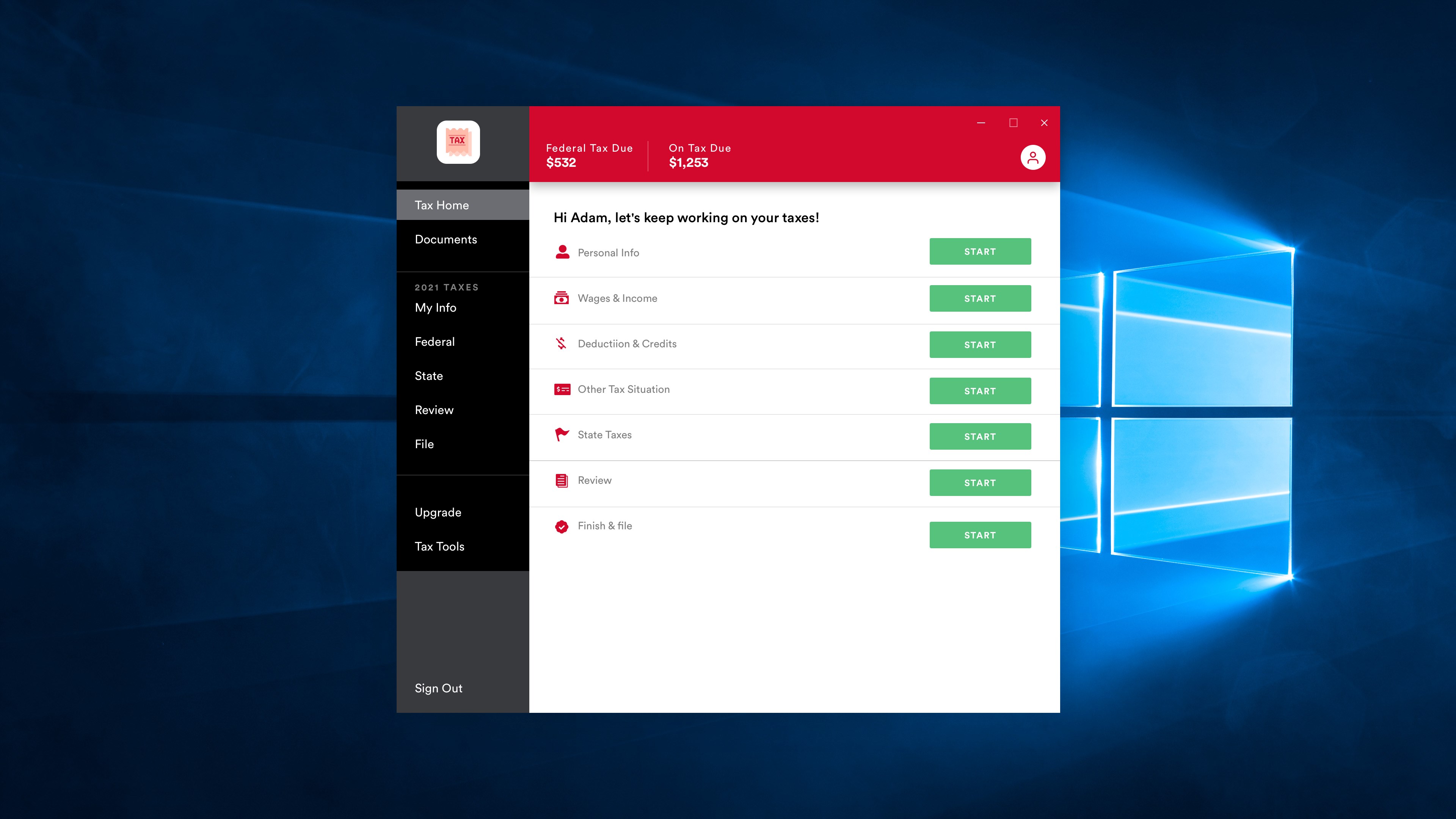
Fast Tax for Windows offers a clean and intuitive interface where users can easily input income, deductions, and expenses. Imagine this platform as a well-organized digital ledger—each category neatly arranged so that vital financial details are never lost in chaos. The tool simplifies data entry with guided prompts and pre-designed templates, reducing chances of oversight and ensuring accuracy from start to finish.
Automated and Accurate Tax Calculations
Once your data is in, the application's core strength shines through: precise and automatic tax computation. The program intelligently applies current tax rules and deductions, acting like a diligent accountant who double-checks every figure behind the scenes. This automation minimizes human errors and ensures your calculations align with latest regulations, saving time and giving peace of mind during tax season.
Report Generation and Filing Assistance
Finally, Fast Tax for Windows excels at generating comprehensive reports and summaries—think of it as having a professional accountant prepare your documents, but at your fingertips. You can export detailed reports in various formats suitable for printing or electronic submission, streamlining the entire filing process. This feature is particularly beneficial for small business owners managing multiple income streams or deductions, providing clarity and ease of record-keeping.
User Experience and Differentiation
The interface of Fast Tax for Windows is straightforward and clean, making navigation feel more like flipping through a well-organized binder than wrestling with complex software. The learning curve is gentle; users familiar with basic financial concepts will find the steps logical and effortless to follow. The application's responsiveness ensures that calculations are swift, providing a smooth experience even when juggling multiple data entry tasks.
Compared to other business or tax applications, what sets Fast Tax apart is its specific focus on collaborative work features. While many tools cater to individual users, this app enables sharing and collaborative review of tax data—imagine a team of small business partners working on a shared tax project in real-time. Its task management capabilities help users track pending items, deadlines, and revisions, making the tax process less of a solitary endeavor and more of a team effort. This particular strength is especially useful for small business owners who don't want multiple spreadsheets and manual tracking but prefer an integrated solution.
Final Recommendations and Usage Suggestions
All in all, Fast Tax for Windows is a solid, user-centric application that offers a reliable and efficient way to manage tax-related tasks. It's best suited for individuals and small businesses seeking an affordable yet comprehensive solution. I recommend it to those who prefer a guided experience that bridges simplicity with accuracy, especially if collaborative features are a priority for your team. While it may not replace professional accountants for highly complex scenarios, it certainly provides an excellent starting point and ongoing support during tax season.
Pros
- User-Friendly Interface
- Fast Processing Time
- Accurate Tax Calculations
- Comprehensive Tax Support
- Secure Data Handling
Cons
- Limited Customer Support Options
- Requires Internet Connection
- Occasional Minor Calculation Inconsistencies
- Limited Customization Features
- Lack of Detailed Educational Content











