

- Category Productivity
- Developer Bitberry Software
- Available on PC
- OS Windows 10 version 17763.0 or higher
- Mouse Integrated Mouse
- DirectX Not specified
- Memory Not specified
- languages English (United States)
Streamlining File Management: An Introduction to File Analyzer Plus for Windows
File Analyzer Plus for Windows, developed by Bitberry Software, is designed to simplify and expedite the process of managing your digital files through intelligent analysis and insightful reporting features. With a focus on enhancing productivity, this application aims to eliminate the chaos often associated with cluttered storage systems.
About the Developer and Core Highlights
Bitberry Software has established itself as a reputable developer specializing in utility tools that bridge the gap between complexity and user-friendly efficiency. Their latest offering, File Analyzer Plus, boasts several standout features:
- Deep File Analysis: Quickly scans and categorizes your files based on size, type, and last access or modification dates.
- Duplicate Detection: Identifies redundant files across your storage to help reclaim valuable space.
- Detailed Reports & Recommendations: Generates comprehensive insights and actionable suggestions to optimize storage use.
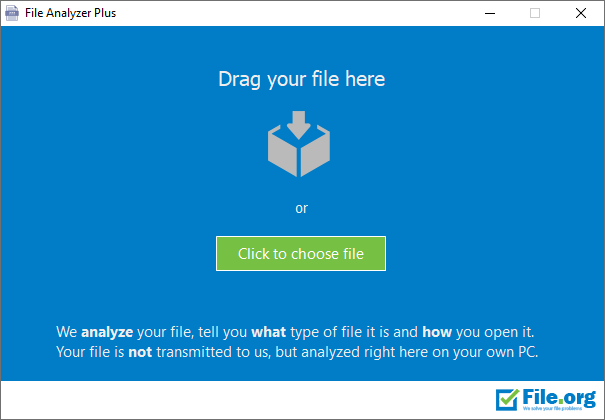
- User-Friendly Interface: Designed with simplicity at its core, making navigation and operation intuitive for users of varying technical backgrounds.
The app primarily targets users who want to maintain clutter-free storage, including professionals managing large volumes of files, students, and tech enthusiasts seeking streamlined digital organization.
Engaging Evaluation of Features and User Experience
A Fresh Take on File Oversight
Imagine walking into your digital storage like entering a well-organized library where each book—your files—are in their rightful place, easy to find, and with a neat little label. File Analyzer Plus turns that dream into reality. Its initial analysis phase is surprisingly fast, akin to a lightning-fast librarian scanning shelves to catalog every book without causing a scene. The app's neat dashboards present data visually—pie charts, colorful graphs—making complex information digestible at a glance. This intuitive layout reduces cognitive load, making it less like deciphering hieroglyphs and more like enjoying a guided tour.
Core Features: Unpacking the Power
- Efficient Duplicate Detection: The standout feature here is its ability to root out duplicates that lurk unnoticed—akin to having a vigilant editor trimming excess to keep your storage slim and shiny. The process is both thorough and gentle; it compares not just filenames but file content, ensuring only exact or near-identical duplicates are flagged, reducing the risk of accidental data loss.
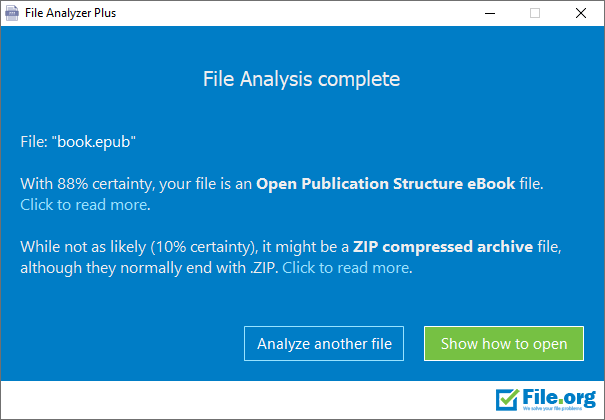
- Smart Categorization & Reports: Once files are scanned, the app sorts them into categories—documents, media, archives—and provides detailed reports. Think of it as having a personal storage consultant guiding you through the clutter, offering suggestions like "Delete redundant videos" or "Archive old documents," which makes space management less overwhelming and more strategic.
- Storage Optimization Suggestions: Beyond mere analysis, it proposes actionable steps—moving files to cloud, compressing large items, or deleting unused data—thus closing the loop from insight to action with minimal effort.
Design, Workflow & Unique Selling Points
The user interface feels akin to a sleek dashboard in a modern vehicle—clean, minimalistic, yet packed with essential information. Navigating between analysis, reports, and recommendations feels seamless, with fluid transitions that keep user engagement high without introducing unnecessary complexity. Learning curve? As gentle as a breeze—most features are self-explanatory, complemented by helpful tooltips which act like friendly guides.
Compared to similar tools, File Analyzer Plus excels in workflow integration. Its focus isn't just on listing files or providing raw data; rather, it emphasizes reducing workload by presenting tailored, easy-to-implement suggestions that genuinely enhance your storage management efficiency. While many apps require juggling multiple tools to analyze, report, and act, this app combines these functions into a cohesive, streamlined process. The bond it creates with users is of a trusted assistant rather than a cumbersome software stack.
Final Recommendation and Usage Suggestions
Overall, File Analyzer Plus is a solid, thoughtful utility for anyone seeking to bring order to chaotic digital storages. Its deep analysis combined with actionable insights makes it stand out from traditional file management tools, especially for users who value workflow efficiency and clarity over feature bloat.
For best results, I recommend running the app periodically—say, once a month—to keep your storage in check and prevent clutter from piling up. Its user-friendly nature means even beginners can benefit, but power users will appreciate the depth of analysis and actionable recommendations.
If you prioritize an effective, less stressful way to organize your digital environment without wading through endless options, File Analyzer Plus could become your go-to companion. It's like having a meticulous yet friendly organizer at your fingertips, helping you reclaim space and peace of mind.
Pros
- User-Friendly Interface
- Fast File Scanning
- Comprehensive File Details
- Supports Multiple File Formats
- Affordable Pricing
Cons
- Limited Advanced Features
- Occasional Software Freezes
- Basic Reporting Options
- Older System Compatibility
- Lack of Cloud Integration











