

- Category Productivity
- Available on PC
- OS Windows 10 version 17763.0 or higher
- languages Bangla, Chinese (Simplified), Chinese (Traditional Chinese), Czech, Dutch, English, Filipino, French, German, Greek, Hindi, Hungarian, Indonesian, Italian, Japanese, Korean, Norwegian, Polish, Portuguese, Romanian, Russian, Slovak, Spanish, Swedish, Telugu, Thai, Turkish, Ukrainian, Vietnamese
Introducing Focus To-Do for Windows: Your Smart Task Management Companion
Focus To-Do for Windows by Super Element positions itself as a streamlined productivity app that seamlessly blends task management with focused work sessions. Designed to help users organize their tasks efficiently while minimizing cognitive overload, it aims to serve busy professionals, students, and anyone seeking better workflow control.
About the Developer: Super Element
Super Element is a dedicated software development team committed to creating intuitive and effective productivity tools. Their focus with Focus To-Do is to deliver a clean, user-friendly experience that emphasizes functionality without overwhelming the user.
Key Features That Stand Out
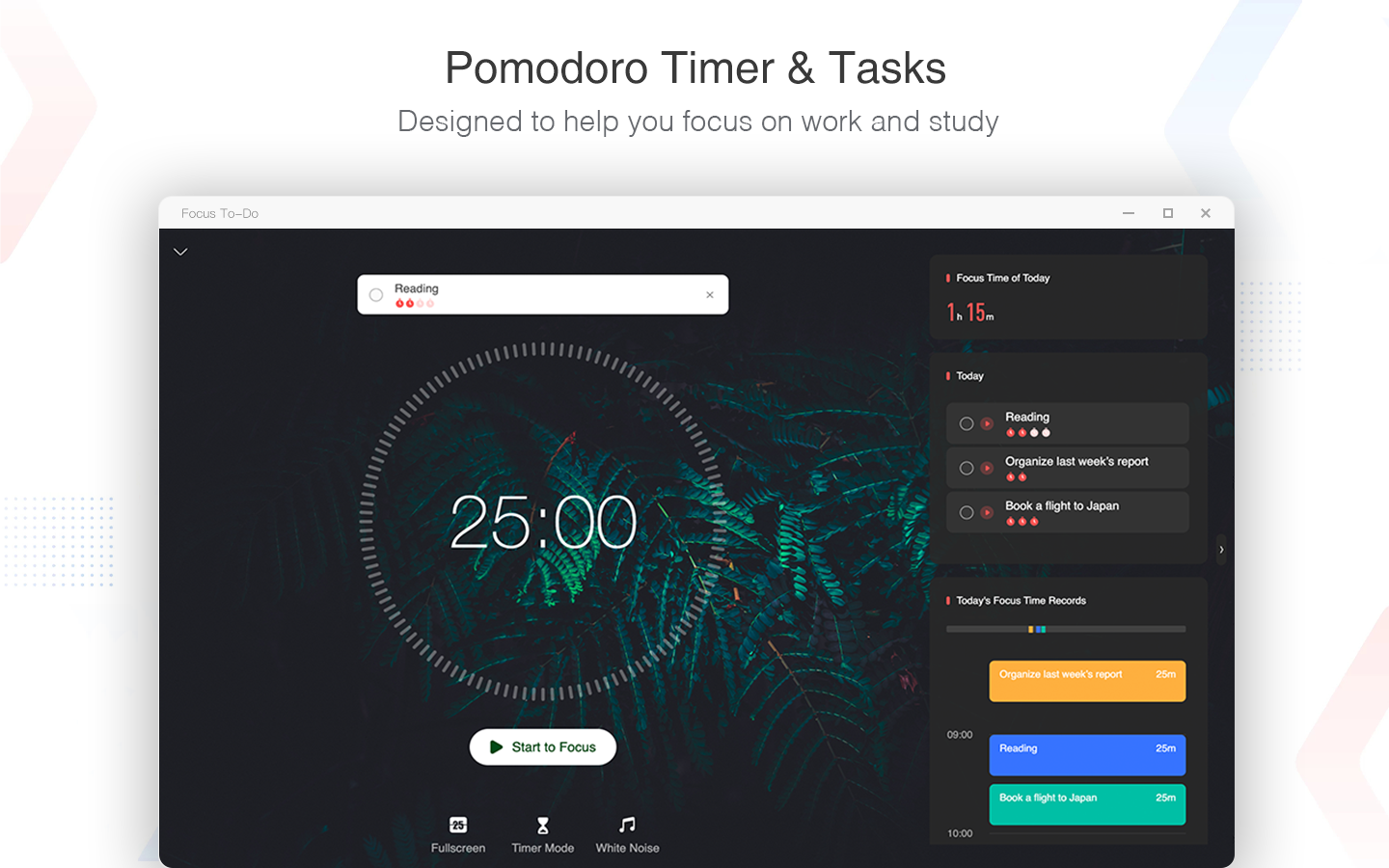
- Integrated Pomodoro Timer: Combines task management with time-boxing, allowing users to work in focused intervals, boosting efficiency without juggling multiple apps.
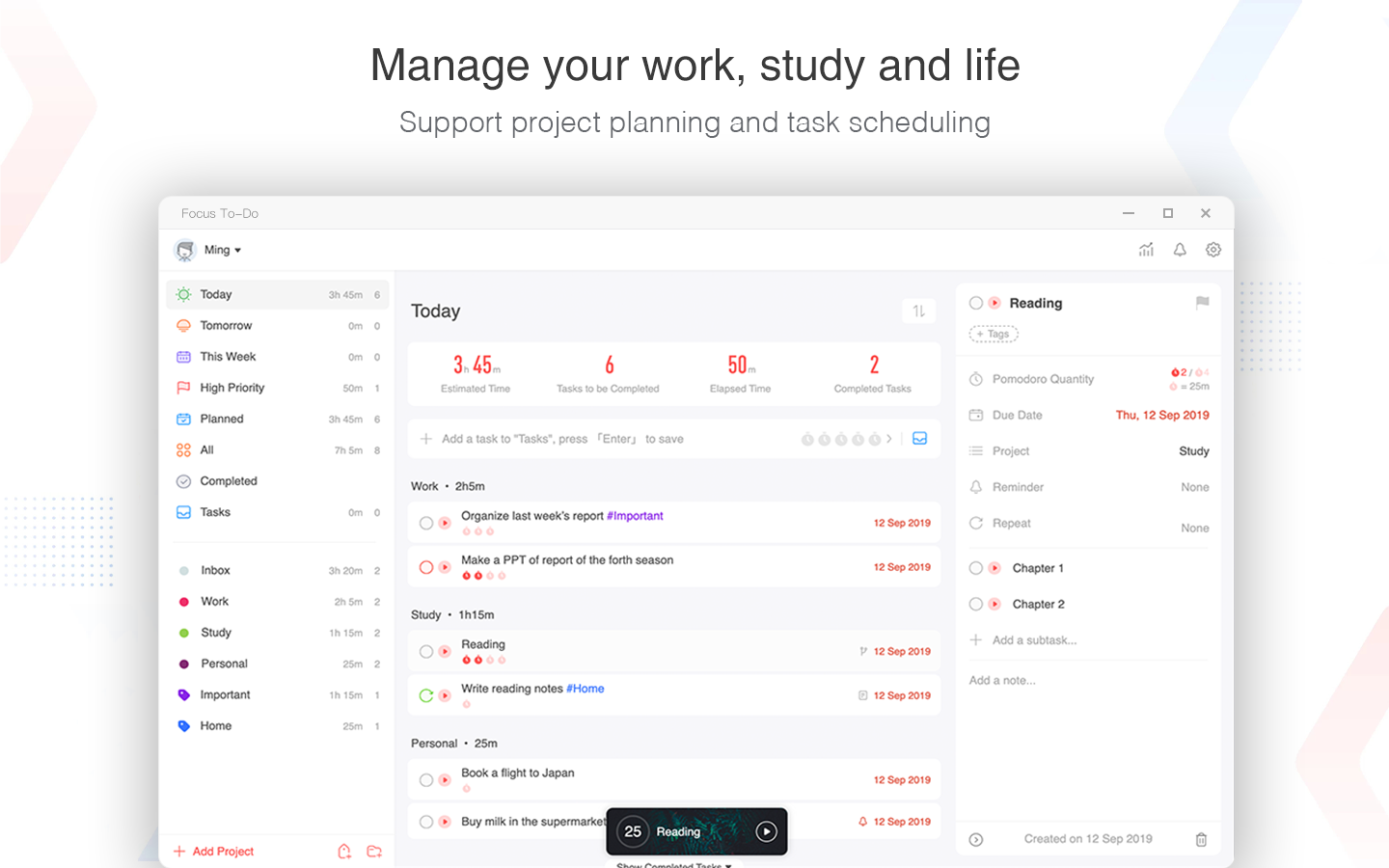
- SMART Task Organization: Lets users categorize, prioritize, and set deadlines with minimal hassle, making task overview and planning straightforward.
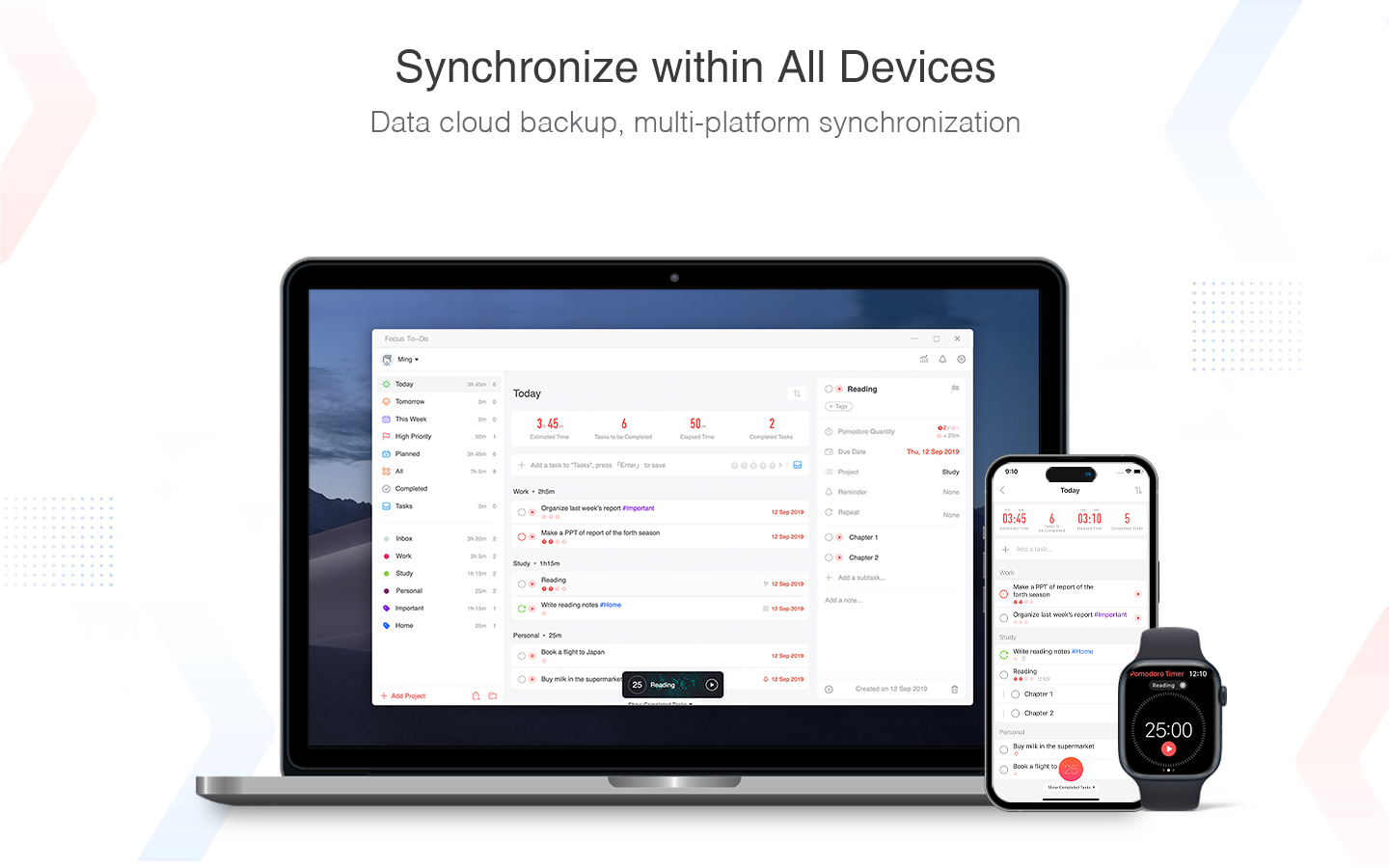
- Cross-Platform Synchronization: Seamless syncing ensures your tasks and focus sessions are consistent across devices.
- Minimalist Yet Powerful Interface: Strikes a balance between simplicity and depth, avoiding clutter but offering necessary advanced features.
Engaging the User: A Closer Look
Imagine your workday as a well-orchestrated symphony—each task a note, each focus session a well-timed crescendo. Focus To-Do for Windows acts as a conductor, helping you stay on beat without missing a cue. Its inviting interface doesn't just look modern; it invites you in like an organized workspace, reducing visual clutter so you can focus on what truly matters.
Streamlined Task Management and Scheduling
One of Focus To-Do's core strengths is its effortless task handling. You can quickly add new tasks, assign due dates, and prioritize them using intuitive drag-and-drop features. The app's smart categorization offers a bird's-eye view of your workload, helping you identify what deserves your immediate attention. Unlike many productivity apps that hide complex features under menus, Focus To-Do keeps everything accessible, reducing the cognitive load often associated with task management.
Focus Sessions and Productivity Boost
The integration of a Pomodoro timer is where Focus To-Do truly shines. Unlike standalone timers, embedded within its task interface, this feature encourages working with purpose—each session dedicated to a specific task, followed by a brief break. This seamless integration makes transitions between planning and executing effortless, akin to switching gears smoothly in a vehicle. The timer's visual cues and progress indicators foster a sense of achievement, motivating sustained focus without feeling like another app to learn.
User Experience: Design, Flow, and Learning Curve
From the moment you launch Focus To-Do, it feels as if you're stepping into a tidy, well-lit workspace. The clean, minimalist design reduces clutter and helps you maintain mental clarity. Navigation is intuitive—adding tasks, starting focus sessions, adjusting settings—all happen with a few clicks or taps. The learning curve is gentle; most users will be up and running within minutes, benefitting from the straightforward layout. The app's responsiveness provides snappy interactions, ensuring your workflow remains uninterrupted, much like a well-oiled machine.
What Sets Focus To-Do Apart from Its Peers?
While many productivity apps emphasize sheer feature count, Focus To-Do prioritizes workflow integration efficiency. Its unique blend of task management with embedded focus sessions reduces the cognitive load seen in complex systems riddled with options and modes. By focusing on essential functions—task clarity, time-boxing, and easy synchronization—it minimizes distractions and cognitive effort. This focus allows users to spend more time doing, rather than figuring out how to use the tool.
Recommendation and Usage Tips
Considering its balance of simplicity and effectiveness, I recommend Focus To-Do for professionals and students seeking a reliable, no-nonsense productivity companion. It's especially useful for those who believe that less is more when it comes to digital tools—prioritizing workflow clarity over feature overload. For best results, start by organizing your key tasks, then integrate brief focus sessions into your routine. Over time, you'll likely experience smoother workflows and a clearer mental space.
In short, Focus To-Do for Windows earns its place as a trustworthy productivity ally—helping users focus smarter, not harder. Whether tackling daily chores or complex projects, it quietly supports your journey to more disciplined and satisfying work sessions.
Pros
- Intuitive interface
- Cross-platform synchronization
- Built-in focus timer
- Integration with Microsoft ecosystem
- Customizable task labels and priorities
Cons
- Limited task automation features
- Occasional sync delays
- Basic reminder system
- Limited offline functionality
- Minimal customization for themes










