
Frequently Asked Questions
How do I start playing Galaxy Bowling as a beginner?
Download the app, open it, select a game mode, and use touch and swipe controls to aim and roll the ball. Practice in free modes to familiarize yourself.
Can I play Galaxy Bowling offline with friends?
Yes, Galaxy Bowling supports local multiplayer with 4 players offline. Just connect devices via Wi-Fi or share a device for turn-based play.
How can I learn about the different bowling modes in the app?
Access the 'Game Modes' section from the main menu where each mode description, rules, and challenges are detailed for quick understanding.
What are the main features of Galaxy Bowling's physics?
Galaxy Bowling offers realistic physics, including ball spin, lane reflections, pin bounce, and varied pin behaviors across modes for an authentic experience.
How do I unlock new balls and planets in the game?
Play levels and complete challenges; unlock new planet-themed balls and features by earning points and reaching specific milestones in the 'Voyage' mode.
Are there in-app purchases available, and how do I buy them?
Yes, you can purchase additional ball types and variants by visiting the in-game store via Settings > Store, and follow the prompts to buy using your device's payment options.
Is there a subscription for Galaxy Bowling, and what does it include?
The app doesn't currently offer a subscription. All main modes are free, but some variants and balls are unlockable through gameplay or in-app purchases.
What should I do if the app crashes or freezes?
Try restarting your device, ensure the app is updated to the latest version, or reinstall Galaxy Bowling from the app store to fix crashes.
You May Like

eFootball™
for Windows
4.7
Top Eleven Be a Soccer Manager
for Windows
4.6
Pool Billiard Championship
for Windows
4.5
Golf Rival - Multiplayer Game
for Windows
4.4
Descenders Next (Game Preview)
for Windows
4.2
Shredders
for Windows
4
ESPN
for Windows
3.9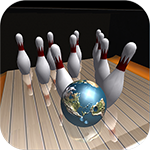
Galaxy Bowling
for Windows
3.3
Race Monitor
for Windows
3.2
MyWhoosh HD
for Windows
3.2
Cricket 24: The Official Game Of The Ashes
for Windows
3.2
REMATCH
for Windows
3.2