

- Category Entertainment
- Developer Guangzhou Chicken Run Network Technology Co.,Ltd.
- Available on Xbox console, PC, Mobile, Surface Hub, HoloLens
- OS Windows 10 version 17763.0 or higher
- Keyboard Integrated Keyboard
- Mouse Integrated Mouse
- languages Chinese (Simplified), English (United States), French, German, Italian, Japanese, Korean, Portuguese (Brazil), Russian, Spanish (Spain)
Introducing GameSir Nexus for Windows: A New Player in Game Management
The GameSir Nexus for Windows is a versatile app designed to streamline game control and enhance your gaming experience on PC, developed by Guangzhou Chicken Run Network Technology Co., Ltd. It offers a comprehensive suite of features aimed at gamers seeking easier and more customizable game management tools.
Developer and Core Highlights
Produced by Guangzhou Chicken Run Network Technology Co., Ltd, this application focuses on providing an intuitive interface for managing game controllers, customizing key mappings, and optimizing gameplay. Its main features include seamless controller integration, customizable profiles, and real-time game monitoring. The target audience comprises casual gamers, esports enthusiasts, and professional players who want more control over their gaming setup, especially those using game controllers with their Windows PCs.
Engaging and Intuitive User Interface
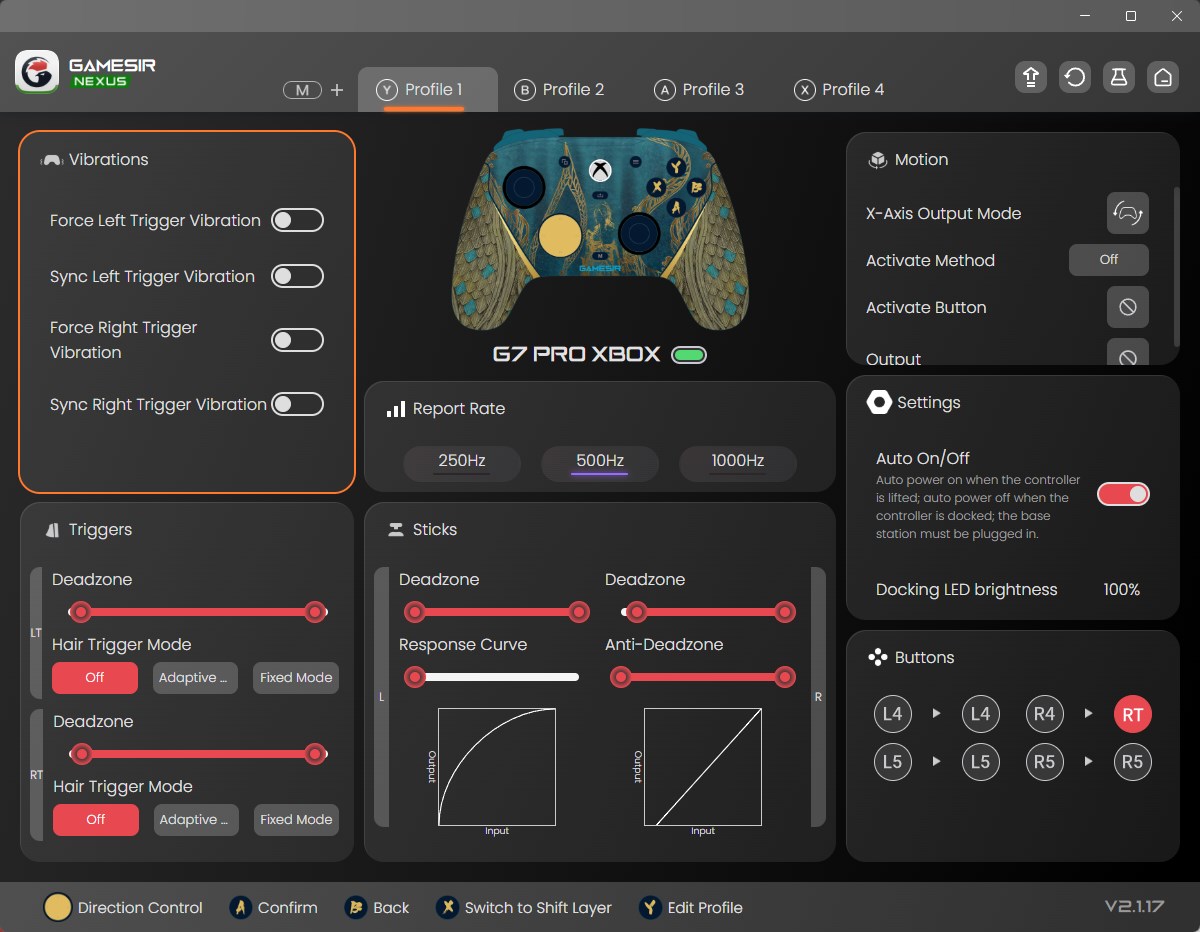
From the moment you launch GameSir Nexus, it feels like stepping into a well-organized cockpit—sleek, modern, and clutter-free. The design employs a clean layout with vibrant icons and straightforward navigation, making it easy to locate key functions even for first-time users. The interface feels responsive, with minimal lag, which is crucial during fast-paced gaming sessions. The app offers a gentle learning curve: new users can quickly familiarize themselves with its controls, while power users can explore deep customization options to fine-tune their setup.
Powerful Controller Customization and Profile Management
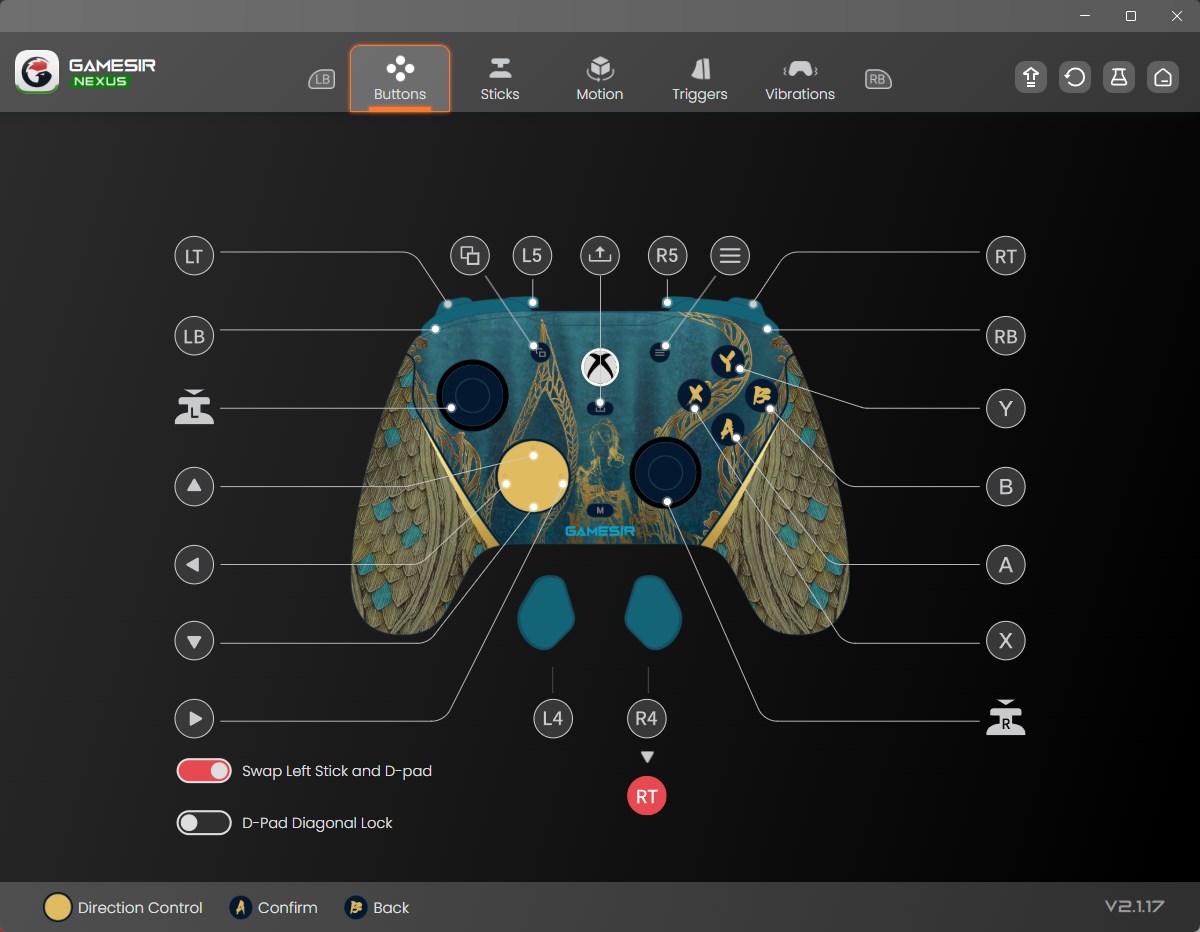
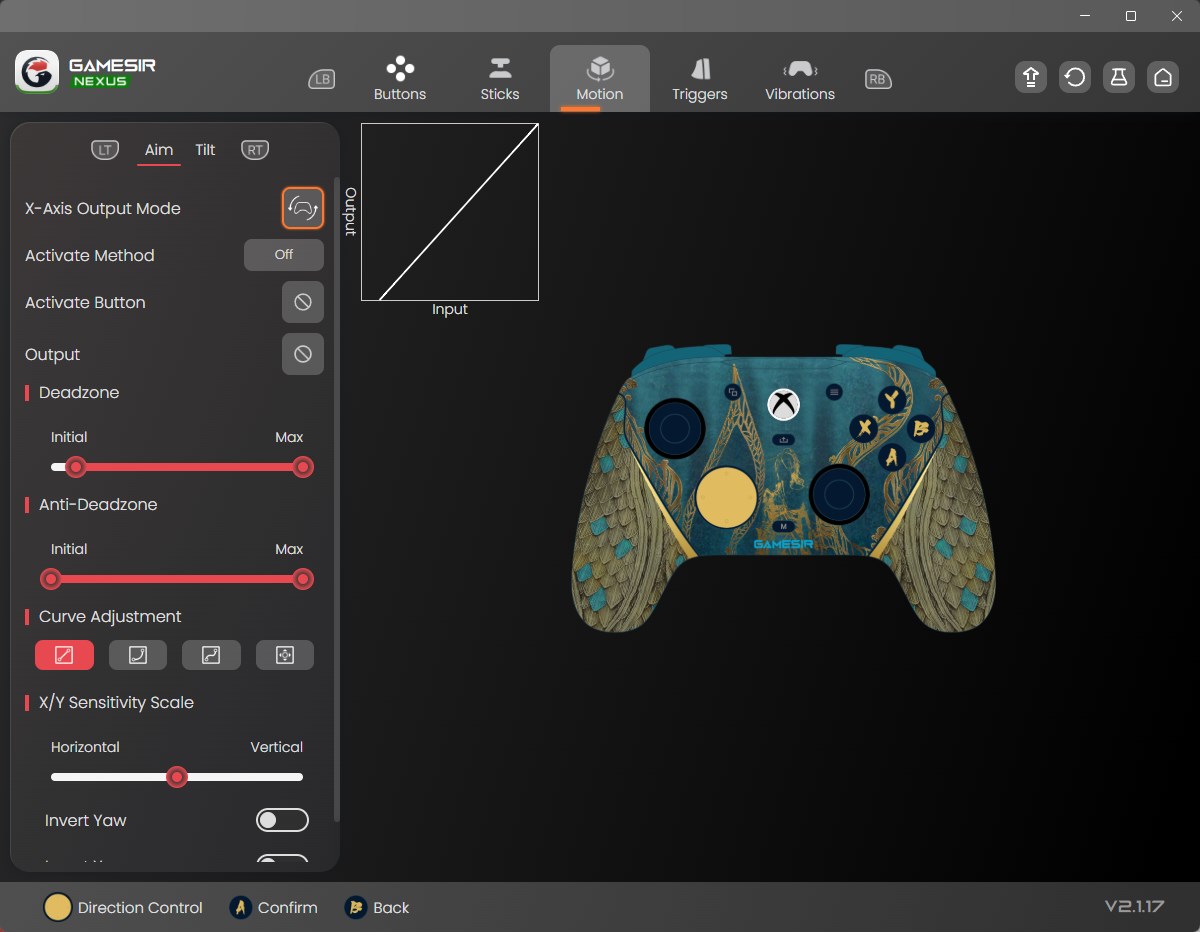
The heart of GameSir Nexus lies in its controller management abilities. It allows users to easily connect and configure multiple controllers, tailoring button mappings and sensitivity settings to match individual preferences. Imagine yourself adjusting resistance and button functions as if fine-tuning a musical instrument—every setting aligns perfectly with your playstyle. The app supports creating and switching between multiple profiles, ideal for gamers who juggle different titles or prefer different configurations for various games. This feature ensures a personalized experience that adapts seamlessly to your gaming habits.
Unique Content Discovery and Personalized Recommendations
One of the standout features of GameSir Nexus is its intelligent content discovery algorithm. Unlike typical controller management apps, Nexus offers personalized game and accessory recommendations based on your gameplay history and preferences, much like a seasoned advisor suggesting the next great adventure. This focus on tailored suggestions ensures that users spend less time searching and more time playing, which sets it apart from more generic utility apps. The app critiques standard recommendation relevance by actively refining suggestions, so you're always presented with options that truly match your taste, whether it's new controllers, game partners, or game titles.
Final Thoughts and Recommendations
Overall, GameSir Nexus for Windows is a robust, user-centric application that elevates your gaming experience by simplifying controller management and offering personalized content guidance. Its intuitive interface, combined with its deep customization capabilities and smart recommendation system, makes it particularly appealing for dedicated gamers who value both flexibility and curated content. I would recommend it to those who want a seamless, tailored gaming environment—especially if you frequently switch between different controllers or game genres. For casual users, the app provides enough features to enhance play without becoming overwhelming. For serious gamers, its advanced profile management and intelligent content suggestions may become indispensable tools.
Pros
- Intuitive user interface
- Seamless device compatibility
- Robust customization options
- Stable connectivity features
- Regular updates and support
Cons
- Occasional latency lag
- Limited device detection speed
- In-app tutorials could be clearer
- Occasional connectivity drops
- Limited language options











