

- Category Multimedia design
- Developer GIMP team
- Available on PC
- OS Windows 10 version 18362.0 or higher
- Memory 4 GB
- Keyboard Not specified
- Mouse Not specified
- languages English (United States)
GIMP for Windows: Your Free Open-Source Photo Editing Companion
If you're seeking a powerful, customizable photo editor without the hefty price tag, GIMP for Windows stands out as a reliable choice. Crafted by the dedicated GIMP team, this application brings a suite of advanced features to enthusiasts and professionals alike, all wrapped in an accessible interface that invites exploration rather than intimidation.
Meet GIMP: The Creative Workhorse in Your Digital Toolbox
GIMP (GNU Image Manipulation Program) has long been celebrated in open-source circles for its robust capabilities. Developed by the GIMP team and published under the GIMP name, this software aims to deliver professional-grade editing tools to a broad user base. Its primary strengths include layered editing with complex masking, scriptable customization for repetitive tasks, and extensive support for various file formats. Designed for artists, photographers, and hobbyists, the app empowers users to create with flexibility and precision, regardless of their skill level.
Intuitive Design Meets Professional Power
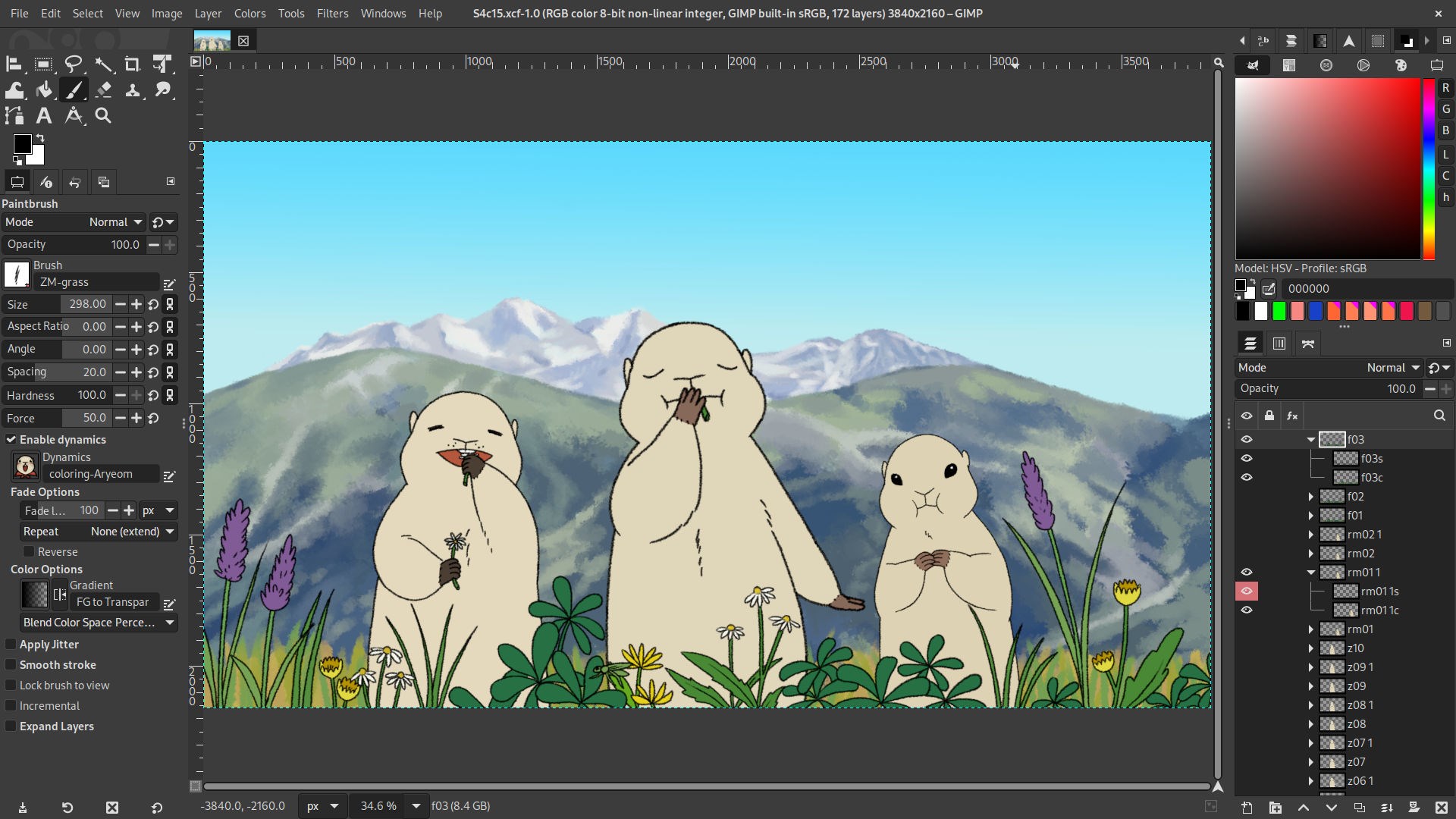
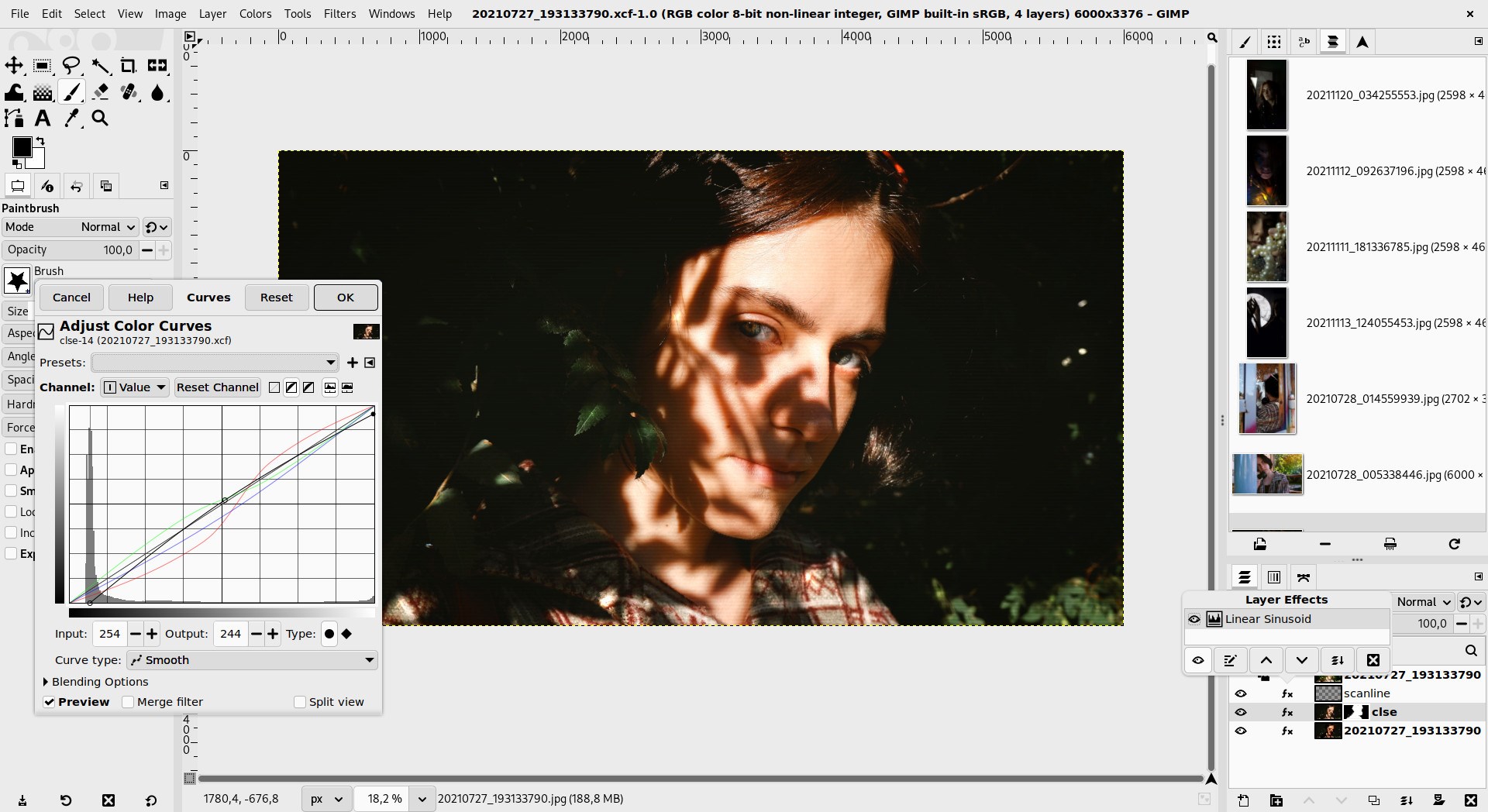
GIMP's interface resembles a familiar workshop: a large central canvas flanked by toolboxes, layers, and navigation panels. While initially it might seem a little daunting, the layout is highly customizable, allowing users to tailor their workspace for maximum efficiency. The interface's design fosters an inviting atmosphere—think of it as decluttering your artist's studio—but underneath lies a formidable toolkit that rivals many paid alternatives.
Core Functionality: Deep Dive
One of GIMP's standout features is its layered editing system. Just like stacking transparent sheets, users can work non-destructively, making it easy to experiment without risking the original image. The masking and selection tools further boost this workflow, enabling precise edits and creative effects. Another compelling aspect is its scripting facility: GIMP supports scripting languages such as Python, allowing users to automate repetitive tasks—saving time and reducing errors during complex projects.
Additionally, GIMP excels in color management and supports advanced editing with multiple color profiles, which is vital for photographers aiming for print and digital consistency. Its immense plugin ecosystem expands everything from filters to brushes, transforming GIMP from a basic editor into a versatile art studio. And for those working with raw images, GIMP integrates well with raw processing tools, closing the gap with paid software like Photoshop in certain areas.
User Experience and Unique Selling Points
GIMP's user experience is a blend of familiarity and learning opportunity. The interface retains the classic feel of professional photo editors while offering resizable, customizable panels to suit different workflows. For newcomers, the learning curve might seem steep at first—think of it as mastering a new musical instrument—but with abundant tutorials and community support, progress is quite achievable. The responsiveness of the application across typical Windows configurations is commendable, ensuring smooth operation even with large, complex files.
What truly sets GIMP apart are its open-source model and extensive customizability. Unlike proprietary apps, GIMP allows users to tweak and extend its functionality freely. Its scripting capabilities and plugin ecosystem mean that if a feature isn't available out of the box, it can often be added or tailored to individual needs. Furthermore, its comprehensive support for various formats ensures that working across different devices and platforms remains hassle-free.
Final Thoughts and Recommendations
All in all, GIMP for Windows is a formidable contender in the realm of multimedia design software. If you're comfortable with a slightly technical interface and eager to explore a community-driven project, this app offers exceptional value. It's perfect for those who prefer control and customization over simplicity—think of it as a Swiss Army knife for digital editing. For casual users seeking quick edits, it still holds up but may require some patience to fully exploit its potential.
In conclusion, I recommend GIMP for anyone looking for a free, open-source alternative that doesn't compromise on power or versatility. Whether you're adjusting photos for personal projects or diving into complex digital art, GIMP's unique strengths—especially its scripting and plugin support—make it a compelling choice. Just keep in mind that a little time investment will help you unlock its full capabilities. Happy editing!
Pros
- Powerful and versatile image editing tools
- Open-source and free to use
- Supports a wide range of file formats
- Lightweight and resource-friendly
- Extensible with plugins and scripts
Cons
- Steep learning curve for new users
- Interface can be somewhat cluttered
- Limited support for CMYK color profiles
- Occasional stability issues on certain systems
- Lack of some advanced photo retouching features found in paid software










