
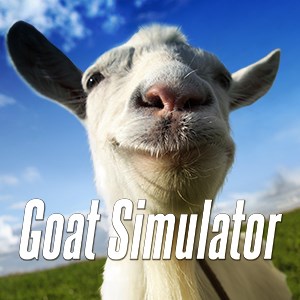
Frequently Asked Questions
How do I start playing Goat Simulator on Windows 10?
Download the app from the Microsoft Store, install it, then launch the game from your start menu or desktop shortcut to begin your goat wrecking adventure.
What are the basic controls in Goat Simulator?
Use your keyboard or controller to move, jump, and cause destruction. Specific controls can be customized in in-game settings under Options > Controls.
Can I customize my goat or gameplay settings?
Yes, access in-game settings via the pause menu to adjust graphics, controls, or enable cheats for a customized experience.
What are the main features of Goat Simulator?
You can cause chaos as a goat, earn points for wrecking things, experience hilarious bugs, and enjoy physics-based fun with over-the-top goat antics.
How do I earn points and compare scores?
Destroy objects, perform tricks, and wreck stuff creatively. Your points are displayed on the screen, allowing you to brag to friends via leaderboards or screenshots.
Are there any in-game purchases or subscriptions?
The game is primarily a one-time purchase without subscriptions. Check the store page for optional DLCs or updates, which can be purchased via the in-game store or Microsoft Store.
Is Goat Simulator free or paid?
Goat Simulator for Windows 10 is a paid game. Verify the current price on the Microsoft Store before purchasing.
My game keeps crashing, what should I do?
Ensure your graphics drivers are up to date, verify game files via the Microsoft Store, and restart your PC to fix common crash issues.
Can I play Goat Simulator offline?
Yes, once installed, the game can be played offline without requiring an internet connection.
Does Goat Simulator support multiplayer?
Currently, Goat Simulator is a single-player game; multiplayer features are not supported in this version.
You May Like

Red Dead Redemption (PC)
for Windows
5
Solo Leveling: ARISE OVERDRIVE
for Windows
4.9
Criminal Case: The Conspiracy
for Windows
4.8
DesignVille: Merge & Design
for Windows
4.8
Minecraft: Java & Bedrock Edition Deluxe Collection
for Windows
4.8
Subnautica
for Windows
4.8
Vampire Survivors
for Windows
4.8
Little Kitty, Big City
for Windows
4.8
Hollow Knight: Voidheart Edition
for Windows
4.8
bloxd.io
for Windows
4.8
Sunset Overdrive
for Windows
4.8
Criminal Case: Mysteries of the Past
for Windows
4.8