
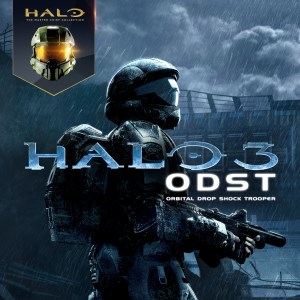
Frequently Asked Questions
How do I install Halo 3: ODST on my PC from the Master Chief Collection?
Download Xbox App or Microsoft Store, locate Halo: The Master Chief Collection, and follow installation prompts to install all included games, including ODST.
What are the minimum system requirements to run Halo 3: ODST smoothly on PC?
Check the official system requirements in the game's store page to ensure your hardware meets the minimum specs for optimal performance.
How can I customize my controls for better gameplay?
Go to Settings > Controls to customize mouse, keyboard, and key bindings for a personalized gaming experience.
Does Halo 3: ODST support advanced display settings like ultrawide and FOV adjustment?
Yes, access Settings > Graphics to enable ultrawide support and customize your Field of View (FOV) according to your preferences.
What is Firefight mode, and how do I start playing it?
Firefight is a cooperative wave-based mode. Access it from the main menu, and join online or local matches to fight Covenant invaders.
Can I play Halo 3: ODST offline or do I need an internet connection?
You can play the campaign offline after installation, but multiplayer features like Firefight require an internet connection.
Are there any in-game purchases or subscriptions required to enjoy all features?
No, Halo 3: ODST within MCC is fully available after purchase; no additional subscriptions are needed for core gameplay.
How do I access multiplayer or co-op modes in Halo 3: ODST?
Navigate to the Multiplayer or Firefight menu from the main screen, select online matchmaking or custom game, and join your preferred session.
How do I troubleshoot performance issues or crashes during gameplay?
Ensure your PC meets system requirements, keep graphics drivers updated, and adjust in-game settings to improve stability and FPS.
You May Like

DOOM + DOOM II
for Windows
4.8
Deep Rock Galactic - Ultimate Edition
for Windows
4.7
Roboquest
for Windows
4.7
Deep Rock Galactic - Deluxe Edition
for Windows
4.7
Quake II
for Windows
4.7
Deep Rock Galactic
for Windows
4.7
Enter The Gungeon
for Windows
4.6
Mech Arena
for Windows
4.6
Gears of War 4
for Windows
4.6
Gears 5
for Windows
4.6
Gears 5 Game of the Year Edition
for Windows
4.5
Brotato
for Windows
4.5