
Frequently Asked Questions
How do I set this theme as my desktop background?
Open the app, go to the 'Themes' section, select 'Halo Drift,' then tap 'Apply' to set it as your desktop background.
Can I customize the colors or images within the theme?
This theme is fixed with preset images and gradients; customization options are not available currently.
How do I activate the celestial arcs and light flow effects?
Navigate to 'Settings' > 'Visual Effects,' enable 'Celestial Arcs' and 'Light Flow' options to enhance the experience.
What are the main features included in this free theme?
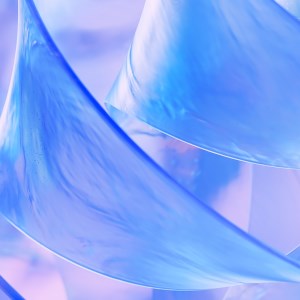
It offers 4 abstract images with soft blue and violet gradients, creating a serene, futuristic ambiance for your desktop.
Are there additional themes or images I can download?
Additional images or themes are not available within this app; it provides a complete package for free.
Is this app free, or are there in-app purchases?
Halo Drift is completely free; there are no in-app purchases or subscription requirements.
Do I need a subscription to access all features?
No, all features and images are included for free; a subscription is not necessary.
How do I upgrade or get premium features if available?
Currently, this app offers only free content; no upgrade or premium features are available.
What should I do if the theme does not apply correctly?
Restart your device or reapply the theme through 'Settings' > 'Themes' to troubleshoot minor issues.
You May Like

Blooming Dimensions
for Windows
5
Monotype Handwriting Font Pack
for Windows
5
Hues of Nature
for Windows
5
Dreamscapes
for Windows
5
Tales of the Teenage Mutant Ninja Turtles Theme
for Windows
5
Neon Dreams
for Windows
4.9
Cats Anytime
for Windows
4.9
Japanese Landscapes
for Windows
4.9
Sun and Sand
for Windows
4.9
Live Wallpaper Engine Plus
for Windows
4.8
Chicks and Bunnies
for Windows
4.8
Mountain Dwellings
for Windows
4.8