

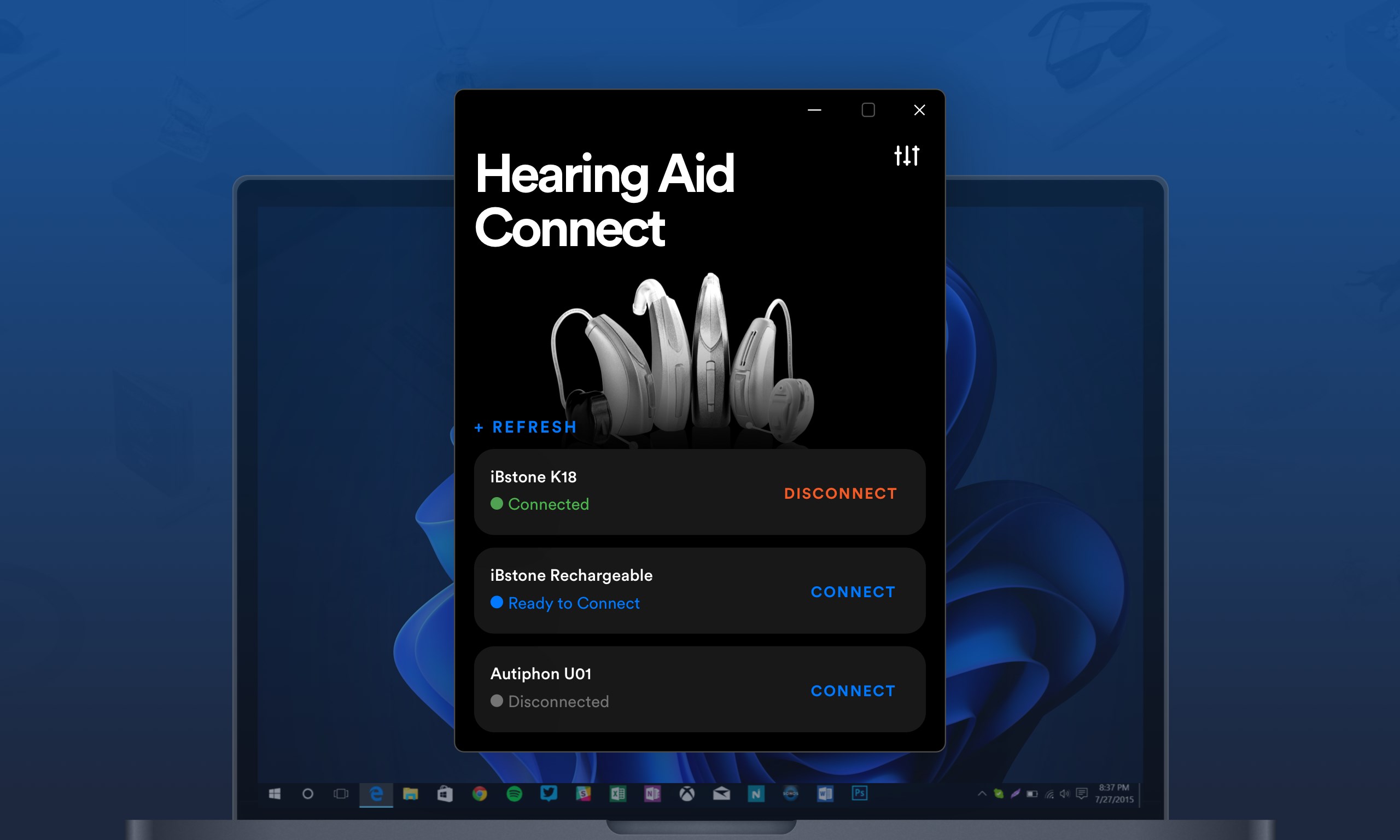
- Category Business
- Available on PC, Mobile, Surface Hub, HoloLens
- OS Windows 10 version 17763.0 or higher
- Keyboard Integrated Keyboard
- Mouse Integrated Mouse
- languages English (United States)
Hearing Aid Remote Plus for Windows: Your Personal Hearing Assistant
If you're looking for a reliable and user-friendly solution to manage your hearing devices seamlessly on your Windows PC, Hearing Aid Remote Plus by Audio Solutions offers a promising interface backed by thoughtful features. Designed to cater to individuals with hearing aids, this app aims to simplify device control while enhancing your audio experience without the need for cumbersome hardware adjustments.
Core Information and Target Audience
Hearing Aid Remote Plus is a specialized application developed by Audio Solutions intended to facilitate remote management and customization of hearing aids directly through your Windows device. Its primary strength lies in offering intuitive control over hearing aid settings, allowing users to adjust volume, change programs, and fine-tune audio parameters effortlessly.
The developer, Audio Solutions, is dedicated to creating accessible hearing enhancement tools that integrate technology seamlessly. This app's main features include real-time device adjustments, easy preset management, and compatibility with a variety of hearing aid models.
Designed for individuals using hearing aids who desire a convenient control method without constantly relying on embedded device buttons, this app is particularly useful for tech-savvy seniors, audiology clinics, and caregivers seeking remote device configuration assistance.
A Bright Spot in Hearing Management: An Engaging Introduction
Imagine slipping into your favorite chair after a long day, eager to unwind and clarify the world around you. With Hearing Aid Remote Plus, tuning into your environment becomes as effortless as flipping a switch on your laptop—no more fiddling with small buttons on tiny devices. It transforms your Windows PC into a command center for your hearing aids, making adjustments feel as natural as adjusting a volume knob on your stereo. This app bridges the digital and auditory worlds smoothly, offering a straightforward yet powerful tool tailored for everyday users.
Customizable Control at Your Fingertips: Managing Hearing Aid Settings
The heart of Hearing Aid Remote Plus lies in its ability to let users easily modify their hearing aid profiles. Through a clean, organized interface, users can select various preset programs, such as "Noisy Environment," "Quiet Room," or "Outdoor." These presets can be customized and saved for quick access, which means no more manual adjustments on tiny device controls. It's like having a personal hearing clinician at your fingertips, ready to adapt your hearing experience to your surroundings with just a few clicks.
The real standout feature here is the intelligent synchronization with compatible hearing aids, ensuring that changes made on your Windows device are instantaneously transmitted to your device. This real-time feedback loop offers a seamless experience that's both efficient and comforting—think of it as tuning your acoustic environment as easily as adjusting your earbuds' volume.
Intuitive Interface and User Experience: Friendly for Beginners and Tech Veterans Alike
From the moment you open Hearing Aid Remote Plus, it's clear that user experience was a priority. The interface is sleek, with large buttons and intuitive icons that mimic familiar controls—no steep learning curve here. During testing, the app responded swiftly to commands, providing immediate changes in device output, akin to having a quick chat with your hearing aids about your listening needs.
Setup is straightforward, with clear instructions guiding users through Bluetooth pairing and connection configuration. The app's stability and responsiveness are commendable, and even those less familiar with technology found the process accessible. The overall design emphasizes simplicity without sacrificing functionality, which is essential for a tool of this nature.
Standing Out in a Crowded Marketplace: What Makes This App Unique
Compared to other remote hearing aid management apps, Hearing Aid Remote Plus distinguishes itself with two notable features. First, its exceptional compatibility with a wide range of hearing aid models—thanks to robust Bluetooth integration—means you're not locked into a specific brand or device. Second, its focus on collaborative features allows users to share device settings with caregivers or audiologists remotely, creating a more integrated support system. This aspect transforms the app from a mere control panel into a collaborative platform, akin to having a remote consultation where adjustments are made in real time, based on direct feedback.
Final Recommendations: Who Should Use This App?
Hearing Aid Remote Plus earns a solid recommendation for users seeking an accessible, stable, and feature-rich tool to manage their hearing aids. Its intuitive interface and real-time control capabilities make it especially beneficial for older adults comfortable with basic technology, as well as healthcare providers facilitating remote device tuning.
For those pondering whether to incorporate it into their hearing management routine, consider your device compatibility and whether remote collaborative features are a priority. Overall, it's a dependable app that brings a layer of convenience and customization, making everyday hearing adjustments feel less like a chore and more like a personalized experience.
Pros
- Seamless connectivity with hearing aids
- Intuitive user interface
- Customizable sound settings
- Real-time remote adjustments
- Battery status monitoring
Cons
- Limited device compatibility
- Occasional connection drops
- Steep learning curve for advanced features
- Requires consistent internet access for updates
- Battery consumption slightly high











