

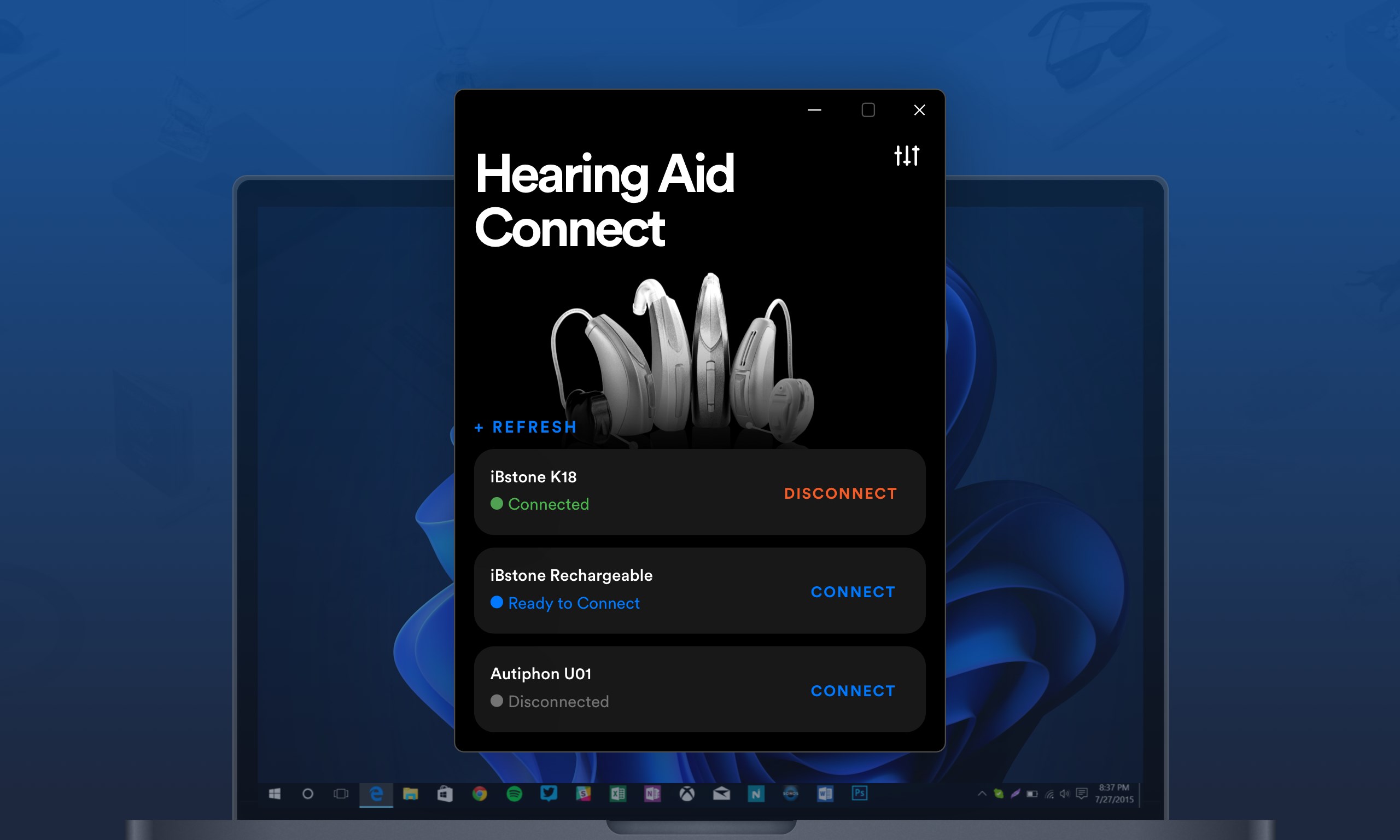
- Category Business
- Available on PC, Mobile, Surface Hub, HoloLens
- OS Windows 10 version 17763.0 or higher
- Keyboard Integrated Keyboard
- Mouse Integrated Mouse
- languages English (United States)
Hearing Control App for Windows: A Clear-Cut Solution for Sound Management
The Hearing Control App by Audio Solutions stands out as a straightforward and effective tool designed to enhance your audio experiences on Windows devices, primarily targeting those who need precise sound control or assistance with hearing sensitivities.
Basic Information: Who, What, and Why
Positioned as an easy-to-use sound management tool, Hearing Control App aims to give users the power to fine-tune their audio environment seamlessly. Developed by Audio Solutions, a team specializing in audio enhancement and accessibility applications, the app combines intuitive design with robust features.
- Main Highlights:
- Customizable sound profiles allowing users to tailor audio levels per environment or activity.
- Automatic noise filtering features to reduce unwanted ambient sounds.
- Intelligent feedback mechanisms that adapt based on user preferences.
- Supports collaborative work with features that enable sharing settings or profiles among users.
The app predominantly targets individuals with hearing sensitivities, audiophiles seeking precise audio control, and professionals who require adjustable sound management for work, such as editors or broadcasters.
First Impressions: A User-Friendly Sound Sanctuary
From the moment you open the Hearing Control App, you're greeted with a sleek, minimalist interface that feels more like stepping into a cozy control room than navigating a stiff digital tool. Its clean layout and intuitive controls make the experience feel like chatting with a knowledgeable friend rather than wrestling with complicated menus. Whether you're a tech novice or a savvy audiophile, the app invites you to explore without hesitation.
Core Features: Precision Sound Management in Action
Customized Sound Profiles: Your Personal Audio Palette
This feature acts like a remote control for your hearing environment. With the app, you can create multiple profiles tailored for different scenarios—working, relaxing, traveling, or attending meetings. Adjust the volume, bass, treble, and noise filtering levels with simple sliders or presets. The real magic is how these profiles can be switched automatically depending on your location or connected devices, ensuring your preferred sound environment is always at your fingertips, making your audio landscape as personalized as a bespoke suit.
Intelligent Noise Filtering and Feedback Control
The app's noise filtering is akin to having a digital sound technician sitting beside you, gently turning down distracting background noise. It intelligently detects ambient sounds and suppresses the unwanted, giving clarity to voices or music. This feature greatly benefits users in noisy settings or those who require clearer audio for communication or concentration. The feedback control further fine-tunes the experience by adapting to your hearing environment, making adjustments on the fly without you needing to lift a finger.
Experience and Differentiation: More Than Just Sound Tuning
Beyond basic functionality, Hearing Control App excels in its seamless user experience. The interface is smooth and responsive, with operations that flow naturally—like gliding your cursor along a well-oiled track. The learning curve is gentle; seasoned users can delve into advanced settings with ease, while newcomers can enjoy quick setup with guided presets.
Compared to similar applications, this app's standout feature is its collaborative aspect. It enables users to share audio profiles and settings with colleagues or family members using easy-to-understand sharing options—think of it as a playlist playlist-sharing but for sound preferences. This collaborative approach transforms a solitary experience into a shared one, perfect for workplaces or households with multiple users.
Final Verdict: A Solid Choice for Personalized Audio Control
All in all, Hearing Control App offers a balanced blend of straightforward usability and sophisticated features. Its best-known strength—adaptive noise filtering combined with customizable profiles—makes it particularly suitable for those needing tailored sound management, whether for accessibility or enhanced listening. With its user-friendly interface and collaborative functionalities, it's highly recommended for individuals who value clarity and flexibility in their audio environment.
For anyone seeking a dependable, easy-to-navigate sound control solution on Windows, this app deserves serious consideration. It's like having a personal sound engineer in your pocket, ready to optimize your auditory experience at a moment's notice.
Pros
- User-friendly interface
- Customizable hearing profiles
- Real-time sound monitoring
- Compatibility with Microsoft devices
- Accessible customer support
Cons
- Limited device compatibility
- Occasional lag in real-time adjustments
- Requires a stable internet connection for updates
- Limited customization options for advanced users
- Some users report initial setup difficulty











