

- Category Photo & video
- Developer HEIC
- Available on PC
- OS Windows 10 version 14393.0 or higher
- languages Chinese (Simplified), Dutch, English (United States), French, German, Italian, Japanese, Korean, Portuguese (Brazil), Russian, Spanish
Discovering HEIC for Windows: A Fresh Take on Image Management
If you've ever found yourself muddling through various image formats, HEIC for Windows offers a seamless gateway to viewing and managing your HEIC images effortlessly. Designed with simplicity and efficiency in mind, this app transforms how Windows users handle high-efficiency image files, making it a handy tool for both casual photographers and professionals alike.
About the Developer and Core Features
Developed and published by HEIC, a dedicated team focused on optimizing visual media tools, HEIC for Windows emphasizes ease of use and compatibility. Its main features include quick and beautiful image previews, batch conversion capabilities, and smooth integration into Windows' native environment. These functionalities aim to bridge the gap between innovative image formats and user-friendly accessibility, especially vital as HEIC gains popularity for its superior compression and quality.
Engaging and Practical Interface Design
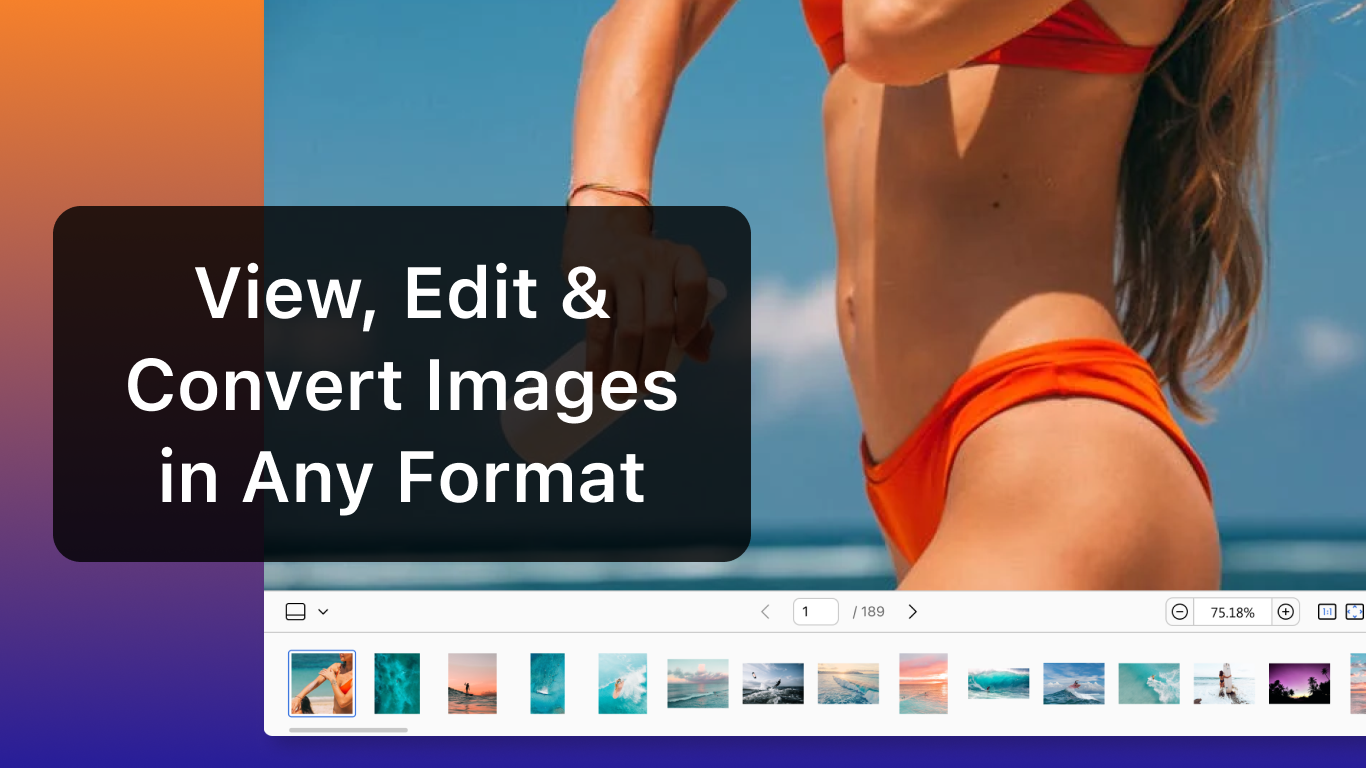
From the moment you open HEIC for Windows, the interface greets you with a clean and intuitive layout—think of it as walking into a well-organized art gallery where everything is at your fingertips. The design employs soft color schemes and clear icons, making navigation feel natural rather than cumbersome. This interface strikes a perfect balance: visually pleasing yet highly functional. Users will find the learning curve minimal; even those new to HEIC can quickly grasp how to open, browse, and convert images without fuss.
Core Functionality: Viewing, Conversion, and Customization
The app's most prominent feature is its high-quality image viewer. Unlike basic photo viewers, HEIC for Windows provides crisp previews that showcase the true potential of the HEIC format—highlighting its ability to deliver high resolution with smaller file sizes. This is especially beneficial when managing large photo libraries.
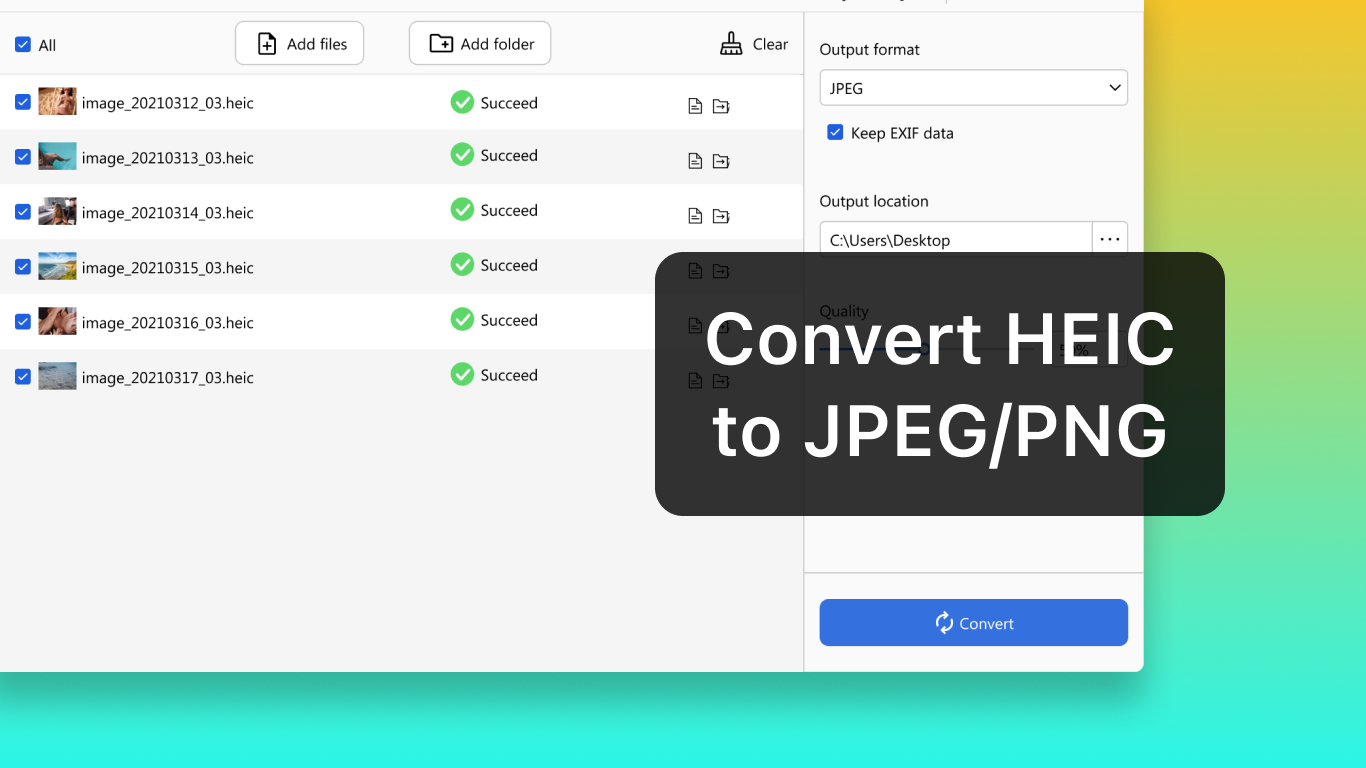
Another standout feature is its batch conversion tool. Imagine having a conveyor belt where you can effortlessly transform an entire folder of HEIC images into traditional formats like JPEG or PNG—saving significant time during editing or sharing. The process is straightforward and reliable, with options for customizing output quality, ensuring you maintain control over your images.
The app also excels in integrating with Windows' context menus and file explorer, enabling quick actions without launching a separate program. This seamless workflow reduces the usual friction found in other apps, making image management feel as effortless as gliding along a smooth, well-paved road.
Comparing to Other Photo & Video Apps
While many photo viewers and converters exist, HEIC for Windows distinguishes itself with its focus on the HEIC format's unique needs. Unlike generic image tools that treat HEIC as an afterthought, this app is optimized specifically for it. Its standout feature—the ability to preview images in their true quality without complex setup—sets it apart. Additionally, its batch processing is faster and more user-friendly than many competitors, which often require convoluted steps or separate plugins. This targeted approach makes HEIC for Windows a go-to solution for anyone who deals with HEIC images regularly, whether capturing in the latest iOS devices or managing high-efficiency backups.
Recommendation and Final Thoughts
Overall, HEIC for Windows earns a solid recommendation for users seeking a straightforward, reliable tool for viewing and converting HEIC images. It's particularly suitable for photographers, content managers, or casual users who want to embrace the HEIC format without compromising on ease of use. As high-efficiency formats become more prevalent, having an app that handles them with such clarity and speed will streamline your workflow and keep your photo library organized.
While it may not replace more comprehensive photo editing or intensive management tools, HEIC for Windows shines in its niche—offering a focused, well-crafted experience. If you're navigating the transition to HEIC or just want a lightweight way to access these files, this application deserves a spot in your digital toolkit—trust me, it's like having a friendly, tech-savvy assistant at your side, ready to clear the path to beautiful images with minimal fuss.
Pros
- User-friendly interface
- Fast conversion speed
- Supports batch processing
- High-quality output
- Compatibility with various formats
Cons
- Limited editing features
- Requires internet connection for some features
- Occasional crashes during batch processing
- Limited customization options
- No macOS support (only Windows)










