

- Category Photo & video
- Available on PC, Surface Hub, HoloLens
- OS Windows 10 version 17763.0 or higher
- languages English (United States)
Introducing HEIC Image Converter: Your Ultimate Tool for Image Format Conversion
In a digital age where image formats are as diverse as the colors in a sunset, HEIC Image Converter by SoftPard Tech emerges as a reliable and user-friendly solution to bridge compatibility gaps. Whether you're a photographer, casual user, or professional needing swift format transformations, this app promises a straightforward experience tailored for Windows users.
Core Highlights and Major Features
- Multi-Format Conversion: Seamlessly convert HEIC images to popular formats like JPEG, PNG, BMP, and GIF, ensuring your pictures are viewable across various devices and platforms.
- Bulk Processing Capability: Save time with batch conversions—perfect for photographers or users handling large image libraries.
- Simple and Intuitive Interface: Designed with user experience in mind, even newcomers find it easy to navigate through conversion tasks.
- Preservation of Image Quality: Maintains high fidelity during conversions, so your images remain vibrant and crisp.
A Colorful Introduction: Bringing Photos to Life with Ease
Imagine flipping through your photo gallery after a vacation, only to realize some of your favorite shots are saved in HEIC format, which your Windows device struggles to display. HEIC Image Converter swoops in like a skilled artisan, transforming those elusive images into familiar formats in just a few clicks. This app isn't just about change—it's about empowering users to unlock the full potential of their photo collections without hassle or technical stress.
Delving into the Core Features
Effortless Format Conversions with a User-Friendly Approach
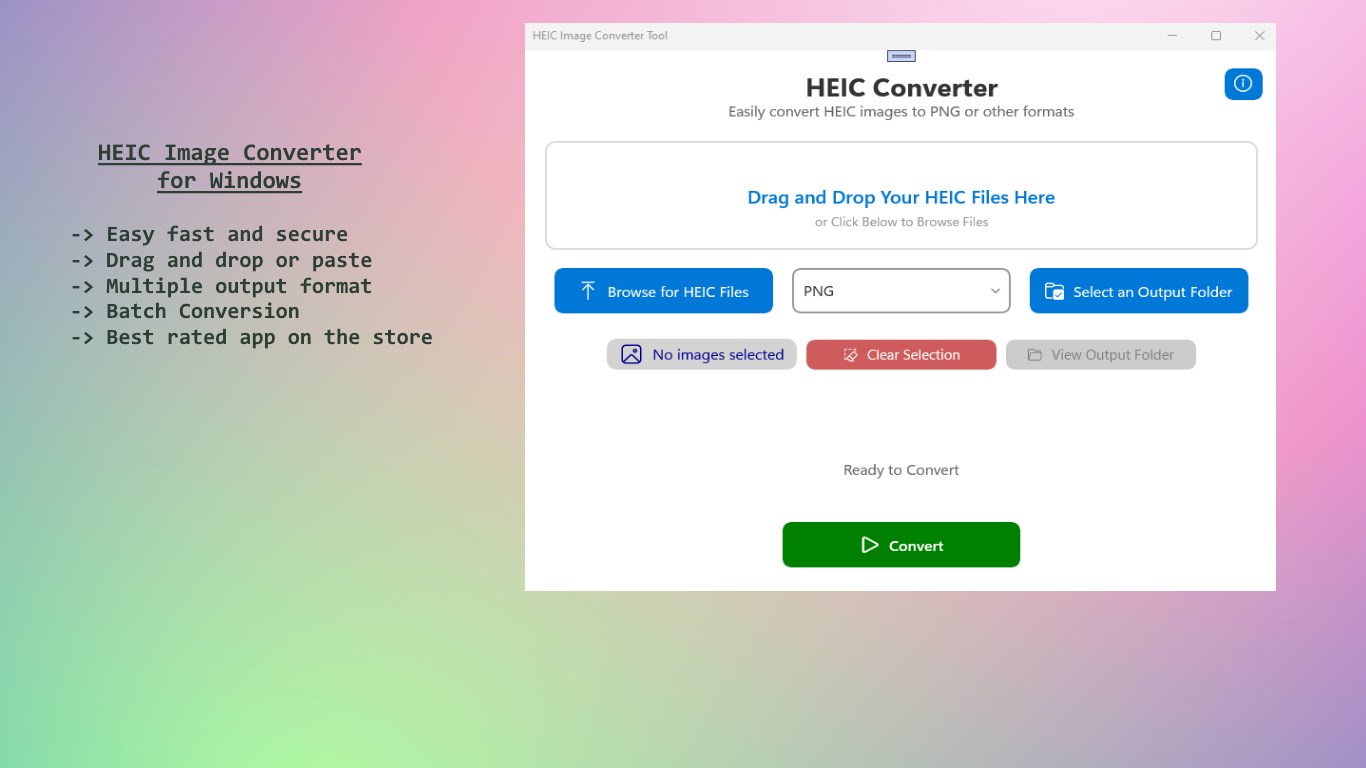
The standout feature of HEIC Image Converter is its ability to convert HEIC files to universally compatible formats such as JPEG and PNG with minimal fuss. The process is as straightforward as dragging and dropping images into the interface, selecting the desired output format, and hitting convert. For those with extensive photo libraries, the batch processing capability shines, allowing multiple images to be transformed simultaneously. This feature is akin to having a personal photo studio that works overnight, saving you hours of tedious work.
Uncomplicated Interface and Smooth Operation
The app embraces a clean, minimalistic design that eliminates clutter, making it accessible to both tech-savvy users and novices. The navigation is intuitive—buttons are clearly labeled, and workflows flow logically, reducing the learning curve. The converter operates smoothly in the background, providing quick results without lag or crashes. This level of stability assures users that their valuable images are in safe hands, fostering confidence in the application's reliability.
What Sets It Apart: The Heart of Its Uniqueness
While many image converters offer similar basic functionalities, HEIC Image Converter's distinctive edge lies in its focus on HEIC-specific processing combined with high-quality output preservation. Unlike some competitors that compromise image resolution or add watermarks, this app maintains image fidelity—crucial for professional photographers and meticulous enthusiasts. Additionally, its efficient batch processing and straightforward user interface make it accessible without sacrificing power, setting it apart in a crowded market.
Final Thoughts and Recommendations
Overall, HEIC Image Converter by SoftPard Tech is a practical choice for Windows users who frequently handle HEIC images and seek a hassle-free conversion tool. Its emphasis on preserving image quality, coupled with ease of use and batch processing, makes it stand out among basic converters. I recommend this app for anyone needing reliable, fast, and high-quality image format conversions—especially if you deal with large photo libraries regularly. It's a tool that acts like a friendly assistant, streamlining your workflow without technical headaches.
Pros
- User-friendly interface
- Supports multiple formats
- Batch processing capability
- Fast conversion speed
- No additional software needed
Cons
- Limited output customization
- Lack of editing features
- No cloud integration
- Occasional compatibility issues
- Basic error handling











