
- Category Photo & video
- Developer Duckhead Software
- Available on PC, Mobile, Surface Hub, HoloLens
- OS Windows 10 version 19041.0 or higher
- languages English (United States)
Introducing HEIC Viewer for Windows: Your Go-To Solution for HEIC Image Enjoyment
Ever found yourself overwhelmed by the plethora of image formats, especially the elusive HEIC files that apple devices produce? HEIC Viewer for Windows by Duckhead Software steps in as a reliable and efficient helper, making HEIC images accessible and easily viewable on your Windows PC without fuss or technical hurdles. This lightweight app is designed to streamline your photo viewing experience, transforming complex formats into visual stories with just a few clicks.
About the Developer and Core Highlights
Developed and published by Duckhead Software, a team dedicated to creating user-friendly utility tools, HEIC Viewer for Windows aims to bridge the gap between high-efficiency image formats and everyday users. Key features that set this app apart include:
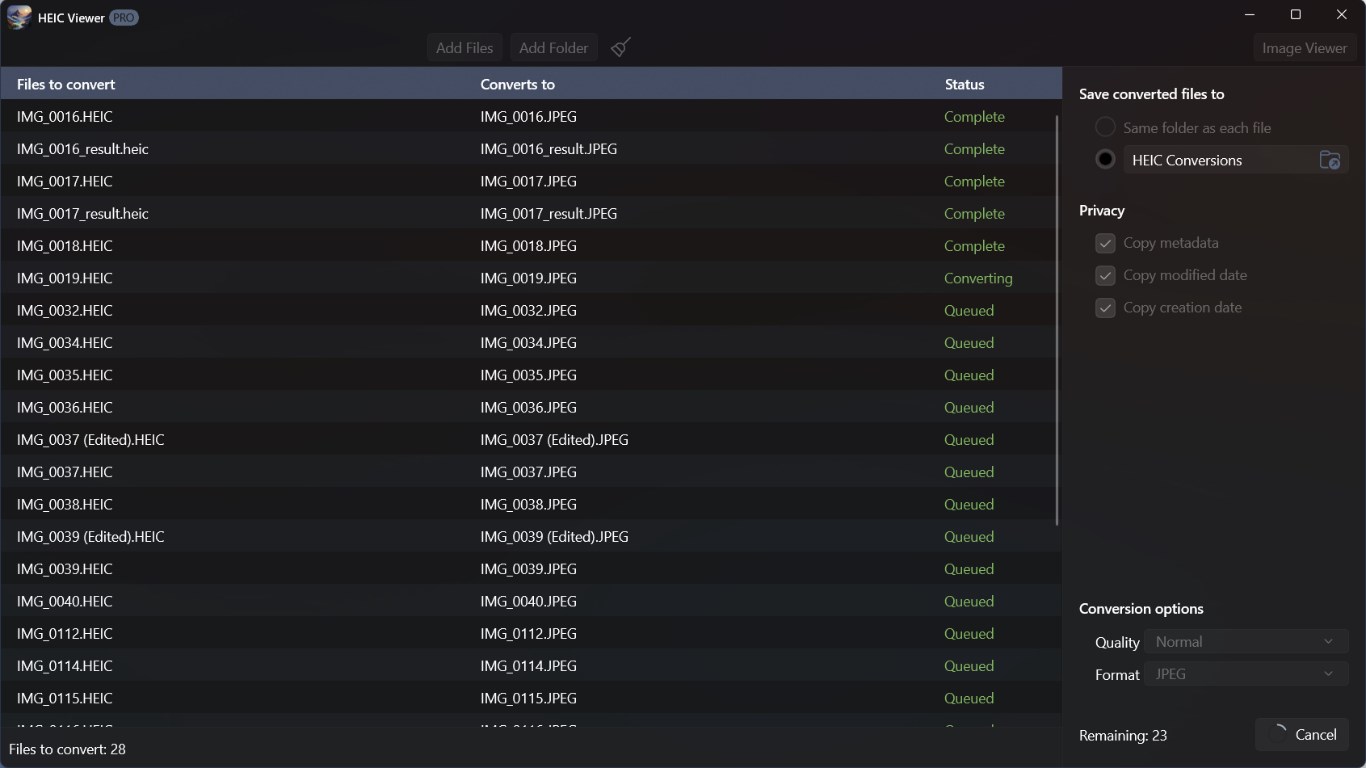
- Seamless HEIC to JPEG Conversion: Convert images effortlessly for broader compatibility.
- Batch Viewing and Management: Handle multiple HEIC files simultaneously without breaking a sweat.
- Lightweight and Fast: Minimal resource usage ensures quick startup and smooth experience.
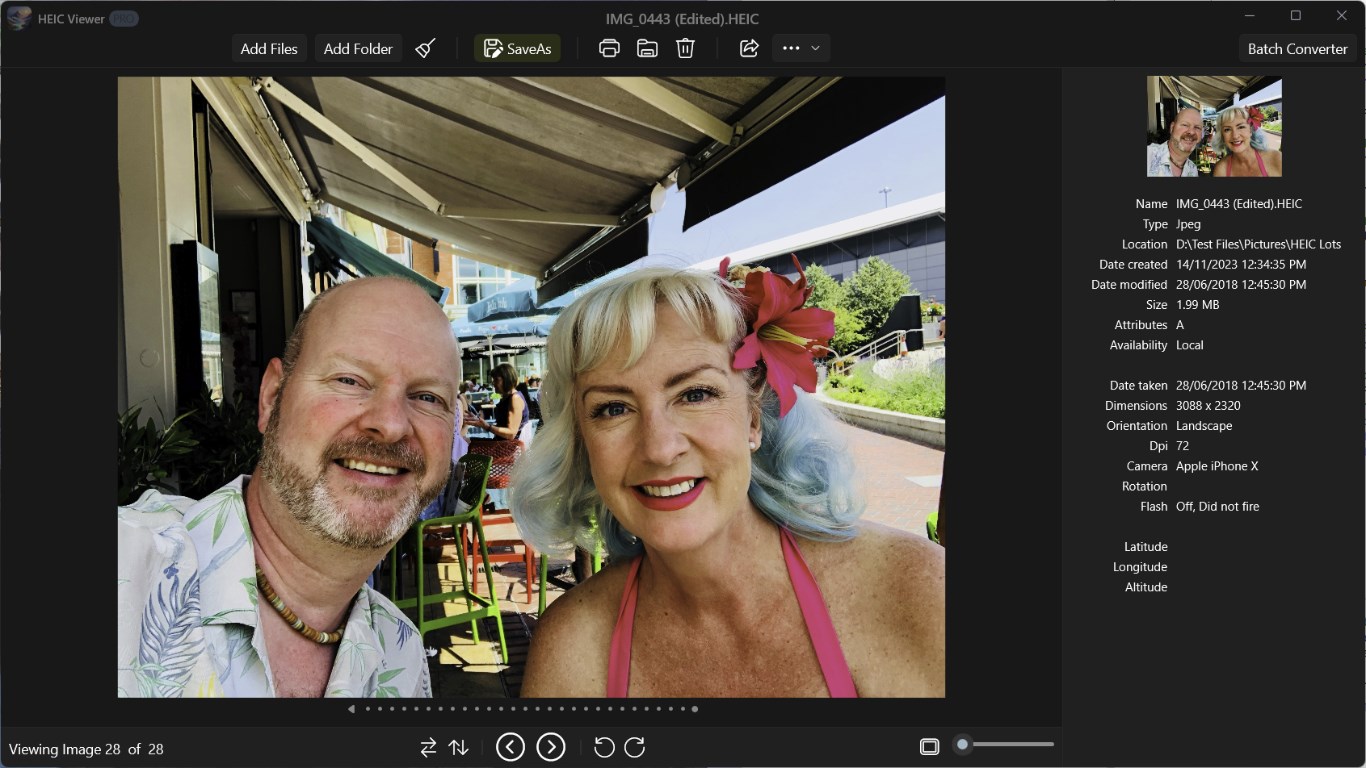
- Integrated Image Preview: View multiple images as thumbnails for easy browsing.
Designed for casual users, photographers, and anyone who deals with HEIC files regularly, this app strives to provide an accessible solution without sacrificing efficiency.
Vivid First Impressions and User Experience
Opening HEIC Viewer for Windows feels like unboxing a neatly wrapped gift—immediately intuitive yet surprisingly powerful. The sleek, modern interface welcomes you with a clean layout, making navigation feel natural, like flipping through a photo album. No complicated menus or confusing options, just a straightforward experience that invites you in. The application's responsiveness impresses; images load swiftly, and transitions between folders feel like turning pages in a well-loved photo book.
Core Functionality: Viewing & Managing HEIC Files
The heart of HEIC Viewer lies in its simple yet effective viewing capabilities. Users can open individual HEIC images with a click, enabling quick previews without the need for cumbersome conversion tools. The thumbnail view offers an overview of multiple images, perfect for selecting the best shot or organizing albums. Additionally, batch operations—such as multiple file viewing—are smooth, making the app an excellent choice for photographers managing large archives.
Core Functionality: Conversion & Compatibility Enhancement
One standout aspect of HEIC Viewer is its ability to convert HEIC images to more universally compatible formats like JPEG. This process is straightforward—select images, choose the output format, and let the app handle the rest. The conversion process is quick and preserves image quality well, essential for professional uses or sharing with friends who might not support HEIC. This dual approach of viewing and converting makes the app more than just a viewer—it's a handy toolkit for HEIC management.
User Experience, Unique Selling Points, and Final Verdict
From a design perspective, HEIC Viewer offers a balance of elegance and practicality. Its minimalistic approach ensures users aren't bogged down by unnecessary features, focusing instead on core functionality. The app runs smoothly on various hardware configurations, demonstrating thoughtful optimization that keeps operations lag-free, akin to gliding on a freshly polished ice rink.
Compared to other photo viewing apps, HEIC Viewer stands out with its dedicated HEIC handling capabilities, especially the built-in conversion feature. Many generic viewers are either slow or require external converters, but this app integrates both seamlessly, saving time and simplifying workflows. It's like having a Swiss army knife for HEIC images—compact, versatile, and reliable.
For casual users or professionals working with Apple-derived images, I'd recommend giving HEIC Viewer a try. It's simple to operate, efficient, and addresses a niche that's often overlooked in broader image apps. While it may not replace comprehensive photo editing software, for rapid viewing and conversion tasks, it's a practical companion.
Overall, HEIC Viewer for Windows earns a solid recommendation—especially if managing HEIC images is a common part of your digital life. Its unique edge lies in combining speed, ease of use, and dedicated format support, making it a standout in the crowded field of photo viewers.
Pros
- High-quality HEIC image rendering
- Simple and user-friendly interface
- Fast loading times
- Support for batch viewing
- Lightweight and minimal resource usage
Cons
- Limited file format support
- Basic annotation features missing
- No built-in image editing tools
- No support for multiple languages
- Some compatibility issues with older Windows versions











