



- Category Productivity
- Developer Media AI Center
- Available on PC, Mobile, Surface Hub, HoloLens
- OS Windows 10 version 17763.0 or higher
- languages English (United States)
Introducing HEVC Player for Windows: A Sleek Solution for Efficient Video Playback
HEVC Player for Windows by Media AI Center is a dedicated media application designed to deliver smooth, high-quality video playback by leveraging cutting-edge codec technology. Its focus on simplicity combined with robust performance aims to enhance users' multimedia experience without unnecessary clutter.
Core Features That Make It Stand Out
Optimized HEVC (H.265) Video Playback
The app specializes in decoding HEVC videos, which are known for their high compression efficiency. This means users can enjoy crystal-clear 4K and HDR content without stressing their system resources. It's like having a high-end video player that adapts seamlessly to various high-resolution media files, ensuring minimal buffering and maximum visual fidelity.
User-Friendly Interface & Effortless Navigation
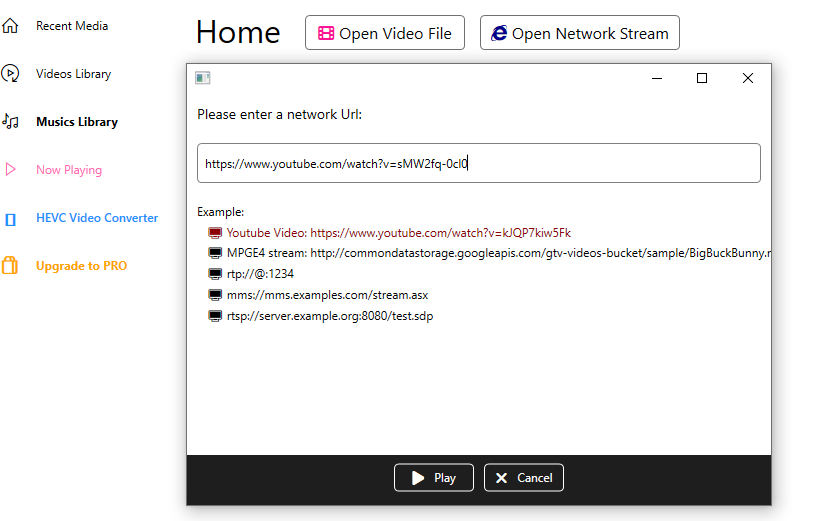
Designed with a clean, modern interface, HEVC Player offers an intuitive experience reminiscent of a well-organized media cabinet. All controls are readily accessible, allowing users to play, pause, skip, and adjust settings with just a few clicks—think of it as flipping through a well-organized photo album, but for videos.
Lightweight & Smooth Performance
By focusing on essential functionalities, the application runs swiftly without bogging down your system. It feels like driving a nimble sports car—you get where you want to go quickly and effortlessly. The app's optimized code reduces cognitive load, allowing users to focus on enjoying their media without wrestling with complicated menus or laggy playback.
Deep Dive into User Experience and Differentiators
From the moment you launch HEVC Player, its interface welcomes you as a familiar, clutter-free environment—less like navigating a confusing dashboard and more like flipping through a familiar photo album. The playback controls are straightforward, with essential functions prominently displayed, making it easy for users of all levels to enjoy their videos without a steep learning curve.
One of its most compelling features is its dedicated support for HEVC/H.265 content. Unlike some general-purpose media players that support a broad range of formats but struggle with high-efficiency codecs, HEVC Player zeros in on this niche. Its codec optimization reduces CPU load significantly, which means viewers can watch high-resolution videos smoothly even on modest hardware. This focus on workflow integration—by efficiently decoding HEVC content—reduces cognitive load, allowing users to enjoy their media without fuss or technical distractions.
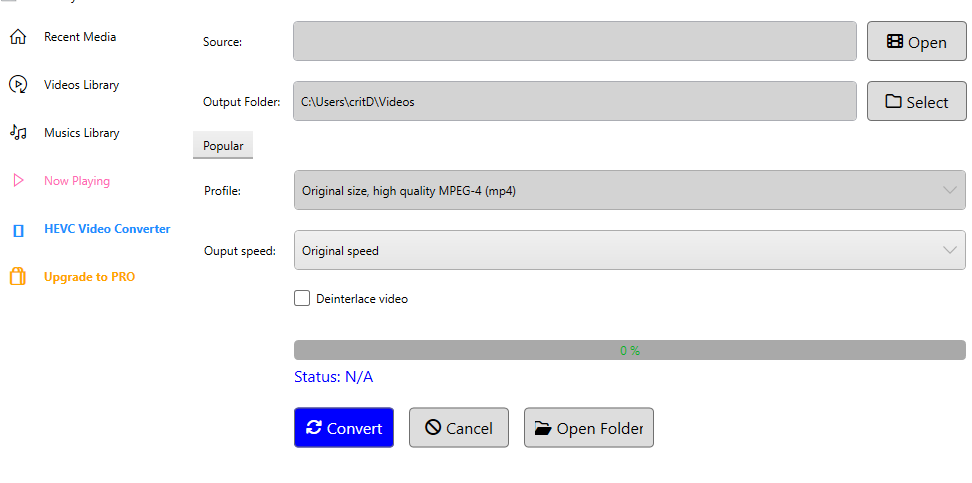
Compared to more complex media apps that cram in endless features, HEVC Player maintains an elegant simplicity. Its core strength lies in doing one thing exceptionally well—playing HEVC videos—without overwhelming users with extraneous options. This clarity enhances productivity: users spend less time configuring settings and more time enjoying their content or seamlessly integrating the app into their workflow as a reliable media tool.
Recommendation & Usage Suggestions
If your primary need is a straightforward, high-performance media player tailored for HEVC videos, HEVC Player for Windows is a commendable choice. Its minimalistic design and efficient decoding capabilities make it ideal for users who value simplicity combined with reliable performance. For multimedia professionals or casual users who often handle high-resolution, high-compression videos, this app reduces both frustration and cognitive effort, streamlining their viewing experience.
In summary, I'd recommend HEVC Player as an efficient, no-fuss solution for those seeking smooth playback of HEVC-encoded videos. Its standout feature—dedicated high-efficiency decoding—coupled with an intuitive interface, positions it as a valuable tool in the digital media toolbox. For users tired of sluggish players that bog down with complex features, this app offers a breath of fresh air—a straightforward, reliable platform for enjoying your high-quality videos hassle-free.
Pros
- High Compatibility
- User-Friendly Interface
- Lightweight Performance
- Built-in Codec Support
- Fast Streaming Capability
Cons
- Limited Format Support Beyond HEVC
- Lack of Advanced Features
- Occasional Playback Crashes
- No built-in Chromecast or DLNA support
- Limited Customization Options











