
Frequently Asked Questions
How do I start playing Hill Climb Racing for the first time?
Download the game, open it, and follow the on-screen tutorial to learn basic controls and gameplay. No registration required; just start driving!
What are the main controls to operate the vehicle in the game?
Use the on-screen accelerator and brake buttons to control speed and balance. Tap and hold to accelerate, release to brake, and tilt device for steering if applicable.
How can I upgrade or customize my car in Hill Climb Racing?
Collect coins during gameplay and visit the garage shop to upgrade parts or purchase new vehicles. Access upgrades via the in-game menu at the garage icon.
What are the different environments or terrains I can race on?
The game features various inventive environments such as moon hills, desert, snow, and more, each presenting unique challenges. Select different tracks to experience these.
How do I earn bonuses or perform tricks to gain extra rewards?
Perform daring tricks like flips or stunts during jumps to earn bonus coins. Timing your tricks well maximizes rewards displayed at the end of each run.
Are there any in-app purchases or subscriptions I should be aware of?
Yes, you can buy coins, vehicle upgrades, or special items through in-app purchases. Check Settings > Store for available options and manage your purchases.
Can I remove ads or get a premium version of Hill Climb Racing?
The game is free, but in-app purchases may include ad removal or premium features. Visit Settings > Store to explore paid options.
What should I do if the game crashes or experiences lag?
First, restart the device. If issues persist, update the game to the latest version or reinstall it. Contact support at [email protected] with device details if needed.
How do I save my progress or sync it across devices?
Currently, Hill Climb Racing does not support account login or cloud save. Progress is saved locally; consider backups if reinstalling.
Is there any way to reset my game progress or start fresh?
Yes, you can reset your progress via Settings > Account > Reset Game. Confirm to start anew, though this erases previous data.
You May Like

Asphalt Legends
for Windows
4.8
Asphalt 8: Airborne
for Windows
4.8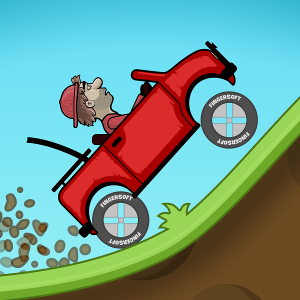
Hill Climb Racing
for Windows
4.7
Beach Buggy Racing
for Windows
4.7
Trailmakers
for Windows
4.6
Trailmakers: Ultimate Edition
for Windows
4.6
Sunset Bike Racing - Motocross
for Windows
4.6
Drift Legends 2
for Windows
4.5
Forza Motorsport Premium Edition
for Windows
4.3
Forza Horizon 5 Standard Edition
for Windows
4.2
Forza Motorsport Standard Edition
for Windows
4.2
Disney Speedstorm
for Windows
4.2