

- Category Productivity
- Available on PC
- OS Windows 10 version 16299.0 or higher
- languages English (United States)
Getting to Know HP PC Hardware Diagnostics Windows
Imagine having a trusted repair technician right at your fingertips—quick, precise, and always ready to diagnose your PC's health. HP PC Hardware Diagnostics Windows is a sleek utility designed to help users and IT professionals alike keep their HP devices in top shape without the need for external tools. Whether you're troubleshooting a hardware glitch or performing routine checks, this app promises to be your diagnostic companion.
Who's Behind the Tool?
Developed by HP Inc., a household name in the computing world, this application benefits from HP's extensive experience and expertise in hardware manufacturing and support. The team's goal is to deliver a straightforward yet powerful diagnostic solution tailored specifically for HP PCs, ensuring reliability and ease of use for end-users.
Key Features That Stand Out
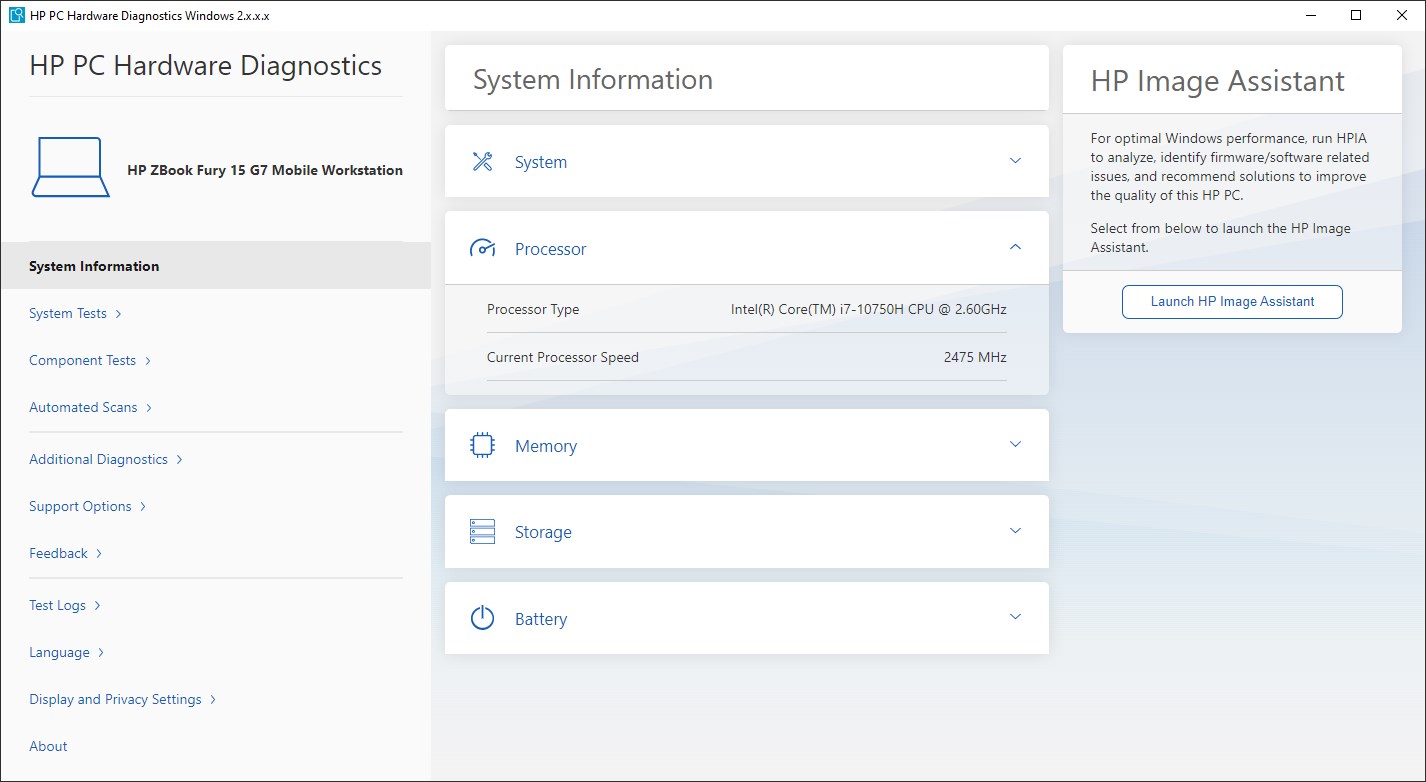
- Comprehensive Hardware Testing: Offers a wide range of tests covering components like memory, storage, processor, and battery—isolating issues swiftly.
- User-Friendly Interface: Clean, organized layout makes navigating diagnostics simple for tech novices and experts alike.
- Detailed Test Reports: Generates clear, actionable results that help users understand hardware status and necessary next steps.
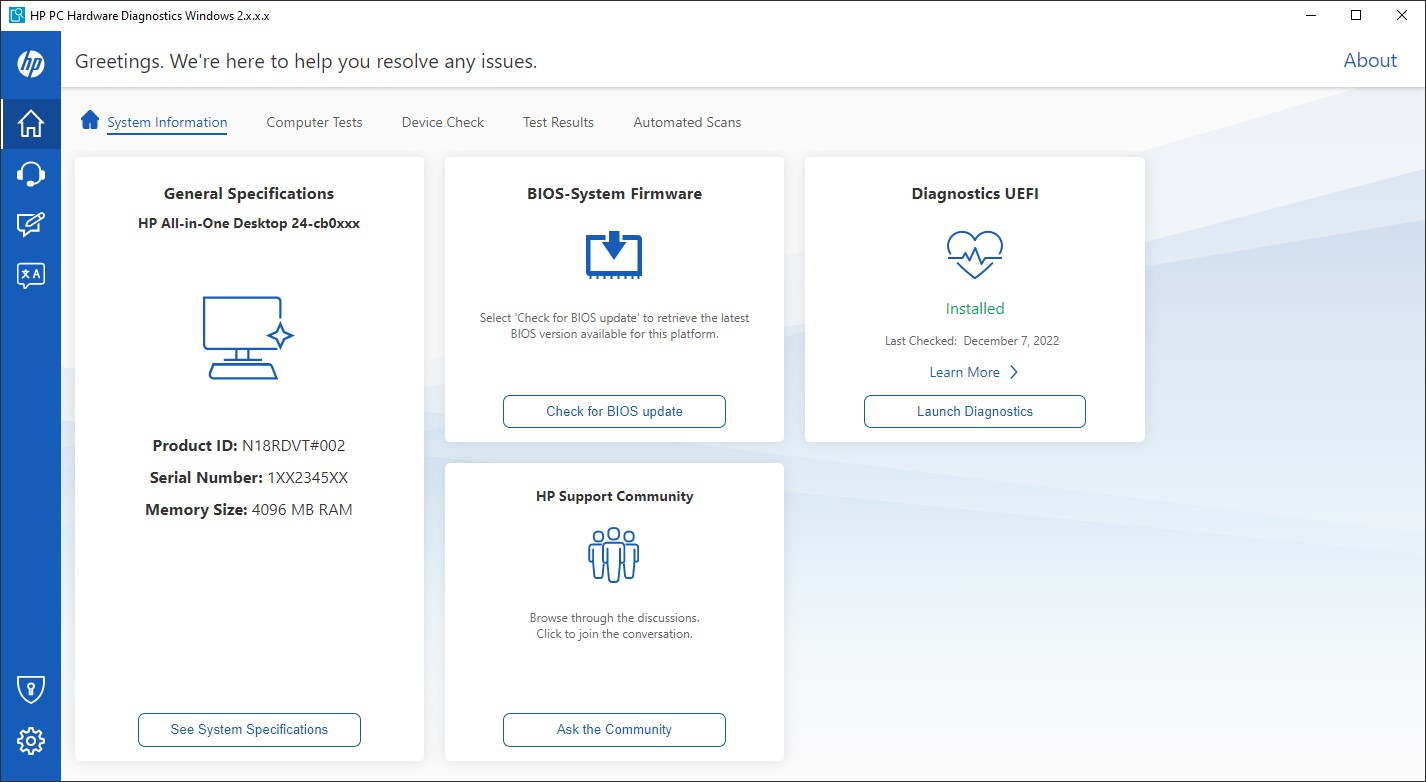
- Pre-Boot and Windows Diagnostics: Supports run-time diagnostics both inside Windows and via pre-boot environment, accommodating different troubleshooting needs.
In-Depth Review: A Must-Have for the Curious & the Cautious
Imagine your PC as a complex city bustling with activity; sometimes, the lights flicker or traffic stalls. HP PC Hardware Diagnostics Windows acts like a meticulous city inspector, inspecting every corner to ensure everything runs smoothly. Its process is akin to a health check-up—quick, thorough, and reassuring.
Accessible, Intuitive Interface
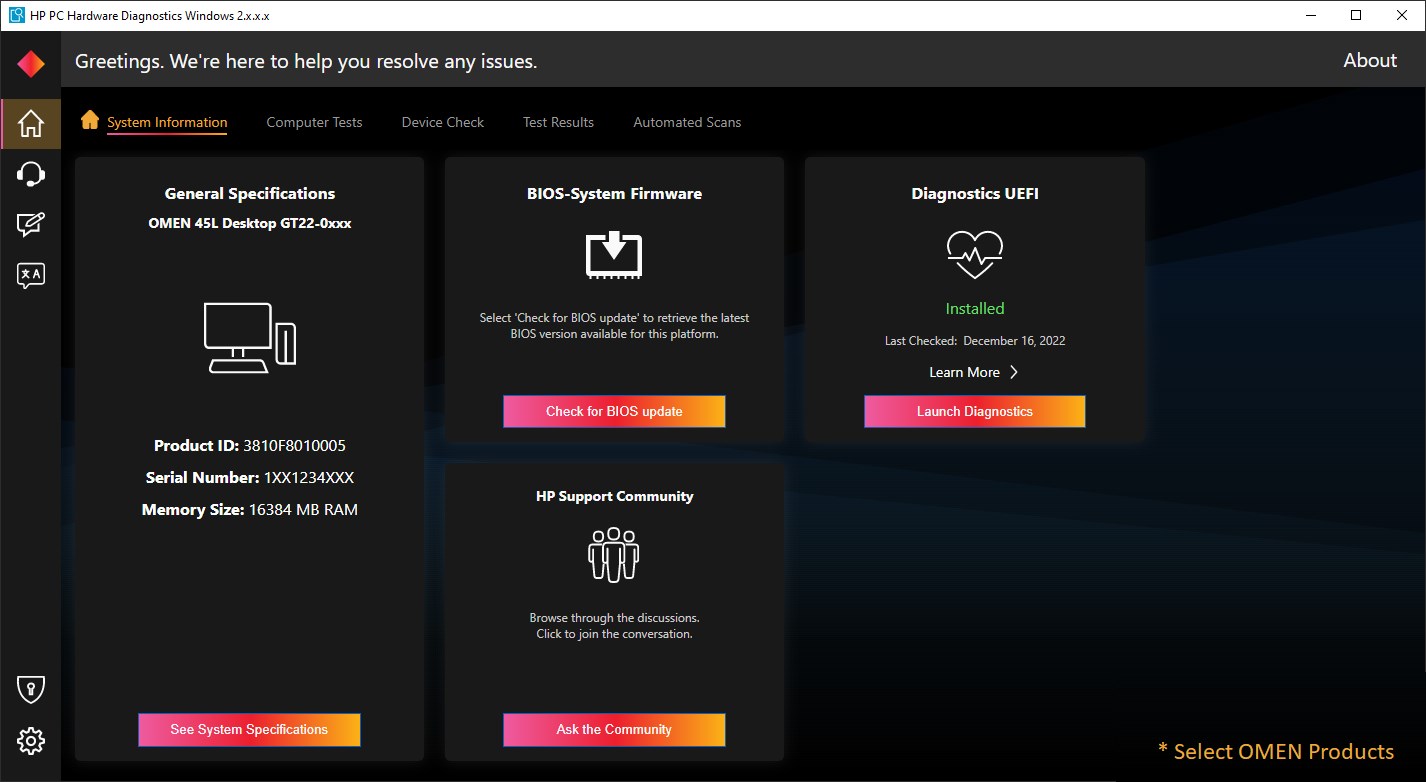
The app's interface is refreshingly straightforward—bright, organized, and free of overwhelming menus. From the moment you launch it, you're greeted with a clear layout: select a component, run a test, and review the results. The minimalistic design reduces cognitive load and makes troubleshooting accessible even for users with limited technical background. Navigation feels seamless, almost like flipping through pages of a well-maintained manual, where every step is intuitive and guided.
Powerful Diagnostics with Focused Precision
The core strength of this tool lies in its comprehensive hardware tests. It's like having a mechanic run a full diagnostic on your car—checking the battery, fluid levels, brakes, and engine—all in one place. The focus here is not just on conducting tests but on ensuring each component's health with precision. The ability to identify issues preemptively can save users significant time and money. Its dual diagnostic modes—Windows-based tests and pre-boot diagnostics—are a particular highlight, providing flexibility for troubleshooting when the OS might not be functioning correctly.
Efficiency and Differentiation: Less is More
Compared to other productivity or maintenance tools, HP's diagnostics excel in workflow integration—it's like a diagnostic station built directly into your PC's operating environment. The app reduces cognitive effort by delivering straightforward, easy-to-understand results without overwhelming choked with options or technical jargon. This focus on reducing cognitive load—and the streamlined process—makes troubleshooting less intimidating. Unlike complex tools that try to offer everything under the sun, this app zeroes in on what matters for hardware health, setting it apart from more bloated utilities.
Recommendation & Usage Tips
If you own an HP PC or need a reliable way to quickly assess hardware health, this app is a valuable addition to your toolkit. Its user-friendly design and targeted diagnostics make it suitable for everyday users, IT staff, or IT support teams. I'd recommend running it periodically as part of routine maintenance or whenever encountering unexplained hardware issues.
For best results, use the pre-boot diagnostics before a major system update or hardware upgrade. Its clarity and focus provide peace of mind, knowing you're not overlooking underlying issues. While not replacing professional servicing on severe hardware problems, it's an excellent first step to diagnosing typical hardware concerns efficiently.
In conclusion, HP PC Hardware Diagnostics Windows offers a refreshingly streamlined, precise, and user-focused approach to hardware testing. It's like having an attentive technician always ready to give your PC a check-up—simple, effective, and trustworthy. Whether you're troubleshooting or performing routine health checks, this app stands out for its clarity and targeted functionality, making it an indispensable utility for HP users.
Pros
- User-friendly interface
- Comprehensive hardware tests
- Integration with Windows
- Quick hardware identification
- Detailed reports
Cons
- Limited troubleshooting guidance
- Occasional false positives
- Requires administrative privileges
- Limited compatibility with older hardware
- Focuses mainly on hardware, less on software diagnostics











