


- Category Entertainment
- Developer HP Inc.
- Available on PC
- OS Windows 10 version 17763.0 or higher
- languages English (United States)
HP TV+ for Windows: Your Personalized Entertainment Companion
Designed to bring a tailored streaming experience directly to your Windows device, HP TV+ is an app that aims to refine how you discover and watch your favorite shows and movies. Developed by HP Inc., this application blends content discovery with personalized recommendations, making entertainment more effortless and enjoyable for everyday users and tech enthusiasts alike.
Key Features and Highlights
1. Smart Content Discovery Algorithms
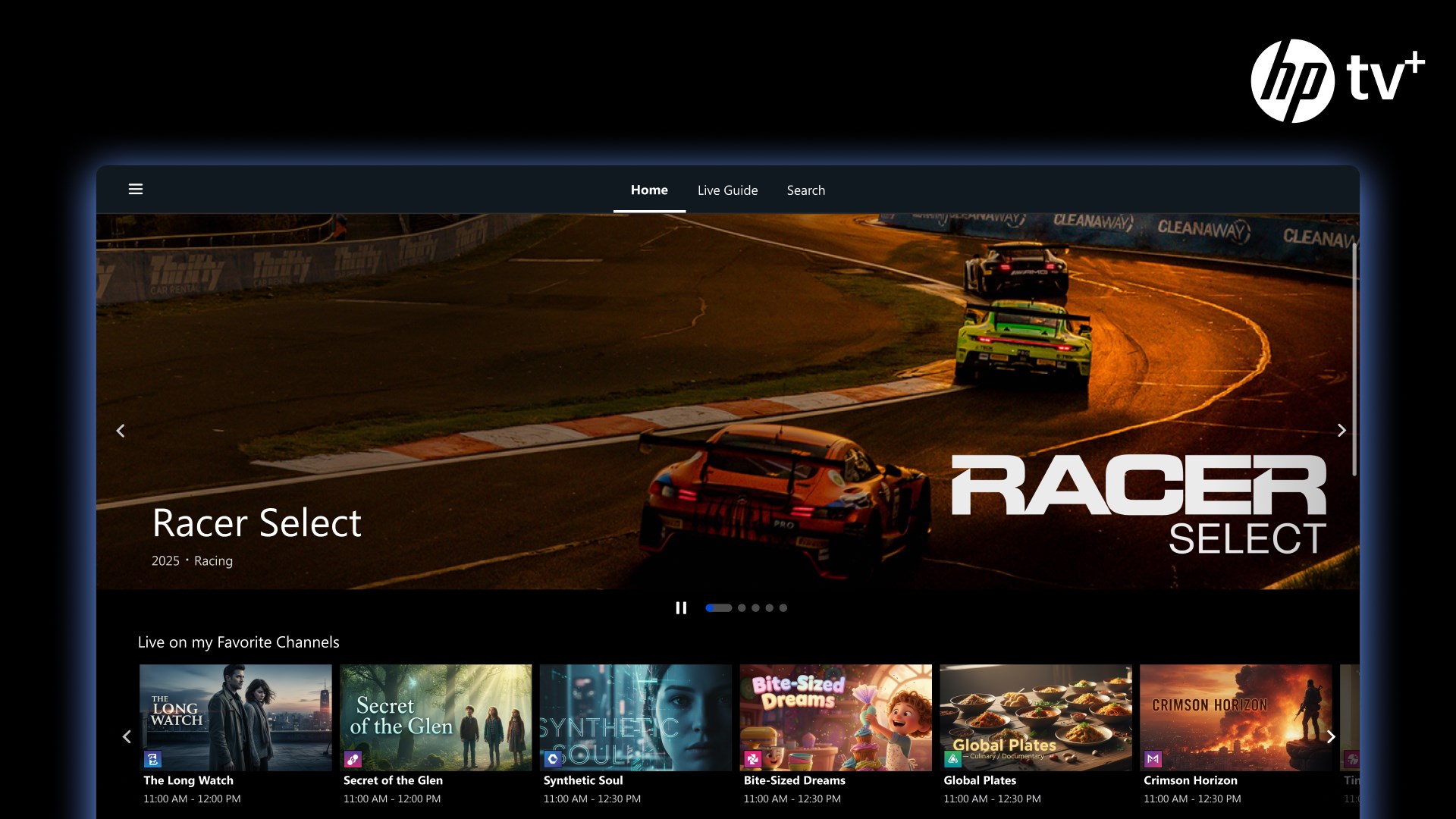
At the heart of HP TV+ lies an intelligent content discovery system that tracks your viewing habits and preferences. It suggests shows and movies that align with your interests, facilitating a seamless journey from desire to binge-watching. This adaptive algorithm ensures that you're always presented with relevant options, reducing the frustration of endless scrolling.
2. Personalized Recommendations with Context Awareness
What sets HP TV+ apart is its emphasis on relevance. Unlike many generic streaming apps, it critiques the content selection to ensure that recommendations genuinely match your taste, considering factors like genre, viewing time, and even mood. Whether you're looking for a quiet evening thriller or a family-friendly comedy, the app fine-tunes its suggestions for you, making each session feel like a curated experience.
3. Intuitive and Elegant Interface
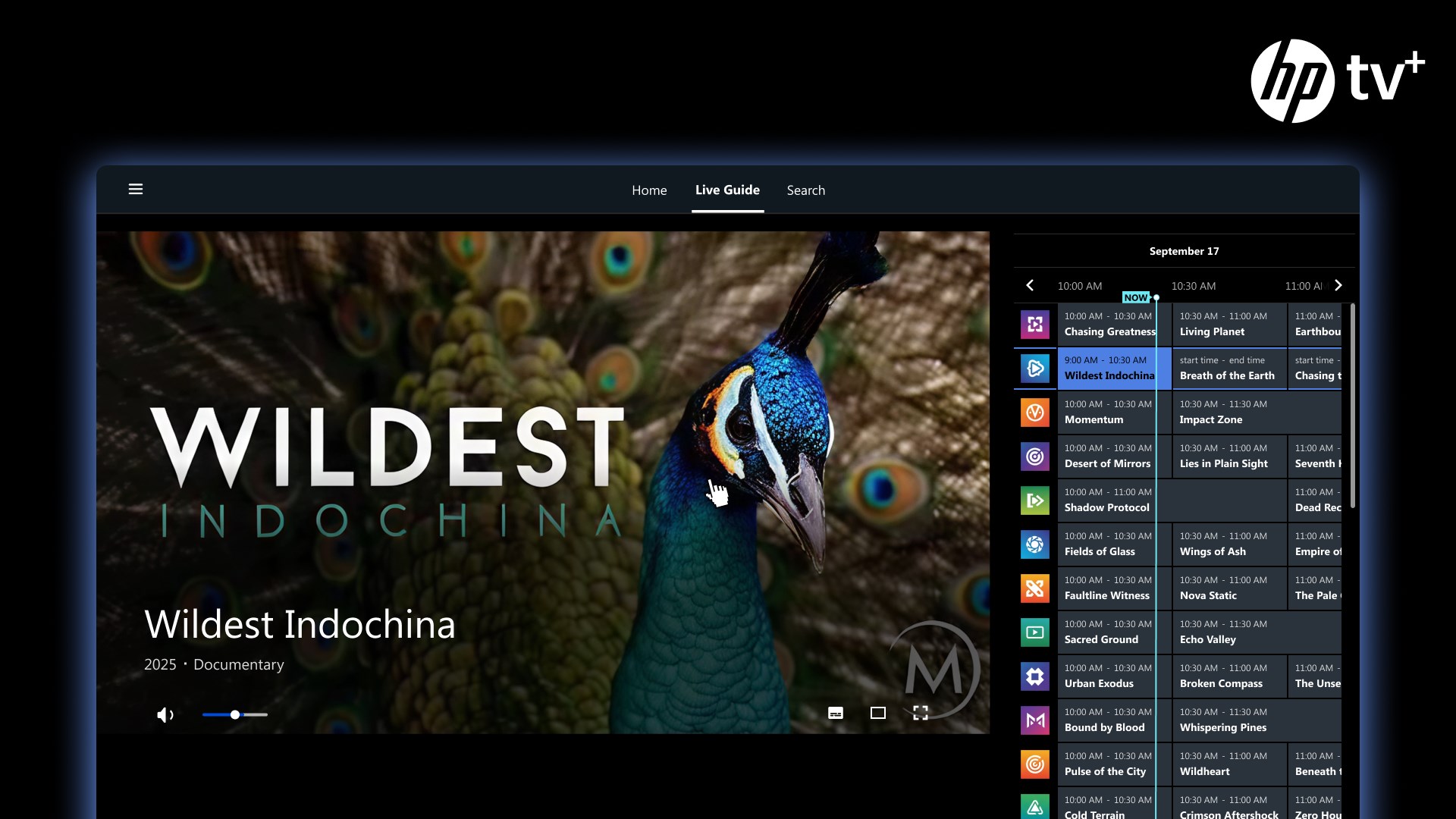
The application's user interface combines minimalism with functionality. Navigating through content feels natural and engaging, thanks to well-organized menus, large thumbnails, and smooth transitions. The layout adapts effortlessly to different screen sizes and resolutions on Windows, offering a clutter-free environment that emphasizes content rather than decoration. Operation flow is fluid, with minimal lag or hiccups, making browsing a pleasurable activity rather than a chore.
Performance, Usability, and User Experience
From the moment you launch HP TV+, the experience feels polished. The app runs smoothly without noticeable delays, even when handling high-definition streams. The learning curve is gentle; new users can quickly navigate through categories and personalize their profiles without poring over complicated menus. The design encourages exploration without overwhelming, akin to flipping through a well-organized digital entertainment library accessible with just a few taps or clicks.
Differentiation from Competitors: Content Discovery & Recommendations
When comparing HP TV+ to other entertainment apps, its standout feature is its sophisticated content discovery mechanism coupled with Critique Personalized Recommendation Relevance. Unlike platforms that simply suggest popular content or rely solely on viewing history, HP TV+ actively evaluates your preferences and offers nuanced suggestions. This creates a more satisfying and less repetitive viewing experience, effectively acting like a thoughtful friend who knows your taste inside out. The app's ability to adapt recommendations based on contextual clues, such as time of day or mood, adds an extra layer of personalization many rivals lack.
Final Thoughts and Recommendations
HP TV+ for Windows emerges as a noteworthy contender for those seeking a streamlined, intelligent, and personalized entertainment app. While it does not boast an extensive content library comparable to giants like Netflix or Hulu, its strengths in tailored recommendations and user-centric design make it a solid choice. I'd recommend it for users who value content relevance and prefer a clean, efficient browsing experience on their desktops or laptops. For casual viewers or tech-savvy users eager to discover content less by chance and more by choice, HP TV+ offers an engaging and thoughtfully curated platform worth exploring.
Pros
- Wide Content Library
- User-Friendly Interface
- High-Quality Streaming
- Seamless Integration with Windows Devices
- Personalized Recommendations
Cons
- Limited Offline Download Options
- Occasional Buffering Issues
- Inconsistent Subtitles Quality
- Limited Content in Certain Regions
- Search Functionality Could Be Improved










