


- Category Entertainment
- Available on PC, Xbox console
- OS Windows 10 version 19041.0 or higher
- languages English (United States)
Hulu for Windows: Your Gateway to a World of Streaming Entertainment
Hulu for Windows offers a comprehensive streaming experience, combining a vast library of TV shows, movies, and exclusive content into an accessible desktop application. Whether you're binge-watching your favorite series or exploring new releases, this app aims to make entertainment readily available on your PC with ease and convenience.
Who Stands Behind This Streaming Powerhouse?
The Hulu for Windows app is developed and maintained by Hulu, LLC, a leading name in the streaming industry renowned for its extensive content and innovative viewing features. Their team focuses on delivering user-centric digital entertainment experiences, ensuring reliability and seamless integration with Windows platforms.
Highlighting the Essentials: Top Features at a Glance
- Personalized Content Recommendations: Leveraging sophisticated algorithms, Hulu tailors your viewing suggestions based on your preferences and viewing history, making each session feel uniquely curated.
- Offline Viewing Capability: Download your favorite shows and movies directly to your device, allowing you to enjoy content without an active internet connection—perfect for commutes or travel.
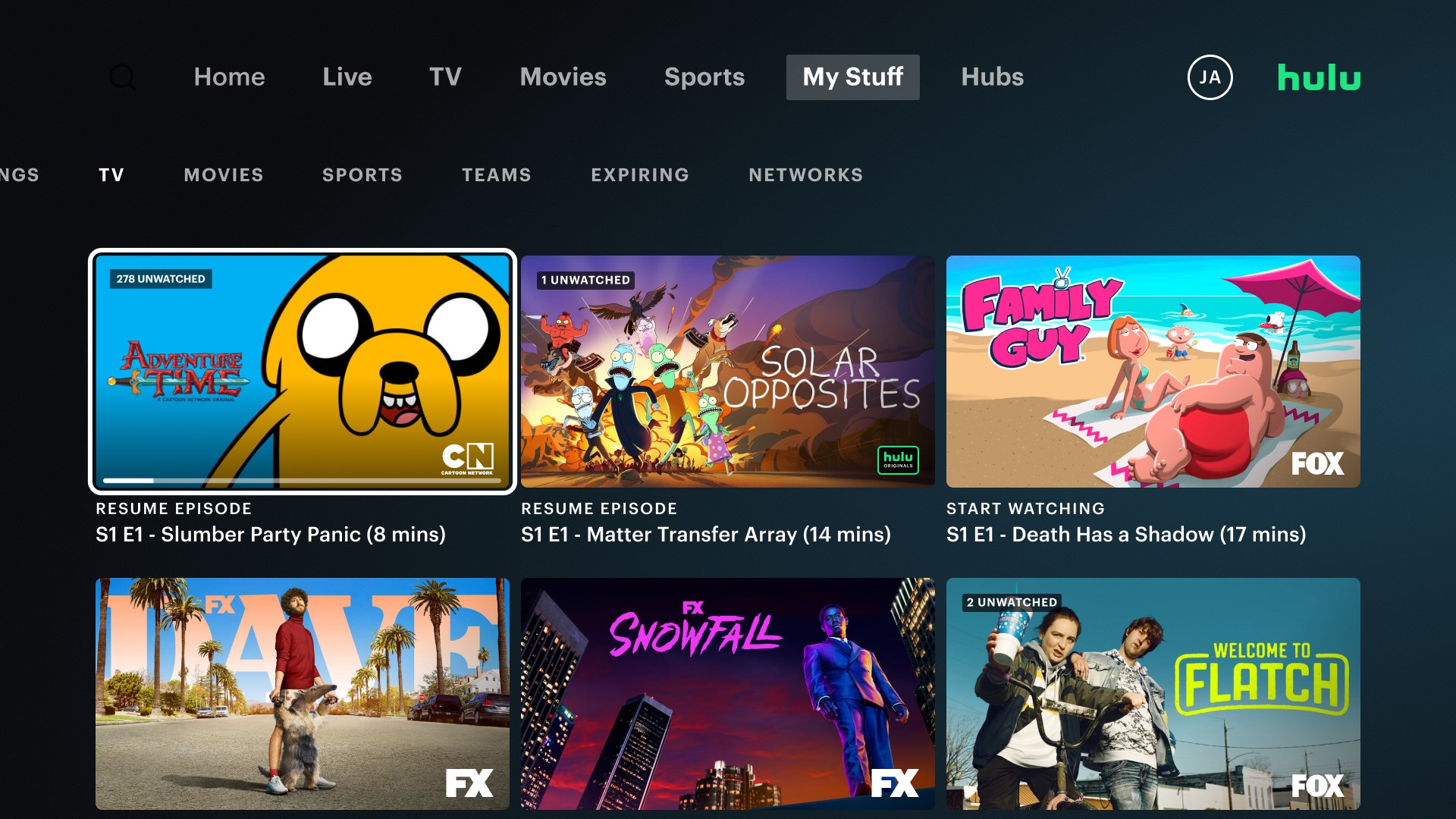
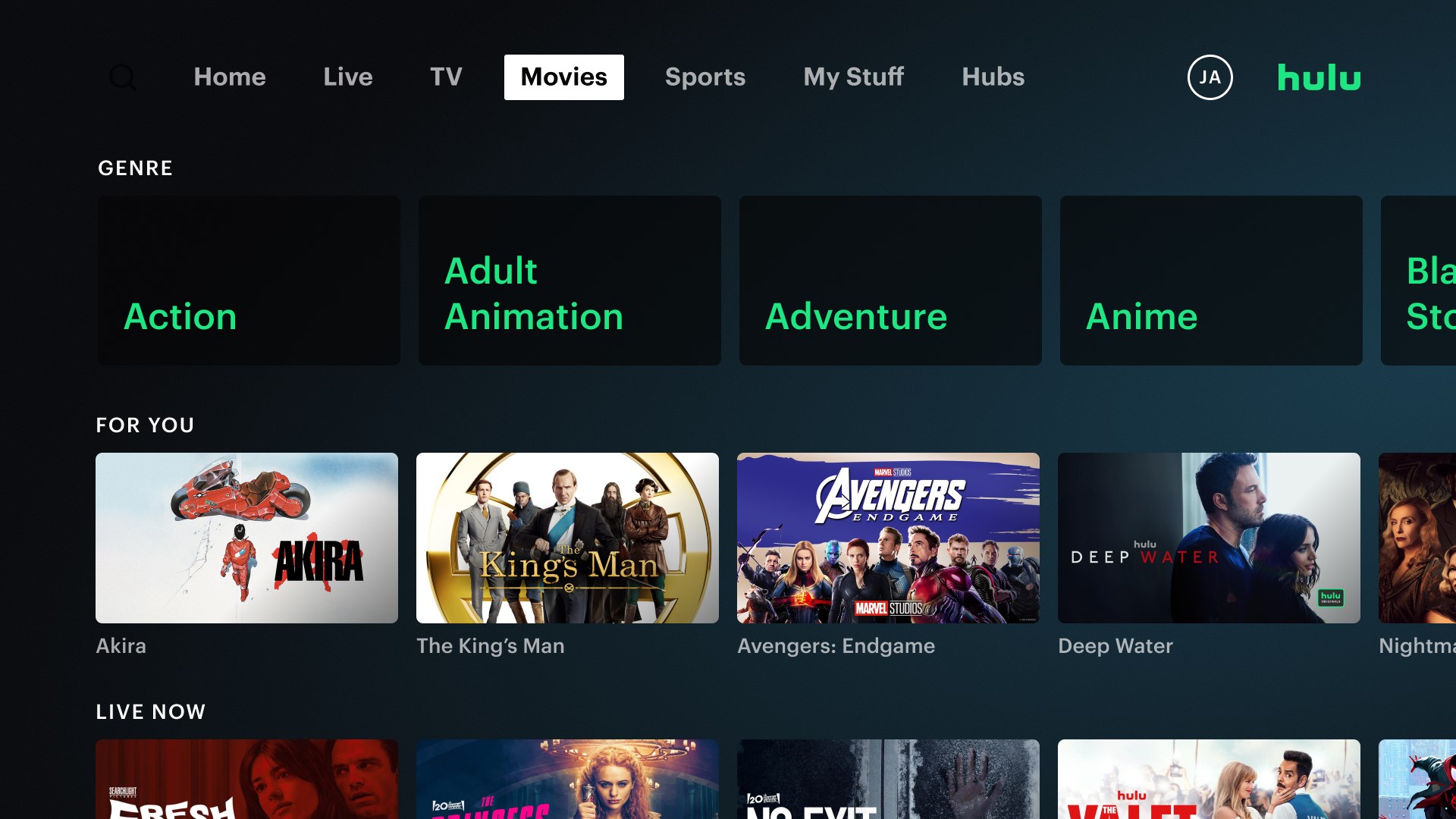
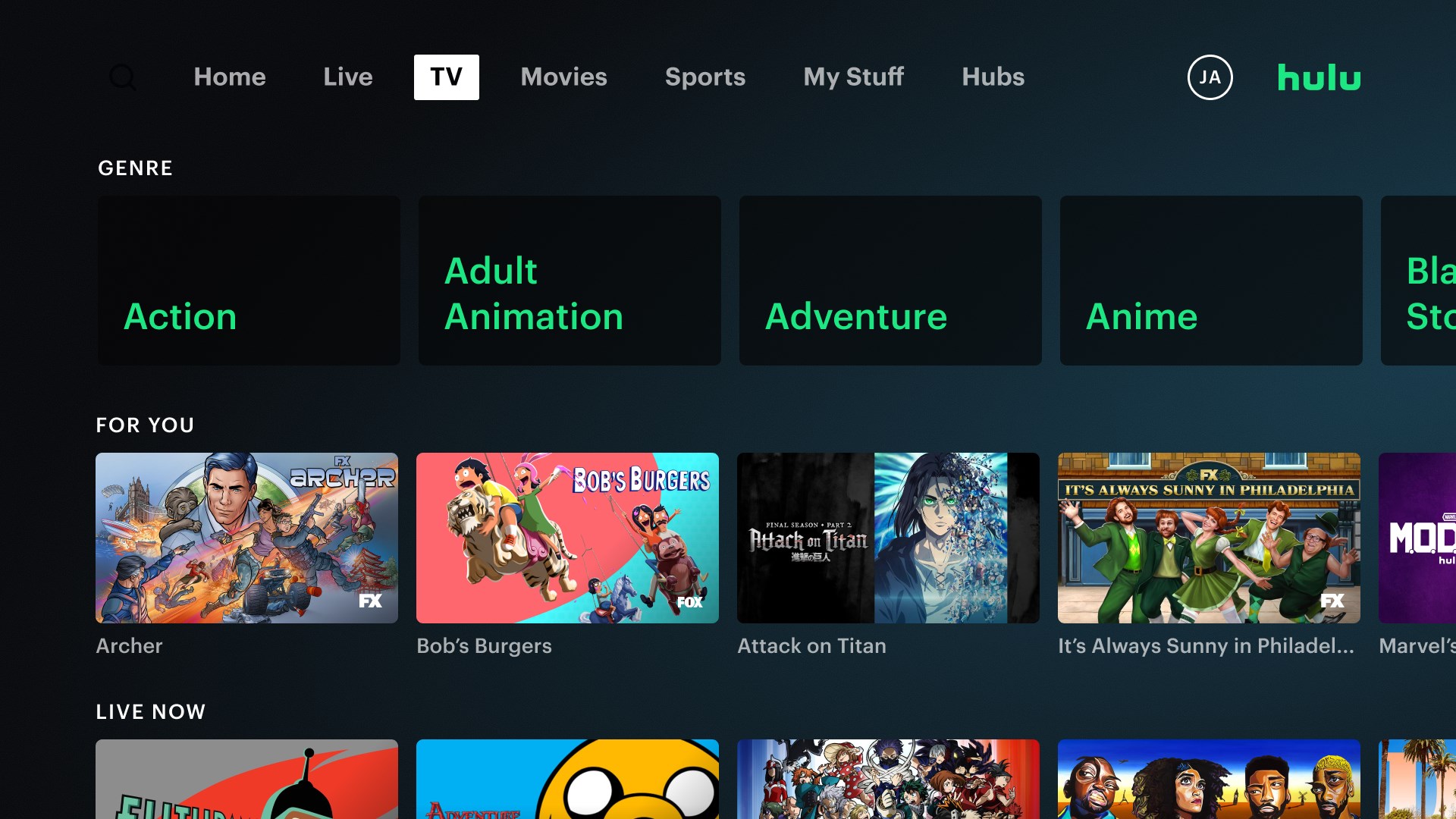
- Intuitive User Interface: The app offers a clean, logically organized layout that facilitates easy navigation, whether you're searching for newly released episodes or browsing various genres.
- Seamless Multidevice Synchronization: Hulu for Windows syncs effortlessly with other devices, enabling a smooth transition between phone, tablet, and PC without missing a beat in your viewing experience.
Immersive and Engaging User Experience
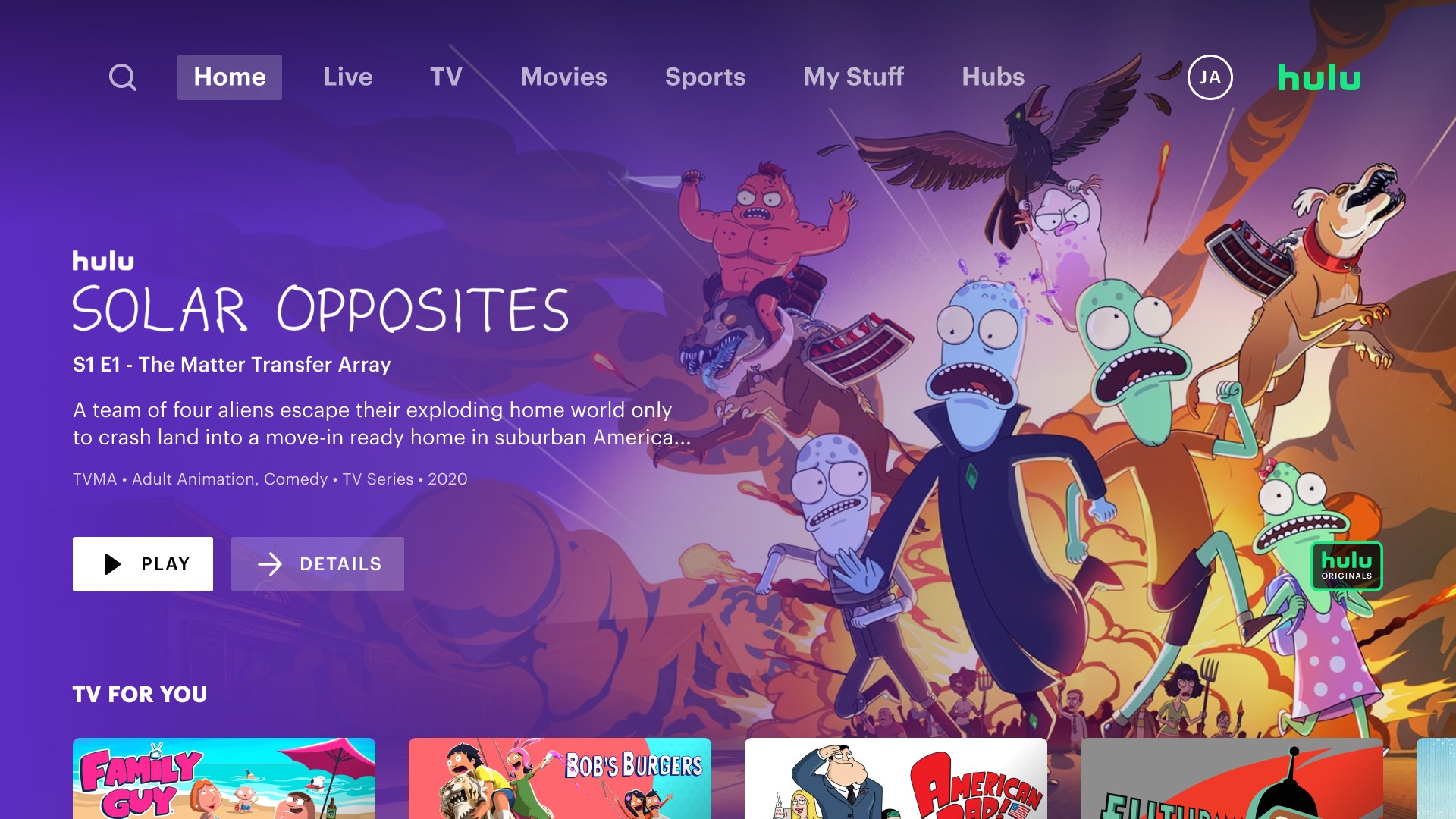
From the moment you open Hulu for Windows, you're greeted with a sleek, modern interface that resembles a well-organized entertainment cabinet—each shelf neatly displaying your favorite genres and recommendations. The layout is thoughtfully designed, making it straightforward even for novice users to find their preferred content with minimal effort. The app runs smoothly, with quick loading times and responsive controls that feel as natural as turning the pages of a magazine.
Content Discovery and Personalization—An Intelligent Approach
What sets Hulu apart from many other entertainment apps is its sophisticated content discovery algorithm. Unlike more generic platforms, Hulu analyzes your viewing habits to deliver highly relevant recommendations, avoiding the common pitfall of irrelevant suggestions flooding your home feed. This personalization ensures that you spend less time searching and more time enjoying shows that truly match your tastes. Whether you're into binge-worthy dramas or lighthearted comedies, Hulu's algorithm brings your preferences to the forefront, making your viewing experience both efficient and delightful.
Enhanced Viewing Experience and Unique Features
Besides solid content delivery, Hulu for Windows shines with its offline viewing feature, which is particularly valuable in today's mobile world. Imagine being on a long train ride or waiting in a cozy café—simply download your favorite episodes beforehand and enjoy without interruption. The app's interface is simple enough to learn quickly, yet powerful enough to cater to more advanced users seeking customizable playback options. The design avoids clutter, allowing you to focus solely on the content—much like having a personal theater directly on your desktop.
Final Verdict: A Strong Choice for Windows Users
Overall, Hulu for Windows is a well-crafted app that balances user-friendly design and intelligent content personalization. Its standout feature—the smart recommendation system—helps differentiate it from other streaming apps by making content discovery intuitive and highly relevant. While it maintains a straightforward interface, behind the scenes is a powerhouse of algorithms that enhance your viewing journey. For users seeking a reliable, customizable, and well-organized streaming client for their Windows PC, Hulu offers a compelling option.
Highly recommended for those who value tailored content suggestions and offline access, Hulu for Windows is a practical addition to your digital entertainment arsenal—especially if you're already invested in Hulu's content ecosystem or looking for a seamless multi-device streaming experience.
Pros
- Extensive content library
- User-friendly interface
- Multiple device support
- Offline downloads
- Live TV feature
Cons
- Limited content in some regions
- Ads in standard plan
- Occasional buffering issues
- Limited 4K content
- Navigation could be improved











