


- Category Music
- Developer iHeartMedia
- Available on Xbox console, PC, Mobile, Surface Hub, HoloLens
- OS Windows 10 version 17763.0 or higher
- languages English, English (Canada), English (United States), French, French (Canada)
iHeart: Radio, Music, Podcasts for Windows — Your All-in-One Audio Companion
iHeart for Windows is a comprehensive media application that seamlessly blends live radio, personalized music streaming, and a diverse array of podcasts into a single platform, designed to keep audio entertainment at your fingertips anytime, anywhere.
Who's Behind the Sound?
The app is developed and published by iHeartMedia, a major player in the radio and digital audio industry with a robust portfolio that reaches millions of listeners daily. Their expertise in curating and delivering diverse audio content ensures that iHeart for Windows remains a reliable and feature-rich platform for users.
Core Features That Make a Difference
- Live Radio Streams: Access thousands of live radio stations across genres—be it pop, news, sports, or talk—delivering real-time broadcasts that mimic traditional radio with a modern digital twist.
- Personalized Music Recommendations: Utilizing an intelligent algorithm, the app curates playlists and stations tailored to your musical tastes, creating a personalized soundtrack to your day.
- Vast Podcast Library: Explore thousands of podcasts spanning various topics—from comedy and storytelling to news analysis—making it a versatile platform for all your audio interests.
- Smart Rhythm Pattern Recognition: Unique to iHeart, the app assesses rhythm pattern variety within music streams, offering smoother transitions and more engaging listening experiences.
Vivid Adventures in Listening
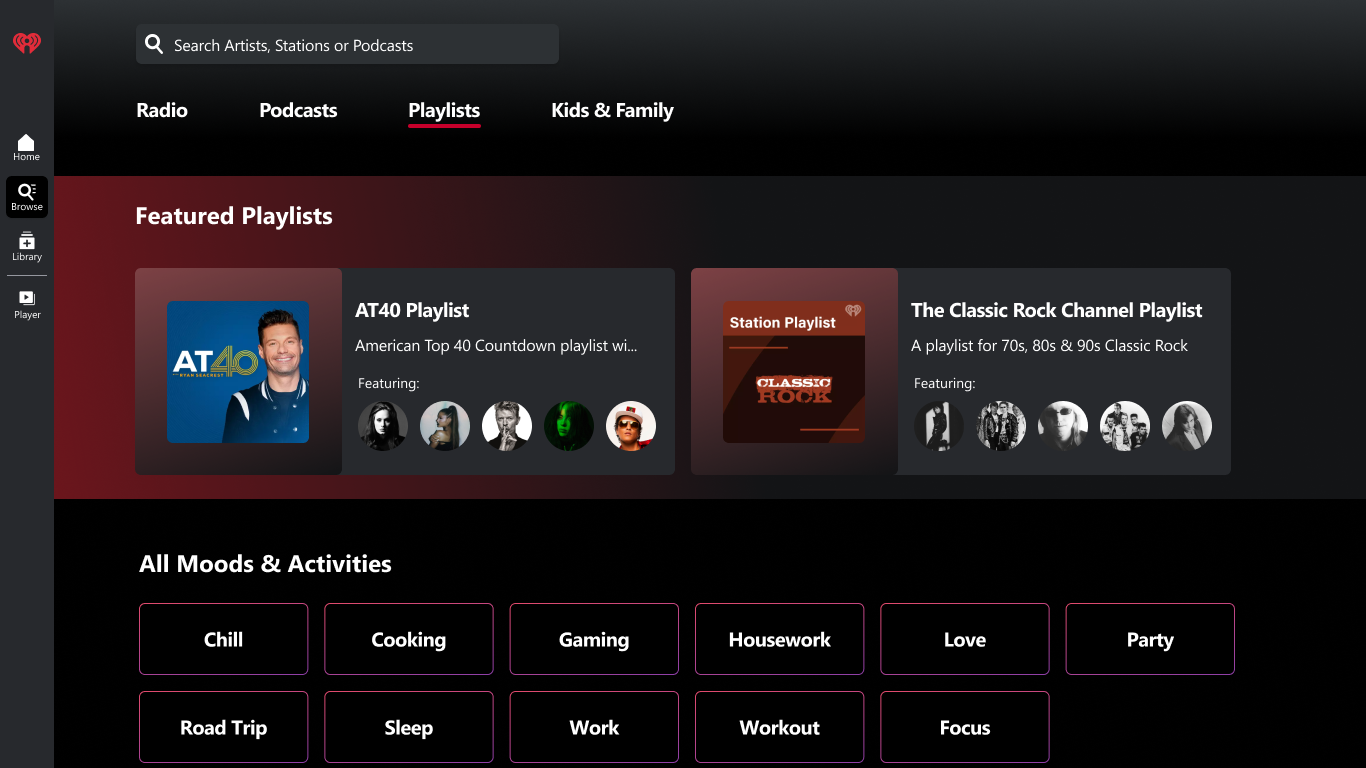
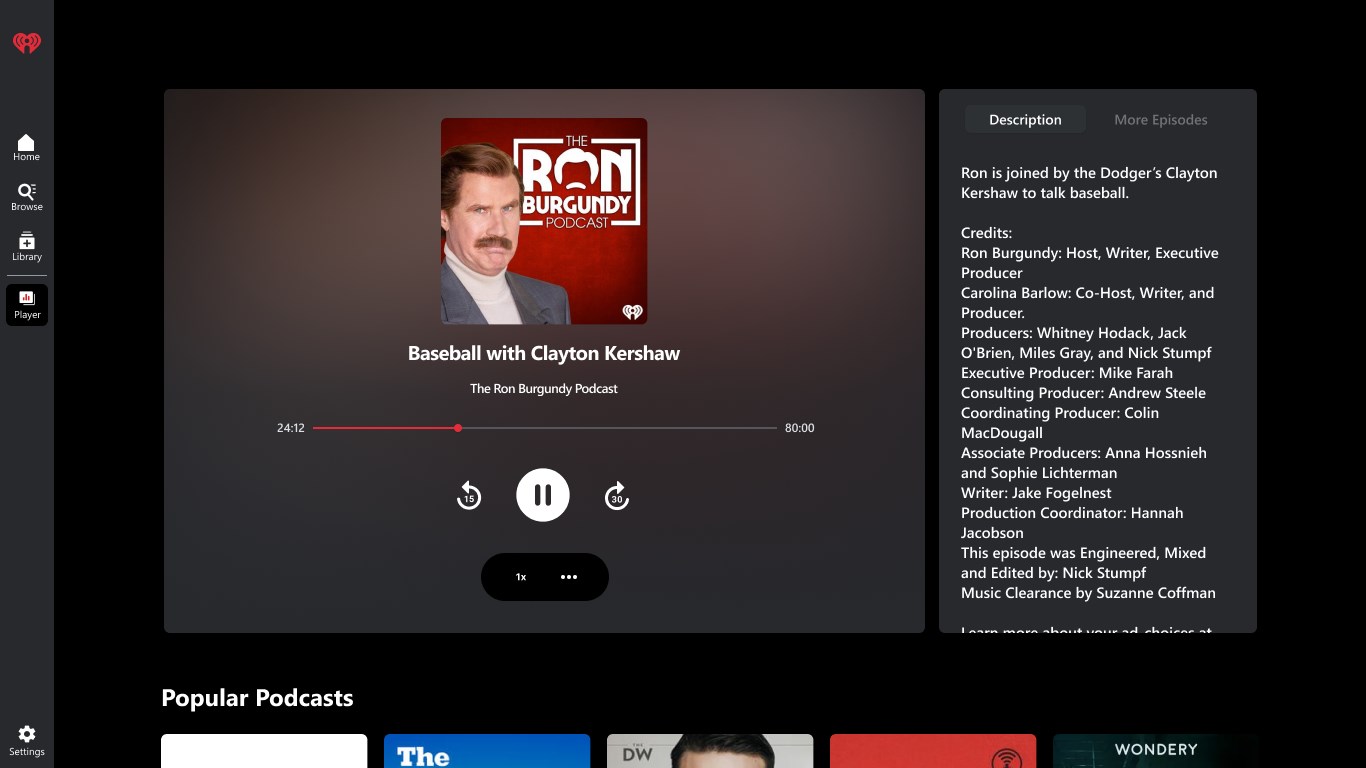
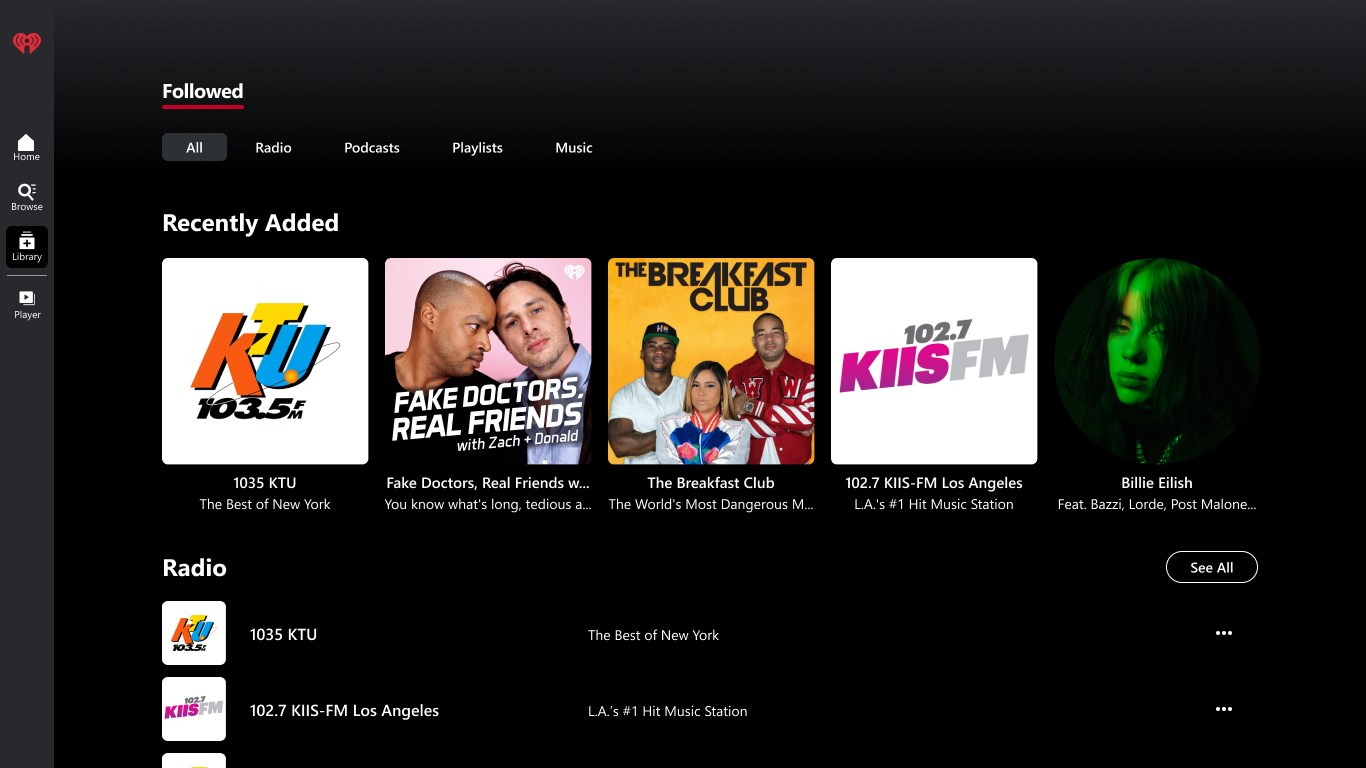
Imagine settling into your favorite armchair with a warm cup of coffee as the morning news starts streaming seamlessly through iHeart, or tuning into a lively radio show that feels as close as sitting in the studio with trusted hosts. The app's interface greets you with a sleek, intuitive design—think of it as a well-organized music library at your fingertips, where every button and feature is just a tap away. Its operation runs smoothly, with minimal lag or stutter, even when juggling multiple streams or switching between playlists and podcasts. The onboarding process is straightforward, making it easy for newcomers to start exploring without a steep learning curve.
Innovative Features That Set iHeart Apart
One standout feature—assessing rhythm pattern variety—serves as a subtle conductor, fine-tuning your listening experience by detecting rhythmic nuances across songs. This enables the app to manage transitions more seamlessly, keeping the energy consistent whether you're grooving to a dance beat or relaxing with mellow tunes. This behind-the-scenes smart optimization offers a unique edge over other music apps that typically focus solely on vast catalogs without considering rhythmic cohesion.
User Experience and Comparative Edge
The interface design strikes a balance between functionality and aesthetics, with a user-friendly layout that resembles a digital DJ's toolkit. Navigating through stations, playlists, and podcasts feels natural, making the app accessible even for casual users. Responsiveness is solid; transitions are smooth, and actions like skip or bookmark rarely encounter delays, which enhances overall satisfaction. When compared to typical streaming apps, iHeart excels in its integration of live radio and podcasts, making it more versatile. Its rhythm pattern analysis, in particular, enhances playlist continuity and mood consistency—something many competitors overlook, and giving users a more cohesive listening journey.
Final Thoughts and Recommendations
Overall, iHeart for Windows offers a balanced, thoughtfully designed audio experience that stands out primarily due to its intelligent rhythm pattern assessment and comprehensive media catalog. It's well-suited for users who appreciate the variety of live radio, personalized music, and podcasting, all wrapped into a single app. I'd recommend this platform to anyone seeking a reliable, feature-rich audio companion—especially those who enjoy a nuanced listening experience that respects rhythm and flow.
For casual listeners, its intuitive interface and broad content selection make it a compelling choice. For dedicated audio enthusiasts, the app's innovative rhythm recognition feature offers an extra layer of engagement worth exploring. Whether you're commuting, working, or relaxing at home, iHeart for Windows is a solid, versatile player that can elevate your digital listening habits without any fuss or complexity.
Pros
- Extensive Media Library
- User-Friendly Interface
- Personalized Recommendations
- Offline Listening Support
- Cross-Platform Compatibility
Cons
- Limited Customization Options
- Occasional Streaming Interruptions
- In-App Advertising
- Limited Podcast Discovery Tools
- Basic Search Filters











